
How Many Downloads Can You Have on Netflix in 2026? Limits by Plan
Table of Contents
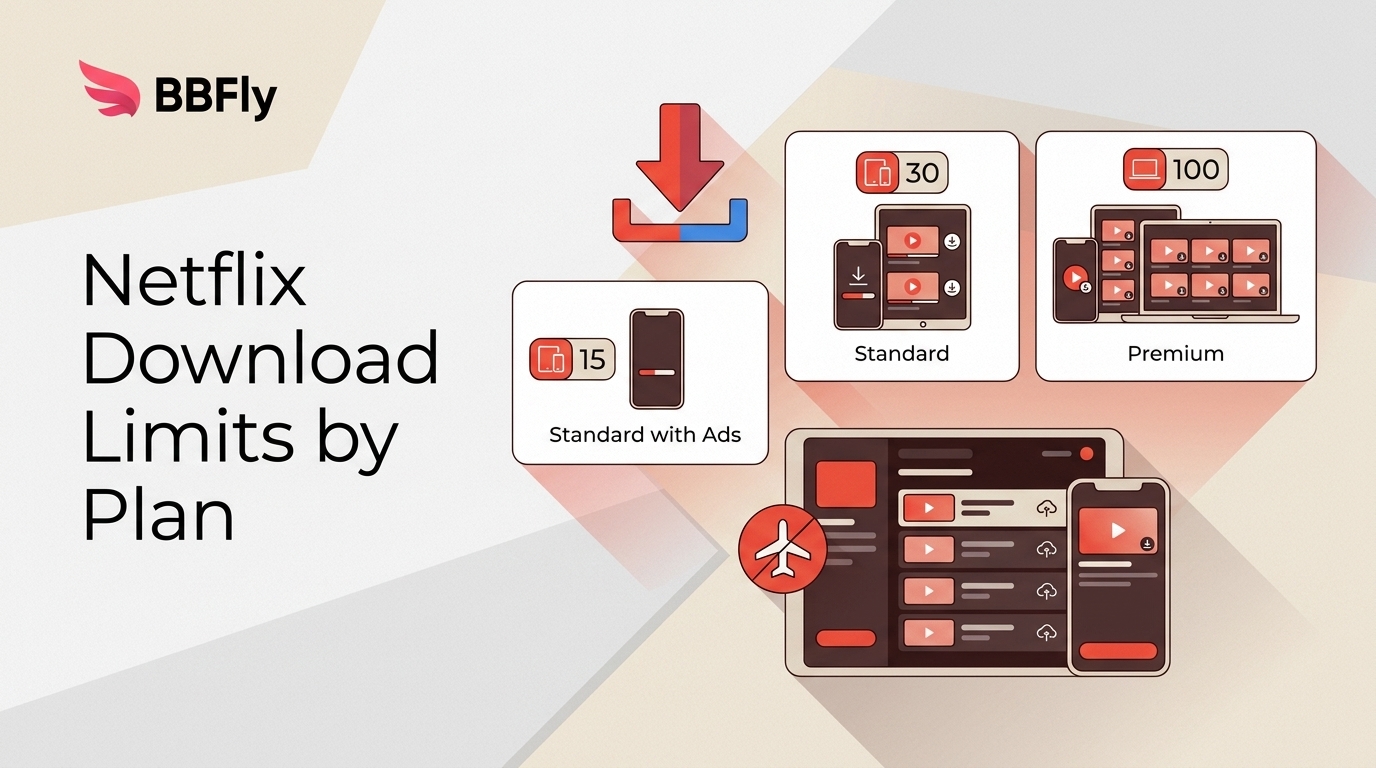
Netflix uses three download counters: Standard with Ads permits 15 download actions per device each calendar month, ad-free plans allow up to 100 active downloads per device, and each plan limits how many devices can hold downloads. Storage on your device is separate.
The math caught me out the night before a trip: a forgotten iPad in a drawer was still holding downloads, and Netflix refused to add one more title. For a Netflix download plan for a flight, separating those counters before you pack is the part that matters.
- Monthly action cap: Standard with Ads allows 15 download actions per device per calendar month.
- Active-download cap: Standard and Premium allow up to 100 active downloads per device.
- Download-device slots: Standard plans allow 2 devices to hold downloads; Premium allows 6. Device storage is separate, because Netflix cannot use space your phone or tablet does not have.
Netflix Applies Three Download Limits
On Standard and Premium, each authorized device holds up to 100 active downloads — files stay until you watch, delete, or wait out the expiry. Standard with Ads tightens that to 15 per device per calendar month, resetting on the first. The device count is 2 on either Standard plan, 6 on Premium. Three limits, three plans. The table below separates them.
Netflix Download Limits by Plan
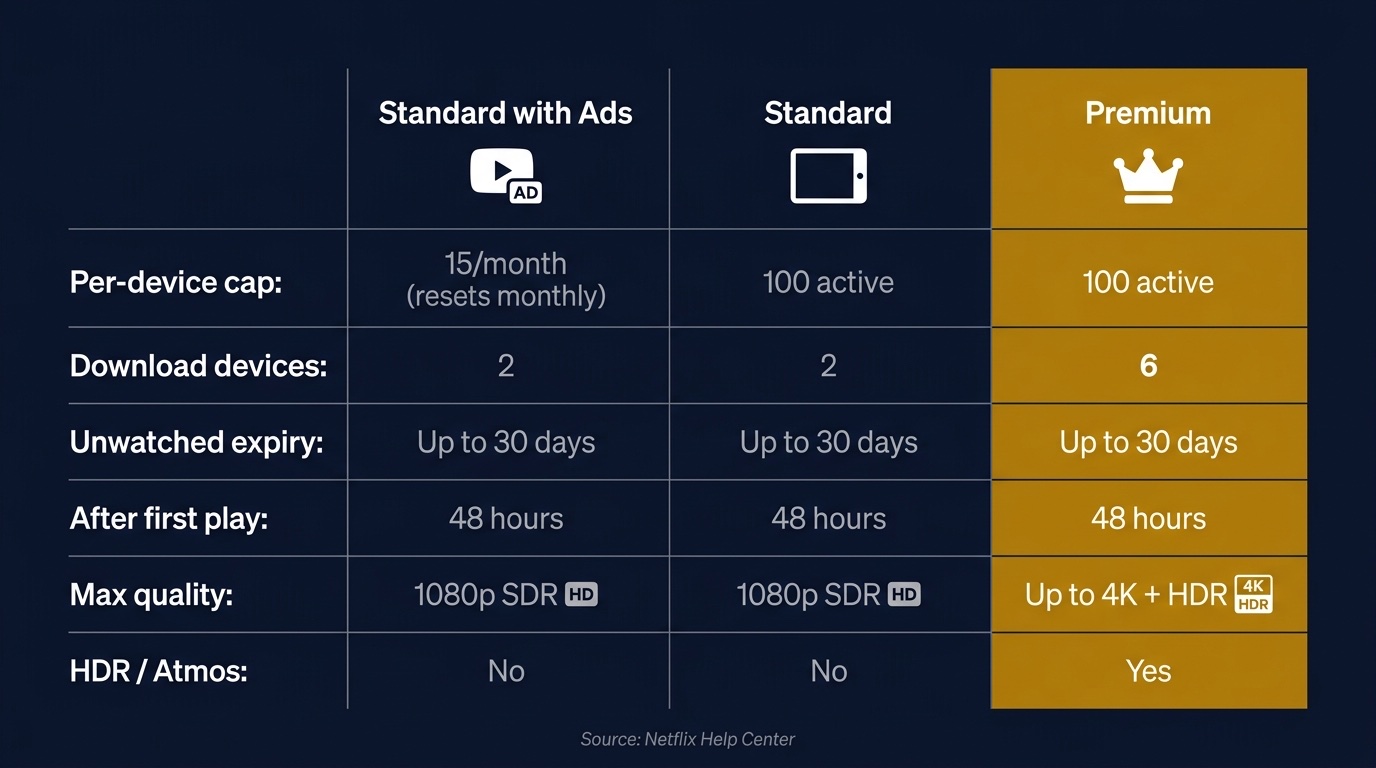
Standard with Ads caps you at 15 download actions per device per calendar month on 2 download devices. Standard and Premium allow 100 active downloads per device on 2 and 6 download devices respectively. Netflix's official app downloads play at up to 1080p HD on all plans.
Netflix Download Limits by Plan (2026)
| Plan | Download allowance | Download devices | Offline quality | Key caveat |
|---|---|---|---|---|
| Standard with Ads | 15 actions per device monthly | 2 | Up to 1080p HD | Resets each calendar month |
| Standard | 100 active downloads per device | 2 | Up to 1080p HD | Title limits can still apply |
| Premium | 100 active downloads per device | 6 | Up to 1080p HD | 4K HDR applies to streaming |
Netflix Help Center information, as of August 2026.
In practice the device cap bites households more often than the per-device file limit — 100 active downloads is generous; the 2-device wall on the Standard plans is not.
Standard with Ads: 15 Downloads per Device per Month, Up to 2 Devices
This is the only tier with a hard monthly cap rather than a running total. Fifteen downloads per device per calendar month, resetting on the first, on at most 2 devices. Smart Downloads — Netflix's auto-fetch-next-episode feature — isn't available here, so every download is manual. For a heavy commuter, that's tight in practice.
Standard: 100 Per Device on Two Devices
On Standard, each authorized device holds up to 100 active downloads — meaning currently on the device, not a lifetime total. Delete a finished episode and the slot frees up. Two devices may carry downloads simultaneously across the account.
Premium: 100 Per Device on Six Devices
Premium keeps the 100-per-device cap and raises the number of devices allowed to hold downloads to 6. Netflix's official app downloads play at up to 1080p HD; Premium's 4K and HDR benefits apply to streaming on supported devices and titles, not to the official offline-download limit. For a household packing several devices, I would weigh the six download-device slots before the streaming spec.
Expiry and Yearly Title Limits
Netflix download expiration rules generally allow up to 30 days before playback and 48 hours after playback begins; some titles have shorter expiration Windows. There is also a separate yearly per-title limit: error 10016-22007 means that specific video's download limit has been reached. Netflix does not publish one universal number because the limit can vary by title and licensing rights. For the full timing rules, see how long Netflix downloads last.
Netflix Download Errors by Limit Type
Netflix download errors look similar, but the first fix depends on which counter you hit. I check the message or code before deleting a season or changing plans; otherwise, you can clear the wrong problem.
| Message or limit | What it counts | Why it appears | First fix |
|---|---|---|---|
| Ads monthly cap | Download actions | 15 actions used | Wait for monthly reset |
| Active-download cap | Files on one device | 100 active downloads reached | Delete watched titles |
| Too many devices | Devices holding downloads | Plan slots are full | Manage Download Devices |
| Error 10016-22005 | Provider restriction | Title restriction applies | Choose another eligible title |
| Error 10016-22007 | Specific title downloads | Yearly title limit reached | Try another title |
| Low device storage | Local free space | Device storage is full | Free space or delete files |
What 'Downloads on Too Many Devices' Means and How to Fix It
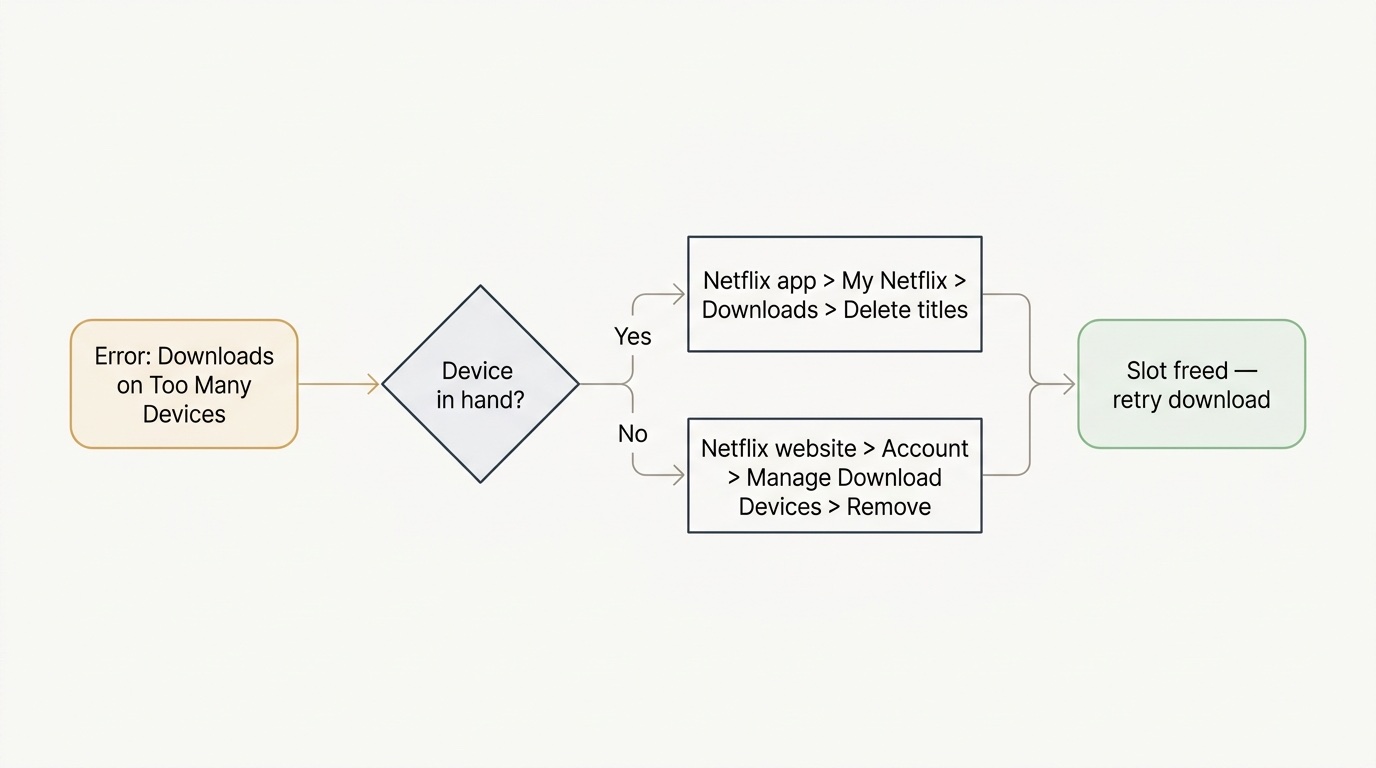
This is the most-misread message in the Netflix app: it shares vocabulary with the streaming-device limit but counts something different. It is not how many devices you're streaming on — it's how many devices still hold any Netflix download data against your account, including data invisible to you. Common causes: an old tablet logged in years ago, stale app metadata from an uninstalled app, or a family member on the same account. If neither removal path resolves a broader Netflix download not working problem, the issue may not be a device-slot limit. The query "Netflix downloads on too many devices but i don't" exists because the literal count doesn't match what the platform counts.
Before you start, sign in to the account, identify the device holding downloads, and make sure the target device has available storage.
Use these two steps:
- Remotely: On Netflix in a web browser, open Manage Download Devices, select the device, and confirm removal.
- On the device: In the Netflix app, open My Netflix → Downloads and delete the titles.
I default to Path B when the device is in my hand — faster, and it confirms the slot is freed. Honestly, if you're clearing forgotten devices every few months, upgrading Standard → Premium isn't a marketing pitch so much as buying back the time you'd spend on this screen.
See Which Devices Currently Hold Your Netflix Downloads
The Manage Download Devices screen lists every device the account treats as a downloading device, by platform name (e.g., "iPhone 14"). Netflix updates the list periodically rather than instantly — a device you just cleared may take a refresh before it falls off. If a device you no longer own is on the list, this is where you remove it.
BBFly's Native Download Workflow for Desktop
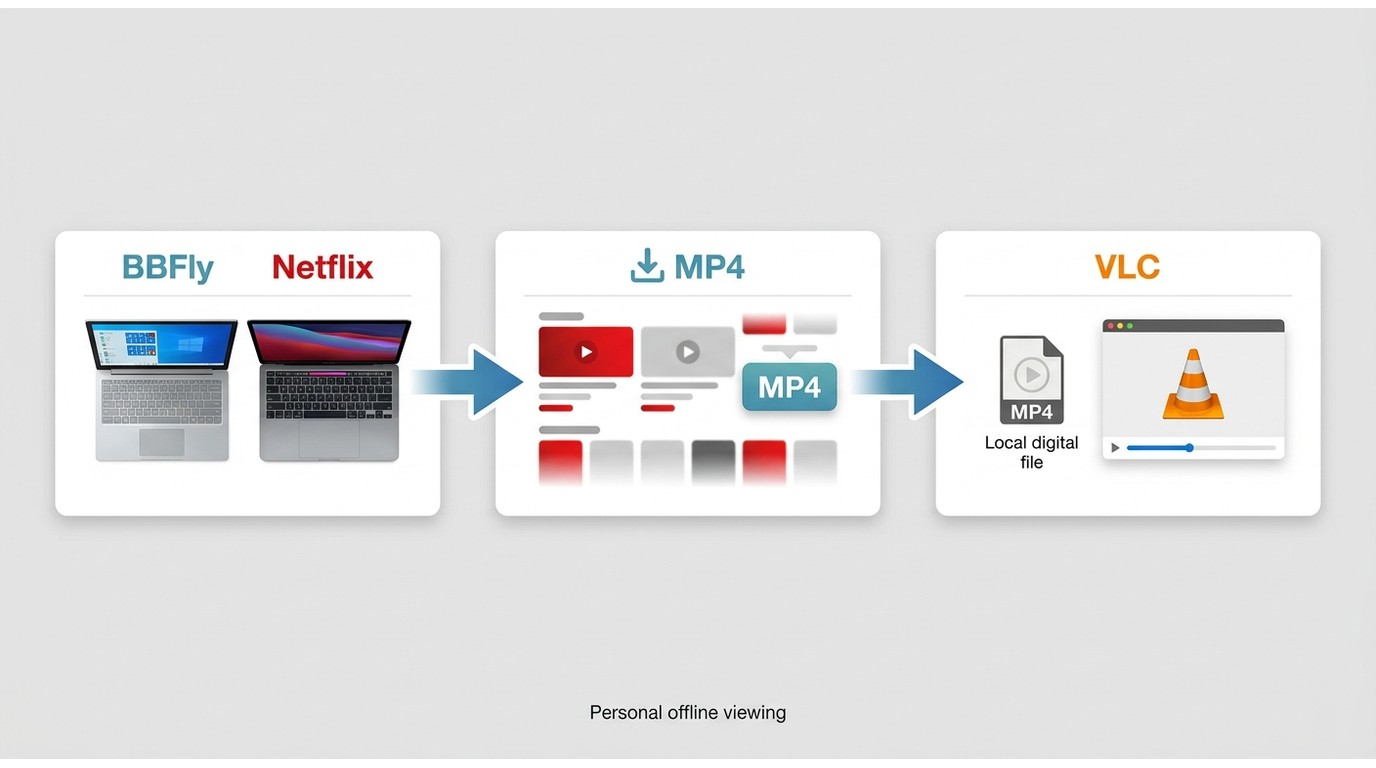
Please note: BBFly is a desktop alternative to Netflix's official download feature. Use it only for content you are authorized to access, where permitted by platform terms and applicable law, and keep downloads for personal offline viewing rather than redistribution.
Windows and Mac users sit outside Netflix's current official download-device list, which is where the decision changes. For authorized access where permitted by platform terms and applicable law, BBFly Netflix Downloader provides a Native Download workflow for personal offline viewing on Windows and Mac.
This fit is for desktop users who need a local-file workflow after the official app leaves their operating system unsupported. BBFly's 30-day trial allows three complete titles per streaming service, which is enough to judge whether the desktop workflow fits before buying. It is not the practical choice for readers already served by Netflix's official apps on Android phones and tablets, iPhone and iPad, Amazon Fire tablets, or Google Chromebooks.
Netflix Downloads FAQ
These follow-ups complete the same decision chain: confirm which devices Netflix supports, separate local storage from account limits, decide whether a plan change helps, and distinguish title eligibility from the counters above.
Which devices support Netflix downloads?
Netflix officially supports downloads on Android phones and tablets, iPhone and iPad, Amazon Fire tablets, and Google Chromebooks. Its current supported-device list does not include Windows or Mac downloads.
Does Netflix impose a separate gigabyte limit?
No separate Netflix account-wide gigabyte limit is documented here. Netflix's limits are based on download actions, active downloads, title restrictions, and download-device slots; available storage is a separate constraint on the phone, tablet, or Chromebook itself.
Does changing plans increase Netflix download slots?
Yes. Premium raises the number of devices that can hold downloads from 2 to 6. It will not change title-specific restrictions or raise official download quality above 1080p HD.
Is it safe to log into Netflix inside a third-party downloader?
Use a checklist, not a brand-name shortcut: read the vendor's published privacy and security information, confirm the company identity, obtain the installer from the vendor's own domain, and review the stated refund terms. Price or age alone does not establish safety. When Netflix's official app supports your device and meets your needs, it remains the lower-complexity option.
Why aren't all Netflix titles downloadable?
Not every Netflix title is eligible for download. Availability depends on the rights Netflix has for that specific title, which is separate from your plan's download-device slots, your per-device allowance, and the free storage on your device.