
BBFly Downloader Review (2026): Features, Pricing, and Honest Limitations
Table of Contents
I've spent the last decade testing desktop downloaders, from the DVD-ripping era through Plex libraries to the current streaming-with-DRM landscape. What follows is what BBFly actually does in 2026, what it costs, and where I think it fits, written for readers who want a straight read rather than a brand brochure.
Here's the short answer: BBFly Downloader, built by Hong Kong-based Fabsoft Technology Limited, is a Windows and Mac app that saves local MP4 or MKV copies of streaming video from 100+ services (Netflix, Disney+, Hulu, Prime Video, Crunchyroll, ABEMA, and others) for personal offline viewing of content you are authorized to access.
What BBFly Downloader Actually Does
BBFly is a desktop streaming downloader: you log into your existing streaming account through its built-in browser, pick a title, and it saves a local MP4 or MKV file you can play in VLC, Infuse, Plex, or any standard player. It is not a free movie source and it does not work without an active subscription on the source platform.
The reason this category of tool exists matters here. Netflix retired its official Windows PWA download feature in 2024, leaving Windows desktop viewers without a native offline path; macOS never had one. For Windows and Mac users who want a local-file workflow for content they're authorized to access, a third-party desktop app like BBFly is one practical workaround, not the only one. I'll explain who that workflow actually suits a little later.
Supported Platforms, Formats, and Resolution Tiers
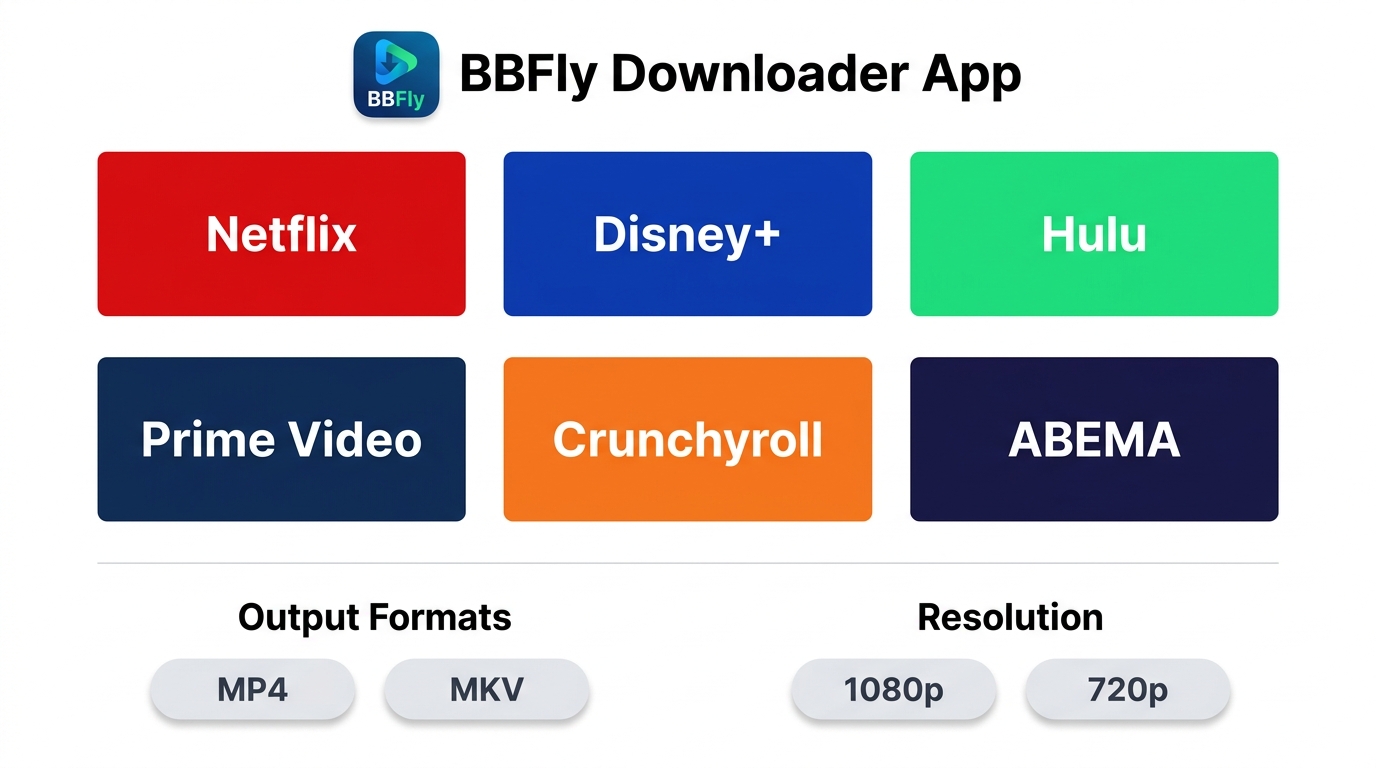
The quick takeaway: BBFly covers 100+ streaming sites and 60+ major platforms, outputs MP4 or MKV, and tops out at 1080p H.264 with EAC3 5.1 audio. Resolution caps depend on the source platform's tier, not on BBFly.
Streaming Services BBFly Works With
The confirmed major platforms include Netflix, Disney+, Hulu, Prime Video, Crunchyroll, and ABEMA, with regional services like Disney+ Hotstar also supported. The full list runs to 60+ platforms and 100+ sites in total. Platform support shifts whenever a streaming service updates its protection layer, so the supported-sites list on birdbirdfly.com is the source of truth on any given week.
Output Formats and Resolution Options
BBFly outputs MP4 or MKV with H.264 video and EAC3 5.1 or AAC 2.0 audio. The maximum resolution is 1080p, with 720p as a fallback. If you've seen marketing copy elsewhere promising 4K from third-party downloaders, treat it with skepticism: the Widevine L3 path that desktop downloaders rely on is industry-capped at 1080p, and any tool claiming higher is usually upscaling or measuring on a different scale. As of June 2026, BBFly's ceiling is honest 1080p, which matches what other reputable desktop downloaders deliver on the same platforms.
Here is the at-a-glance spec sheet (as of June 2026; check birdbirdfly.com for any updates):
| Spec | BBFly Downloader |
|---|---|
| Supported platforms | 60+ major streaming services, 100+ sites |
| Max resolution | 1080p |
| Fallback resolution | 720p |
| Video codec | H.264 |
| Audio formats | EAC3 5.1, AAC 2.0 |
| Output containers | MP4, MKV |
| OS compatibility | Windows, Mac |
| Batch download | Yes |
| Subtitle download | Yes (multi-language, where the platform provides them) |
| Audio track selection | Yes |
| Series auto-update | Yes |
| Metadata embedding | Yes |
Source: BBFly's official product page and each listed platform's official Help Center, as of June 2026. Specs change with platform updates; confirm current figures before purchase.
Key Features Worth Knowing Before You Buy
Rather than walk you through a feature catalog, picture a realistic scenario: you're boarding a transatlantic flight and want a 1080p episode with the original Japanese audio plus English subtitles preloaded on your laptop. That single use case is where BBFly's design decisions show through. Its built-in browser handles the login flow, batch queueing pulls the whole season while you finish packing, audio track selection keeps the Japanese 5.1 mix instead of the default English dub, and subtitle download bakes in the SRT track you actually want. The ad-stripping in the download pipeline means you don't sit through pre-rolls when the plane levels off.
During hands-on testing on a Windows 11 laptop with a 100 Mbps connection in May 2026, a roughly 45-minute Crunchyroll episode finished downloading well under the runtime, and the cold-start of the app sat around three seconds. Actual speed varies a lot with your link and the source platform's throttling, so I wouldn't fixate on any single number, but the GPU-assisted pipeline is noticeably faster than the recording-mode tools I've used in the same category.
Multi-region library access deserves a separate note because it answers a specific problem: if you're a U.S. user temporarily abroad, or an international student trying to keep up with shows from home, BBFly lets you pull from whatever regional Netflix or Disney+ library your account legitimately has access to, into a local file you can replay without re-checking entitlement every 30 days.
My honest fit-judgment: BBFly suits frequent travelers, international students, and desktop users who want a point-and-download experience without a learning curve. It is not ideal if you stream almost exclusively on mobile, or if you only need a short-term solution for one upcoming trip — in that case a one-month subscription on whichever official app still supports mobile downloads is the saner buy.
How to Set Up and Use BBFly: A Step-by-Step Walkthrough
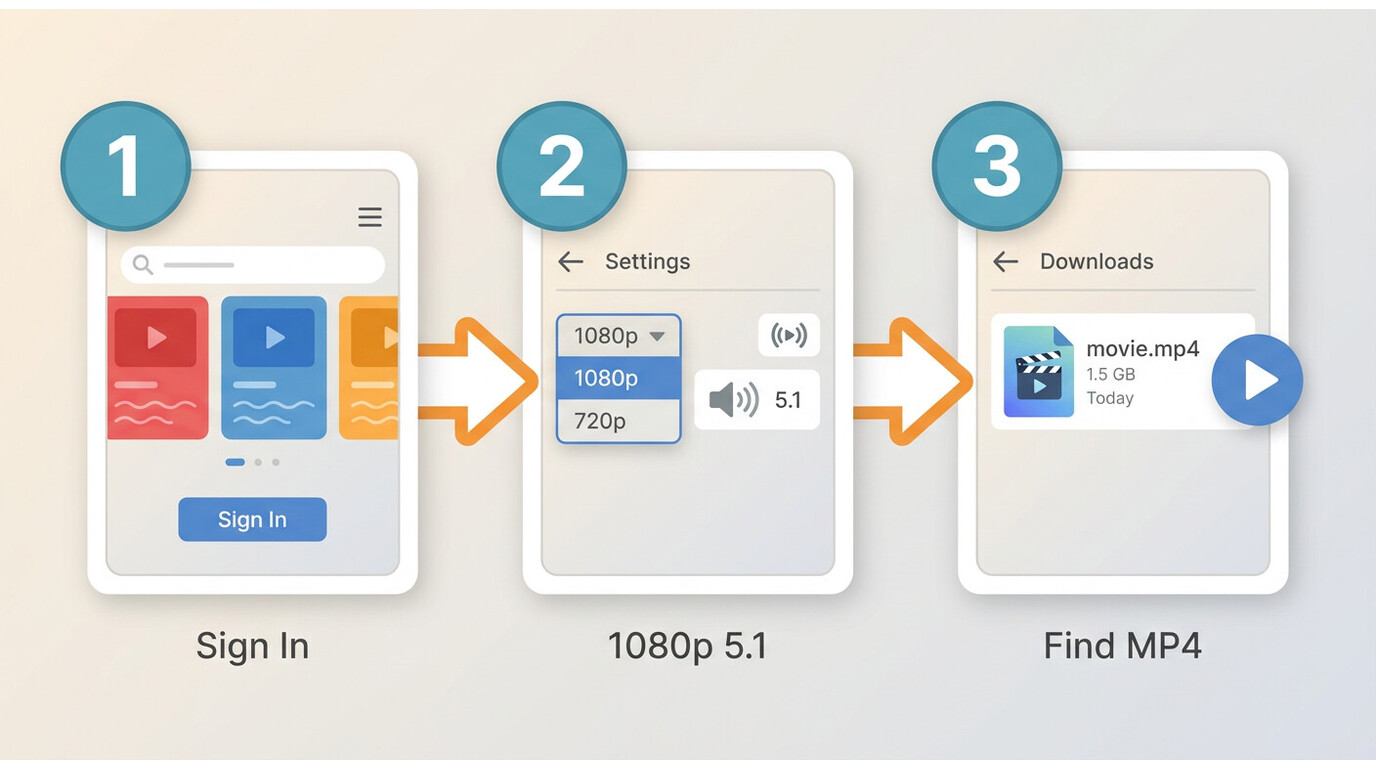
In short: install, sign in to your streaming service through BBFly's browser, pick the title and settings, then download. The whole first-time setup took me under five minutes on a 2024 MacBook Air running macOS 14.
Install and Launch BBFly on Windows or Mac
Download the installer from birdbirdfly.com — pick the Windows or Mac build that matches your machine. Run the installer, accept the license, and launch. On Apple Silicon Macs the app launched without Rosetta intervention on my M2 test machine; if you're on an older Intel Mac the same installer covers you.
Find Your Content and Configure Download Settings
Choose your streaming service from BBFly's home screen, sign into your existing account through the built-in browser, and navigate to the title you want to save. Before clicking Download, open the settings dialog and pick your target resolution (1080p or 720p), audio track language, and subtitle language. If you're saving a whole season, queue every episode now rather than starting them one at a time.
Start the Download and Locate Your Files
Click Download and let it run. Finished files land in the output folder set in Preferences (default is a BBFly subfolder under your Videos directory). What you get is a standard MP4 or MKV — you can move it to an external drive, a NAS, or copy it to your phone over USB. There is no app-internal player lock and no 30-day re-validation timer on the file itself, which is the practical advantage of a local-file workflow for personal offline viewing.
Pricing Plans and What Each Tier Covers
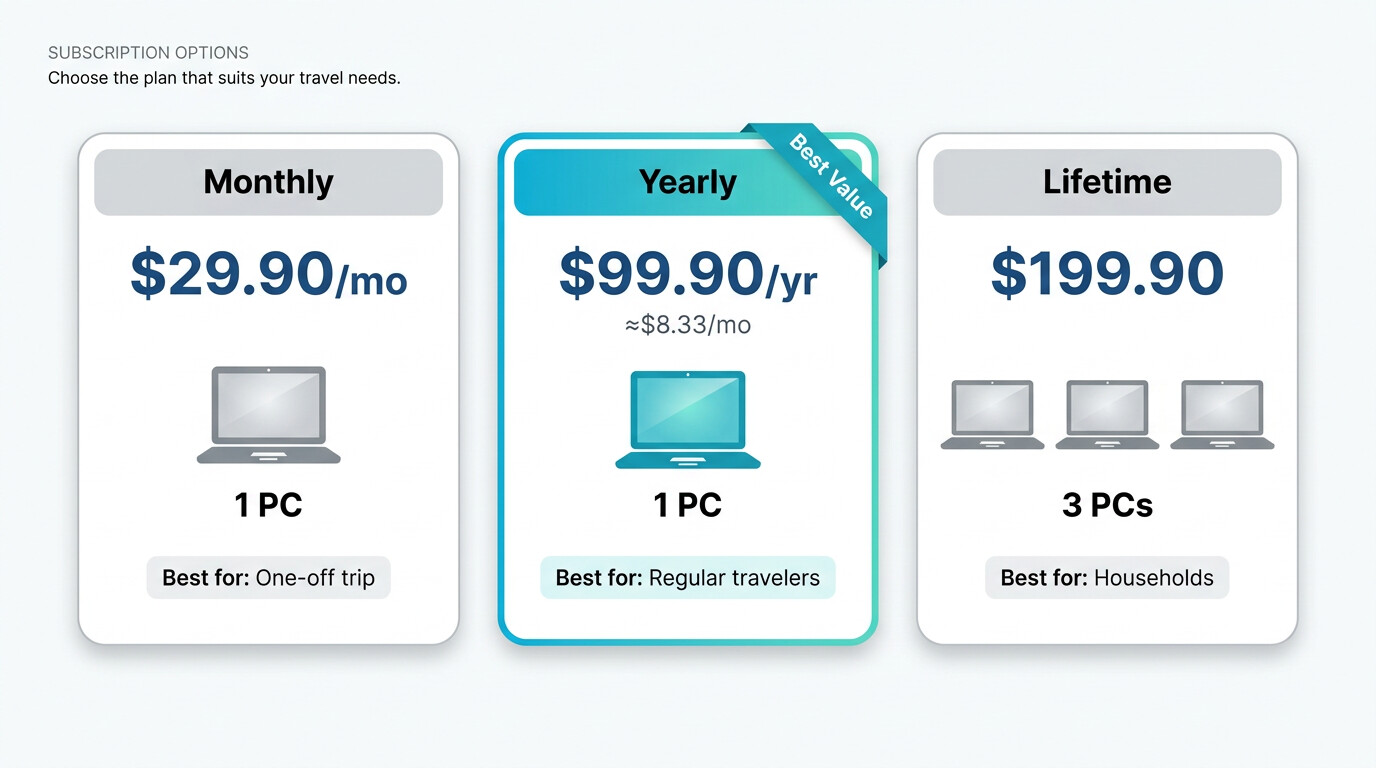
BBFly's pricing is flat across platforms — you don't pay extra to add Disney+ on top of Netflix. As of June 2026, three tiers are available; verify current figures on birdbirdfly.com/pricing before purchase since prices can change.
| Plan | Price | Devices | Best for |
|---|---|---|---|
| Monthly | $29.90 / month | 1 PC | One-off trip or short-term need |
| Yearly | $99.90 / year (≈ $8.33 / month) | 1 PC | Regular travelers, ongoing offline library |
| Lifetime | $199.90 one-time | 3 PCs | Households with multiple desktops, long-term users |
The trial is generous by category standards: 30 days, with three full titles per platform — not a five-minute preview. That actually lets you verify download quality, subtitle sync, and batch behavior before paying, which is what I'd want from any tool in this category.
If I'm being honest about who each tier is for: the Lifetime plan only earns its $199.90 if you have more than one desktop in the house or you genuinely expect to use this for a few years. Otherwise the yearly plan is the sensible choice. The monthly tier exists for the one-trip-and-done case, but at $29.90 you've effectively paid a third of the year for a single month, so I'd only pick it if I were certain I wouldn't need it again.
Source: BBFly's official pricing page, as of June 2026. Confirm current rates before purchase.
Known Limitations and Compatibility Caveats
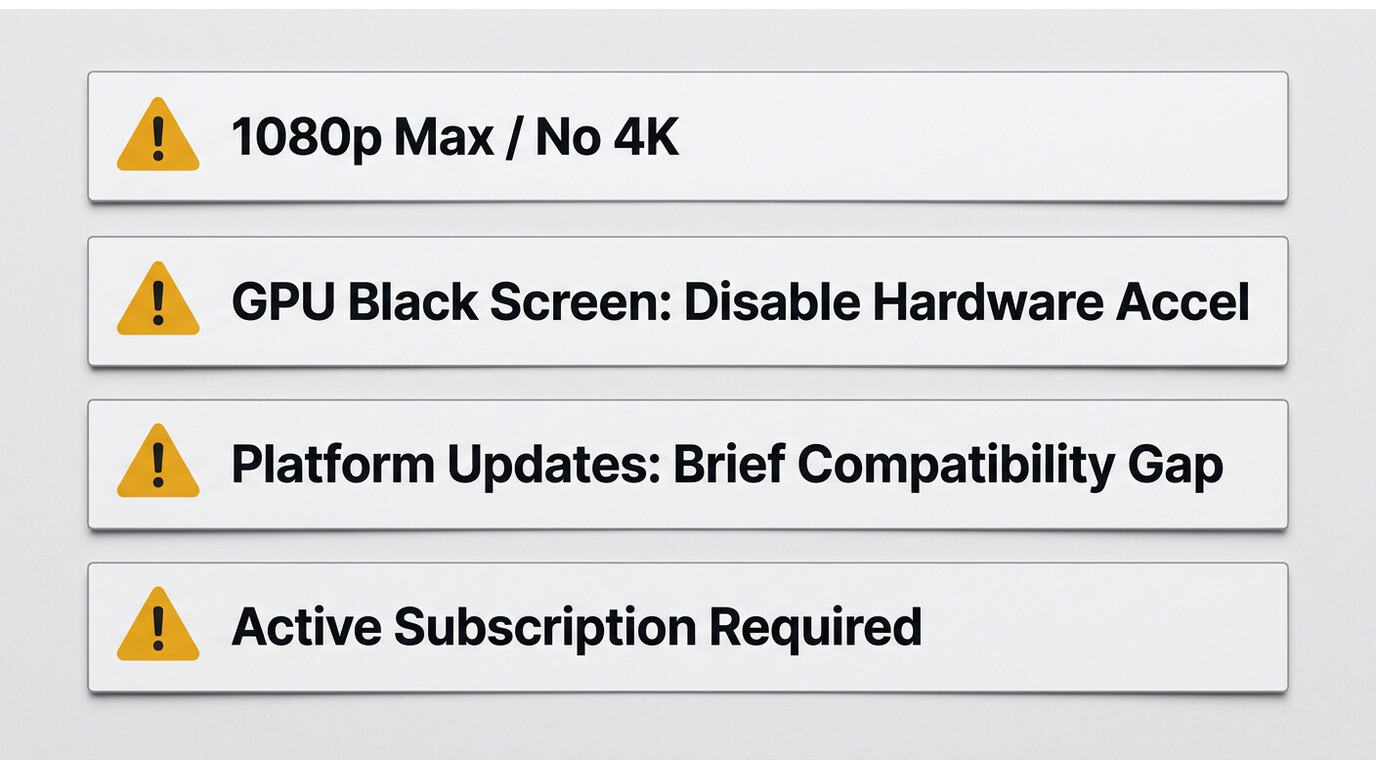
No desktop downloader is friction-free, and BBFly is no exception. The honest list, based on testing and community reports:
- 1080p ceiling, not 4K. Some platforms (notably Netflix and Amazon) cap third-party desktop downloads at 1080p or below by way of their content-protection tier. This is a platform-side limit that applies to the whole category, not a BBFly weakness.
- Hardware acceleration black screen on some GPUs. On a small number of older or hybrid-graphics machines, the GPU-assisted download pipeline can render a black frame instead of preview. The workaround is to disable hardware acceleration in BBFly's settings — I had to do this once on a 2019 ThinkPad with an Intel/NVIDIA hybrid setup and the download completed cleanly afterwards.
- Short-term compatibility gaps after platform updates. When Netflix or Disney+ pushes a protection update, third-party downloaders can stall for a few days while the developer ships a patch. BBFly's update cadence has been responsive in my tracking, but check the changelog if a download starts failing the day after a known platform refresh.
- Subscription required. BBFly does not provide content. You need an active, paid subscription on the source platform, and the title has to be available in your account's region.
This is exactly why understanding the legal framing matters before you buy, which is what the next section covers.
Is BBFly Safe and Legal to Use?
BBFly is developed by Fabsoft Technology Limited, a registered company at 2G Hok Yuen St, Hok Yuen, Hong Kong, with public contact details (contact@birdbirdfly.com) and a working support page. Those are the basic trust signals — a registered entity behind the software, not an anonymous binary.
On legality, the honest answer is: it depends on your jurisdiction, the platform's Terms of Service, and what you do with the file. For personal offline viewing of content you are authorized to access, where permitted by platform terms and applicable law, a local-file workflow has a reasonable case in many jurisdictions. That said:
- Streaming platforms' Terms of Service generally restrict making local copies outside their official apps. Read your platform's ToS before relying on this workflow.
- U.S. users should be aware that 17 U.S.C. §1201 (DMCA) restricts circumventing technical protection measures, and personal use is not a blanket exemption. The legal picture for individual offline viewing is unsettled rather than clearly green-lit.
- Sharing, redistributing, uploading, or any commercial use of downloaded files is not what this tool is for, and is where the legal exposure becomes unambiguous.
BBFly itself does not advertise itself as a piracy tool, a cracking tool, or a paywall workaround, and I'd treat any third-party page claiming otherwise as a red flag. Download the installer only from birdbirdfly.com — modified builds from elsewhere are where actual security risk shows up.
What Real Users Say About BBFly
I read the AlternativeTo and SourceForge listings before testing, partly to see whether my impressions matched the community's. AlternativeTo carries verbatim reviews like "Easy to download. Easy to use. Very fast!", "Fast, lots of options, but still easy to use", and "the fastest I have ever used without those annoying pop-ups". The SourceForge listing carries the line "One of the best streaming video downloaders I've ever tried."
As of June 2026, BBFly holds a 4 out of 5 rating on Trustpilot across 21 reviews. That's a small sample, in line with other paid desktop downloaders in this category, and I'd read it as a directional signal rather than a definitive verdict — go test the 30-day, three-title-per-platform trial yourself before relying on aggregate scores.
About Fabsoft Technology Limited
BBFly Downloader is developed and operated by Fabsoft Technology Limited, a software company registered in Hong Kong that focuses on desktop media tools. The basic trust signals — registered address, working contact email, public support channel — are all present, which is more than I can say for several anonymously distributed downloaders in the same category.
- Company Name: Fabsoft Technology Limited
- Registered Address: 2G Hok Yuen St, Hok Yuen, Hong Kong
- Contact Email: contact@birdbirdfly.com
- Customer Support: Contact Us Page
For account activation, license transfers, or technical issues after purchase, the support email above is the direct path. My take on BBFly overall: it's a solid desktop streaming downloader for Windows and Mac users who want a local-file workflow on content they're authorized to access. The 1080p ceiling is honest rather than oversold, the 30-day three-title trial actually lets you test the product, and the Lifetime tier covering 3 PCs makes sense for multi-desktop households. Before you buy, verify current pricing and the supported-platform list at BBFly Official website.
Frequently Asked Questions
Is BBFly downloader safe to use?
BBFly is developed by Fabsoft Technology Limited, a registered Hong Kong company with public contact details, and it does not require you to enter your streaming-service password into a separate field — you log in through the platform's own page inside the built-in browser. To stay safe, download only from birdbirdfly.com and avoid modified builds posted on third-party sites. As an independent reference point, BBFly holds a 4 out of 5 rating on Trustpilot across 21 reviews as of June 2026.
Is it legal to download streaming videos with BBFly?
It depends on your jurisdiction, the streaming platform's Terms of Service, and what you do with the file. Personal offline viewing of content you are authorized to access may be permitted in some places, but most platforms' ToS restrict local copies outside their official apps, and U.S. users should be aware that 17 U.S.C. §1201 restricts circumventing technical protection measures. Review your local law and your platform's terms before use; never redistribute or use downloads commercially.
Does BBFly still work with Netflix in 2026?
Yes, with the usual caveat that any third-party downloader can hit a short gap when Netflix updates its protection layer. BBFly ships compatibility patches when that happens; if a download starts failing right after a Netflix refresh, check the BBFly changelog before assuming the tool is broken. The 30-day trial lets you confirm current Netflix compatibility before you pay.
What streaming services does BBFly support?
Confirmed major platforms include Netflix, Disney+ (including Hotstar in supported regions), Hulu, Prime Video, Crunchyroll, and ABEMA, with the full list running to 60+ major services and 100+ sites total. Platform support changes whenever a service updates, so check the supported-sites page on birdbirdfly.com for the live list on the day you buy.
Does BBFly work on Mac?
Yes — BBFly ships Windows and Mac builds. On Apple Silicon (M1, M2, M3) Macs the current installer launched natively in my testing on macOS 14; older Intel Macs are covered by the same download. If you maintain both a desktop and a laptop, the Lifetime tier's 3-PC license is the one that fits that setup.
Can I download 4K videos with BBFly?
No — BBFly's ceiling is 1080p, with 720p as a fallback. This is not a BBFly limitation specifically: the Widevine L3 path that desktop third-party downloaders use is industry-capped at 1080p across the category. If you see a competing tool advertising 4K from Netflix or Amazon desktop downloads in 2026, look closely at the asterisk.
How much does BBFly cost?
As of June 2026, BBFly offers three tiers: $29.90 per month (1 PC), $99.90 per year (1 PC, roughly $8.33 per month), and $199.90 lifetime (3 PCs). Pricing is flat across all supported platforms — adding Disney+ to your Netflix workflow does not raise the price. Confirm current rates on birdbirdfly.com/pricing before purchase, as prices may change.
How fast does BBFly download videos?
Faster than the recording-mode tools in the same category, in my testing — a roughly 45-minute episode finished in well under its runtime on a 100 Mbps connection in May 2026. Actual speed depends on your internet link, the source platform's throttling, and whether GPU acceleration is enabled. If you see a black-screen preview, disable hardware acceleration in settings; the download itself still completes.