
Netflix Downloads for Flight: 2026 Setup & Pre-Flight Picks
Table of Contents
Yes — Netflix downloads play in airplane mode without internet, but only while the files sit inside their playback window: 7 to 30 days for unwatched titles and a 48-hour countdown the moment you press play. The official download path works on iPhone, iPad, Android, Amazon Fire and Chromebook. Netflix removed Windows downloads in 2024, and Mac never had them.
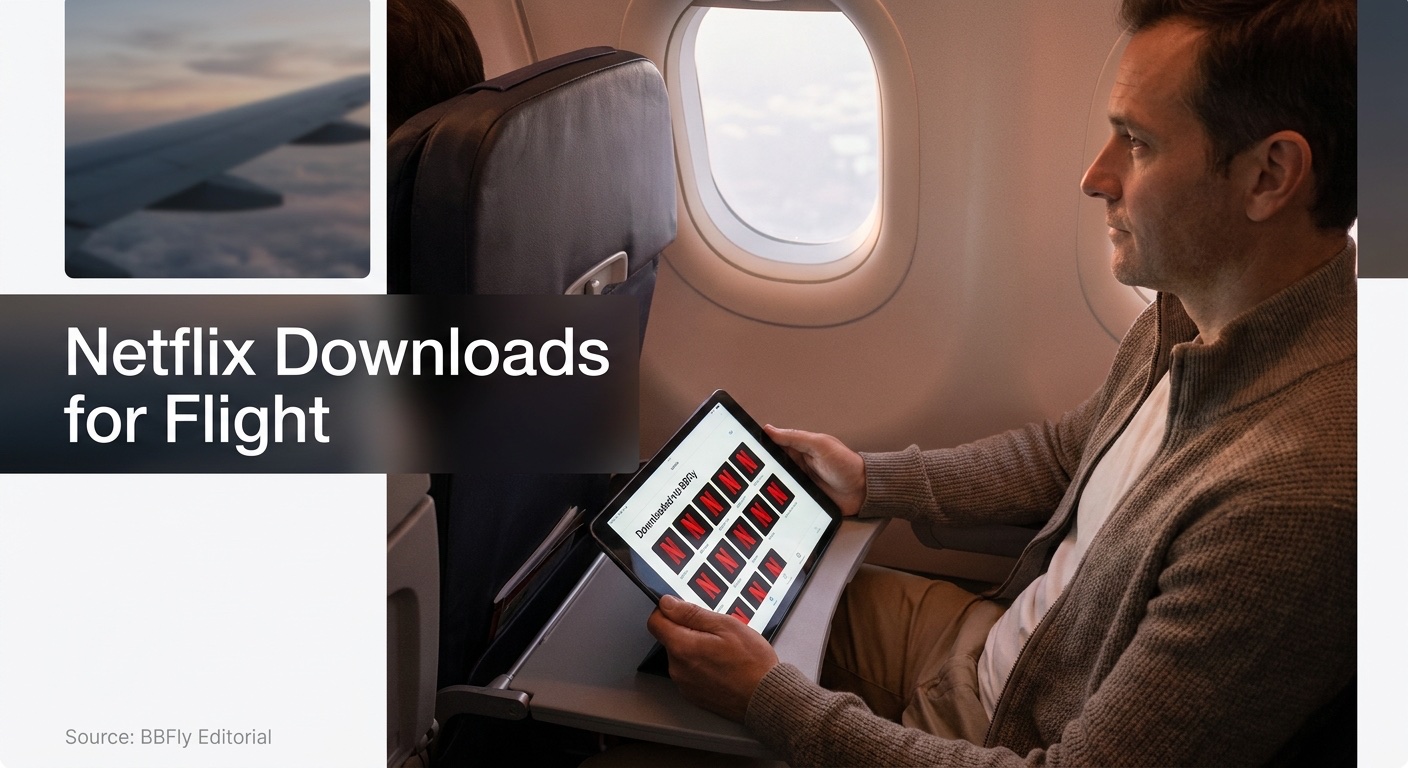
I learned the 48-hour rule the hard way on a Tuesday morning to Frankfurt — opened a film I'd queued up the previous Saturday, got a polite message that the download had expired, and spent the next six hours staring at a moving-map. That window is the only thing standing between a working flight playlist and an empty Downloads tab at altitude, and most people only meet it once. The fix is not complicated; it just requires understanding the rules before the cabin door closes.
Yes, You Can Watch Downloaded Netflix on a Plane — Here's the Catch
Yes, on a supported device (iPhone, iPad, Android, Amazon Fire, Chromebook), with your subscription verified inside the last month, and inside the 48-hour countdown on anything you've already started.
What "offline" actually means for Netflix downloads
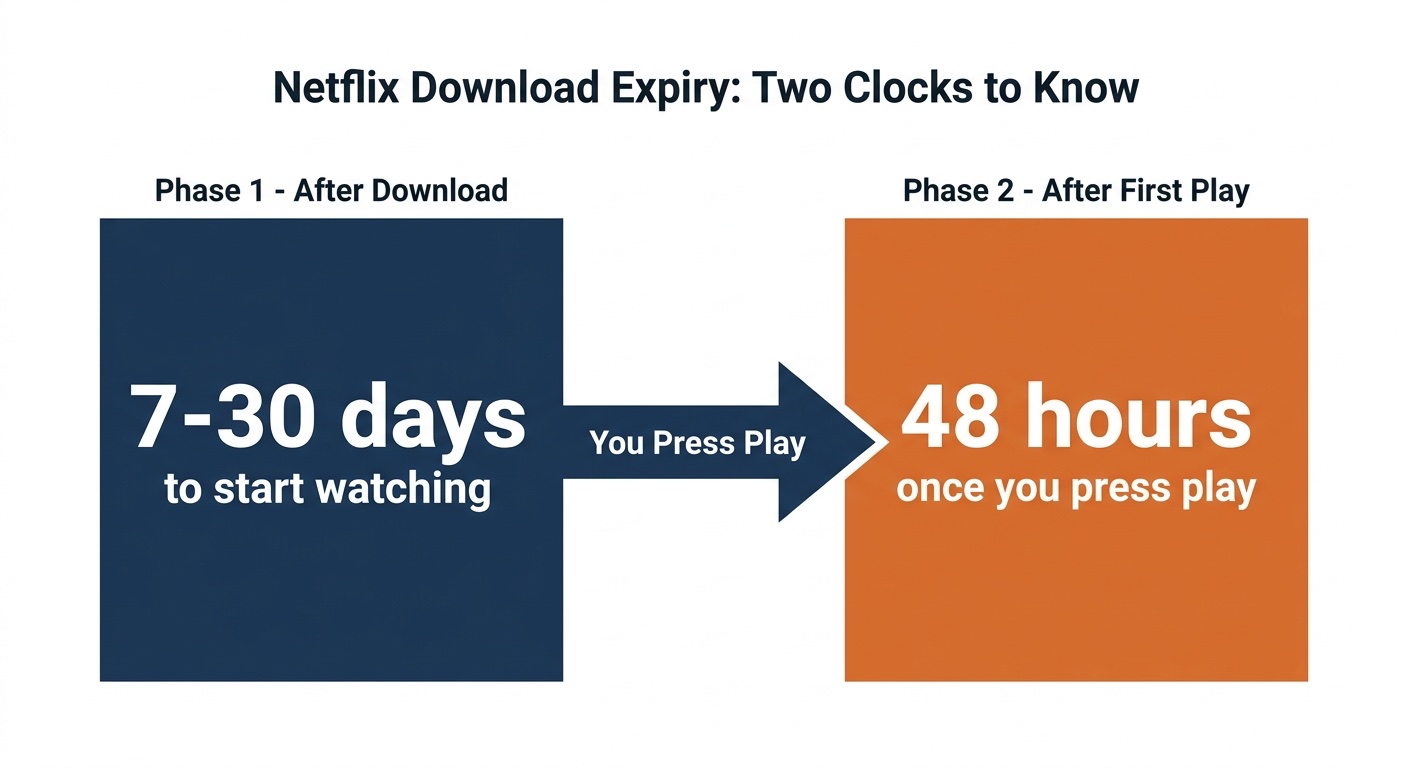
Offline is narrower than it sounds. A downloaded title plays in airplane mode — straightforward. What trips travellers up are the two clocks every download carries: unwatched downloads expire 7 to 30 days after saving (Netflix sets the window per title per licence), and tapping play starts a 48-hour countdown to finish, or the file locks itself. Per Netflix's Help Center, trust the timer under each download, not your memory. The expiration message has a habit of appearing exactly when there's no Wi-Fi to do anything about it.
How to Download Netflix Before Your Flight (Phone & Tablet, Step by Step)
Open Netflix on a supported phone or tablet, tap a title's download arrow, let it finish, then — the step most travellers skip — re-open the app on Wi-Fi shortly before boarding so your subscription state is fresh. At the gate, switch to airplane mode and play from the Downloads tab.
If you're watching in a second language or need accessibility support, you can also download Netflix subtitles for offline playback before boarding — subtitle files travel with the download on supported devices.
The 5-step in-app download (iOS / Android)
- Open Netflix on iPhone, iPad or Android and sign in if you haven't recently.
- Tap the down-arrow icon beside a title (or a specific episode). No arrow means it isn't licenced for offline.
- Wait for the file to finish under Downloads. Cellular downloads default to off — flip the switch in Settings → App Settings if you need them.
- Open Netflix one last time on Wi-Fi before boarding. This is the step I see skipped most often, and it's where the bulk of "my downloads suddenly won't play" stories begin: Netflix re-checks your account state on a schedule, and if it can't reach a server because you're already offline, the Downloads tab refuses to play.
- At the gate, switch to airplane mode and open Netflix → Downloads.
Pre-flight checklist: storage, quality, when to start
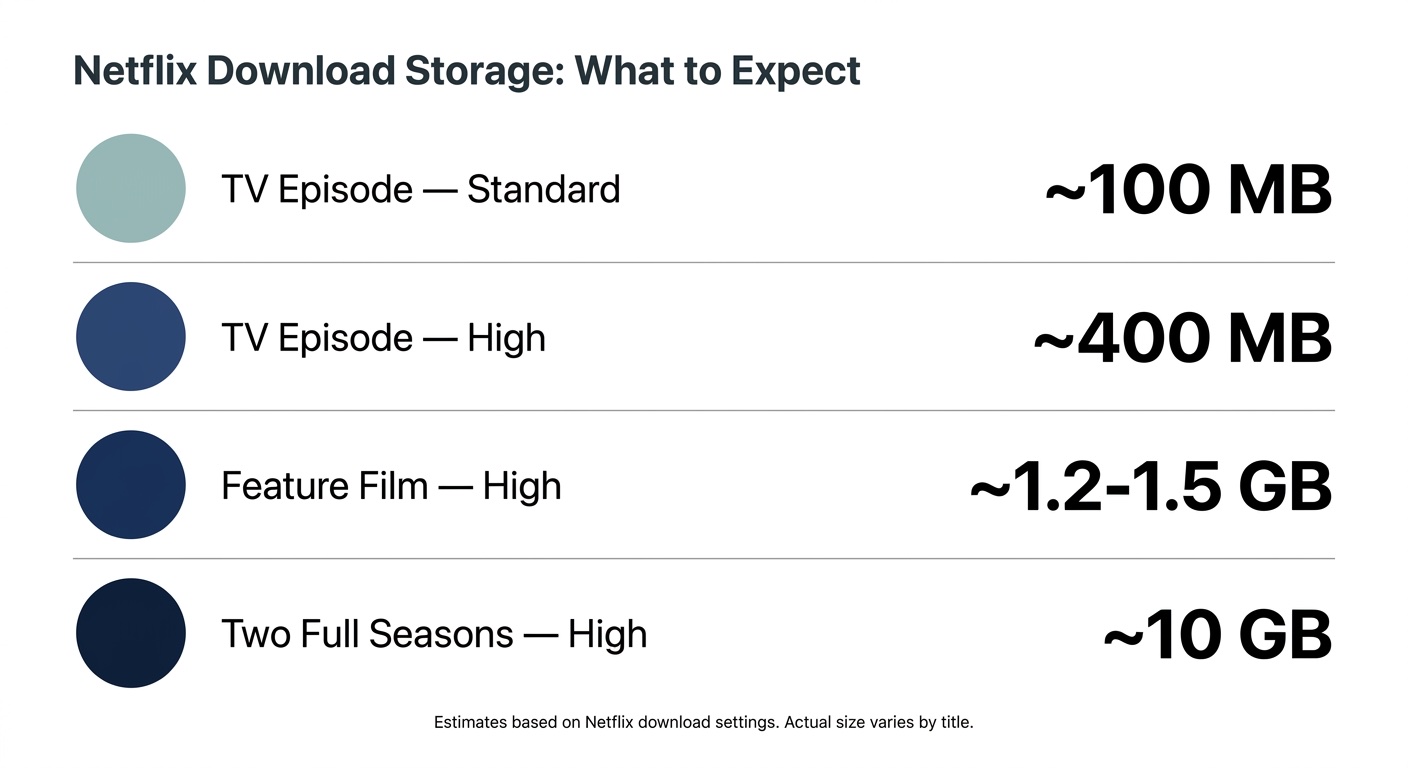
A 45-min episode runs ~100 MB at Standard / ~400 MB at High; a feature film at High lands ~1.2–1.5 GB; two seasons clear 10 GB. Set video quality in Settings → App Settings before you start. Hotel Wi-Fi is the enemy — 10 GB on a capped link can eat an evening, so I queue the night before. Standard with Ads caps you at 15 downloads/month on two devices with no Smart Downloads; purge old files first, or take the ad-free tier for the trip.
If you're unsure how much space is already taken up or want to move files to a microSD card, it helps to know where Netflix downloads are stored on your device before you start queuing a full season.
Flying with a Laptop? The Official Path Is Gone — How BBFly Fills the Gap for Personal Offline Viewing
On a laptop, the official Netflix download path is closed: Netflix retired the Windows download app in 2024 (it's now a browser-style PWA with no offline button), and a Mac app was never released. A third-party Windows/Mac downloader is the only available offline route for laptop users in this scenario — see the note below on personal-use boundaries.
Please note: Third-party downloaders sit outside Netflix's Terms of Use. Keep saves for your own personal offline viewing of content you actively subscribe to, and don't redistribute or resell. Where an official offline path exists on your device — phone, tablet, Fire or Chromebook — that's the more worry-free route.
How BBFly fills the laptop offline gap
As one Hacker News commenter put it bluntly about the post-Windows-app change: "At least for me it's my primary use for Netflix … when travelling I carry a company laptop and don't intend to carry a tablet." That is the audience Netflix walked away from.
BBFly Netflix Downloader closes that gap. It saves Netflix titles as local 1080p MP4 / MKV on Windows or Mac, and those files are not bound to the 48-hour playback clock and can be kept as permanent local copies for your own personal offline viewing — though an active Netflix subscription is required to download them. If you want to verify output quality before committing, the trial covers a handful of complete titles.
What to Download by Flight Length: Best Netflix Picks for Short, Medium & Long-Haul
My picking logic starts with a question I learned to ask after one too many bad calls at altitude: at what point does the screen stop being a TV and start being a phone? Short-haul gets half-watched between bumps and meal carts — a slow-burn prestige drama is wasted there, where a tight 90-minute thriller earns its keep. Long-haul has the opposite trap: I once opened a mid-arc prestige season over the Pacific and landed in Tokyo with three unresolved threads and no Wi-Fi until the hotel. About a fifth of my full-season binges go cold by hour three, which is why I now queue seasons whose final episode actually closes the arc (Arcane; the first run of The Diplomat) over a mid-run drama, and I always pack a standalone backup film.
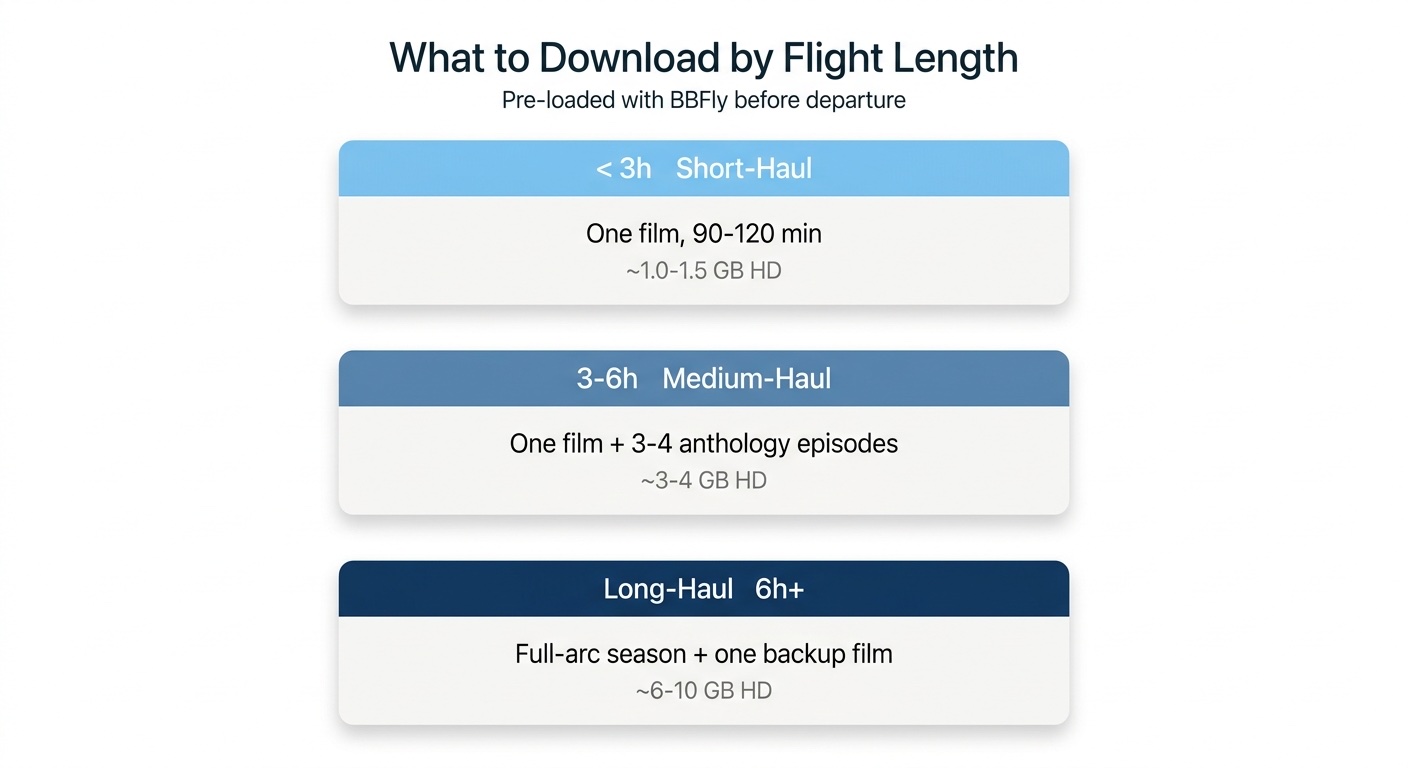
Netflix download picks by flight length (verify against the current "Available for Download" filter in your region before saving)
| Flight length | What to download | Example | Storage (HD) |
|---|---|---|---|
| Short-haul (≤3 h) | One 90–120 min film | Carry-On (2024) — easy thriller | ~1.0–1.5 GB |
| Medium (3–6 h) | One film + 3–4 anthology episodes | Black Mirror (self-contained eps) | ~3–4 GB |
| Long-haul (6 h+) | Complete-arc season + backup film | Arcane (closed two-season arc) | ~6–10 GB |
Editorial recommendation; confirm with the in-app "Available for Download" filter before takeoff.
A r/NetflixBangers member (Facebook) put it plainly after Carry-On: "I just watched the carry-on and I thought it was worth the watch. Not outstanding, but entertaining." That's the right benchmark for a 90-minute flight — entertaining-enough beats ambitious-and-half-finished.
FAQs: Netflix Downloads for Flights
How long do Netflix downloads last before they expire?
How long do Netflix downloads last? Two clocks. Unwatched downloads last 7–30 days depending on Netflix's licence per title; the timer appears under each file. Once you press play, a 48-hour window begins. There's also a per-title yearly re-download cap that only heavy re-watchers ever hit. In my experience the 48-hour timer is the one that catches travellers out — the unwatched window is usually wide enough that nobody trips it.
Can I download Netflix on a MacBook for a flight?
No — Netflix never released a Mac download app, and Safari/Chrome is stream-only. With an iPad in your bag, download in the iOS app and watch in airplane mode. Laptop-only travellers fall back to the third-party Windows/Mac route in §3 above. In my own travel kit, an iPad in the cabin still beats any laptop workaround for short and medium-haul.
What should I download on Netflix for a long-haul flight?
I typically anchor a long-haul on a season whose final episode actually closes the arc, plus one standalone film as fallback. The arc-closes-itself rule matters more than the title — landing on an unresolved cliffhanger you can't Google at the gate is the most common form of flight regret. The picks-by-duration table above has current examples.
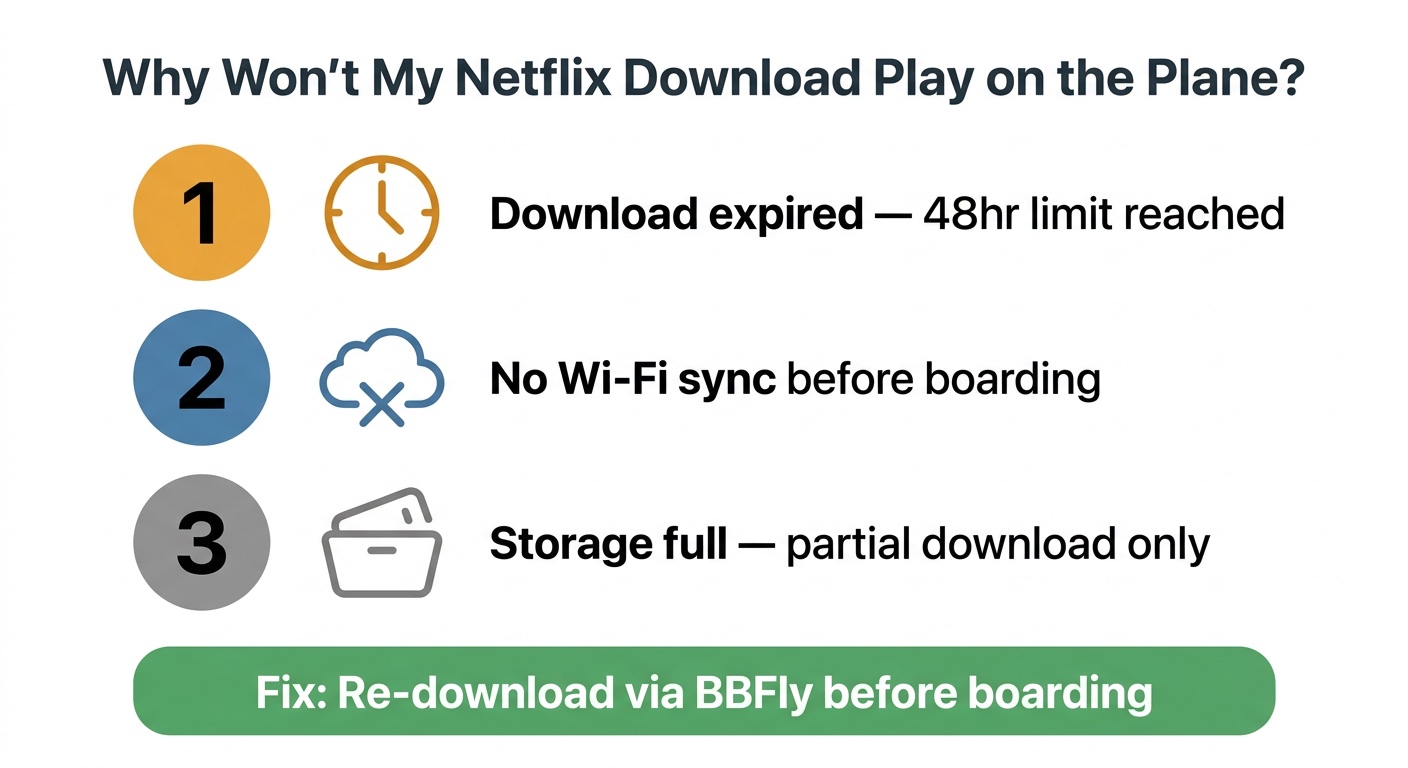
Why won't my Netflix download play on the plane?
Three causes, in likelihood order:
- The 48-hour playback window expired since you last opened the file.
- Netflix couldn't verify your subscription — the app wasn't opened on Wi-Fi before boarding.
- The title was pulled from your region's catalogue or hit its yearly cap.
Only the middle one is preventable mid-trip; the other two need internet to re-download. The one I'd watch for is the missed Wi-Fi check — it's silent until you tap Play at altitude and the file refuses.
Is it safe to log into Netflix inside a third-party downloader like BBFly?
Sign-in handling is the cleanest dimension on which to evaluate a third-party downloader. The verifiable facts about BBFly: it takes your active Netflix credentials inside its own app window and doesn't transmit or store the password on an external server. My rule for any tool wanting a streaming login: keep 2FA on, and walk away from any vendor that won't document how it handles credentials. If they won't tell you, that is the answer.