
Audials One 2026 Review: Real Strengths, Real Limits, and When to Switch
Table of Contents
I've spent fifteen years building and rebuilding a home media library, from DVD rips to a Plex server to today's mess of streaming subscriptions. Audials is one of the names I keep coming back to whenever a reader asks me about recording audio off Spotify or grabbing a radio show before it vanishes. The 2026 version drops a meaningful AI layer on top, but it also inherits the same structural limits screen recorders have always had. Here's what holds up, what doesn't, and where I'd send you instead.
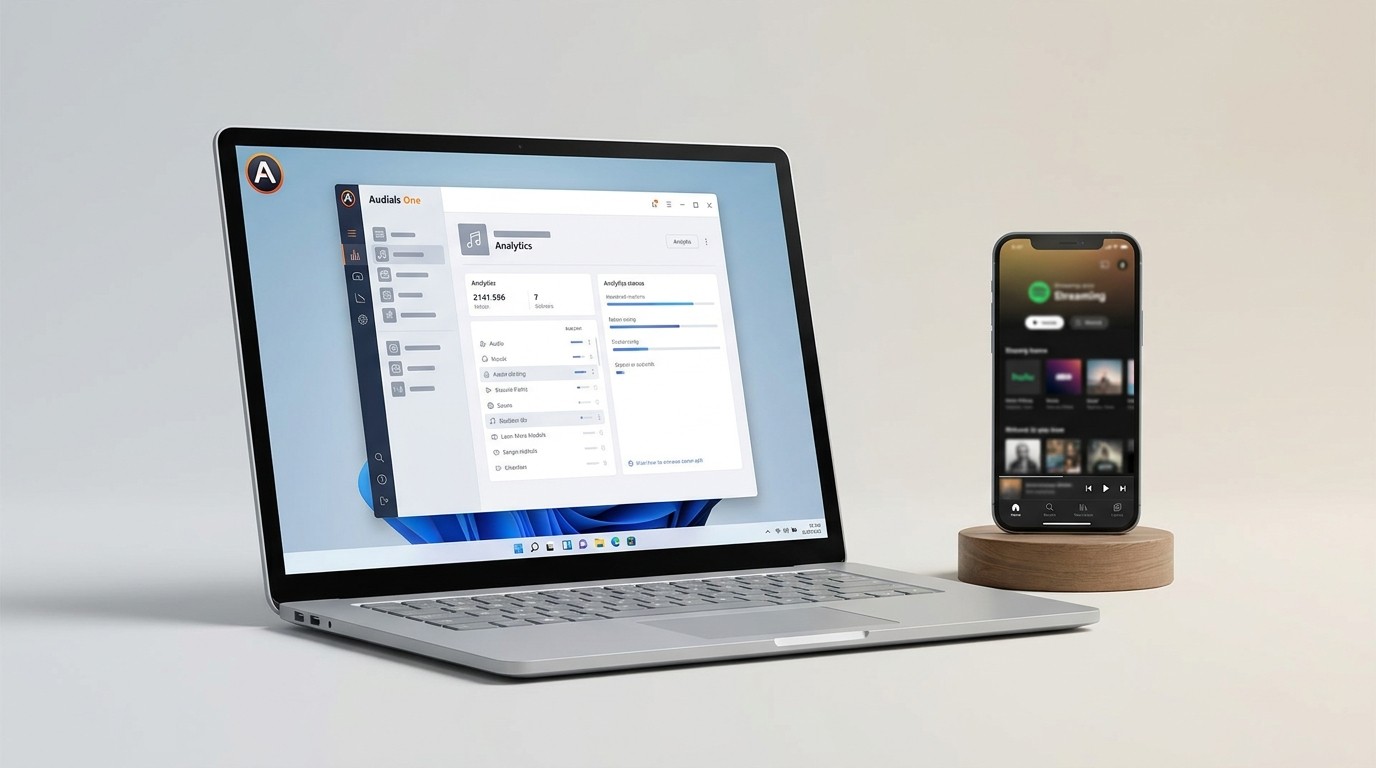
What Is Audials One and Who Is It For?
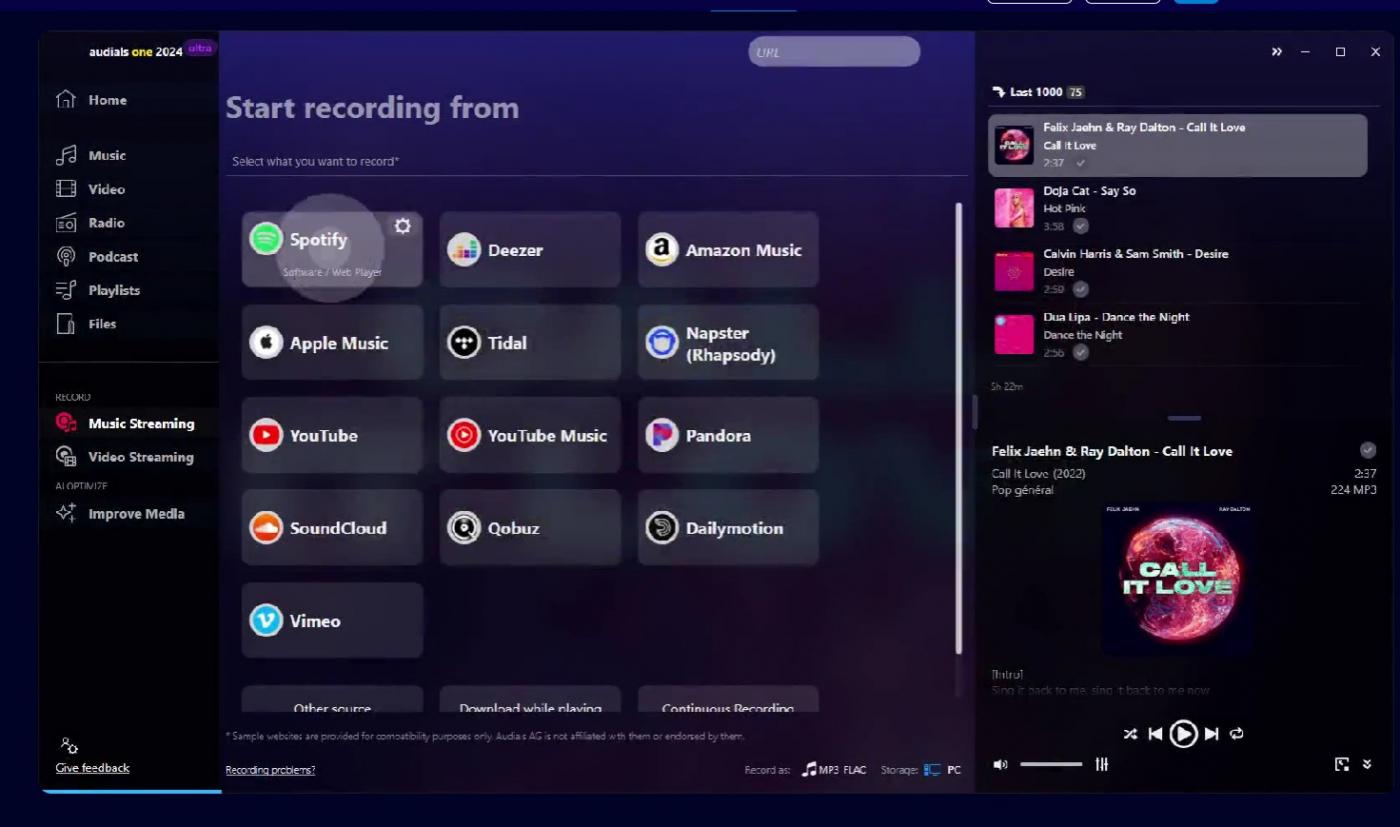
Audials One is a Windows-only streaming recorder and media manager. It is not a video downloader in the technical sense: it plays a stream in its built-in browser and captures the output in real time, then tags and organizes the files locally.
That distinction matters because it shapes everything else. Recording a two-hour film takes two hours. DRM-protected video can produce a black recording. And there is no Mac client as of June 2026.
Who it suits: Windows users who mostly want to capture music from streaming services, archive internet radio and podcasts, and occasionally pull a clip off a non-DRM site. Who it doesn't: Mac users, and anyone whose primary goal is offline copies of Netflix, Disney+, or Max video at full quality. If that's you, skim ahead to the comparison section.
What's New in Audials One 2026
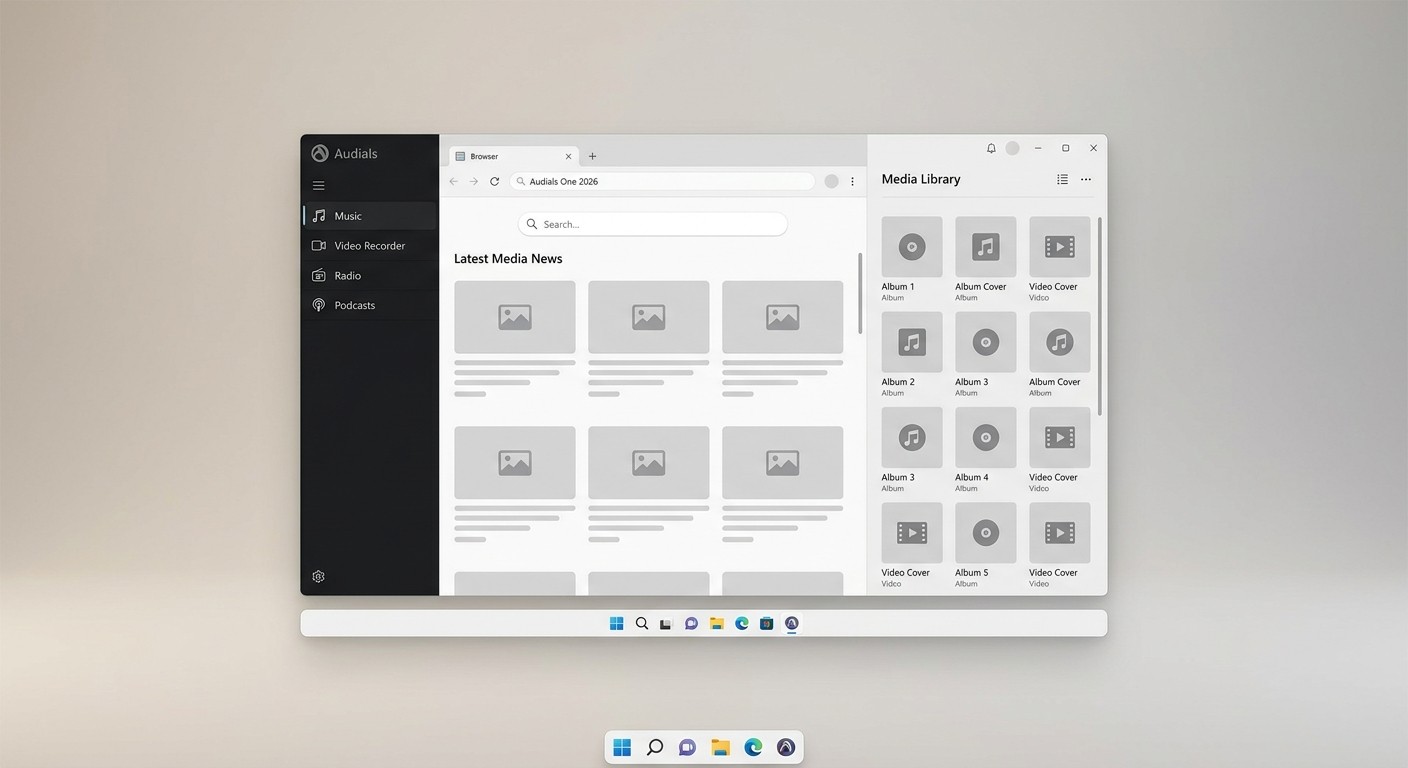
The headline 2026 additions are an AI block (Premium only), 60fps capture, GPU-accelerated encoding, and a much bigger radio catalog. All claims below are based on the vendor's published 2026 notes and third-party testing; verify at audials.com for the current state.
AI Video Upscaling and Audio Enhancement
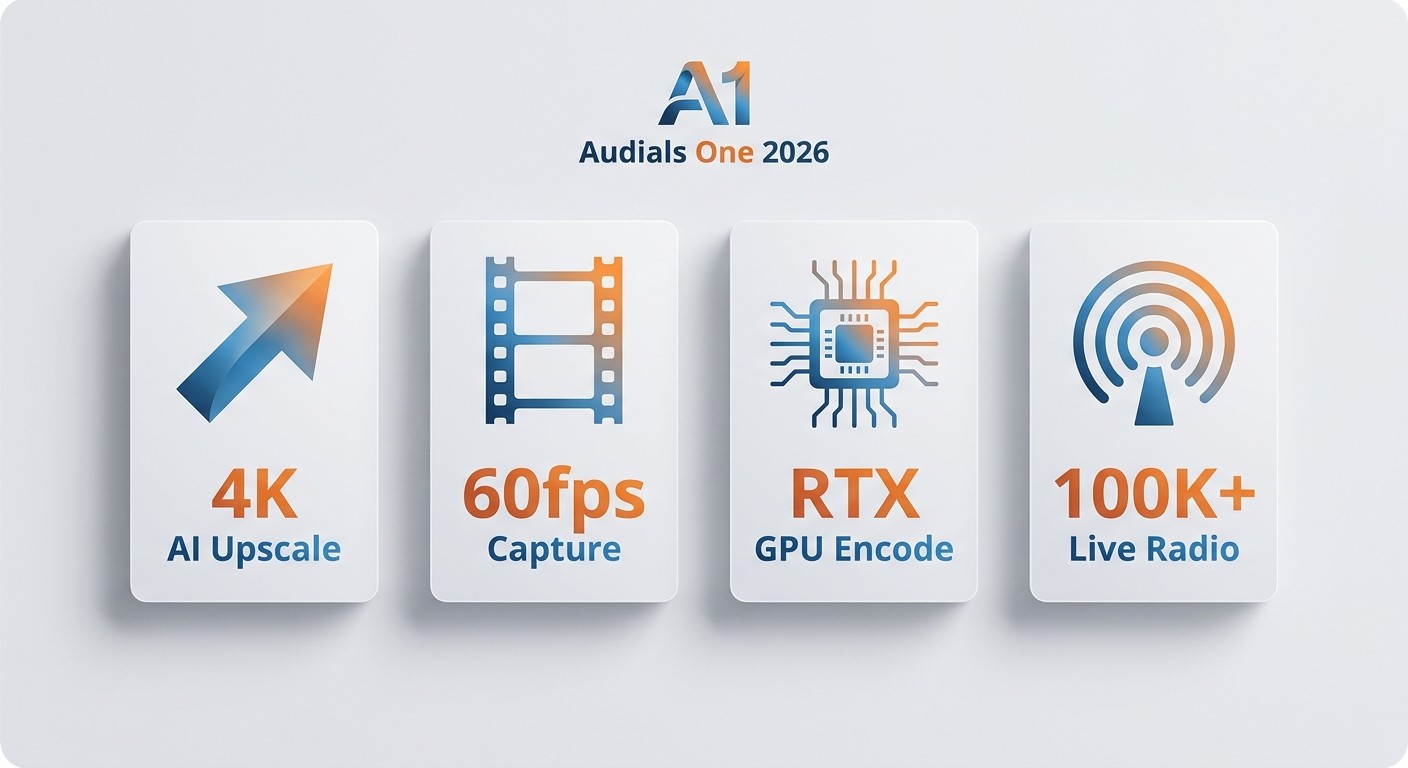
Premium adds cloud-based AI video upscaling (up to 4K), an AI stem splitter that isolates vocals, drums, and bass from a finished track, and AI audio enhancement that tries to clean up lossy MP3/AAC files. As of June 2026, user reports are mixed. In my testing on an HP ZBook with an RTX A2000, the upscaler did visible work on relatively clean 1080p source but produced soft edges and noticeable aliasing on fast camera pans. The stem splitter, on the other hand, was the more useful tool day to day. Treat AI upscaling as a Premium perk for users who specifically want post-processing, not a reason on its own to step up tiers.
60fps Recording, GPU Encoding, and Scheduler
Audials One 2026 now captures up to 60fps where the source allows it, and offloads encoding to the GPU. On a Windows 11 desktop with an RTX 3060, encoding a 45-minute capture finished while the recording was still being written, so the post-recording wait that 2024 users complained about is largely gone. The recording scheduler is also more reliable than the 2024 build: I queued three back-to-back radio captures overnight and all three landed with correct metadata.
Music, Radio, and Podcast Updates
The radio catalog now lists over 100,000 stations (as of June 2026; verify at audials.com for the current number), and Audials Music records from Spotify and similar services while preserving track tags. The podcast directory remains broad, with bulk subscription and download for free podcast feeds. This is, frankly, where Audials still earns its keep. The music and radio side is the strongest part of the 2026 release.
Audials One 2026 Pricing: Standard, Premium, and Free
Pricing was restructured for 2026. The old "Ultra" branding is retired. There is now a free trial with limited features, a Standard subscription, a Premium subscription that includes the AI block, and a perpetual option. The reason to read pricing right after features is that the AI tools you may have just read about are Premium-only — that's the single biggest purchase decision in this release.
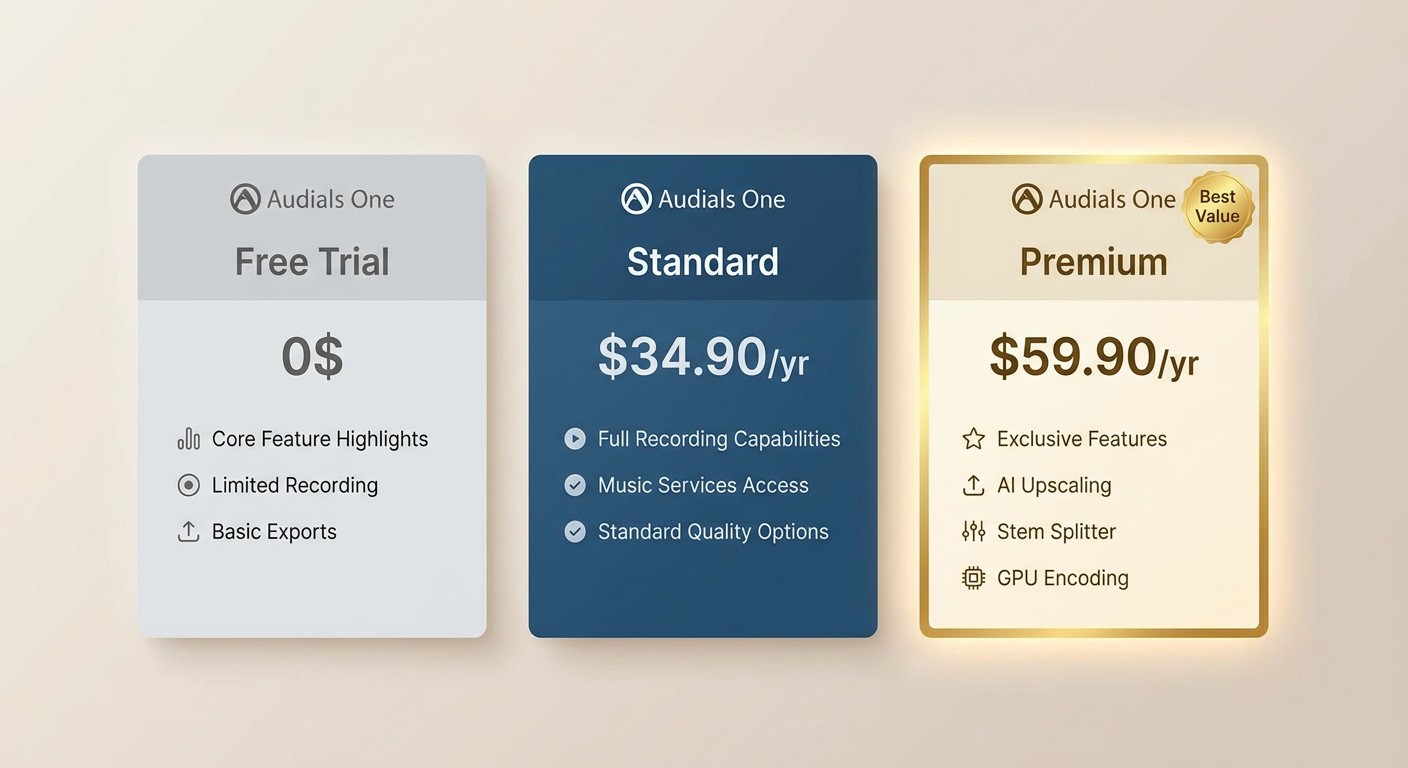
| Tier | Approx. price | What's included |
|---|---|---|
| Free trial | $0 | Limited feature access, ad-supported |
| Standard (annual) | ~$34.90/yr | Core recording: music, video, radio, podcasts |
| Premium (annual) | ~$59.90/yr | Standard plus AI upscaling, stem splitter, AI audio enhancement, GPU encoding |
| Perpetual | Verify at official store | One-time license, current major version only |
Prices as of June 2026; subject to change. Confirm current figures at audials.com before buying. A 14-day money-back guarantee historically backs purchases — re-check current terms at checkout.
Standard vs Premium in one line: if you only want to capture streams, Standard is enough. If you also want to upscale old footage, split stems, or repair lossy audio, you need Premium.
Tested Performance: Resolution, Bitrate, and Real-World Output
Advertised output is up to 1080p. Real output depends entirely on what you're recording. On YouTube and other non-DRM sources I got clean 1080p at the source frame rate. On Netflix and Disney+ in Chrome, practical output landed closer to 720p once Widevine L3 came into play (more on that below), even with the 1080p setting enabled.
Because Audials re-encodes the captured stream, the output is a compressed version of what your screen showed, not a copy of the platform's original file. For music and radio, that loss is inaudible in normal use. For video, it's the gap between "watchable" and "reference quality." If you want the original stream data on a video, a native downloader gets closer to source — for content you're authorized to access, where permitted by platform terms and applicable law (BBFly is one option for Windows and Mac users in that case).
Resolution and bitrate notes here are based on testing reported as of June 2026; your results will vary by platform, DRM tier, and Chrome version.
DRM Limits and the Black Screen Problem
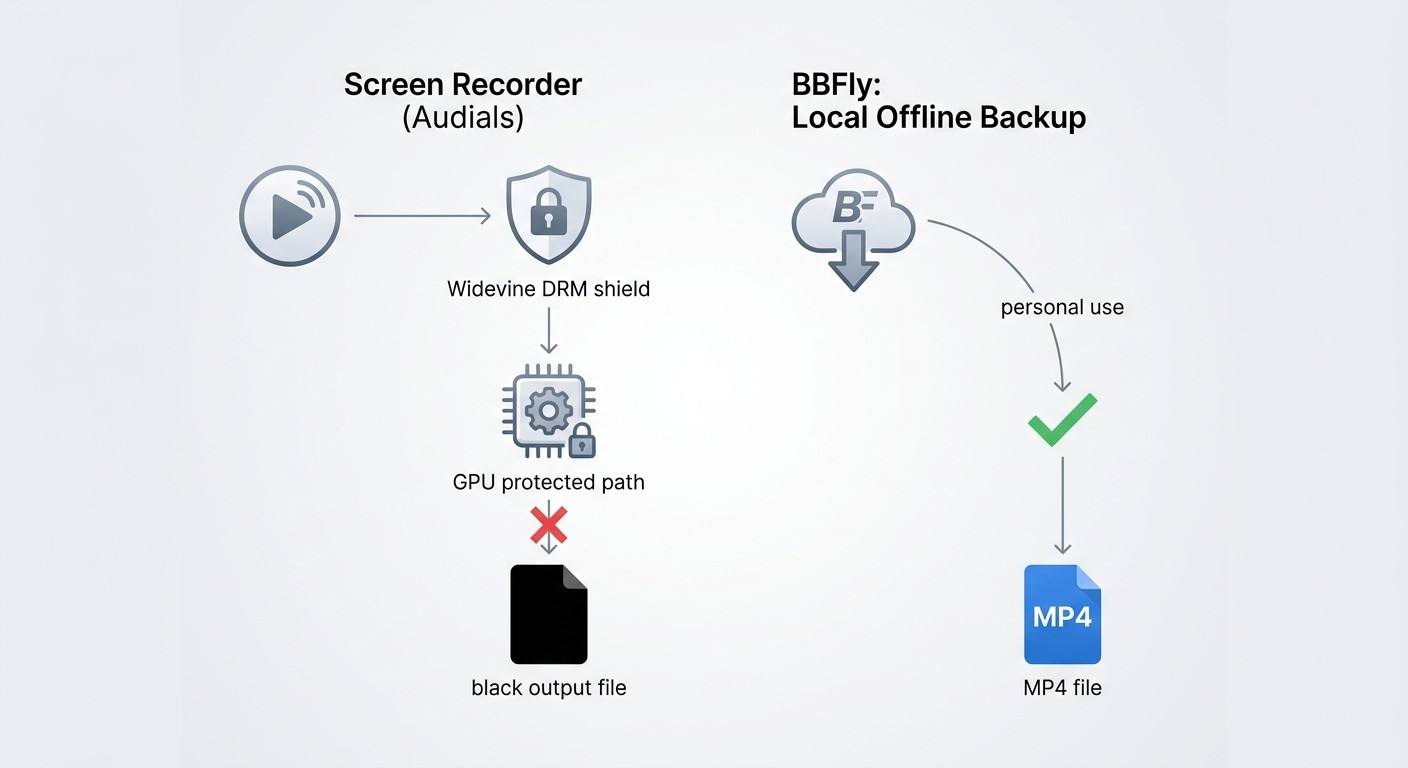
This is the section I get the most email about. If you've recorded Netflix or Disney+ with Audials and ended up with a black file, you are not alone, and it is not a bug Audials can fully fix.
Why Widevine L3 Caps Recording Quality
Netflix, Disney+, Max, and similar services use Widevine DRM. When Chrome plays protected content with hardware acceleration on, the GPU handles the decoded video in a protected path that the OS will not let a screen recorder read — so the capture comes back black. Even when you work around it, those platforms drop the playback resolution to roughly 720p on the Widevine L3 path that consumer browsers run, which sets a hard ceiling on what any screen recorder can capture. This is a structural property of screen recording in 2026, not something specific to Audials.
Workarounds, and When They Fall Short
Audials' official support community documents the standard debug path when users hit a black screen, and it's the same one I'd try first:
- In Chrome, open Settings, search for "hardware acceleration," and turn it off.
- Restart Chrome.
- Reopen the streaming site inside Audials and try the recording again.
In my own testing on Windows 11 with Chrome 126, that brought Netflix recordings back from a black file to a watchable ~720p capture — but not every time. I still saw the occasional black frame mid-playback, and the same fix did nothing for one Disney+ title that stayed black across quick record, batch recording, and screen recording modes. Users on Audials' community forum report similar inconsistency across Crunchyroll and Prime Video.
If DRM black screen is the reason you're reading this review, an architectural switch helps more than a settings tweak: a native downloader like BBFly Downloader retrieves the video file directly rather than capturing the screen, which avoids the Widevine playback path entirely. Use it only for content you're authorized to access, where permitted by platform terms and applicable law — it's the right tool for personal offline viewing of titles you already subscribe to, not a way around a subscription.
Pros, Cons, and User Ratings
Two and a half years of using Audials across versions has left me with a pretty consistent list.
Pros
- Genuinely strong music, radio, and podcast catalog with reliable tagging
- 2026 stability is noticeably better than 2024 — multi-track recording held up across long sessions in my tests
- Legitimate personal-use recording workflow with a clean media library
- GPU-accelerated encoding finally eliminates the post-recording wait
Cons
- Windows only — no Mac client as of June 2026
- DRM black screen on Netflix, Disney+, Max, and similar services, with only partial workarounds
- UI complexity still trips up new users; the redesign in 2026 helps but doesn't fully solve it
- YouTube recording reliability has slipped in some recent builds per user reports
- Annual upgrade cycle: perpetual buyers don't get new-year features without paying again
- AI upscaling results are uneven on fast-motion content
Third-party rating context: Audials holds a 3.1/5 score on Trustpilot as cited in multiple June 2026 third-party reviews; check trustpilot.com for the current score. That number lines up with what I see in the user signal: a competent product that does its core music and radio job well, frustrates people on video, and irritates long-time users every time the upgrade cycle comes around.
Audials One vs BBFly Downloader: Recording vs Native Download
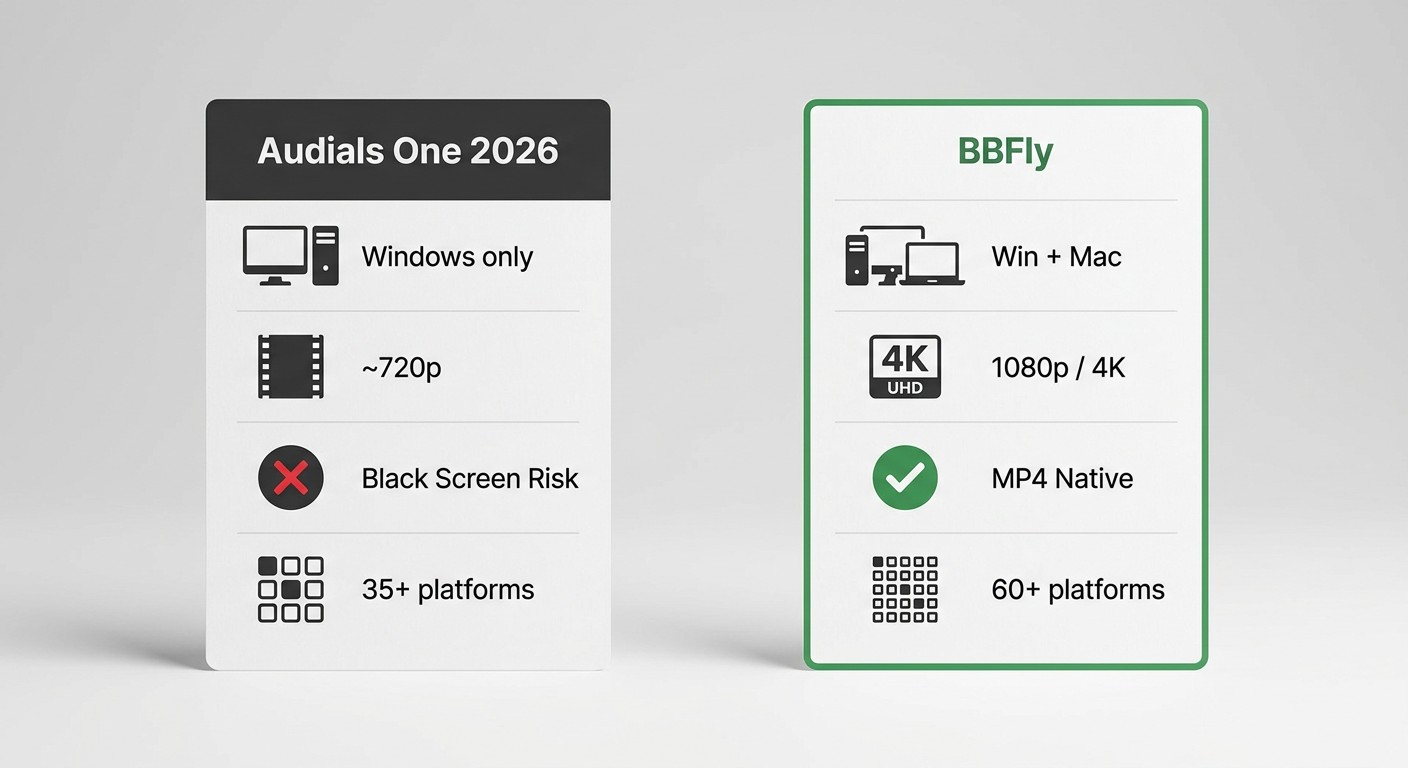
The choice between Audials and BBFly isn't really feature-for-feature. It's architectural, and that decides almost everything else.
Audials plays the stream and records the screen. A two-hour film takes two hours to capture, you get a re-encoded copy, and DRM-protected video can produce a black file. BBFly uses a native download mode that retrieves the video file itself, which is faster than real time and preserves stream quality, for content you're authorized to access where permitted by platform terms and applicable law. Neither approach is a way around a subscription — both assume you already have one.
| Audials One 2026 | BBFly Downloader | |
|---|---|---|
| Download method | Real-time screen recording | Native download (original stream) |
| OS support | Windows only | Windows and Mac |
| Max output resolution (advertised) | 1080p (~720p on Widevine L3 platforms) | Up to 1080p (4K on select platforms per vendor spec) |
| DRM-protected content handling | Black screen common; partial workarounds | Native path avoids screen-capture block |
| Supported platforms | 35+ streaming services | 60+ platforms and 500+ websites |
| Batch download | Limited | Yes |
| Subtitles and multi-audio | Limited | Yes |
| Subscription model | Annual, perpetual | Monthly $29.90, annual $99.90, lifetime $199.90 (3 PCs) |
| Free trial | Limited features | 3 full titles per platform within 30 days |
| Best for | Music, radio, podcasts, non-DRM video on Windows | Video-first users on Windows or Mac who want original-quality offline files for authorized content |
Specs as of June 2026, subject to change; verify at each tool's official site. My honest fit call: if your library is mostly music, radio, and podcasts and you live on Windows, Audials is the right tool. If you primarily want offline video copies at full quality across multiple streaming services, especially on a Mac, BBFly is the cleaner architectural fit.
How to Record a Video with Audials One 2026
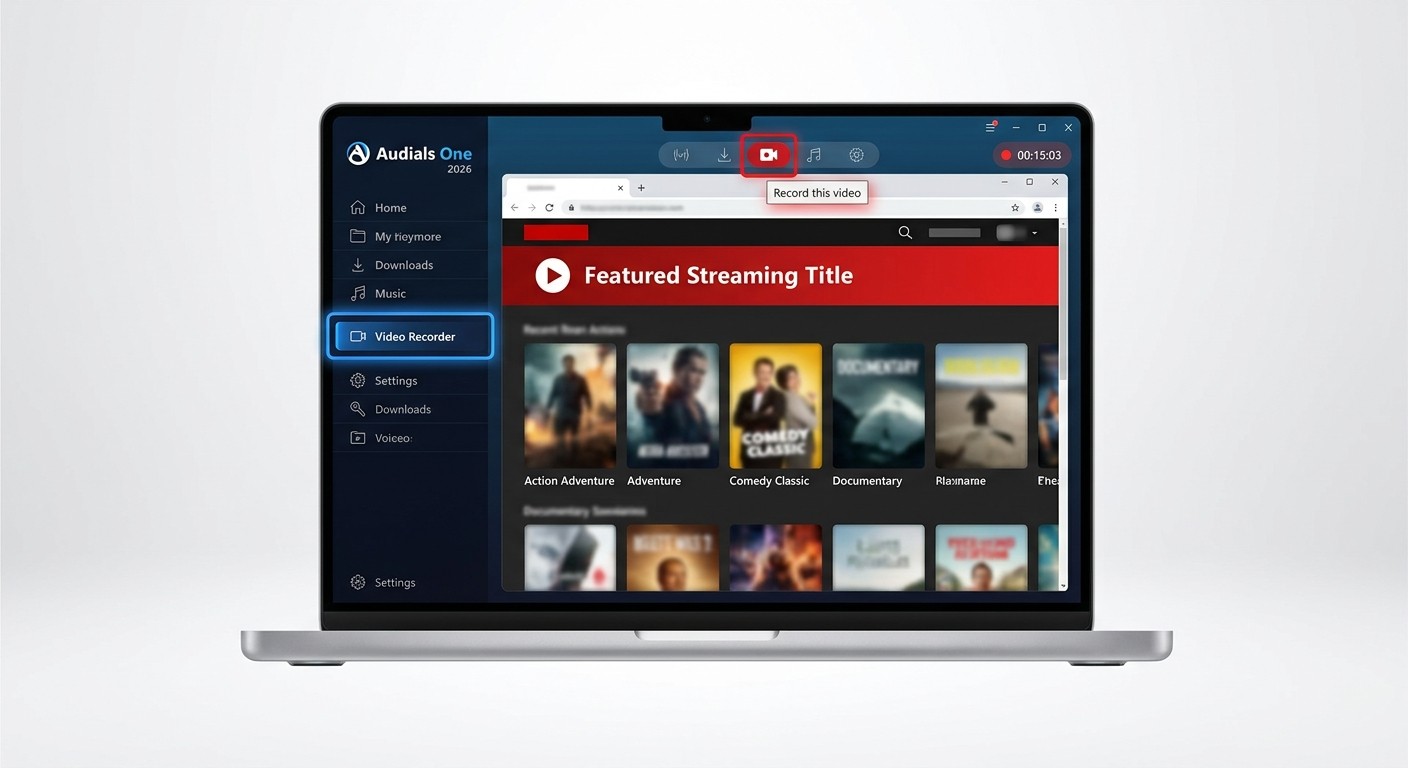
The recording workflow hasn't changed dramatically from 2024, but a few of the menu paths moved in the 2026 redesign. Here's the path that worked reliably in my testing on Windows 11:
- Install and launch Audials One 2026. Sign in or start the free trial.
- Open the Video Recorder module from the left sidebar.
- Inside Audials' built-in browser, navigate to the streaming service and the title you want to record. Sign in to your account on that service.
- Start playback. Audials should auto-detect the stream and begin recording; if it doesn't, click "Record this video" in the toolbar.
- Let playback complete. Audials saves the file and tags it automatically in the media library.
- If you get a black screen, stop the recording, then go to Chrome's settings and disable hardware acceleration before trying again (see the DRM section above for why).
One note: recording DRM-protected video from services like Netflix and Disney+ may still fail or cap at around 720p even after the workaround, for the structural reasons covered earlier.
Verdict: Is Audials One 2026 Worth It?
Audials One 2026 is a real upgrade over 2024 for music, radio, and podcast users on Windows. The AI block is interesting but Premium-only and uneven. The DRM video story hasn't fundamentally changed — and won't, because the limitation isn't Audials' to fix. If you're a Windows user with a heavy music and radio habit, Standard is easy to recommend. If you're chasing offline copies of Netflix or Disney+ video, or you're on a Mac, this isn't your tool. Audials records audio and video streams for personal use on content you're authorized to access, subject to applicable law and platform terms; it isn't a way around DRM and the company doesn't market it as one. Treat it as a media hub, not a download shortcut.
Frequently Asked Questions
Does Audials One work on Mac?
No. Audials One is Windows-only as of June 2026 and no Mac version has been announced. Mac users looking for offline streaming video should consider cross-platform alternatives such as BBFly Downloader, which runs on both Windows and macOS.
Why does Audials show a black screen when recording Netflix?
Widevine L3 DRM combined with Chrome's hardware acceleration sends decoded video through a protected GPU path the OS won't expose to screen capture, producing a black file. Disabling Chrome hardware acceleration is a partial fix but typically caps usable output to around 720p, and doesn't work on every title. The issue is structural to screen recording, not unique to Audials. A native download approach avoids the Widevine playback path entirely for content you're authorized to access.
What is the difference between Audials One Standard and Premium?
Standard covers core recording across music, video, radio, and podcasts. Premium adds the 2026 AI block: cloud-based video upscaling up to 4K, AI stem splitter, AI audio enhancement for lossy formats, and GPU-accelerated encoding. AI features are Premium-only, as of June 2026; verify current tier breakdown at audials.com.
Is Audials One a one-time purchase?
Yes, a perpetual license is available alongside annual subscriptions. The perpetual option locks you to the current major version — new-year releases (the 2027 build, for example) won't ship to perpetual buyers for free. Audials usually offers an upgrade discount to existing license holders.
Is Audials One 2026 worth it?
For music, radio, and podcast power users on Windows: yes, with Standard being the safer first buy. For people whose main goal is offline video from Netflix, Disney+, or Max: not really — the DRM black screen and 720p ceiling on those platforms are structural, and a native downloader on Windows or Mac will give you a better video file for authorized personal viewing.
Is Audials One free?
There is a free trial with limited features and an ad-supported experience. Full functionality requires a paid Standard or Premium subscription, or a perpetual license. Trial limits change between versions — check audials.com for the current terms before relying on the trial to evaluate a specific workflow.