
How to Download ViX Videos on Samsung Smart TV, iPhone & Android (2026 Guide)
Table of Contents
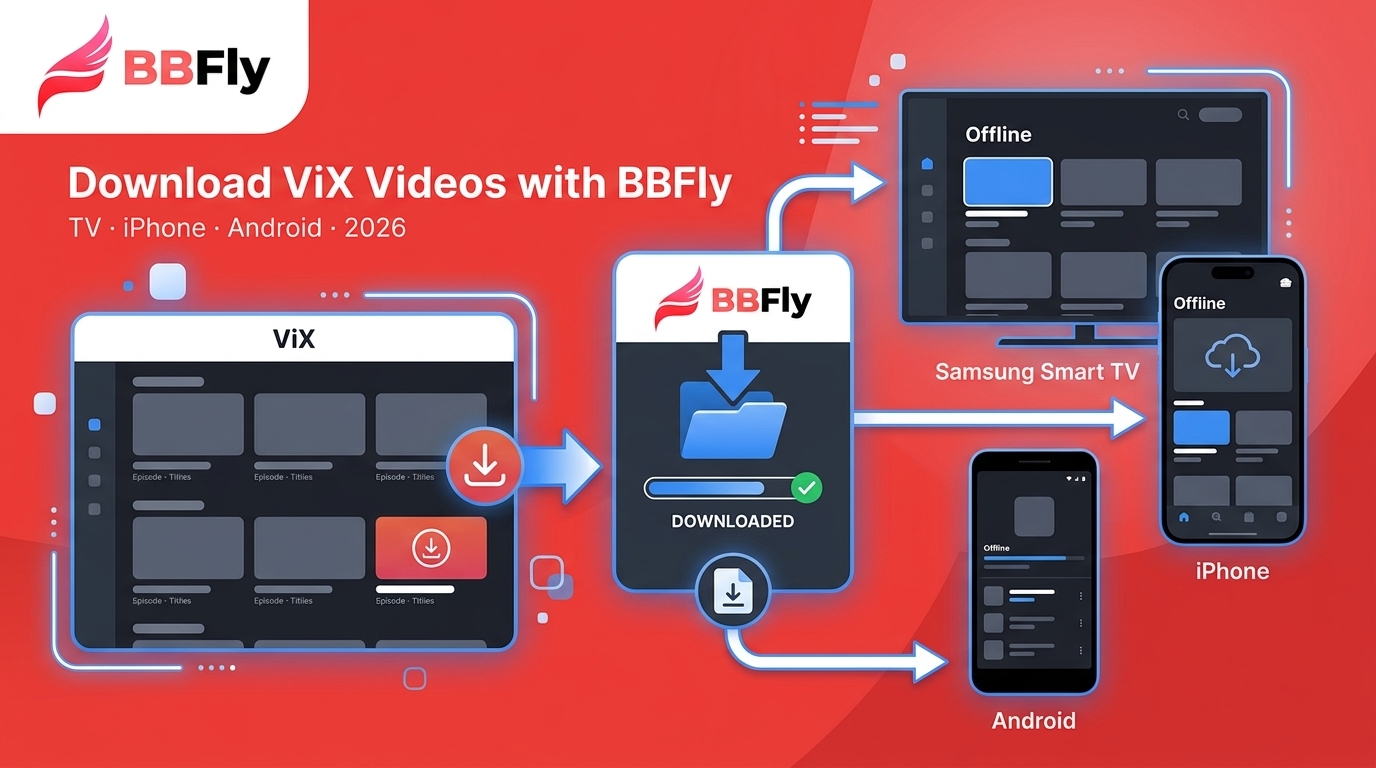
If you are trying to save a ViX telenovela to watch on a Samsung Smart TV, the ViX app itself does not solve the problem end to end. The official ViX Premium app supports offline downloads only on iPhone and Android, files stay locked inside the app, and no ViX download feature exists for a Samsung TV or a desktop. On older Tizen builds the native app is not even installable in some regions. I have tested ViX across several Samsung Smart TV models and mobile devices, and this guide walks through three paths that actually work in 2026: the official mobile download, non-native access methods for the TV, and a desktop workflow when the first two are not enough.
How to Install and Set Up ViX on Samsung Smart TV
Most 2020 and newer Samsung Smart TVs running Tizen list the ViX app in the US Samsung Apps store, so if you own a recent model, installation is a five-minute job. As of June 2026, check the Samsung Apps store on your TV for the current availability in your region, since catalog listings do shift.
- From the TV Home screen, open Apps (the four-square icon), then search for ViX.
- Select the official ViX app (published by TelevisaUnivision) and choose Install.
- Launch ViX and pick Sign in with an existing account, or use the activation code path if your TV keyboard is painful (the app shows a short code you enter at the activation URL on a phone or laptop).
- Once signed in, ViX remembers your Gratis or Premium tier on this device.

One caveat worth knowing before you go further: installing the app decides only what you can stream on the TV. Whether you can save anything offline at all depends on the ViX plan you pick, which the next section walks through.
ViX Gratis vs. ViX Premium: Which Plan You Need for Offline
Here is the short answer: ViX Gratis is streaming-only, and only ViX Premium Sin Anuncios unlocks the official offline download feature, and even then only inside the iPhone and Android app. The ViX gratis vs premium split matters the moment you want to save an episode for a flight or a subway commute.
ViX Gratis is the free, ad-supported tier with a Spanish-language catalog of movies, telenovelas, and live news. It streams over the internet and offers no downloads on any device, including on Samsung TV.
ViX Premium Sin Anuncios is the paid, ad-free tier. It adds the full ViX premium offline download library, exclusive originals, and simultaneous viewing across multiple devices. Any specific device or pricing number here should be treated as of June 2026, and you should check vix.tv or the ViX Help Center for the latest.
| Dimension | ViX Gratis | ViX Premium Sin Anuncios |
|---|---|---|
| Content Volume | Ad-supported free catalog, mostly Spanish-language | Full library, including exclusive originals and premieres |
| Offline Downloads | Not supported | Supported on iPhone and Android app only |
| Simultaneous Devices | Limited | Multiple concurrent streams, tier-dependent |
| Ads | Ad-supported | Ad-free |
If watching offline on a Samsung TV is the actual job, the honest answer is that neither official plan solves it directly, which is why the next section unpacks what "offline" really means on ViX Premium.
What Offline Really Means on ViX Premium (Mobile Only, 30-Day Expiry)
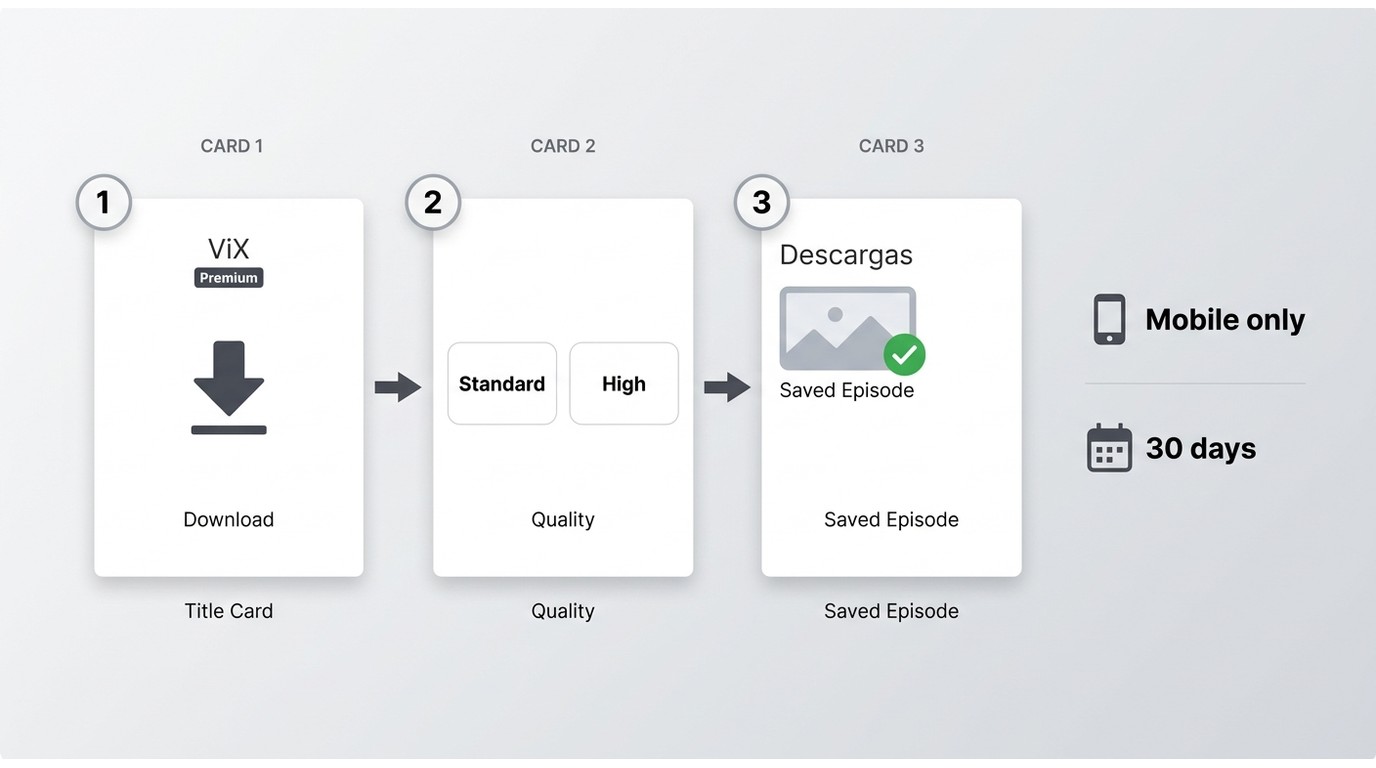
ViX Premium Sin Anuncios supports downloads inside the iPhone and Android ViX app only. Saved files are encrypted and cannot leave the ViX app, they expire 30 days after downloading or 48 hours after playback begins, and some licensed and live titles are excluded from download entirely. That is the full ViX offline download feature and the vix premium offline download feature, no more, no less. As of June 2026, verify current wording at https://ayuda.vix.com, which is the current vix help download offline reference.
Most readers land on this page after finding out the hard way, mid-flight, that a downloaded episode had auto-deleted because the 48-hour timer ran out.
Downloading ViX Titles on iPhone and Android: Step-by-Step
The vix app offline download flow itself is short. Steps are the same on both platforms, give or take a menu label.
- Update the ViX app to the latest version from the App Store or Google Play.
- Sign in with a Premium Sin Anuncios account (Gratis will not show the download icon).
- Open a downloadable title, usually an original series or a full-length movie.
- Tap the download icon on the title-detail page (it appears next to Play, not on the browse tiles).
- Choose the quality if the app offers a Standard or High option, then confirm.
- Find the saved title later under Profile → Descargas.
In my own testing across a few accounts, the download icon appears more consistently on ViX Originals than on licensed telenovelas, so if you cannot find it on a specific show, the title is probably one that ViX excluded from download rather than an app glitch.
Why ViX Downloads Expire and Which Titles Cannot Be Saved
Files saved through the app are wrapped in ViX Premium download episodes protection so they can only be played back inside the ViX app on the device that downloaded them. That is why ViX downloads expire on a fixed timer: the app has to periodically confirm your account is still active. Two rules to remember: 30 days from download, then 48 hours from the moment you press Play, whichever comes first. Live news, some sports, and select licensed titles do not carry a download icon at all, which is normal, not a bug.
| Dimension | Official ViX Premium Mobile Download | BBFly ViX Downloader Desktop Workflow |
|---|---|---|
| Platform Coverage | iOS and Android only | Windows and Mac |
| Max Resolution | Up to 1080p, tier-dependent | Up to 1080p |
| File Expiry | 30 days from download, 48 hours from playback start | No auto-delete inside the app, personal-use only per ViX ToS |
| Sign-in Required | ViX Premium account inside the ViX app | ViX account inside BBFly's built-in browser |
| Output Format | Encrypted in-app stream, cannot leave app | MP4 local file |
| Cost | Bundled with a ViX Premium subscription | Paid downloader plus your ViX subscription |
Table values reflect the state as of June 2026, and platform specifics do shift, so confirm current figures on the official ViX Help Center and the downloader's official product page.
That covers the official surface. If the ViX Tizen app on your Samsung TV is misbehaving before you even get to plans and downloads, the next section walks through the Tizen fixes I hit most often.
Troubleshooting ViX Playback and Downloads on Samsung TV
Across the Samsung TV models I have tested, a cold reboot resolves black-screen issues on the ViX app more often than clearing the cache does, so it is worth trying first before you go deeper.
The three Tizen issues I run into most:
- Black screen at launch. Unplug the TV from the wall for a full 60 seconds, then plug back in. If that does not stick, go to Settings → Apps → ViX → Clear Cache, then relaunch. Only after both fail should you uninstall and reinstall the app.
- Downloads not saving on the ViX mobile app. On iOS or Android, sign out and back in to force a license refresh, then confirm you have at least a couple of GB of free storage. Some titles reset their download state after a Premium billing renewal.
- Subtitle desync or missing tracks. On the Samsung TV, open Settings → General → System Manager → Language → Subtitle and toggle the audio track once. On mobile, closing and reopening the title usually resets the subtitle stream.
If none of the fixes above stick, your Samsung model may simply be limited by its Tizen build, and no amount of app-side troubleshooting will change that. The next section covers three practical routes around that limit.
Watch ViX Without the Native Samsung TV App: Alternative Access Methods
Three routes let you get ViX onto a Samsung TV when the Tizen app is missing or unstable. Two of them still require an internet connection during playback, so only the third is a true watch vix without internet setup.
- Chromecast built-in from the ViX mobile app. Compatible Samsung models list Chromecast in the source menu. Cast from the ViX app on your phone, and the TV renders the stream. Requires online playback, so not truly offline.
- AirPlay screen mirroring from iPhone or iPad. Recent Samsung TVs support AirPlay 2. Start playback in the ViX app on iOS, tap AirPlay, and pick your TV. Also requires online playback.
- Desktop-to-USB local file. A desktop downloader on Windows or Mac saves the ViX title as a local MP4, and the file plays on the Samsung TV through the built-in USB media player. This is the route that keeps working when your Wi-Fi is down or you are on a plane.
The third route is a desktop workflow rather than a native TV app, and the next section walks through BBFly ViX Downloader as one such workflow. Any downloader use should be for content you are authorized to access, where permitted by ViX Terms of Use and applicable law.
Console users often ask a related question about PS5 and Xbox, so that is the next stop before we open the desktop workflow.
Can You Download ViX on PS5, Xbox, or Other Consoles?
No. As of June 2026, ViX has no native app on PS5, Xbox Series X/S, PS4, or Nintendo Switch. That means no official console download vix on ps5 flow, no offline queue, and no built-in ViX login on those platforms (check the respective console stores for the latest listing).
You have two practical fallbacks:
- Cast or mirror from a phone or tablet. Start the ViX app on iOS or Android, then cast to a Chromecast dongle plugged into the console's HDMI input, or mirror through the TV. Online only, and console power draw is silly for casting.
- Save a local MP4 on a desktop and play it on the console's media app or via USB. Both PS5 and Xbox Series X/S can play MP4 files from a USB drive using their built-in media apps. This is the practical route to get a ViX title playable on a console with the TV offline.
PS5 has no dedicated ViX app storefront listing, so any tutorial that promises otherwise is either out of date or plain wrong. If you have concluded that the desktop-to-local-file route is the one that fits your setup, the next section is a detailed walkthrough of BBFly ViX Downloader as one such option.
BBFly ViX Downloader: A Desktop Alternative for Offline Playback on Samsung TV
For Samsung Smart TV households where the Tizen ViX app is missing or unstable, and where no native download option exists on the TV itself, a desktop-to-USB path is one practical workaround. Below is how BBFly ViX Downloader handles that specific scenario, plus an honest note on who should skip it. As a ground rule for anything that follows, use it only for content you are authorized to access, where permitted by ViX Terms of Use and applicable law.
Why a Desktop-to-USB Path Fits the Samsung TV Scenario
On Samsung Smart TVs where the ViX Tizen app is unavailable or unstable, and where no native TV download exists, a desktop to USB workflow is in practice the least-friction route to true offline playback on the TV. Three reasons the shape of the workflow matters:
- It decouples the download step from the TV entirely. Any Windows or Mac laptop can do the saving, so an older Tizen model no longer holds back your household.
- The MP4 output plays through the Samsung TV's built-in USB media player, with no casting network in the loop.
- Playback survives Wi-Fi hiccups and CDN slowdowns because the file is fully local, which is exactly the vix samsung tv download experience you cannot get from the app.
What BBFly ViX Downloader Does
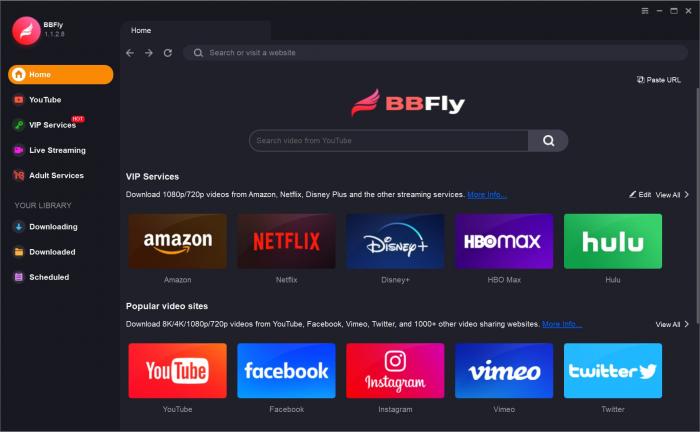
BBFly ViX Downloader is a vix video downloader and general vix downloader for PC and Mac that saves ViX titles as MP4 files up to 1080p on Windows and Mac. Four honest, verifiable differentiators paired with the concrete benefit for a Samsung TV household:
- Native download model. BBFly saves the source stream as a video file rather than a screen re-record, which means no long transcode wait and no re-encode loss on the picture.
- Batch season download. Queue an entire telenovela season in one pass instead of tapping the download icon episode by episode, which is where the ViX mobile app starts to feel painful for 80-episode novelas.
- Subtitle preservation. Keep the Spanish and English subtitle tracks alongside the file, either embedded or as SRT, so the Samsung TV can render them during USB playback.
- MP4 local file output. The result is an ordinary MP4 that plays on the Samsung TV's built-in USB player, no casting network needed and no proprietary container to fight with.
Four bullets are not a substitute for actually walking the workflow, so here are the steps.
How to Save a ViX Show as an MP4 for Samsung TV USB Playback
The steps below are written for the download vix videos offline case on a Samsung TV. Use them only for content you are authorized to access, where permitted by ViX Terms of Use and applicable law.
- Install BBFly ViX Downloader on Windows or Mac from the official product page.
- Open the built-in browser, navigate to vix.tv, and sign in with your ViX Premium account.
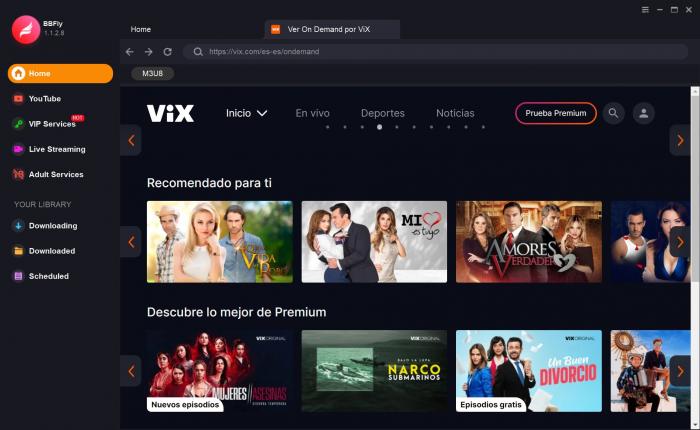
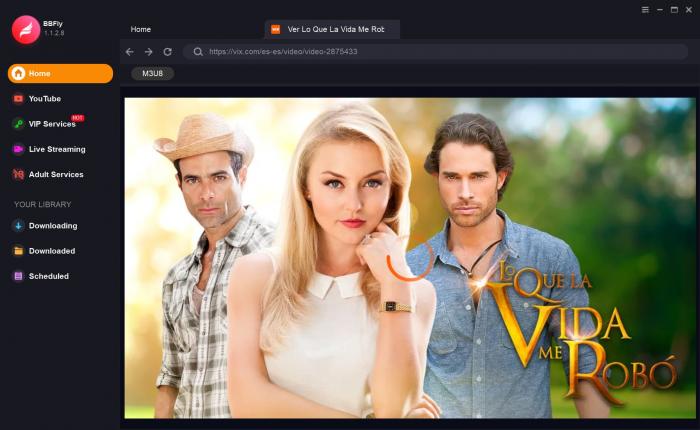
- Open the show or movie page. BBFly detects the title and opens an Analyze or Download panel with quality and track options.
- Pick quality (up to 1080p) and pick the audio and subtitle tracks. For a full telenovela, select all episodes for a batch queue.
- Wait for the queue to finish, then copy the MP4 file to an exFAT-formatted USB drive.
- Plug the USB into the back of the Samsung TV, and open Home → Source → USB.
One observation from bench testing: exFAT handles the 4 GB-plus episode sizes that FAT32 cannot, worth remembering before you start a full-season queue on the wrong file system.
Best For and Not Ideal For: An Honest Fit Check
Best for: Samsung Smart TV households where the Tizen ViX app is unavailable or unstable; viewers who want to keep a full telenovela season locally so they can watch across several weeks without redownloading; anyone using ViX from a Windows or Mac computer, where no official ViX desktop app exists.
Not ideal for: readers who only watch ViX on their phone during a commute (the official ViX Premium mobile download works fine and does not need a desktop); readers who do not own a Windows or Mac computer; readers who need a truly no-cost solution, since BBFly is paid on top of a ViX Premium subscription.
If your entire viewing setup is a phone on the subway, opening a desktop tool is more friction than the situation deserves. Choose the ViX app and be done.
Any tool discussion also needs a straight answer on the legal side, which is the next section.
Is Third-Party ViX Downloading Legal? A Personal-Use Framing
Short version: use a desktop downloader only for personal offline viewing of content you are already authorized to access under an active ViX Premium subscription, and only where that use is permitted by ViX Terms of Use and applicable law in your country. Three points to keep in mind:
- ViX Terms of Use restrict redistribution and commercial use of ViX content. Personal offline viewing of content you already legitimately access sits in a grey area that varies by jurisdiction.
- In the United States, personal-use time-shifting has legal precedent for broadcast and subscription content, but the courts have not definitively tested it for streaming-service DRM. Reasonable readers can disagree on that reading; a downloader is not a permission slip.
- Universal rules: only save titles from a subscription you actively pay for, never redistribute the file, never share it publicly, and never resell.
Put practically, treat a desktop workflow as a shape-shifter for the ViX Premium subscription you already have, not as a way around it. If your reading of ViX Terms of Use or your local law says no, that is the correct answer for you.
The rest of the questions I hear about this workflow tend to be practical, so the FAQ section below covers them one by one.
ViX on Samsung TV: Frequently Asked Questions
Does ViX Premium offer offline downloads?
Yes. ViX Premium Sin Anuncios supports offline downloads on iPhone and Android through the ViX app (as of June 2026, check https://ayuda.vix.com for the latest). Files are encrypted inside the app, mobile only, and expire 30 days after downloading or 48 hours after playback begins.
How long do ViX Premium downloads last before expiring?
Downloads remain available for 30 days from the moment you save them. Once you press play, the countdown drops to 48 hours before the file is auto-deleted. The official app does not offer a keep-forever option, so you have to be online again to renew the download when the timer runs out.
Can I download ViX videos to a PC or Mac?
The official ViX app does not offer a PC or Mac download feature; it is mobile only. If you want a local file on a computer (for personal offline viewing where permitted by ViX Terms of Use and applicable law), a desktop workflow such as BBFly ViX Downloader is one practical workaround for Windows and Mac users.
Why is my ViX video not playing on my Samsung Smart TV?
The three most common causes on Tizen-based Samsung TVs are a stale app cache, an outdated Tizen build, and a temporary region or CDN hiccup. Try a cold power-cycle first (unplug 60 seconds), then Settings, Apps, ViX, Clear Cache, then check for a Tizen software update. In my testing on multiple Samsung Smart TV models, cold reboot resolves the black-screen issue more often than cache clearing does, so it is worth trying first.
Does BBFly ViX Downloader work with the free ViX Gratis tier?
BBFly reads titles from any ViX URL you sign in to inside its built-in browser, so ViX Gratis titles are technically reachable, but ad-supported free-tier catalogs are limited and change frequently. Sign in with the account tier that has the title you want, and use only for content you are authorized to access under ViX terms.
How do I play a downloaded ViX MP4 file on my Samsung TV via USB?
Save the file to a FAT32 or exFAT USB drive on your desktop, plug it into a USB port on the back of the Samsung TV, and open Home, Source, USB. Samsung's built-in Media Player handles MP4 (H.264 or AAC) natively, so no extra codec pack is needed. From my own bench testing, exFAT is the safer choice for files over 4 GB, which most full-length telenovela episodes exceed.
Final Take: Choosing the Right ViX Offline Path for Your Setup
Three fit calls, in the order I would actually give them:
- If your primary viewing is on a phone during a commute, the official ViX Premium mobile download is enough. Do not add a desktop tool to a problem the phone app already solves.
- If your household watches on a Samsung Smart TV where the Tizen app is patchy, and true offline playback (during Wi-Fi outages, on a plane, on a road trip) actually matters, a desktop-to-USB workflow such as BBFly ViX Downloader is one practical route. This is the reader I wrote the middle of this guide for.
- If you want zero incremental cost and are willing to re-download every 30 days, the official ViX Premium mobile app is the honest recommendation, and no downloader is required.
My own routine sits mostly in category two, since I keep a long-running Samsung TV in the living room and I have been burned by the 48-hour timer before. If you want a related walkthrough for another Spanish-language catalog, our guide on how to download ARTE videos covers a similar desktop-to-local-file approach.

Clara Hensley
Clara explains what each streaming plan lets you download — and what to do when it doesn't.