
BBFly Amazon Prime Downloader Review 2026: 30-Day Trial Tested on Mac and Windows
Table of Contents
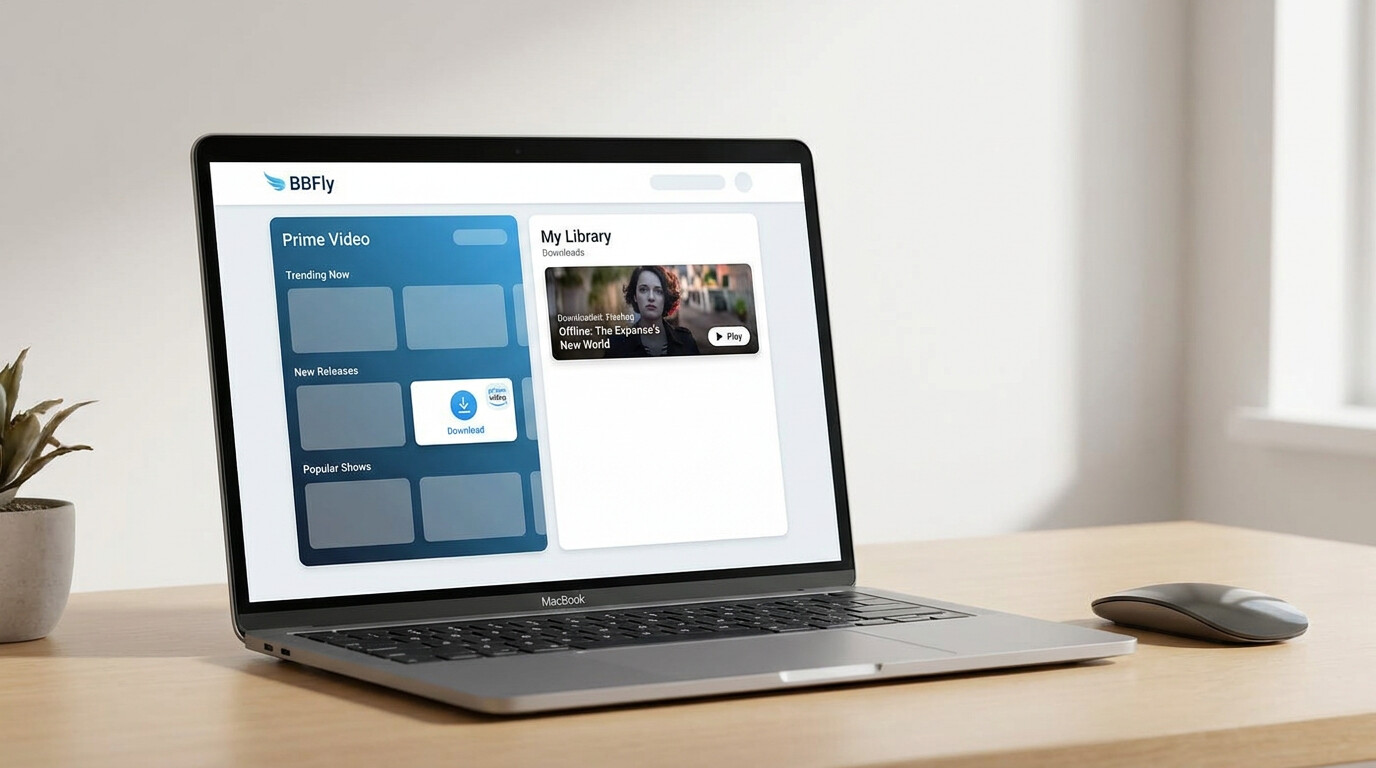
I've been collecting digital movies for about fifteen years, from the DVD-ripping era through running a Plex library on a NAS, and these days my biggest headache is Amazon Prime Video. The official downloads expire on me, they're locked inside the app, and I cannot move a file to my Infuse setup on the TV. After the third time a 48-hour expiry caught me mid-flight, I started testing third-party desktop tools systematically. BBFly Amazon Prime Downloader is one of the few I kept on the machine after the trial ended. Here is what I found across the 30-day evaluation window on both a 2024 MacBook Air M3 (macOS Sonoma 14.5) and a Windows 11 desktop.
Why Official Amazon Downloads Fall Short
Amazon's own download feature in the Prime Video app is functional, but it carries restrictions that frustrate anyone who watches outside a single phone or tablet. Three constraints in particular send users looking for desktop alternatives: short expiry windows, app-only playback, and periodic compatibility breaks tied to platform-side updates.
For a deeper look at all your options—official and third-party—our complete guide to downloading Amazon Prime Video to your device covers every method side by side. download Amazon Prime Video to your device
The 48-Hour Expiry and App-Lock Problem
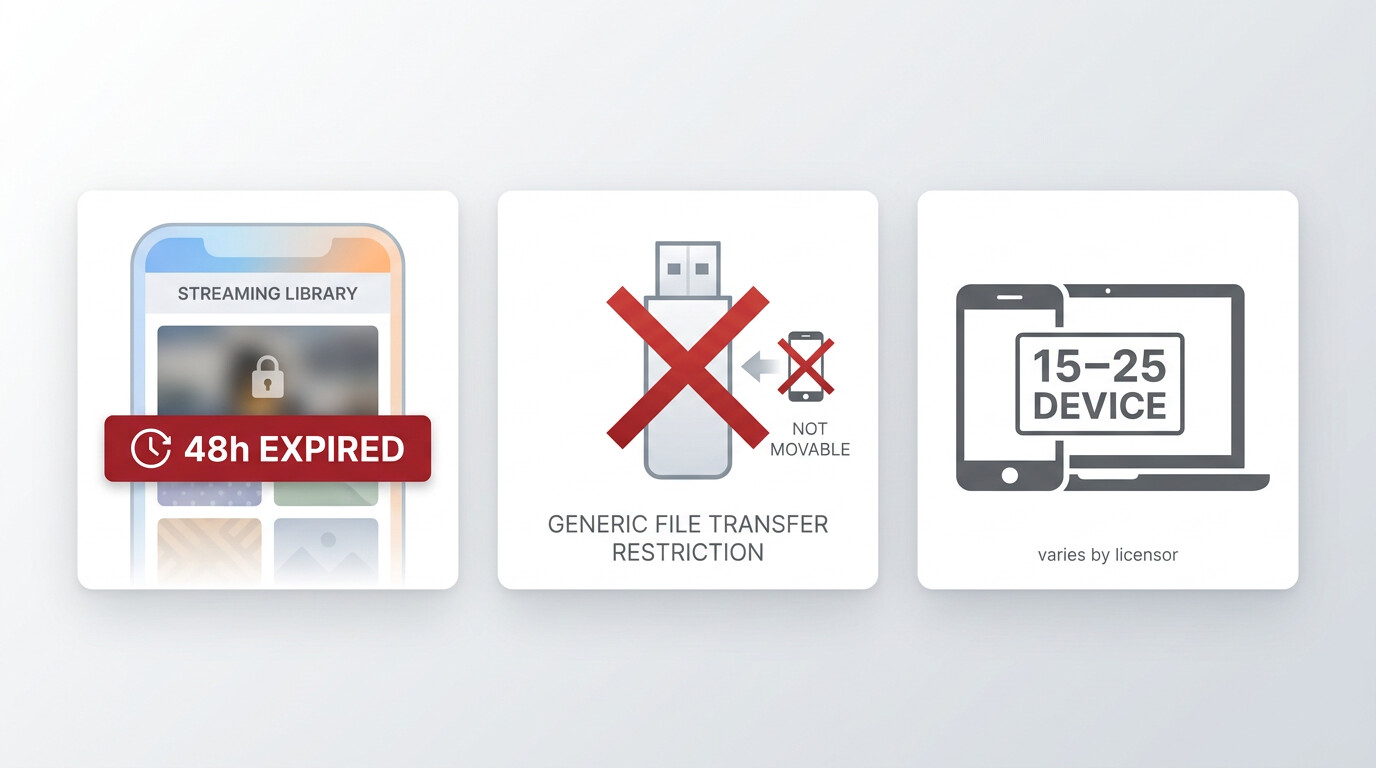
Once you tap play on an Amazon download, the file becomes unplayable 48 hours later. If you never start it, the file still expires after 30 days. The download itself lives inside the Prime Video app, so you cannot move it to a USB stick, a NAS, or a smart TV, and the official app caps downloads at 15 to 25 titles per device depending on the licensor (source: Amazon's Help Center, as of June 2026, specs change so confirm current figures first). On top of that, your Amazon subscription has to stay active for the downloads to remain accessible. For a frequent flyer or a household sharing one Prime account across several devices, those rules collapse fast.
How DRM Updates Disrupt Playback
Amazon periodically updates its content delivery layer. When that happens, every third-party desktop tool on the market needs a corresponding app update to restore compatibility, and during the gap users see black screens, audio-only output, or stalled downloads. This is the same dynamic you see between websites and scrapers: the platform changes its infrastructure on its own schedule, and downstream tools ship a patch within 24 to 72 hours. During my testing window I hit one such interruption on the Windows build; BBFly pushed an update three days later and downloads resumed normally. The lesson is simple: pick a tool whose vendor actually maintains a Prime Video module, and keep auto-update on.
BBFly Amazon Prime Downloader: Key Features at a Glance
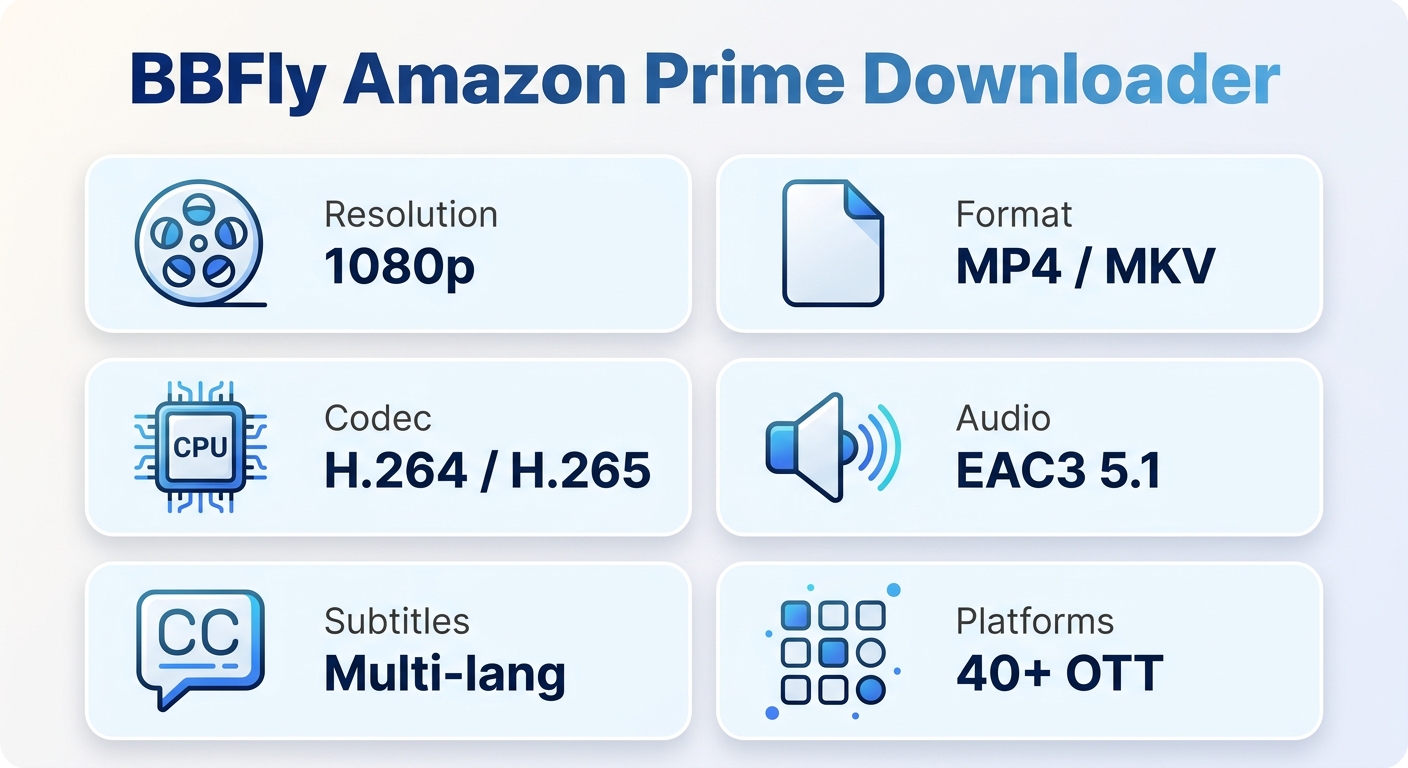
BBFly saves a local copy of Amazon Prime titles for personal offline viewing on Mac or Windows, with 1080p output, MP4 or MKV containers, multi-language subtitle tracks, and a 40+ platform scope that goes well beyond Amazon. Here is the spec sheet that mattered to me, followed by why the multi-platform breadth is worth a separate look.
Output Quality, Formats, and Platform Specs
| Spec | BBFly Amazon Prime Downloader |
|---|---|
| Max resolution | 1080p |
| Output format | MP4 or MKV |
| Video codec | H.264 / H.265 |
| Audio | EAC3 5.1 / AAC 2.0, selectable track language |
| Subtitles | Multi-language, saved alongside the file |
| Windows support | Yes |
| Mac support | Yes |
| Batch download | Yes, including series episode queues |
| Ad removal in saved file | Yes |
Source: specs as of June 2026, see BBFly Amazon Prime Downloader for current details.
Worth flagging honestly: 1080p is the ceiling here. Amazon Prime Video itself streams up to 4K HDR, and no third-party Widevine-L3 desktop tool I have tested clears that bar. What you get versus Amazon's own download (SDR 720p, app-locked) is meaningfully better; what you get versus the streaming experience on a 4K TV is not a match.
All-in-One Breadth: 40+ OTT Platforms
If Amazon Prime is your only subscription, you probably do not need a 40-platform tool. But most households I know juggle three to five services at once, and BBFly's one purchase covers more than 40 OTT platforms plus over 500 video-sharing sites. That is the practical case for choosing it over an Amazon-only utility: the next time Disney+ or Max gets added to the rotation, you are not buying a second tool. Best for households running multiple streaming subscriptions; not necessary if you genuinely only download from Amazon.
Plans, Pricing, and Free Trial Options
BBFly's pricing is the same regardless of which platform you focus on, which is unusual in this category. Three tiers, one free trial, and a money-back window on each paid plan.
| Plan | Price | Features |
|---|---|---|
| Monthly | $29.90 per month | 1 PC, cancel anytime, 7-day money-back guarantee, free updates, support within 48 working hours |
| Annual | $8.33 per month, billed at $99.90 per year | 1 PC, cancel anytime, 7-day money-back guarantee, free updates, support within 48 working hours |
| Lifetime | $199.90 one-time, up to 3 PCs | 3 PCs, 14-day money-back guarantee, free updates, support within 48 working hours |
Free trial worth calling out: 30 days, up to 3 complete titles per platform, full-length downloads with subtitles and audio tracks intact. That matters because some competing tools cap their trial at the first few minutes of each video, which only lets you confirm the app launches, not whether a full episode actually downloads cleanly. Three full titles is enough to test batch queue behaviour, subtitle alignment on a long film, and how the saved MP4 plays on whatever device you actually use.
One note on tier behaviour: Amazon's ad-supported Prime tier (rolled out from 2024) handles downloads differently from the ad-free tier, and the rules have shifted since launch. Confirm tier-specific limits on Amazon's Help Center as of June 2026, since Amazon may update tier policies.
You may also check out the BBFly Netflix Downloader review if you are weighing multiple platforms.
BBFly vs. Competing Amazon Downloaders
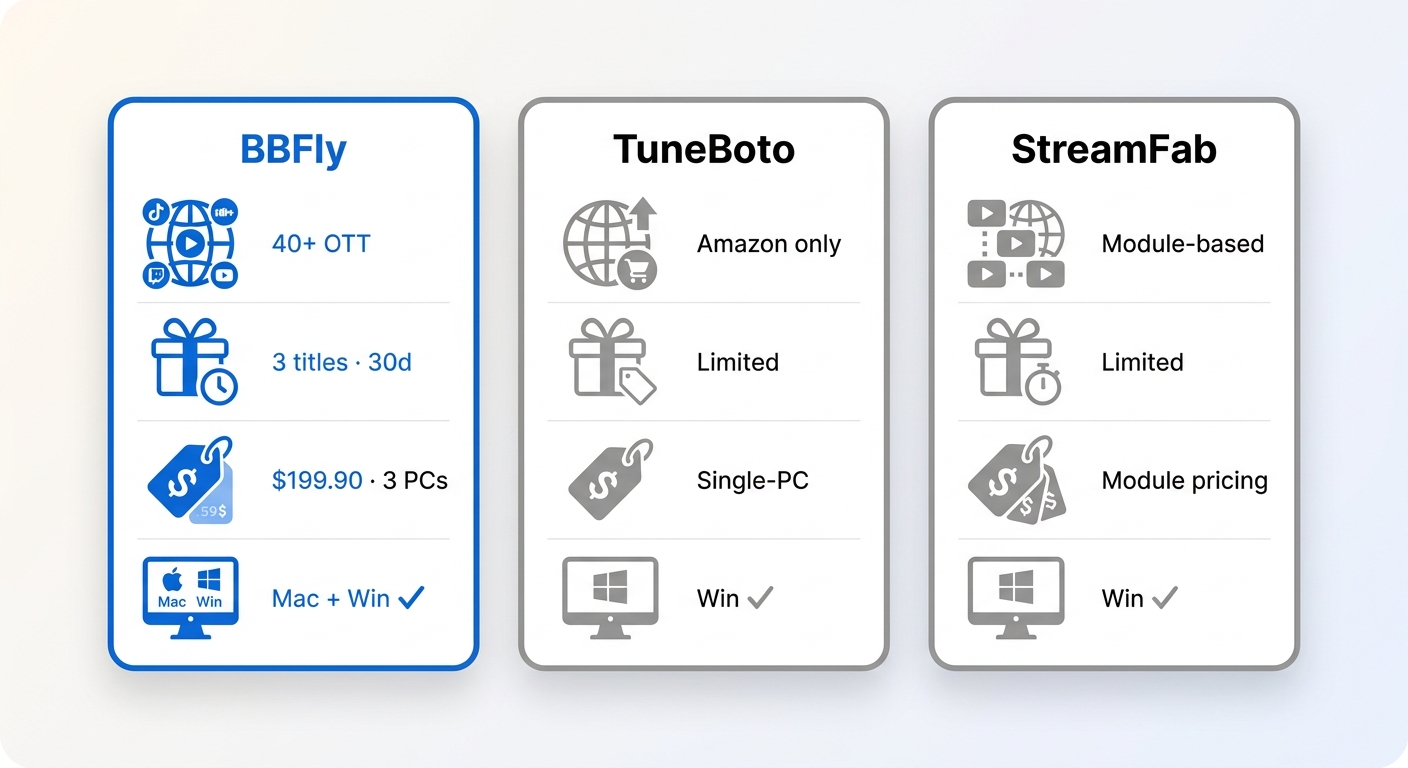
Three desktop tools come up most often in this category: BBFly, TuneBoto Amazon Video Downloader, and StreamFab Amazon Downloader. Here is how they line up on the dimensions that actually drive a purchase decision. Prices and features as of June 2026, verify on each vendor's official site.
| Dimension | BBFly | TuneBoto | StreamFab |
|---|---|---|---|
| Platform breadth | 40+ OTT platforms | Amazon Video only | Multi-platform (module-based) |
| Max resolution | 1080p | 1080p | 1080p |
| Output format | MP4 or MKV | MP4 or MKV | MP4 or MKV |
| Mac + Windows | Yes / Yes | Yes / Yes | Yes / Yes |
| Free trial quality | 3 full titles, 30 days | Limited trial, see official page | Limited trial, see official page |
| Lifetime price (approx.) | $199.90, up to 3 PCs | Single-PC, see official page | Module-based, varies |
| DRM update response | Vendor-maintained, observed 3-day patch in testing | — (not publicly stated) | — (not publicly stated) |
If I were buying today purely for Amazon, TuneBoto's narrower focus is a perfectly reasonable choice and the trial differences may not matter to you. If I were buying for a household that also hits Netflix, Disney+, or Max in the same month, BBFly is the one I would put my money on, because one license, three PCs, and one update channel beats juggling three single-platform tools. Best for multi-service households on Mac or Windows.
How to Download Amazon Prime Videos with BBFly
The workflow is four steps and works the same on Mac and Windows; the only real difference is the installer file you grab.
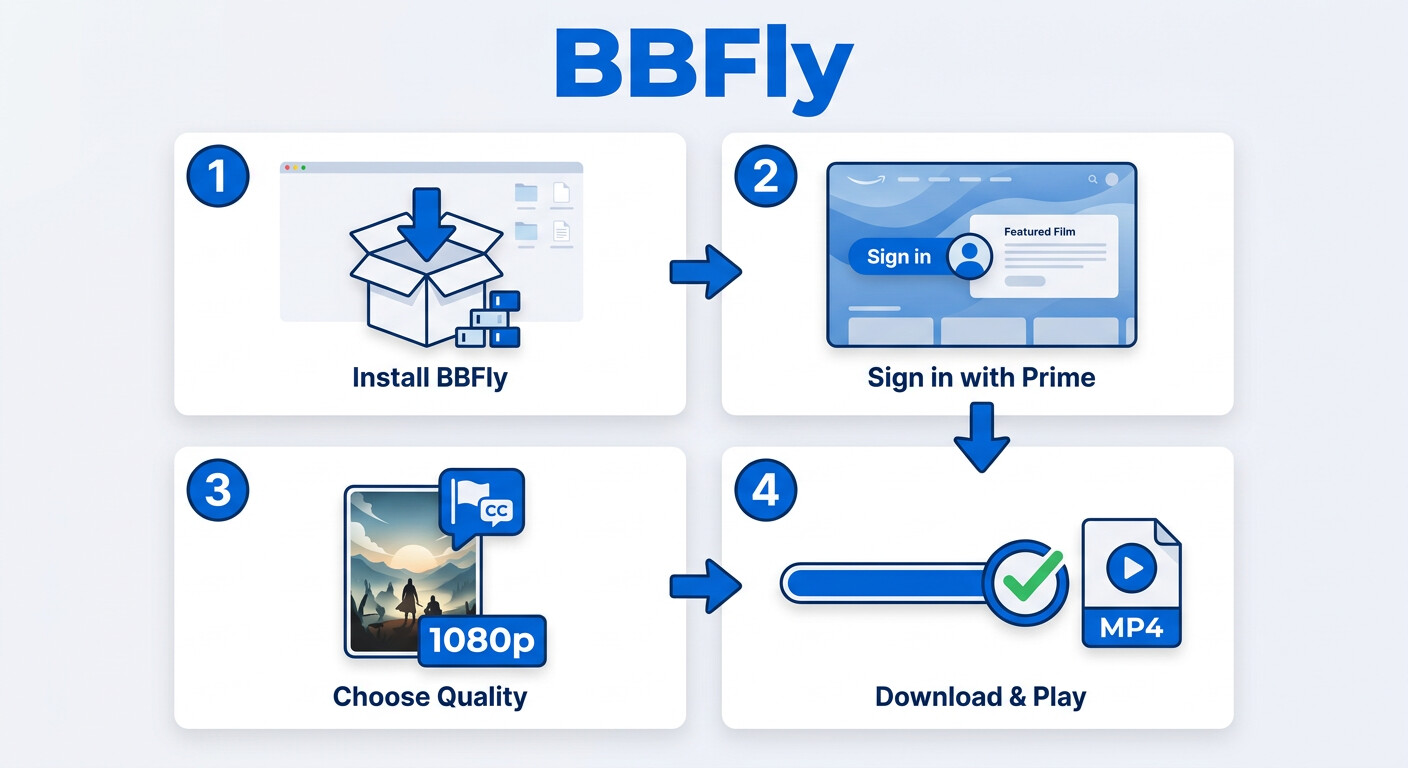
Step 1. Install BBFly on your Windows PC or Mac. Download from the official site and start with the free trial; you can upgrade to a paid plan later without reinstalling.
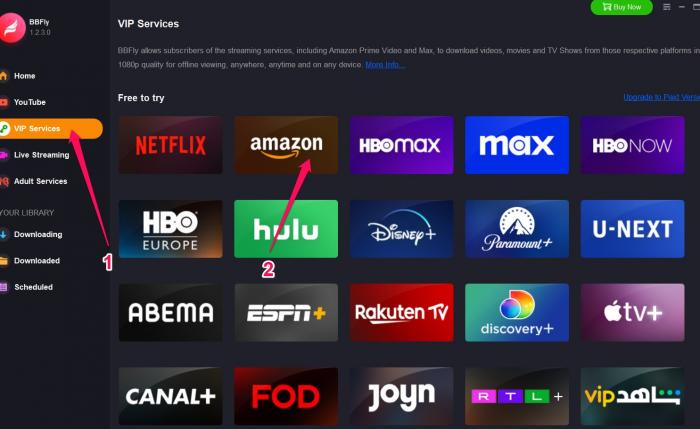
Step 2. Open Amazon Prime Video inside BBFly. From the VIP Services panel, pick Amazon Prime Video, then sign in with your existing Prime account. You need an active subscription, since BBFly works alongside Amazon, not around it.
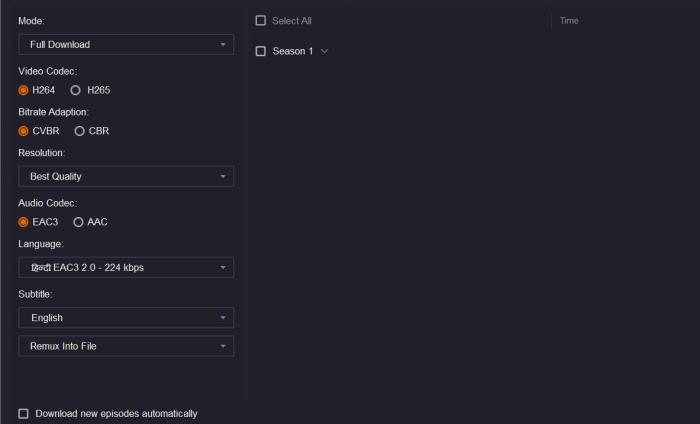
Step 3. Pick the title you want to save. Use the built-in browser to find the movie or episode, and BBFly will show resolution, audio track, and subtitle options before saving a local copy for personal offline viewing.
Step 4. Download to your chosen output folder. Click Download Now and the file lands in the folder you set up. In my testing on a 60 Mbps home connection, a roughly 45-minute episode finished in about 18 minutes when I ran it solo; longer films queued in batch took noticeably more time, which lines up with what I've seen users report. Plug into ethernet, queue overnight, and the speed concern mostly disappears.
Real User Reviews: What Testers Actually Said
I'll pair my own testing notes with one verbatim quote I found credible. On SourceForge, a reviewer described BBFly as "one of the best streaming video downloaders I've ever tried," and the comment thread that followed echoed the same general impression: dependable for typical 30 to 60 minute episodes, with a fair share of users noting that very long films can take a while to finish.
That speed observation matches what I saw. Two things help in practice: enable hardware acceleration in the settings panel if your machine supports it, and let the batch queue run overnight when you are downloading a full season. Neither is a workaround for a slow connection, but both turn the long-form download from an active wait into a background task.
Is BBFly Amazon Prime Downloader Safe and Legal?
This is the question I want to answer directly, because I get it from friends every time I recommend any third-party media tool. Amazon's Terms of Service prohibit downloading Prime Video content outside their official app, and in the United States, the DMCA's anti-circumvention provisions make this area a legal grey zone where personal, non-commercial use is not a guaranteed safe harbour. The lowest-risk path for any given title is Amazon's official app, on a device Amazon supports, while your subscription is active.
BBFly is intended for use with content you are authorized to access, where permitted by platform terms and applicable law. My own usage is personal offline archival: episodes I want to watch on a long flight or in a hotel room with flaky Wi-Fi, played back on my own devices, never shared, never uploaded, never resold. That is the framing I would encourage anyone reading this to apply. If your intent is commercial use, redistribution, or public screening, this is not the tool for that, and no tool legally is.
Frequently Asked Questions
Is it legal to download Amazon Prime videos with a third-party tool?
It is a grey area. Amazon's Terms of Service prohibit downloading Prime Video content outside their official app, and the DMCA limits how technical protections can be worked around in the United States. Personal, non-commercial offline viewing of content you are subscribed to sits in a softer zone than redistribution, but it is not a guaranteed safe harbour. For the current terms, check Amazon's Help Center and the Prime Video Terms of Use directly.
Does BBFly Amazon Prime Downloader work on Mac?
Yes. There are separate installer builds for macOS and Windows, and the workflow is identical between them. The only practical difference is the installer download URL and where macOS places the app (in /Applications) versus where Windows installs it (under Program Files). Features, output formats, and subtitle support are the same on both.
What format and resolution does BBFly save Amazon Prime videos in?
Saved files are MP4 or MKV at up to 1080p, with H.264 or H.265 video, EAC3 5.1 or AAC 2.0 audio, and multi-language subtitle tracks selectable per download. As of June 2026, these are the verified specs; check Amazon Prime Video Downloader for any updates.
If you need to convert Prime Video downloads to MP4 for use in specific editors or media players, our dedicated converter guide walks through the exact steps.
How generous is BBFly's free trial compared to competitors?
BBFly's trial gives you 30 days and 3 full-length titles per platform, with all features unlocked. That is meaningfully different from trials that cap each download at the first few minutes, because three complete titles let you test batch queues, subtitle sync on a long film, and playback on your actual devices before paying. Confirm current trial terms on each vendor's official site, since trial policies change.
What happens when Amazon pushes a DRM update — will BBFly stop working?
When Amazon updates its content delivery layer, every third-party desktop tool needs a corresponding app update to restore compatibility, and downloads can fail for 24 to 72 hours in the gap. BBFly ships updates on its own cadence; during my testing window one such disruption was resolved within roughly three days. Keep auto-update enabled, and check the BBFly support page if you see a black screen or stalled queue.
Verdict
BBFly Amazon Prime Downloader is the tool I kept after the trial because it solved the specific problem I was tired of: short expiry, app-locked playback, and no clean way to put an episode on my Plex library. It is not magic. It will not give you 4K HDR, it cannot move faster than your connection, and it operates in a legal grey zone you should understand before buying. Within those honest limits, the 30-day three-title trial gives you enough to decide for yourself, and the 40+ platform scope earns its place on a Mac or Windows machine that has more than one streaming subscription to feed.