
OnlyFans Bulk Downloader: What Works and What to Avoid
Table of Contents
If you need to save a large OnlyFans library you already have lawful access to, an OnlyFans bulk downloader should finish the queue, produce playable files, and keep those files manageable. Extensions suit occasional jobs; maintained desktop apps fit larger Windows or Mac libraries.
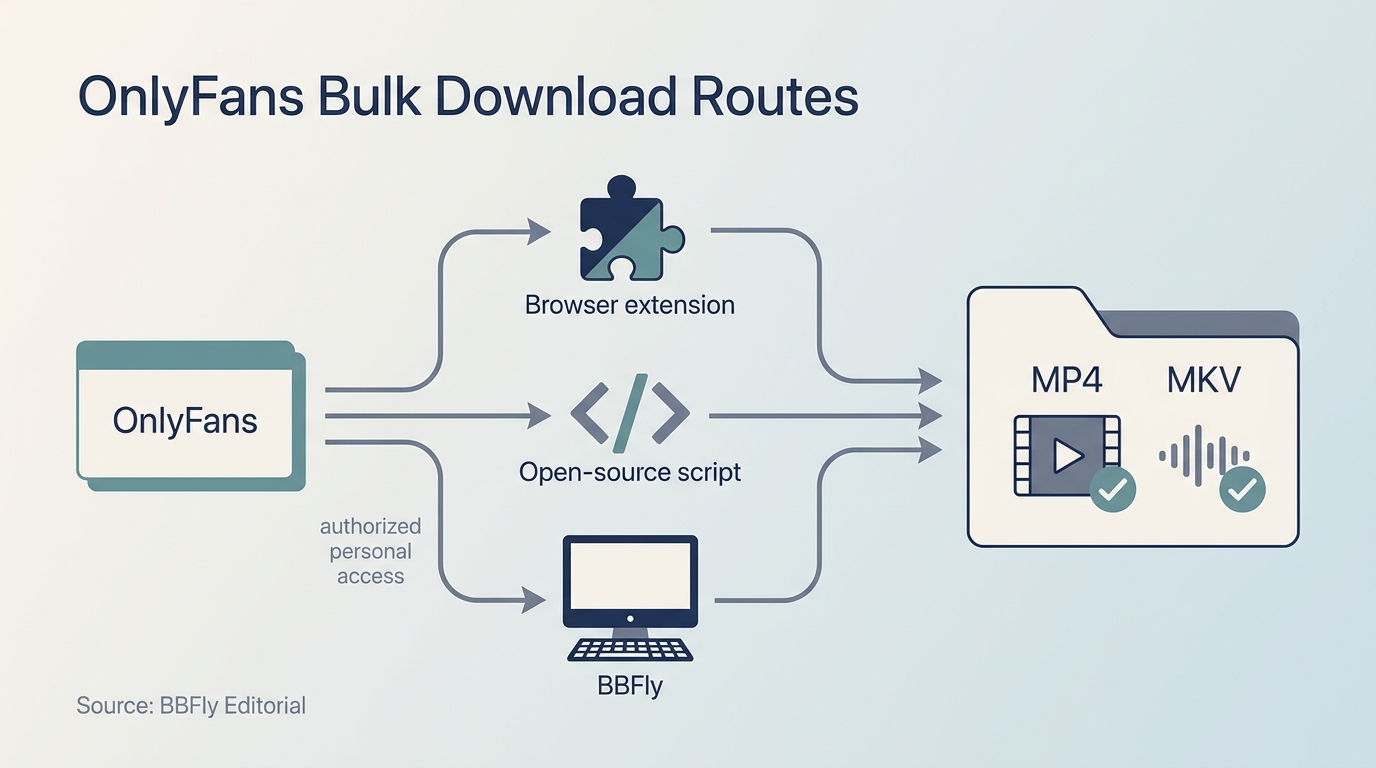
In fifteen years of organizing local media, I have learned that the large Download button is rarely the important part. A bulk OnlyFans downloader earns trust with the first file you can open, inspect, move, and play again. My rule is blunt: a large queue only magnifies a bad workflow. This guide explains the main routes, why recording and re-encoding can disappoint, and how to choose without assuming unsupported features.
Before You Choose an OnlyFans Bulk Downloader
Before trusting any downloader with a large library, verify four things: you have authorized access, the tool supports the exact media you need, your desktop has enough storage, and the output survives a playback check. Test a small representative sample before committing an entire creator feed or message archive.
Prerequisites and Media Scope
Start with an active OnlyFans account and access to the posts or videos you intend to save for personal offline viewing. Confirm that the route supports your operating system, then estimate storage conservatively. A queue can grow faster than expected when it contains long 1080p videos.
Do not treat “OnlyFans content” as one technical category. Feed videos, paid message videos, images, and text posts may use different delivery paths. If a tool confirms video support but says nothing about images, message posts, subtitles, or metadata, assume nothing. Select one example from each media type you actually need and verify it separately.
Trust and Batch Success
A maintained download method should have clear privacy terms, a current update history, and a recoverable output folder. An abandoned extension may still install while failing on the current site. That is software archaeology, not a backup plan.
A March 2026 r/DataHoarder post stated the problem plainly: “I have a lot of it on an old broken phone, so I don't have access to my backups. I've searched online but some programs I've found don't work anymore and others don't have enough info to be trustworthy.”
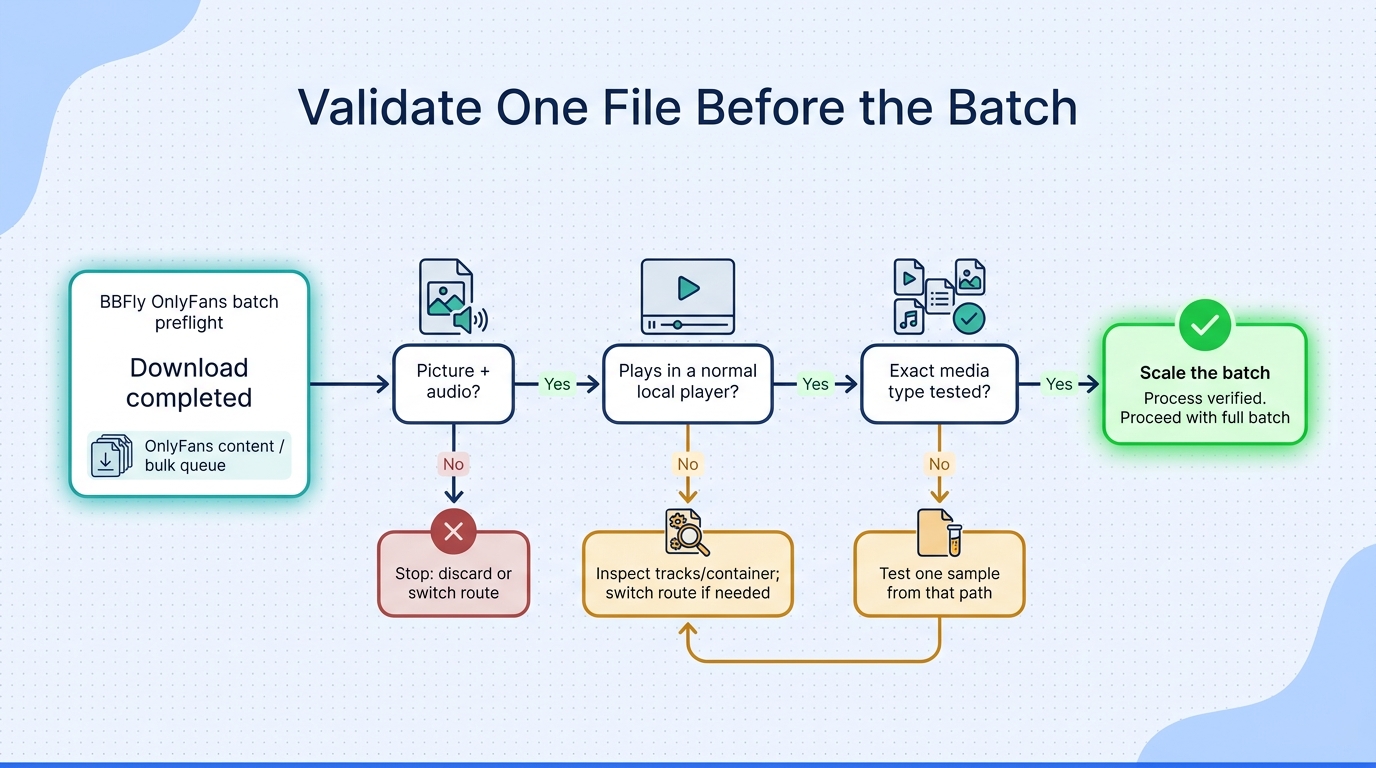
For a real batch job, I use four gates: the queue completes, every sampled file has picture and audio, the files open outside the downloader, and the folder structure is usable. Convenience matters after those gates, not before them.
Why Bulk Downloads Break: Extensions, Recording, and Re-encoding
Bulk methods break when they depend on site elements, login flows, or media delivery details that later change. A completed transfer is not proof of a good result; the output must contain valid picture and audio, and it must play in an ordinary local player.
Site Changes and Extension Breakage
Browser extensions often identify media through page elements or browser requests. When OnlyFans changes its page structure, authentication flow, or delivery behavior, an extension can stop finding the same files even though the site still plays them normally. The practical question is not whether an extension worked last year. It is whether the project is maintained now and has a clear response when the site changes.
This is why I reserve extensions for occasional jobs. Their low setup cost is attractive, but a large archive exposes every maintenance weakness at once.
The Audio-Without-Picture Failure
One failure deserves special attention because it looks successful until playback. A February 2026 Reddit post described it this way: “So I can download some Videos from OF with like DownloadHelper, cat-Catch, Veevee etc. But some are \"offline\" and when I download them, I got a Video without picture.”
The file may have an audio track while the video track is missing, unreadable, or not assembled into a valid container. Check with a normal player before adding hundreds of items to the queue. A progress bar reaching 100% proves only that the progress bar reached 100%.
Screen Recording and Re-encoding
Screen recording follows playback time. A two-hour video can require roughly two hours to capture at normal speed, and the recorder usually encodes a new copy rather than preserving the delivered stream. Results depend on playback stability, recorder settings, system load, and whether the full frame and audio path are captured correctly.
Re-encoding can be faster than real-time recording, but it still creates a new compressed version. Resolution alone does not settle quality: two files can both say 1080p while differing in bitrate, detail, and compression artifacts. For a library I expect to keep, I prefer a download-and-remux path when it is legitimately available. Repeated compression is a tax paid in picture quality, and the bill arrives later on a larger screen.
Native Download and Remux as a Different Workflow
A native-download workflow retrieves the playable audio and video streams and places them into a standard container without recording the screen. Remuxing changes the container arrangement rather than re-encoding the image. The useful result is a normal file that can be checked with tools such as MediaInfo and played in VLC, Plex, or another compatible player.
The label “native download” is not enough by itself. Judge the resulting codec, resolution, audio format, container, and playback. Marketing language is cheap; a valid file is evidence.
Extension, Script, or Desktop App: A Fit-Based Comparison
Please note: Extensions, scripts, and desktop downloaders are third-party routes relative to OnlyFans' own service. Use them only for personal offline viewing of content you are authorized to access, follow OnlyFans' terms and local law, and never redistribute or resell the files.
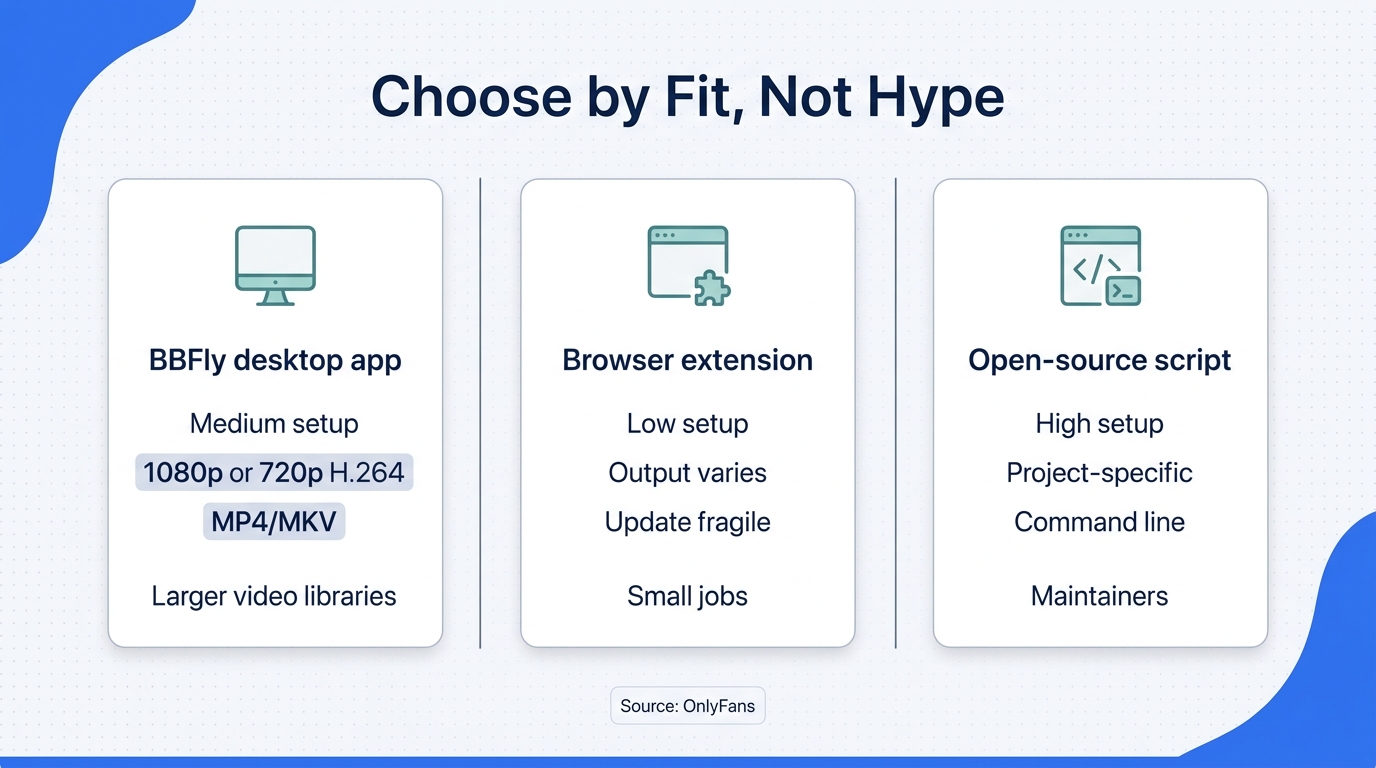
Choose by library size and maintenance tolerance. Extensions fit small occasional jobs, open-source scripts fit technical users who can repair a workflow, and desktop apps fit larger Windows or Mac libraries that benefit from defined output settings and queue management.
| Route | Setup | System or Output | Best Fit | Main Caveat |
|---|---|---|---|---|
| Browser extension | Low | Browser-dependent; output varies | Occasional accessible media | Permissions and update fragility |
| Open-source script | High | Project-specific | Technical maintainers | Breakage and command line |
| BBFly desktop app | Medium | Windows/macOS; 1080p/720p H.264; MP4/MKV | Larger video libraries | No mobile or subtitles |
The table's practical lesson is simple: setup effort and ongoing maintenance trade places. The easiest route to install may demand the most attention after the next site change.
Browser Extensions: Best for Occasional Accessible Media
Use an extension when you have a small job, understand its permissions, and can confirm the output immediately. It is not my choice for an archive-sized queue because browser dependence adds another failure point. Best for occasional media; not ideal for unattended batches or readers who cannot audit extension permissions.
Open-Source Scripts: Best for Technical Users Who Can Maintain Them
A GitHub script can offer control and transparency, but the repository must be active and the user must be comfortable with dependencies, cookies, command-line errors, and code changes. Best for technical maintainers; not ideal for someone who wants a stable point-and-click workflow.
Desktop Native-Download Tools: Best for Larger Windows or Mac Libraries
A maintained desktop app suits larger video libraries because it can expose resolution, format, destination, and queue controls in one place. The cost is paid software, installation, and desktop-only access. Best for repeat batch work; not ideal for mobile-only users or anyone who needs unconfirmed media types.
If I were planning a weekend batch that mixed feed videos with paid-message videos, I would validate one sample from each media path before building the queue. I would abandon an extension after an audio-only result, a script if it needed repairs before producing one valid file, and a desktop app if it did not document the message-video path. An overnight batch is not a test; it is a way to multiply uncertainty.
Scenario-to-Route Decision Rules
- Choose an extension for a few accessible videos and a low-setup experiment.
- Choose an open-source script when you can inspect and maintain the project yourself.
- Choose a desktop app for larger Windows or Mac video libraries with repeatable output requirements.
- Choose none of them until a representative file passes picture, audio, and playback checks.
BBFly as an OnlyFans Bulk Downloader: Specs, Trial, and Price
As an OnlyFans bulk downloader, BBFly fits users who want a managed desktop batch workflow and portable video files, not a mobile downloader or an all-media archiver. Its useful case is specific: larger authorized video libraries on Windows or macOS where output format and first-file validation matter.
Positioning and Compliance Disclosure
BBFly is a third-party desktop tool relative to OnlyFans' official service. It is intended for personal lawful offline viewing of content the user is authorized to access, subject to OnlyFans' terms and local law. Redistribution, resale, or public sharing is outside that use case.
Output, Batch Handling, and Real Limits
BBFly OnlyFans Downloader is a Windows and macOS app that saves authorized videos at up to 1080p or 720p as H.264 video with AAC 2.0 audio in MP4 or MKV containers. It supports batch downloads and can follow subscribed channels for newly available content.
Those facts make it a plausible fit for a larger desktop video library. They do not make it an everything-downloader. BBFly does not offer a verified mobile app, subtitle download, metadata writing, audio-language selection, or ad removal for OnlyFans, and its supplied specifications do not confirm image downloading. If any of those are central to your archive, this is not the right fit.
Trial and Pricing
As of August 2026, the free trial allows three complete videos per platform within 30 days. The monthly plan is $29.90 for one PC, the annual plan is $99.90 for one PC, and the lifetime license is $199.90 for three PCs.
I would use the trial as a fit check, not as a tour of buttons. Download one representative video, inspect its tracks, play it outside the app, and confirm the destination folder before judging the plan. One complete sample tells you whether the workflow suits your library.
Fit Verdict: Large Desktop Libraries, Not Mobile-Only Workflows
Best for large Windows or Mac video libraries; not for mobile-only, image-first, or subtitle-dependent workflows. Let the trial's first verified file decide.
How to Bulk-Download OnlyFans Videos with BBFly
Use a six-step workflow: prepare authorized access and storage, sign in, choose the documented video settings, build a limited queue, validate the first file, and then scale the batch. Do not begin with the entire library. A failed sample costs minutes; a failed overnight queue costs patience, and patience has terrible resale value.
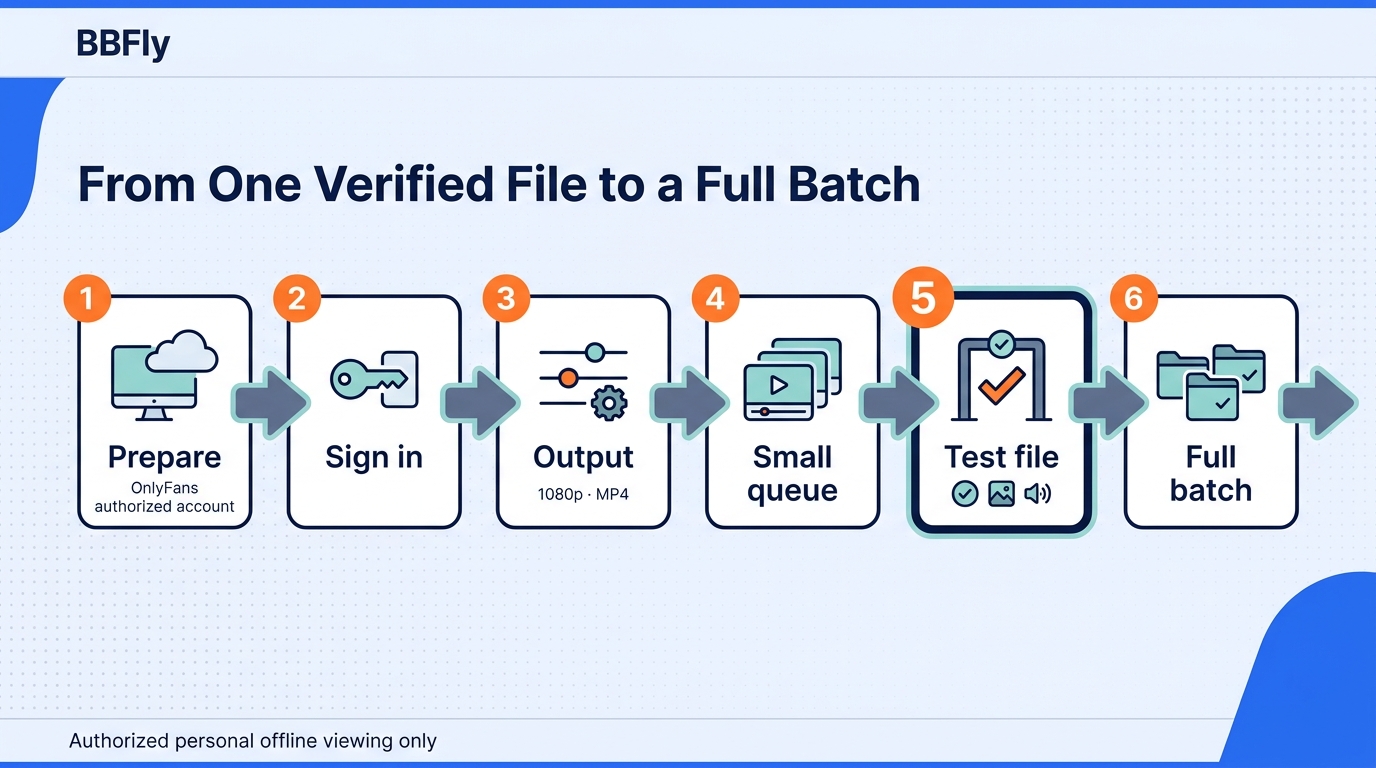
- Install BBFly OnlyFans Downloader and check prerequisites. Use a supported Windows or macOS computer, confirm adequate local storage, keep an active OnlyFans account, and select only content you are authorized to access for personal offline viewing.
- Open OnlyFans inside the app and sign in. Use the current in-app browser flow. Avoid inventing shortcuts around access controls, and stop if the login page or account behavior looks unfamiliar.
- Choose the video output. Select 1080p or 720p, then choose MP4 or MKV. On OnlyFans, the app outputs H.264 video with AAC 2.0 audio; do not expect subtitle, metadata, audio-language, or ad-removal controls.
- Build a limited video queue. Add the videos you intend to save and start with a small representative batch. Do not assume images or every message-post type is supported merely because the video queue works.
- Check the first completed file. Play it in a separate local player, confirm picture and audio, inspect the format if needed, and verify the destination folder. I apply this rule to every serious media job: prove one file before scaling the process.
- Finish the batch and organize the files. Once the sample passes, continue the queue and sort the files into a structure you can understand later, such as creator, year, and title. Keep the library for personal lawful offline viewing and do not redistribute it.
Frequently Asked Questions
The final decision comes down to compatibility, trust, and scope. Resolve those questions before choosing a route, because no downloader can compensate for unsupported media, an unsuitable device, or careless account handling.
Can I use an OnlyFans bulk downloader on Android or iPhone?
The desktop app supports Windows and macOS, not Android or iPhone. Mobile browser tools may exist, but support and privacy vary. If your workflow is mobile-only, it is not a fit; use a route whose current documentation explicitly names your device and media type.
Is it safe to sign in to OnlyFans inside a downloader?
No login method deserves an absolute safety claim. Prefer a maintained product with clear privacy terms, a recognizable publisher, and a login flow that behaves as documented. Do not hand account credentials to a random web form or abandoned extension simply because it promises a quick result.
Is it legal to download OnlyFans content I paid for?
Payment does not automatically grant unlimited copying rights. Using an unauthorized client may raise a platform Terms of Service issue, while redistribution or commercial use can create separate copyright problems. Personal offline viewing sits in a legal gray area that varies by jurisdiction, so stay within OnlyFans' terms and local law.
Do locally saved MP4 or MKV files expire?
A normal local MP4 or MKV file does not contain the same app-managed offline timer used by some streaming services. That file-level fact does not expand your rights to the content. Keep using it only within the authorized, personal-use boundary that applied when you saved it.
Can I prepare OnlyFans videos for a flight or other offline travel?
Yes, if you have authorized access and your chosen method works within the applicable terms and law. Prepare the files before travel, confirm available storage, and test playback with the computer or player you will carry. Airport Wi-Fi is a poor place to discover a missing audio track.
Which route works for paid posts or message videos?
Choose only a route that explicitly supports the exact media type and passes a sample test from that area. The desktop app supports video downloading but does not document every paid-message or image workflow. Treat a successful feed video as evidence for that file, not for the whole site.
Should I choose a GitHub script or a commercial browser extension instead?
Choose a GitHub script if you can inspect dependencies, follow project updates, and troubleshoot failures. Choose a browser extension for small occasional jobs after reviewing its permissions. For a large desktop video library, a maintained app with defined output settings is usually the more practical route.
My closing judgment is the same standard I use for any media archive: choose the least complicated route that produces a file you can verify and manage, while respecting the creator, the platform, and the law.