
How to Fix the Hulu Black Screen on Every Device 【2026 Newly Tested】
Table of Contents
Quick answer: A Hulu black screen almost never originates inside Hulu. The trigger is usually somewhere upstream — a browser hardware-acceleration glitch, an ad blocker, DRM content protection (Discord screen share, Samsung TV firmware), or a network sitting behind iCloud Private Relay. Diagnose by symptom first; the table further down maps each symptom to its likely cause and the fix that actually clears it.
I keep a 2019 MacBook Pro in the test rack precisely because of incidents like this. The day its owner installed macOS Monterey 12.5, Hulu went black with sound — no error, no popup, just dead video across Brave, Chrome, and Safari. He had cleared the cache four times before calling me.
The trap with Hulu black screens is that the trigger is almost never inside Hulu itself. It's a firmware update, a DRM detection, an iCloud setting, or a hardware-acceleration regression sitting one layer below the player. Generic "restart everything" advice burns an evening when the actual cause is a five-minute toggle somewhere else. Diagnose by symptom first.
Why Your Hulu Screen Goes Black: 4 Root Causes to Diagnose Before You Touch Anything
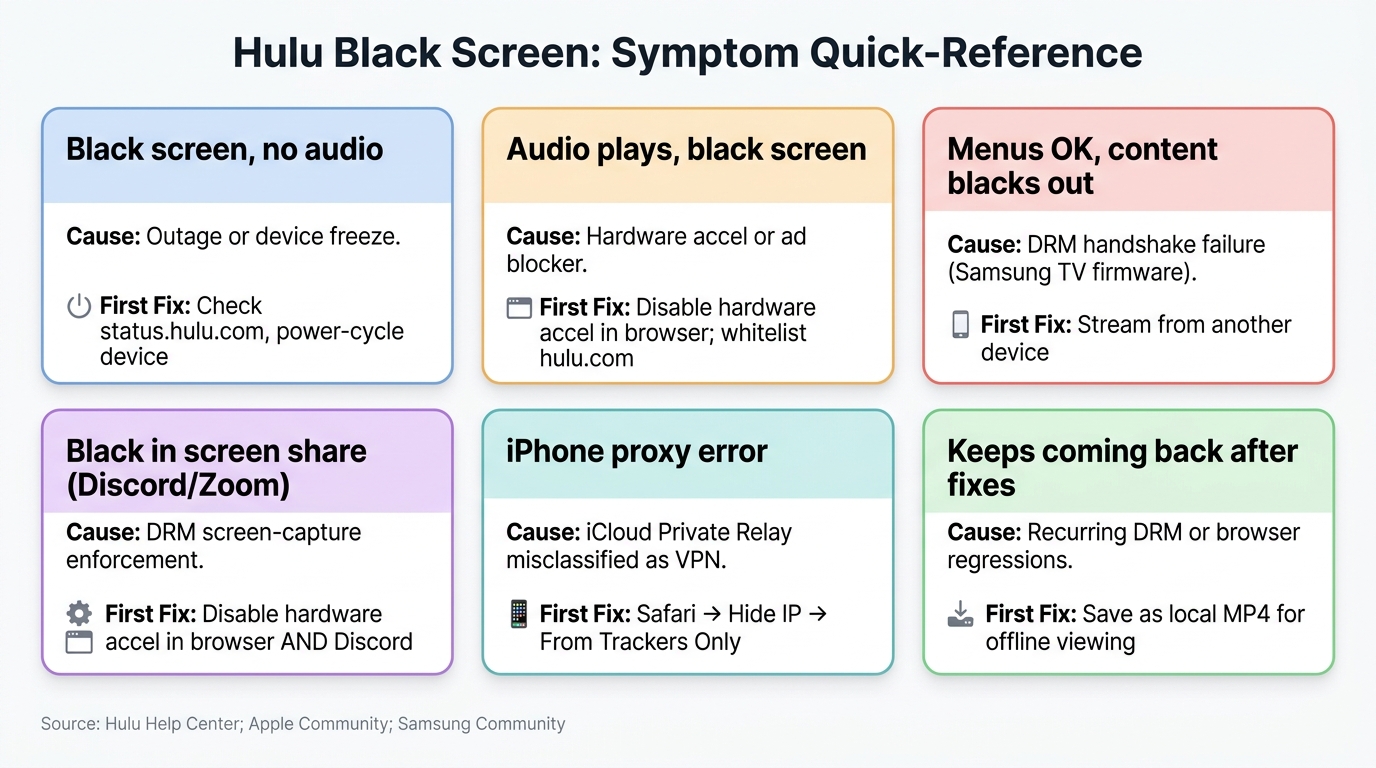
Why is your Hulu screen black? In my experience, the failures fall into four buckets: the Hulu app or network layer (outage, ad blocker, stale cache), the device's video pipeline (hardware acceleration), DRM content protection (screen capture, Samsung firmware), or a platform-specific quirk (iCloud Private Relay, a macOS update, Discord). Knowing which bucket you're in saves the next thirty minutes.
The Four Categories: App/Network, Hardware Acceleration, DRM Detection, Platform-Specific
The table below is the diagnostic shortcut I hand to anyone who pings me with this problem. Find your symptom in the left column; the first fix on the right is the one that resolves it most of the time. If it doesn't, drop into the matching section below.
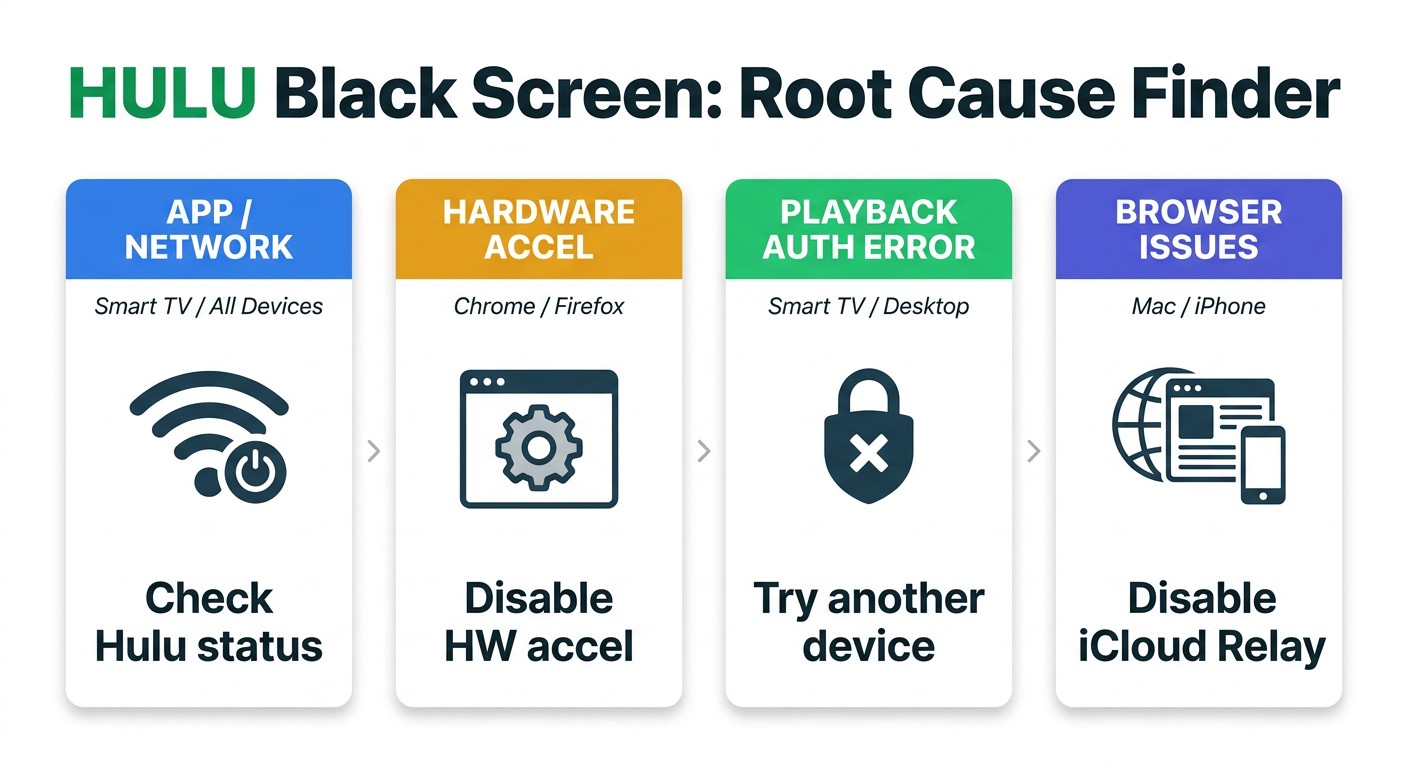
Hulu Black Screen: Symptom → Most Likely Cause → First Fix
| Symptom | Most likely cause | First fix |
|---|---|---|
| Black screen, no audio at all | Hulu outage or device freeze | Check status.hulu.com / Downdetector → power-cycle the device |
| Black screen but audio plays | Hardware acceleration or ad blocker | Disable browser hardware acceleration → whitelist hulu.com in your ad blocker |
| Trailers / menus work, main content blacks out | DRM handshake failure (often Samsung TV firmware: P-DEV302 / P-DEV320) | Stream from a different device → wait for Samsung firmware patch |
| Black screen during Discord / Zoom screen share | DRM content-protection enforcement on capture | Disable hardware acceleration in BOTH browser AND Discord settings |
| "Anonymous proxy service" error on iPhone | iCloud Private Relay (not an actual VPN) | Safari → Hide IP Address → From Trackers Only |
| Black screen recurs after every fix | Recurring DRM / browser regressions | Save the title as a permanent local MP4 for offline viewing |
Source: Hulu Help Center; Apple Community; Samsung Community
Fix Hulu Black Screen in Sequence: Device → App → Browser
What should you try first when Hulu shows a black screen? Run the diagnostics in order — outage → device → app → browser — because skipping ahead is where most evenings get lost. Per Hulu's Help Center, the playback floor is 3 Mbps for on-demand and 8 Mbps for Live TV; below that, the player will sometimes initialize audio but never paint video, and you can spend forty minutes blaming the wrong layer.
Hulu App & Device Side: Status Check, Power Cycle, App Update, Log Out / Log In
- Check status.hulu.com and downdetector.com/status/hulu first. Thirty seconds here can save half an hour. If Hulu is down, no local fix will help.
- Power-cycle the device. Smart TV / Roku / Apple TV: unplug for 30 seconds. Phone or laptop: a full reboot, not just sleep.
- Update or reinstall the Hulu app on the device you're streaming from.
- Sign out, then sign back in. Cheap, fast, and resolves a surprising share of token and cache issues.
Browser Side: Clear Cache, Disable Hardware Acceleration, Whitelist Hulu in Your Ad Blocker
- Clear cache and cookies, then fully quit the browser (Cmd+Q on Mac, not just close-window). Incomplete clears are the most common trap I see.
- Disable hardware acceleration in Chrome / Edge / Firefox (Settings → System → off; relaunch). Safari does not expose this toggle, which is exactly why Safari-on-Mac users get stuck here.
- Whitelist hulu.com in your ad blocker. uBlock Origin, AdBlock Plus, and Privacy Badger all flag Hulu's ad-serving SDK in ways that blank the frame.
When You Hear Audio but the Screen Is Black
If audio is playing, the player initialized — the video layer alone failed. In nearly every case I've debugged, that means hardware acceleration or an ad blocker, with DRM detection a distant third. Skip the outage check this time and go straight to the two toggles in the Browser Side above. After running the standard sequence against the Monterey MacBook for a Saturday, I concluded the problem wasn't in the browser at all — which is what the next section exists for.
Special Cases the Generic Fix Sequence Won't Touch: Mac, Discord & iPhone
Why does Hulu go black specifically on Mac, on Discord, or with the iPhone "anonymous proxy" error? Because the generic fix list above is built around the browser and the Hulu app — none of it touches an OS-level network setting, a DRM-capture detector, or a firmware-shipped video stack.
Mac: macOS Updates, Safari vs. Chrome, and the Hardware Acceleration Gap
Major macOS releases have a track record of silently breaking the Hulu player on multiple browsers at once. On the Apple Community thread that surfaced the Monterey 12.5 case I opened with, another user on Ventura 13.2.1 reported the same symptom on Hulu, Netflix, and NBA.com — but not YouTube — across Brave, Chrome, and Safari, even after repeated cache clearing. Safari has no hardware-acceleration toggle, which is the dead end most Mac users hit.
My default Mac fallback: Chrome with hardware acceleration off. If every browser is black, including unrelated sites, you're past Hulu — file Apple Feedback and wait for the point release. That one isn't winnable from your end.
Discord Screen Share: Hulu's DRM Is Blocking the Capture (Not Your Hardware Acceleration)
This one is enforcement, not a bug. Hulu's player intentionally blanks the frame when it detects a screen-capture pipeline, and Discord's screen share is one. The fix requires disabling hardware acceleration in both the browser and Discord (User Settings → Advanced → Hardware Acceleration → off, then restart Discord). Be warned: every Hulu player update is a coin toss on whether the workaround keeps working — I've watched it break and re-stabilize across several player revisions.
iPhone: The "Anonymous Proxy" Error Is iCloud Private Relay (Not a Real VPN)
If your iPhone throws Hulu's anonymous-proxy error and you don't have a VPN running, the culprit is almost certainly iCloud+ Private Relay — Hulu's geo-detection misclassifies it.
- The fix is Safari → Settings → Hide IP Address → From Trackers Only (not "From Trackers and Websites").
- System-wide: Settings → Apple ID → iCloud → Private Relay → off while streaming. The same Safari setting clears the Mac variant.
This is the single most misdiagnosed Hulu error I've seen — readers assume a VPN they don't have, and the real toggle is two menus away.
When the Black Screen Won't Quit: Keep Hulu as a Permanent Local MP4 with BBFly
Is there a way to watch Hulu without dealing with recurring black screens? The honest answer is structural, not "use one more workaround." Browser updates regress the player, Hulu rebuilds its DRM client, Samsung pushes new firmware — none of which you control, and each of which resets the black-screen clock. Keeping the titles you care about as local files you actually own is the only way to stop re-debugging the same library every other week.
Please note: Hulu's Terms of Service require an active, paid subscription to access content. Downloaded files are for your personal, offline viewing only — do not redistribute or resell. This is your responsibility under Hulu's terms. (If the Hulu mobile app offers an official download for the title, use that route first.)
Where this section applies: the official mobile-app download doesn't cover the title you want, or the same series keeps black-screening across browser swaps and Hulu app updates. The Monterey machine in my rack hit both — three weeks of black-screening across every browser before I gave up patching the live stream and moved the titles that mattered to a local copy.
Where BBFly Hulu Downloader Fits: A Local File That Doesn't Depend on Hulu's Client State
BBFly Hulu Downloader is what I run on the Windows and Mac side of that rack. The point isn't another workaround — it's stepping off the live-player treadmill for the titles you care about, by keeping a local file that doesn't depend on Hulu's client state, the browser's video stack, or whatever Samsung firmware ships next month. Practically, it does a native download: a plain MP4 or MKV up to 1080p, with the EAC3 5.1 audio track and subtitles preserved rather than re-encoded. No 30-day expiry, no app-internal DRM container, no being locked to a phone. Requires an active Hulu subscription; for personal offline viewing only.
FAQ: Hulu Black Screen Edge Questions
What is Hulu error code P-DEV302 — and is it the same as P-DEV320?
Both codes signal a DRM handshake failure between the Hulu app and the device's content-protection layer. On Samsung QLED and Frame TVs running certain post-2023 firmware, "trailers, teasers, menus work but main content, shows and movies do not" — to quote one of the Samsung Community posters who first flagged it. The same thread notes that "multiple factory resets failed." Don't burn a weekend on this: cast or stream from another device (Apple TV, Fire TV, phone) and report it via Samsung Members until the firmware patch ships.
Why does Hulu show a black screen when I screen record or screen share?
DRM content protection actively blanks the frame on capture — Discord, Zoom, OBS, QuickTime, macOS Screen Recording, AirPlay mirroring all trigger it. It is enforcement, not a bug. See the Discord section above for the workaround when capture itself isn't the goal.
Does using a VPN cause a Hulu black screen?
Often, yes. Hulu blocks most consumer VPNs at the IP-reputation layer; iCloud Private Relay lands in the same bucket — see the iPhone section above. My rule before I touch anything else: turn both off. A surprising share of "Hulu is broken" tickets I get end right there.
What internet speed do I need to avoid Hulu buffering or black screen?
Per Hulu's published requirements: 3 Mbps on-demand, 8 Mbps Live TV, 16 Mbps 4K. Below those, the player can initialize audio but never paint video — which reads exactly like the black-screen-with-sound symptom and gets misdiagnosed as a cache problem every time.