
Download France.tv Videos Offline: 4 Methods and Fixes
Table of Contents
Here's the short answer: a France.tv offline download starts with an eligible replay you can access from your location, and the four practical paths — the official app, a supported desktop workflow like BBFly, yt-dlp, and anonymous online downloaders — do not offer the same options or reliability. Check the replay window first, choose a method that fits, then verify the finished file.
If you are trying to save a France.tv replay before it disappears, begin by confirming that the title is available to your account and location. This guide explains France.tv access limits, compares official and desktop options, shows a numbered local-file workflow, and covers the failures that commonly derail a download.
Salto closed in March 2023 and is no longer an access option for France.tv programming. Most France.tv content requires a free account, while availability can vary by territory, device, replay window, and program rights.
France.tv Access and Offline Limits
As of July 2026, installing the France.tv app, streaming a replay, and saving a local video file are separate things. Before attempting offline viewing France.tv content, confirm that the individual replay is still live, that it is offered in the United States or your current territory, that your device can access it, and that the title has an official offline option if that is what you need.
France.tv carries channels and replay programming including news, series, documentaries, cultural shows, and sports, but rights can change from one program to another. I check the replay window and the individual program page before considering a downloader; that small step prevents most wasted effort.
Geographic restrictions are not an invitation to look for a workaround. If a program is unavailable in your territory or protected against local saving, use the authorized viewing option available to you or move on to another title.
What France.tv Users Report
The recurring problems are less glamorous than the promise of one-click downloading: replay Windows expire, account sessions or browser cookies can block access, noncanonical URLs may fail, protected programs may be unavailable, and site changes can break an extractor. Even when a process starts, segmented streams, subtitle conversion, or incomplete merging can leave you with DASH fragments or a broken MP4.
A useful France.tv download guide therefore needs failure handling, not just three idealized clicks. First decide whether the replay is worth saving, then whether it is available and supported, and only then decide which workflow fits your device and comfort level.
France.tv Download Methods Compared
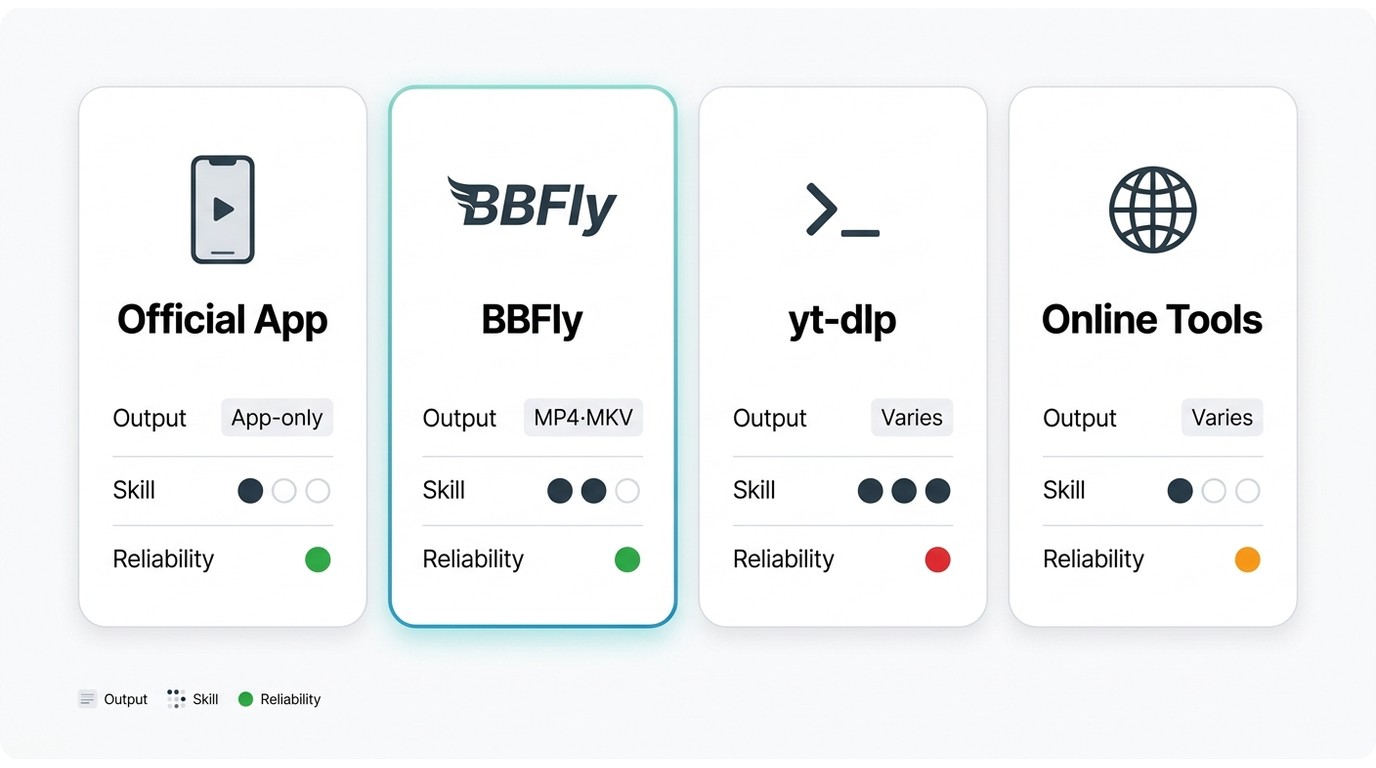
The best way to download a France.tv video depends on the title's availability, your device, your technical comfort, and the type of file you need. Start with authorized France.tv replay access, then choose the least complicated method that fits the job.
| Method | Best for | Supported devices | Skill level | Output type | Login or cookies | Reliability | Main limitation |
|---|---|---|---|---|---|---|---|
| Official France.tv app | Authorized streaming and replay access when available | Supported mobile and TV devices | Low | App-controlled viewing | Account may be required | Best for normal playback | Does not necessarily provide a transferable local file |
| BBFly desktop workflow | Windows or Mac users who want a supported local-file workflow | Windows and Mac | Low to moderate | MP4 or MKV for supported titles | Sign in in the built-in browser when required | Depends on title support and current compatibility | Not suited to mobile-only use or unavailable programs |
| yt-dlp technical workflow | Technical users comfortable with command-line troubleshooting | Desktop systems | High | Varies by stream and configuration | May require current browser cookies | Can break after site changes | Invalid URLs, protected titles, fragments, and merging errors require manual work |
| Online URL-paste downloader | Low-stakes experiments without installing software | Any modern browser | Low | Varies by service | Do not provide account credentials or exported cookies | Often inconsistent | Privacy concerns, pop-ups, format limits, and uncertain output quality |
Use any method only for content you are authorized to access, where permitted by platform terms and applicable law. Avoid entering France.tv credentials or exporting browser cookies to unknown online services.
For content you are authorized to access, where permitted by platform terms and applicable law, BBFly France.tv downloader is one desktop option when a supported title and a local-file workflow matter more than mobile convenience. It is not a universal answer: the official app is the sensible starting point for ordinary replay viewing, yt-dlp is for users willing to troubleshoot, and anonymous web tools deserve caution.

BBFly Fit, Features, and Limits
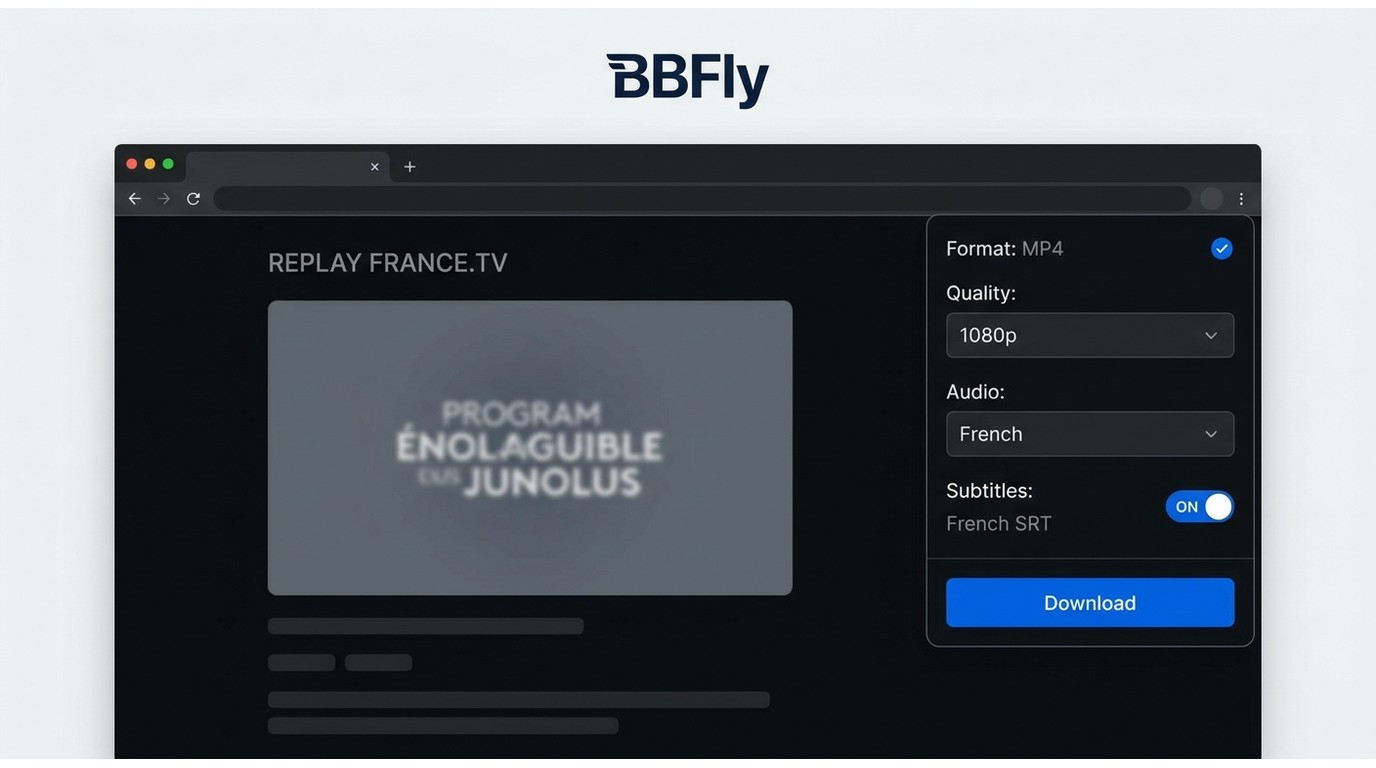
BBFly is a desktop app for supported Windows and Mac workflows. When a France.tv title is supported, its built-in browser can keep sign-in and page selection in one place, while the available local output options include MP4 and MKV, audio-track selection, subtitles, and metadata. That is the relevant distinction here: a file you can check in your own player is more useful than a recording that has been re-encoded along the way.
It is best suited to desktop users who prefer a guided browser-to-file workflow. It is not ideal for mobile-only users, for titles outside current support, or for anyone expecting every France.tv program to offer identical tracks and formats. As of July 2026, BBFly is available at $29.90 per month for one PC, $99.90 per year for one PC, or $199.90 as a one-time license for three PCs.
Download France.tv Videos with BBFly
- Confirm the replay first. Make sure the individual France.tv program is still available, accessible to your account and territory, and appropriate for personal offline viewing.
- Install and open BBFly. Use the desktop app on a supported Windows or Mac computer.
- Sign in when required. Open France.tv in the built-in browser and use your own account if the replay requires authentication.
- Open the canonical replay page. Use the page for the individual program, not a search result, channel page, live schedule, shortened link, or app-store listing.
- Review the available choices. Select only the format, audio, and subtitle options currently offered for that supported video.
- Start the download and locate the output. Wait for completion, then open the saved file from the configured output folder.
- Verify playback. Play the completed file and check the picture, audio, subtitles, and duration before relying on it for offline viewing.
Fix Failed France.tv Downloads
Login or cookie error: Sign in again through the authorized browser session and confirm that the replay opens normally. Do not send credentials or exported cookies to an unknown website.
Invalid URL: Copy the canonical URL for the individual replay. Search pages, channel homepages, live schedules, app-store links, and shortened URLs can trigger unsupported-page errors.
Replay unavailable or expired: The program may have left its replay window or may not be available in your territory. There is no productive next step if the title is no longer authorized for access.
Protected program or extraction failure: A title can be restricted, or a site update can interrupt a tool's compatibility. Technical workflows such as yt-dlp may require current browser cookies and can fail after site changes. Stop rather than trying to defeat a platform protection.
DASH fragments, subtitle problems, or a broken MP4: Segmented streams can fail during merging, and subtitle conversion can complicate the final file. Confirm that the completed file has a normal duration and plays with the expected tracks; if it does not, retry only with a currently supported workflow and a fresh canonical replay page.
FAQ
Which France.tv URL should I copy into a downloader?
Copy the canonical page for the individual replay. A search result, channel landing page, live schedule, shortened link, or app-store URL may not identify a downloadable program and can produce an invalid-URL error.
Why did my France.tv download produce broken MP4 or DASH files?
Segmented streams, incomplete merging, subtitle conversion, protected content, or a site change can leave unusable output. Check the final duration and tracks in a media player, then retry with a supported workflow only if the replay remains available.
Can I save France.tv subtitles and alternate audio tracks?
That depends on the source replay and the method you use. Inspect the available track choices before downloading, then verify the completed file instead of assuming every language or subtitle format will be included.
Do I need a France.tv account before saving a replay?
Most current France.tv content requires a free account. Account access and permission to save a local copy are separate questions, and authentication can also affect browser-based and technical workflows.
Final Recommendation
Start with official France.tv replay access and use the app when authorized streaming is all you need. Choose BBFly when a supported Windows or Mac local-file workflow fits your needs, reserve yt-dlp for technical users who can handle breakage, and treat online downloaders cautiously. If it were my library, I would not commit time to any method until the replay window, page type, and final-file requirements were clear.
Related public-broadcaster download guides:
What You Need to Know in Order to Download Videos from ZDFmediathek