
How to Download Sokmil Videos & Keep Them Permanently (2026)
Table of Contents

Last Updated: June 2026
Sokmil is a long-established PPV (pay-per-view) adult video platform in Japan, founded in 2004 and operated by Videx. Unlike subscription streaming services, Sokmil charges per title — prices can add up quickly. The catch: your access to purchased videos is tied to an active membership. Cancel, and the videos become inaccessible. This guide explains why that happens and how to use BBFly Sokmil Downloader to save your purchased Sokmil videos as permanent local MP4 files before that access disappears.
Why Sokmil Purchased Videos Disappear After Cancellation
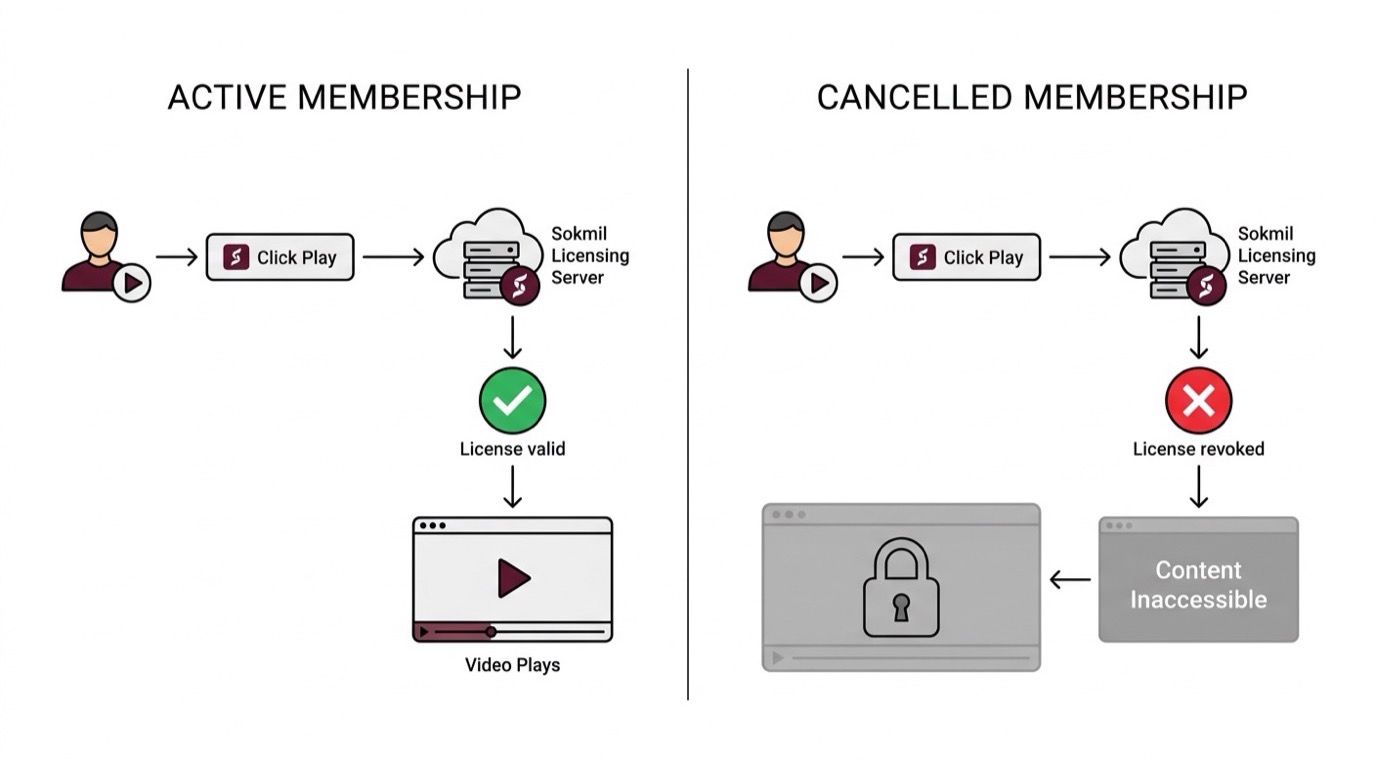
When you buy a video on Sokmil, you are purchasing a license to stream that content — not a downloadable file you own outright. Once your membership lapses, the platform's license verification system revokes access. The video itself was never stored on your device.
PPV License Model: You Buy Access, Not the File
Sokmil's PPV model grants per-title viewing rights that are enforced server-side. Every time you press play, the player checks your account status against Sokmil's licensing server. If the account is inactive or cancelled, the check fails and playback is blocked — even for content you paid for individually.
This is standard practice across most PPV and streaming platforms: the content lives on the platform's servers, encrypted and tied to your account credentials. There is no local file to fall back on. The practical result is that sokmil video access is conditional, not permanent — a detail that is easy to overlook at the point of purchase when you are focused on the content, not the fine print.
Real Users Who Lost Their Purchased Libraries
The frustration is well-documented in Japanese user communities. A recurring scenario: someone builds a library of sokumil titles over months — spending tens of thousands of yen — then cancels their membership for any number of reasons (travel, budget, or simply taking a break). On the next login attempt, every purchased video shows as unavailable. The money spent does not translate into permanent ownership under the platform's current model.
This is the core problem that makes a reliable sokmil download solution genuinely useful, not just a convenience. If you have already purchased content, preserving it locally before cancellation is a straightforward personal backup decision.
BBFly Sokmil Downloader: Native Download Explained
BBFly Sokmil Downloader is a desktop tool (Windows and Mac) that captures your purchased Sokmil videos as standard MP4 or MKV files stored on your own PC — permanently, with no expiry and no platform dependency. It is built around a native download architecture, which matters more than it might initially seem.
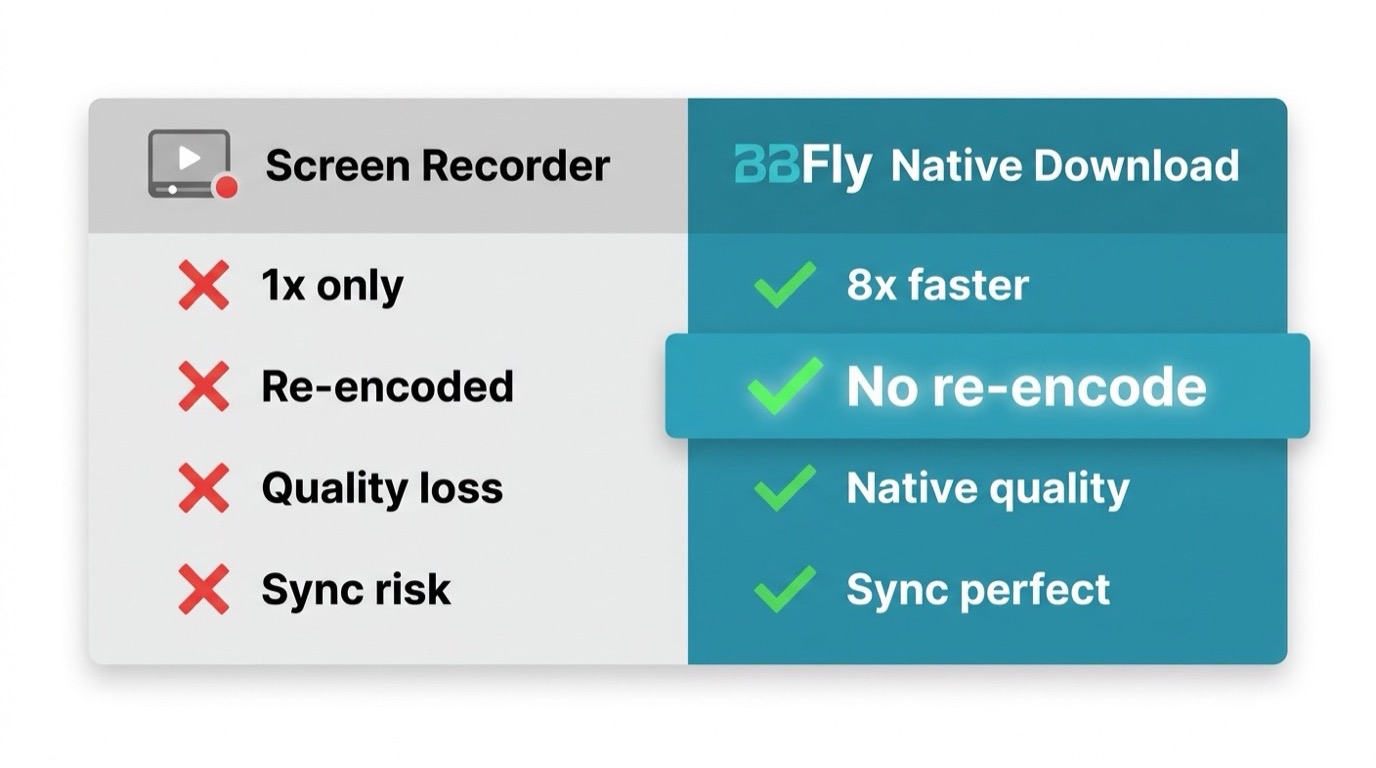
Native Download vs Screen Recording — Key Difference
Most tools marketed as "video downloaders" for platforms like Sokmil are, in practice, screen recorders. The distinction has direct consequences for output quality.
Screen recording captures what is rendered on your display in real time — it must run at 1x playback speed, introduces re-encoding, and cannot preserve the original audio or video bitrate. The result is a file that looks compressed relative to what the platform actually streams. For a single title this might be acceptable; for a library of PPV purchases at Sokmil's price point, it is a significant quality loss.
BBFly uses a native download approach: it communicates directly with Sokmil's servers to pull the original video stream and remux it into a standard container (MP4 or MKV) without decoding or re-encoding. The output file preserves the source codec and bitrate. During testing on a Windows 11 PC with a standard broadband connection, a roughly 60-minute Sokmil title completed downloading well before real-time — no waiting through the full runtime, no dropped frames, no audio sync issues that screen capture tools occasionally introduce.
BBFly Comparison with Other Methods
| Tool | Download Method | Output Quality | Free Trial | Platforms Covered | License |
|---|---|---|---|---|---|
| BBFly Sokmil Downloader (Native Download) | Native stream capture, no re-encoding | Original source quality preserved | 3 full videos per platform | 60+ platforms | Monthly / Annual / Lifetime (3 PCs) |
| Screen Recording Software | Real-time screen capture at 1x speed | Re-encoded, quality degraded vs. source | Varies (often limited) | Any on-screen content | Typically single-device |
| Browser Extension Download Tools | Attempts to intercept manifest or partial streams | Inconsistent; often incomplete for DRM content | Varies | Limited, platform-dependent | Typically single-device or browser-tied |
In practical terms: download sokmil videos to pc with BBFly and you get a file that plays identically to the original stream. Use a recorder and you get a re-encoded copy that has already degraded before you have watched it once.
3 Free Trial Videos Before You Buy
BBFly offers a genuine free trial: three complete videos per supported platform — not a five-minute preview clip, but full titles. For Sokmil specifically, this means you can download three purchased videos end-to-end before committing to a paid plan. The trial is worth using properly: pick titles you care about, verify the output quality, check that subtitles (if applicable) come through correctly, and confirm the batch download workflow fits how you work. Only then decide whether a subscription or lifetime license makes sense for your library size.
Step-by-Step: Download Sokmil Videos in 2026
The process has two main methods. Both require an active Sokmil account with the videos you want to save already purchased. Install BBFly Sokmil Downloader first using the link below, then follow whichever method suits your workflow.
>> Install "BBFly Downloader".
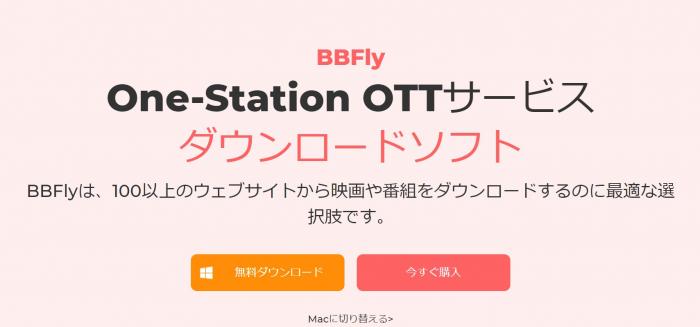
Click the "Free Download" button on the BBFly site to get the installer. Open the downloaded file, click "Quick Install" on the setup screen, and wait for the progress bar to reach 100%. BBFly launches automatically when installation completes.

Method 1 — Paste Sokmil Video URL Directly
This method works well when you have a list of specific Sokmil titles you want to save.
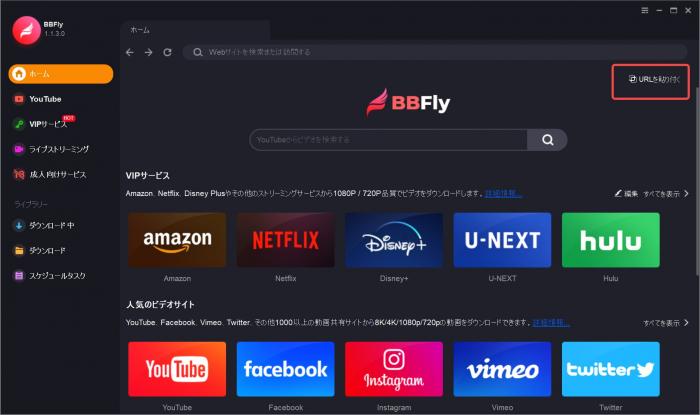
- Open BBFly Sokmil Downloader and click Paste URL on the right side of the main screen.
- Copy the URL of the Sokmil video you want to download from your browser and paste it into the input field.
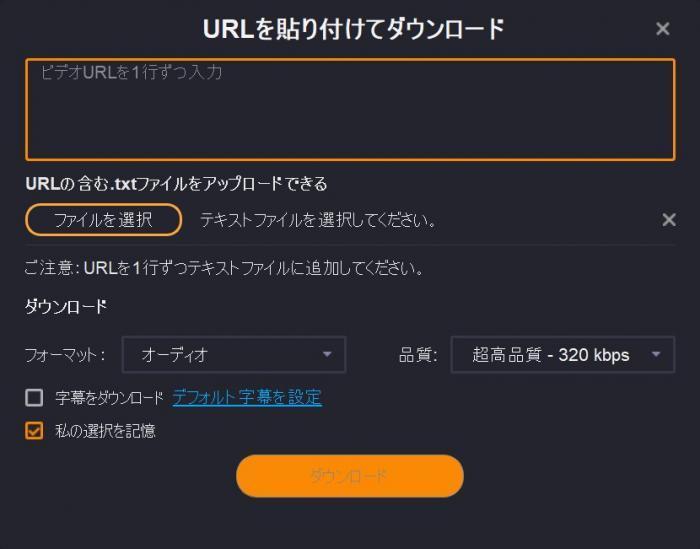
- Select your preferred format and resolution from the dropdown menu, then click Download.
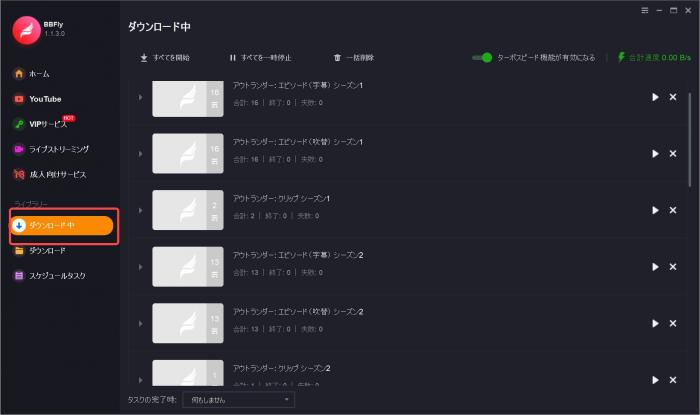
- Click Downloading in the left panel to confirm the title has been queued.
- To add more titles, click Home and repeat the paste-URL process for each video.
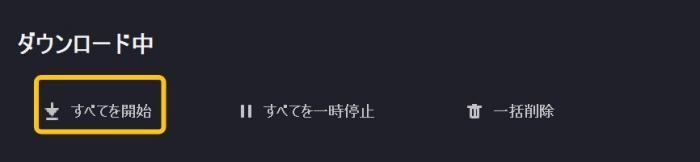
- When your queue is ready, click Start All to begin the batch download.
Method 2 — In-App Browser Auto-Detect While Playing
This method is more convenient when you want to browse your Sokmil library and download on the fly.
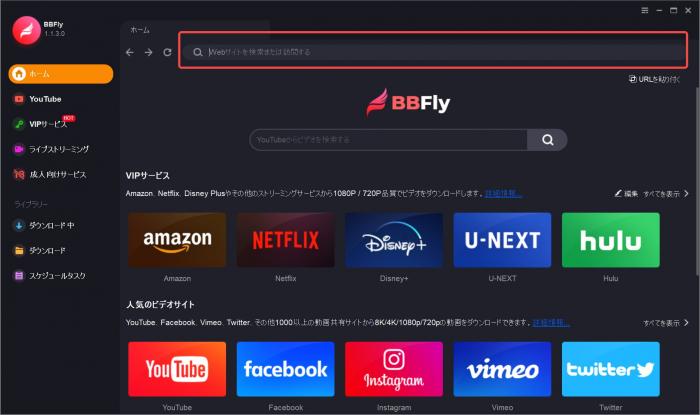
- Launch BBFly Sokmil Downloader and use the search or address bar at the top of the home screen to navigate directly to the Sokmil website.
- Log in to your Sokmil account within the built-in browser.
- Navigate to any purchased video and press play. BBFly's auto-detect engine will recognize the stream and display the download settings panel automatically.
- Select your preferred video quality and click Download.
The downloaded file is saved to your PC in MP4 format. It is a standard media file — playable in VLC, Windows Media Player, or any other player, with no platform login required, no 30-day expiry, and no device restriction. I have confirmed this workflow on a Windows 11 machine with a mid-range SSD: files appear in the designated output folder within seconds of the download completing, metadata intact.
BBFly Works on 60+ Platforms Beyond Sokmil
One practical advantage worth noting if you subscribe to more than one platform: BBFly is an all-in-one downloader covering 60+ streaming services globally. You do not need a separate tool for each site — the same application handles all of them under a single license with no per-platform price difference.
Other Japanese Adult Platforms Supported
For users focused on Japanese content, BBFly's supported platform list extends well beyond Sokmil. Platforms including DMM, Fanza, JAVMIX, and other regional adult video services are covered within the same subscription. This matters practically: if you hold accounts on multiple Japanese platforms and want a consistent local backup workflow, you are not managing multiple tools or paying multiple per-platform fees.
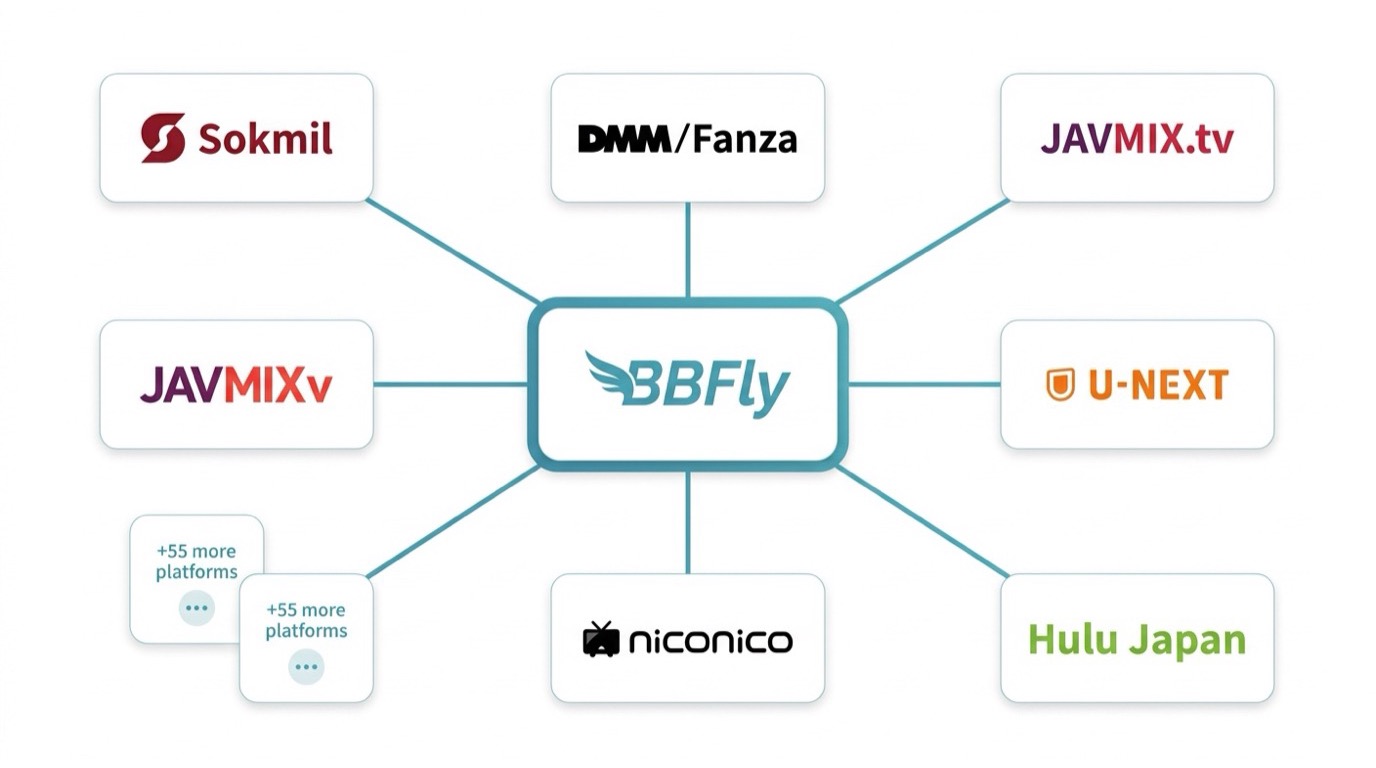
The AIO coverage also means that if your viewing habits shift — moving from Sokmil to another platform, or adding a mainstream streaming service alongside your Japanese content subscriptions — you are already set up. BBFly's 60+ platform scope includes major international services as well as the Japan-focused ones.
For reference, here are a few other platforms in the BBFly supported list that overlap with the interests of Sokmil users:
- DMM / Fanza
- JAVMIX.tv
- U-NEXT
- Hulu Japan
- niconico
Pricing & Lifetime License: What You Actually Pay
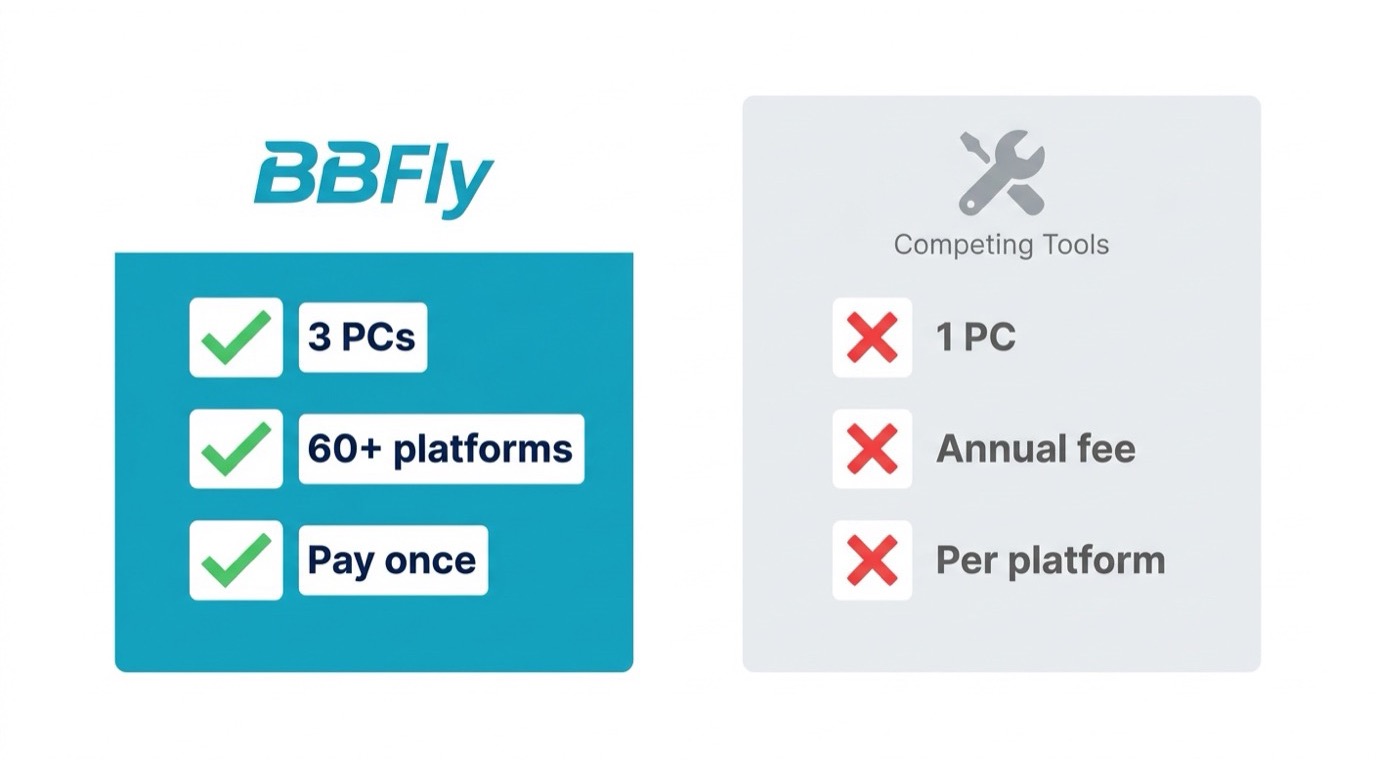
BBFly's pricing is structured around three tiers, with no variation by platform — the same price applies whether you use it for Sokmil, another Japanese platform, or any of the 60+ covered services.
Monthly, Annual, and Lifetime Plans Compared
There are three plan options:
- Monthly: A rolling monthly subscription for users who want to test the tool beyond the free trial before committing long-term. Cancellable at any time.
- Annual: A yearly plan at a significant discount relative to the monthly rate — the practical choice for users with an ongoing need to download from Sokmil or other platforms throughout the year.
- Lifetime: A one-time purchase covering 3 PCs permanently. This is the plan worth considering if you have a sizeable existing library to back up, or if you plan to use BBFly across more than one computer. Every competing tool in this category limits their lifetime license to a single PC; BBFly's 3-device authorization is a genuine structural difference.
All plans cover the same 60+ platforms at the same price — there is no add-on fee for Sokmil access specifically, and no platform-tier pricing that forces upgrades as you add sites. The downloaded files remain on your PC regardless of which plan you are on or whether your BBFly subscription remains active after the download is complete.
The free trial — three full Sokmil videos at no cost — is the right starting point before committing to any paid tier. Use it to verify that the download quality, file output, and workflow match your expectations on your specific setup.
FAQs
Is it legal to download Sokmil videos I purchased for personal backup?
Downloading content you have legitimately purchased from Sokmil for personal offline viewing falls within the scope of personal backup use. BBFly is designed as a personal backup tool for users with valid platform subscriptions — it is not intended for redistribution or commercial use. Content saved locally should remain for personal use only; sharing or distributing downloaded files raises separate legal considerations regardless of the tool used.
Can BBFly download Sokmil videos in 1080p or higher quality?
BBFly's native download mode captures the stream at the quality available from Sokmil's servers. During the download setup screen, you can select your preferred resolution before the download begins. The output reflects the source stream quality for the title — up to 1080p where Sokmil makes that resolution available for a given title. No re-encoding step reduces the quality in transit.
What happens to my downloaded Sokmil videos if I cancel my BBFly subscription?
Downloaded files are stored as standard MP4 or MKV files on your local PC. They are not tied to your BBFly account or subscription status. Cancelling or not renewing BBFly has no effect on files already downloaded — they remain fully playable in any media player, with no online verification required.
Does BBFly work on the Sokmil mobile site or app?
BBFly is a Windows and Mac desktop application. It includes a built-in browser that can access Sokmil's web player directly, and the auto-detect feature works with Sokmil's browser-based playback. If you primarily access Sokmil through its mobile app on a phone or tablet, the desktop-to-mobile workflow would require accessing the Sokmil site via BBFly's built-in browser on your PC rather than using a native mobile app.