
Download AMC+ Shows Offline on Mobile, PC, and Mac
Table of Contents
AMC+ offline downloads are not available the same way on every device: the official route depends on your subscription channel, mobile app, and the title itself. The practical takeaway is to confirm mobile eligibility first, then consider a desktop local-file workflow only for authorized personal viewing on Windows or Mac.
I have learned not to treat a completed download indicator as proof that a show will play on a flight. This guide covers official AMC+ mobile downloads, the checks to make when a title or offline playback fails, and a desktop option for readers whose actual need is AMC+ offline viewing on a PC or Mac.

AMC+ Offline Downloads and Common Problems
Official Download Eligibility
Official AMC+ downloads are generally tied to an active AMC+ subscription route that supports the feature, a supported mobile app, and titles that are made available for offline viewing. As of July 2026, availability can vary by subscription channel, device, app version, and title. Downloads are intended for temporary in-app offline access and may require an active subscription or periodic account verification.
Missing Download Buttons and Title Limits
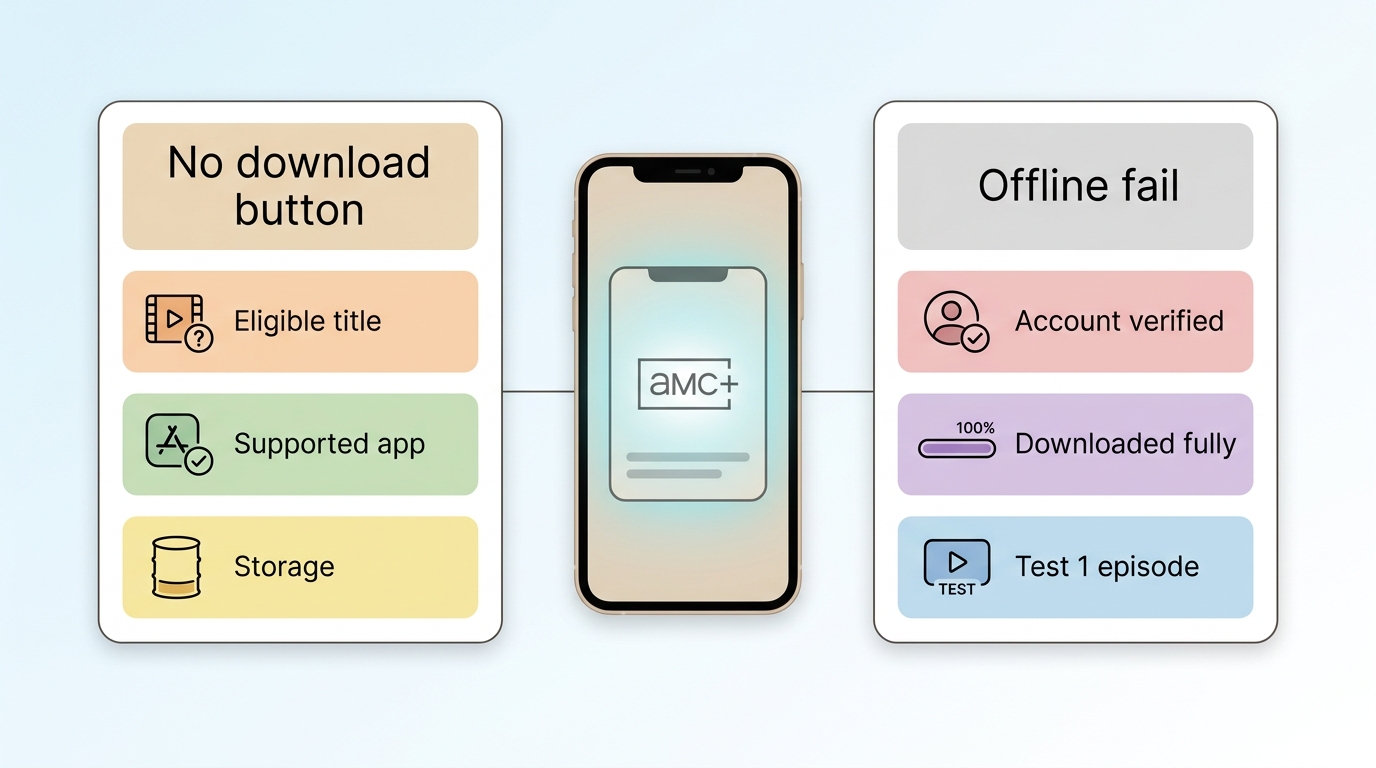
A missing download button and a download that fails offline are different problems. First, confirm that the title is eligible, that you are signed in through the subscription route that includes AMC+ downloads, and that you are using the current supported app on a compatible mobile device. Then check for available storage and update the app. A specific show may not expose a download option even when another title does.
Airplane Mode and Offline Playback Failures
If a download finishes but will not play in airplane mode, reconnect briefly and confirm that the app still recognizes your account and subscription. Refresh the app, verify available device storage, and play the title once while connected before leaving. In my view, testing one full episode offline before a trip is more reliable than trusting a progress bar, because title eligibility and actual offline playback can fail at separate points.
AMC+ Downloads on Mobile, Windows, and Mac
Official Mobile Downloads vs Desktop Options
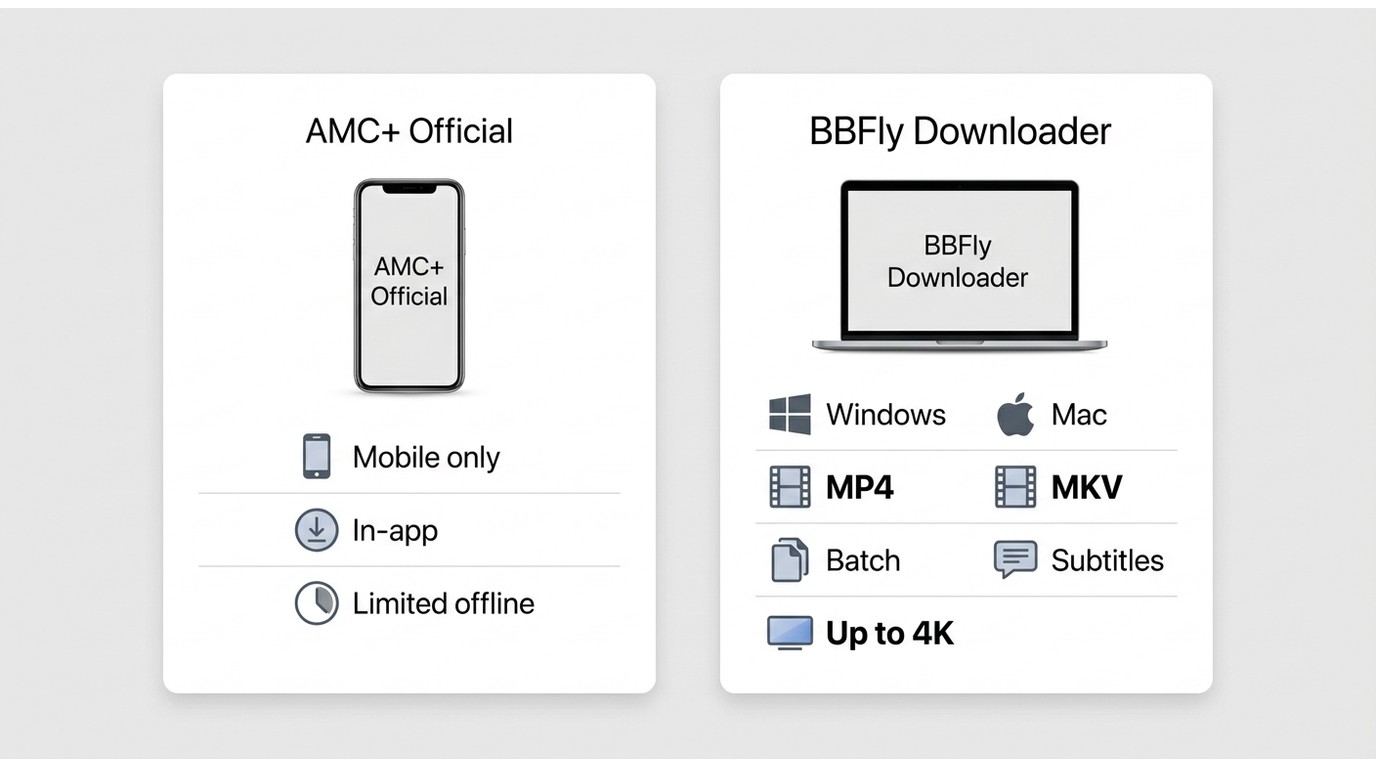
Official AMC+ mobile downloads are the straightforward choice when your subscription, device, and selected title qualify. For content you are authorized to access, where permitted by platform terms and applicable law, BBFly Downloader is a desktop alternative for Windows and Mac users who need a local-file workflow for personal offline viewing.
| Consideration | Official AMC+ mobile downloads | BBFly on Windows and Mac |
|---|---|---|
| Access requirement | Eligible AMC+ subscription route and supported mobile app | Authorized access to the streaming service |
| Devices | Supported mobile devices | Windows and Mac |
| Title availability | Select titles may be available | Availability depends on the supported service and authorized access |
| Offline workflow | Temporary playback within the app | MP4 or MKV local files for personal offline viewing |
| Quality and selection | Managed by the AMC+ app | Up to 4K output, selectable audio, and downloadable subtitles |
| Episodes | Managed within the app | Batch downloads are supported |
| Trial model | Depends on the AMC+ subscription channel | 30-day trial with three full titles per streaming service |
| Best fit | Occasional viewing on a supported phone or tablet | Authorized desktop users who need local files |
| Not ideal for | Windows or Mac offline viewing | Readers who only need occasional in-app mobile viewing |

For a desktop workflow, the relevant features are modest but useful: BBFly supports batch downloads, MP4 and MKV output, audio-track selection, and subtitle downloads. It is not a replacement for checking AMC+ eligibility first; it is a separate option when mobile in-app viewing is not the right fit.
For readers who care about file control, the distinction matters: a local MP4 or MKV file can fit a personal offline setup more naturally than an app-only download, but it should be used only for content you are authorized to access.
Download AMC+ Shows with BBFly
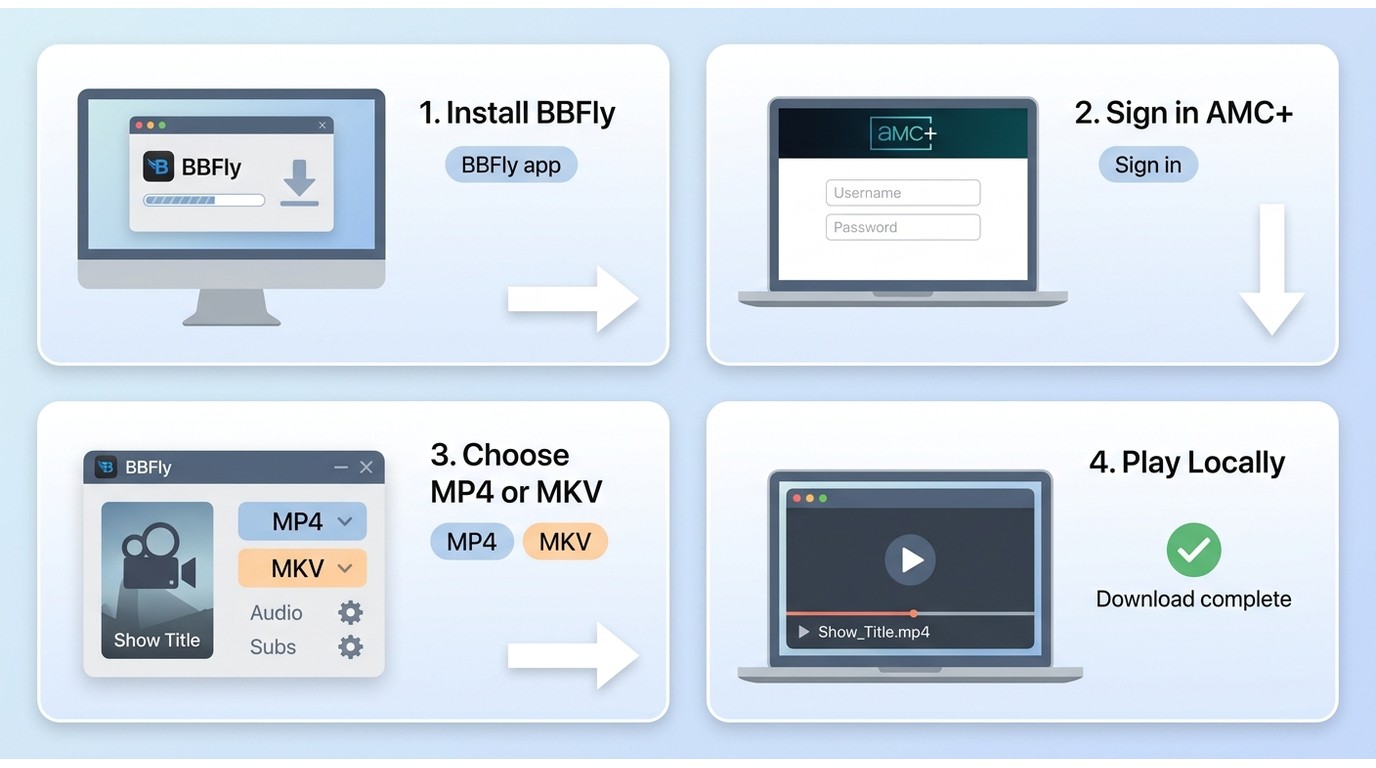
A desktop workflow makes sense only after you have ruled out the official mobile route or confirmed that PC or Mac offline viewing is the actual requirement. Install BBFly on Windows or Mac, then use the supported service workflow to sign in with the account that has authorized access.
Step 1: Install and open BBFly Downloader on your Windows PC or Mac.
Step 2: Open the supported AMC+ service workflow and sign in with the account that has authorized access to the title you want to watch offline.
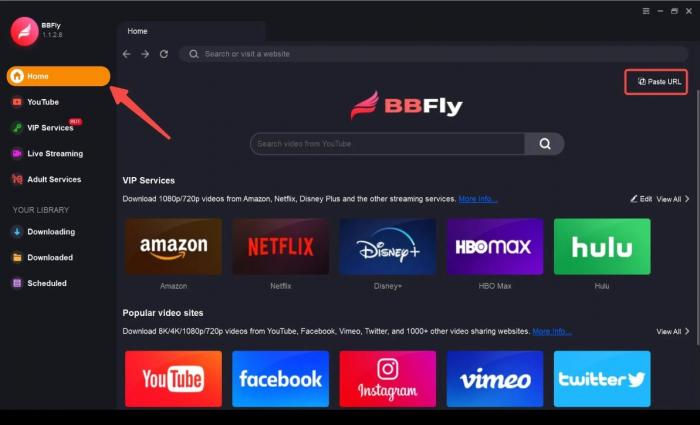
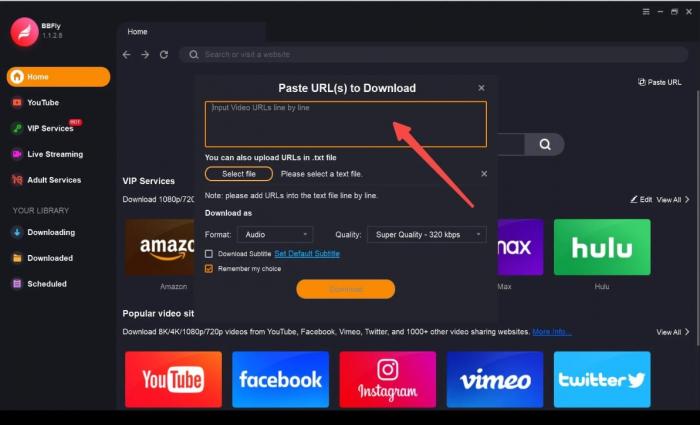
Step 3: Find an eligible AMC+ title, then select the available video, audio, subtitle, and MP4 or MKV output settings that fit your personal offline viewing setup.
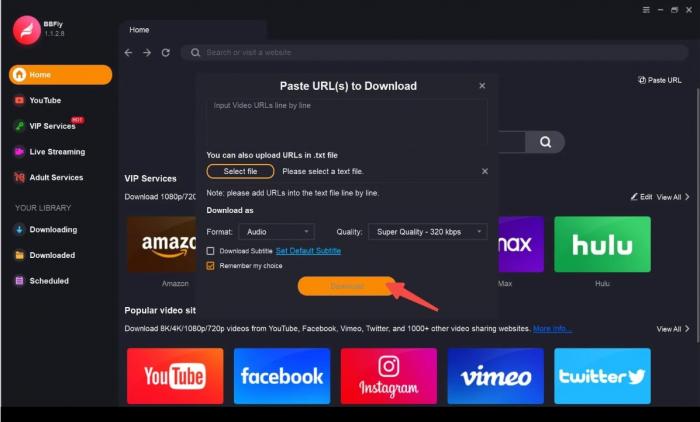
Step 4: Start the task and confirm that the completed file plays locally before you travel. If I were preparing for a flight, this is the step I would not skip: it catches account, title, and playback problems while you still have a connection.
Related network guides: History Channel videos, National Geographic videos, and HGTV videos.
Personal-Use and Platform Terms
Save local copies only for content you are authorized to access, where permitted by platform terms and applicable law. Keep downloaded material for personal offline viewing, and do not redistribute, upload, sell, or publicly share it.
AMC+ Offline Download FAQ
Is AMC+ included with an Amazon Prime membership?
AMC+ is generally an add-on subscription through Prime Video Channels, not a benefit included with a standard Amazon Prime membership. Billing and available app features can depend on the subscription channel you use.
Do the AMC and AMC+ apps offer the same content and downloads?
Not necessarily. AMC is associated with cable-authenticated programming, while AMC+ is a standalone streaming service that can also be offered through subscription partners. Offline options depend on the AMC+ app, subscription route, device, and title.
Can I watch AMC+ on a Windows PC or Mac?
You can stream AMC+ in a supported browser, but official offline downloads are primarily a mobile-app feature. When authorized personal offline viewing on a computer is the need, a desktop workflow such as BBFly may be a more suitable alternative.
Why is the AMC+ download button missing for one show?
Download availability can vary by title, subscription route, device, app version, and licensing arrangement. Check the account, app, storage, and title eligibility first, then test another eligible title to distinguish a title restriction from an app problem.
Choosing the Right AMC+ Offline Option
Choose official AMC+ mobile downloads when your subscription route, device, and selected title support them. If you need authorized personal offline viewing on a Windows PC or Mac, BBFly is a practical desktop alternative with local MP4 or MKV output. I would still start with the official route, especially if you only need occasional in-app viewing; the desktop workflow is for readers who genuinely need more control over offline files. BBFly offers a 30-day trial with three full titles per streaming service, which is enough to evaluate whether that workflow fits.