
BBFly Disney Plus Downloader Review (2026): Honest Take From a 15-Year Collector
Table of Contents
I have spent 15 years building a personal film library, starting with DVD rips and ending up with a Plex server fed by streaming offline downloads. Disney+ has been the most frustrating platform in that workflow. Its in-app downloads expire, they refuse to leave the mobile app, and Windows or Mac users get nothing at all. This review of BBFly Disney Plus Downloader is written for readers who want a real desktop alternative for personal offline viewing, not a sales pitch.
Why Official Disney+ Downloads Fall Short
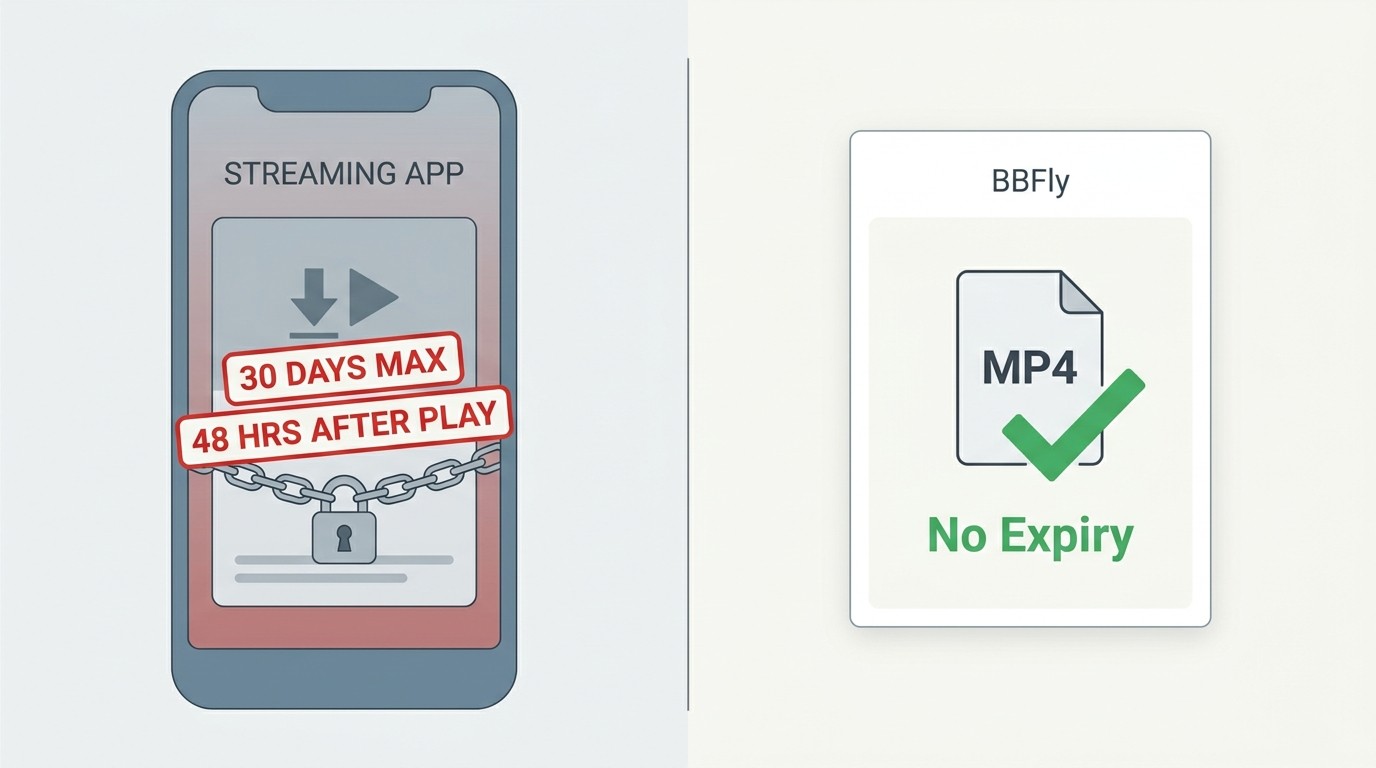
The honest answer: Disney+ official downloads only exist on iOS, Android and Fire OS, they expire on a fixed clock, and the ad-supported tier gets none of it. That is the gap any best Disney Plus downloader has to fill in 2026.
30-Day Expiry and 48-Hour Post-Play Window
Per Disney+'s Help Center (as of June 2026, verify current figures), an in-app download is kept for at most 30 days without a play. The moment you press play, a 48-hour window starts and the file is gone after that. The app also has to phone home every 30 days or the title silently fails. For someone planning a two-week trip with intermittent Wi-Fi, that Disney Plus download expire behaviour is the single biggest reason readers go looking for a desktop tool.
Ad-Tier Exclusions and Device Lock Limits
The Disney+ Basic with Ads plan does not support offline downloads at all. Premium subscribers get downloads on up to 10 mobile devices, capped at 25 titles per device, and the files only play inside the Disney+ app. They cannot be moved to an external drive, a NAS, a Smart TV via USB, or a desktop player like VLC. If you are paying for the ad tier, official Disney+ offline viewing simply does not exist.
BBFly Disney Plus Downloader: Core Features
BBFly is an all-in-one desktop downloader for Windows and Mac that saves Disney+ titles as standard MP4 or MKV files for personal offline viewing, for content you are authorized to access, where permitted by platform terms and applicable law. Two things stand out compared to the rest of the category: the platform coverage, and the regional library access.
Multi-Platform Support: 100+ Services Beyond Disney+
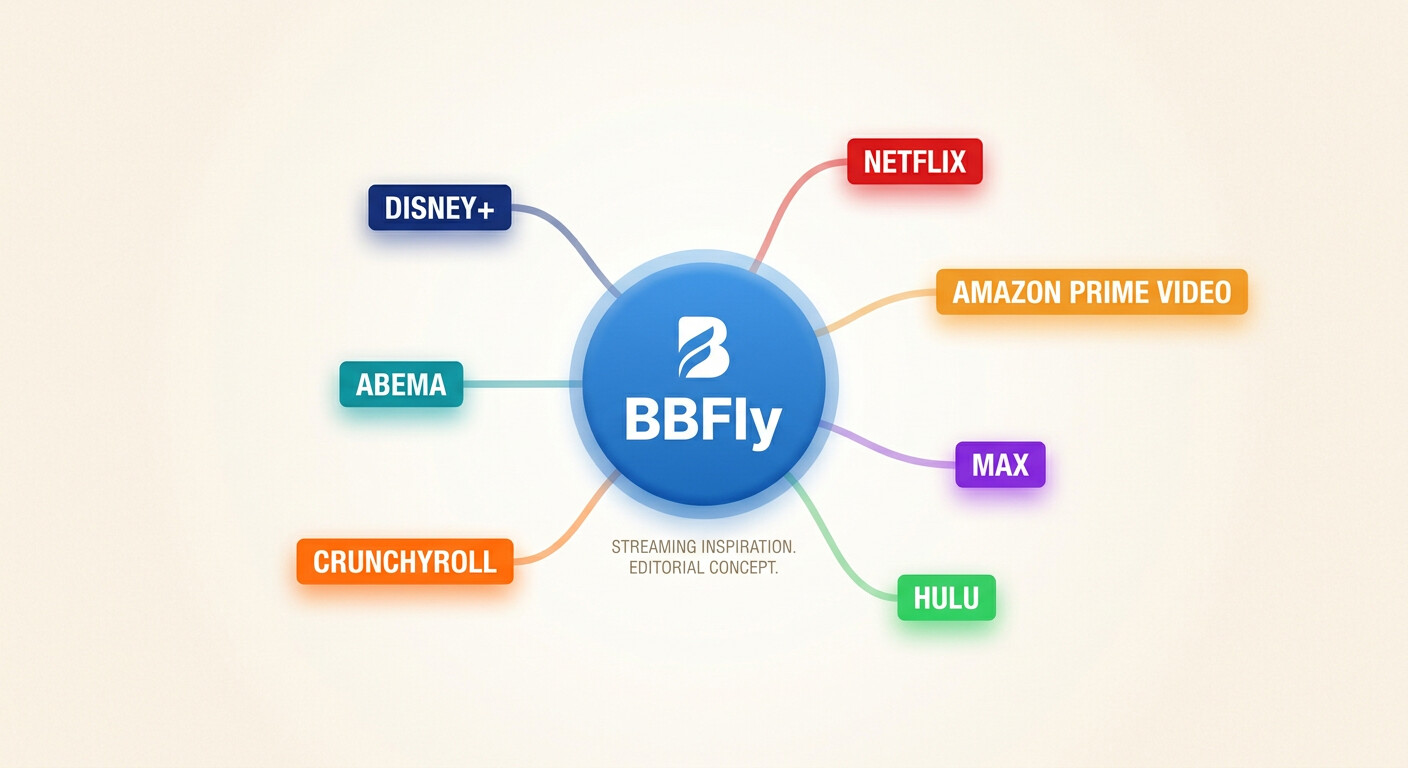
One licence covers 60+ mainstream streaming platforms plus 500+ general video sites, including Netflix, Amazon Prime Video, Max, Hulu, ABEMA and Crunchyroll. For readers like me who juggle three or four subscriptions, this is the part that actually changes the math: instead of buying a separate single-platform tool for each service, you buy one streaming video downloader and point it at whatever you happen to have a current subscription for. The full feature list is documented on the BBFly product overview page.
Regional Library Access Across Disney+ Territories
Disney+ catalogues differ heavily by country. A Marvel title available in the US library may be missing in Germany, and Hotstar (the Asia-Pacific branch covering India, Indonesia and Japan) carries Bollywood and regional anime content the US Disney+ does not. BBFly is the only AIO downloader I have tested that has explicit Disney+ Hotstar support in its product page; FlixiCam StreamOne and MovPilot AIO do not list it. For readers who use a paid Hotstar account while travelling, that coverage gap matters.
Technical Specifications: Resolution, Audio, and Formats
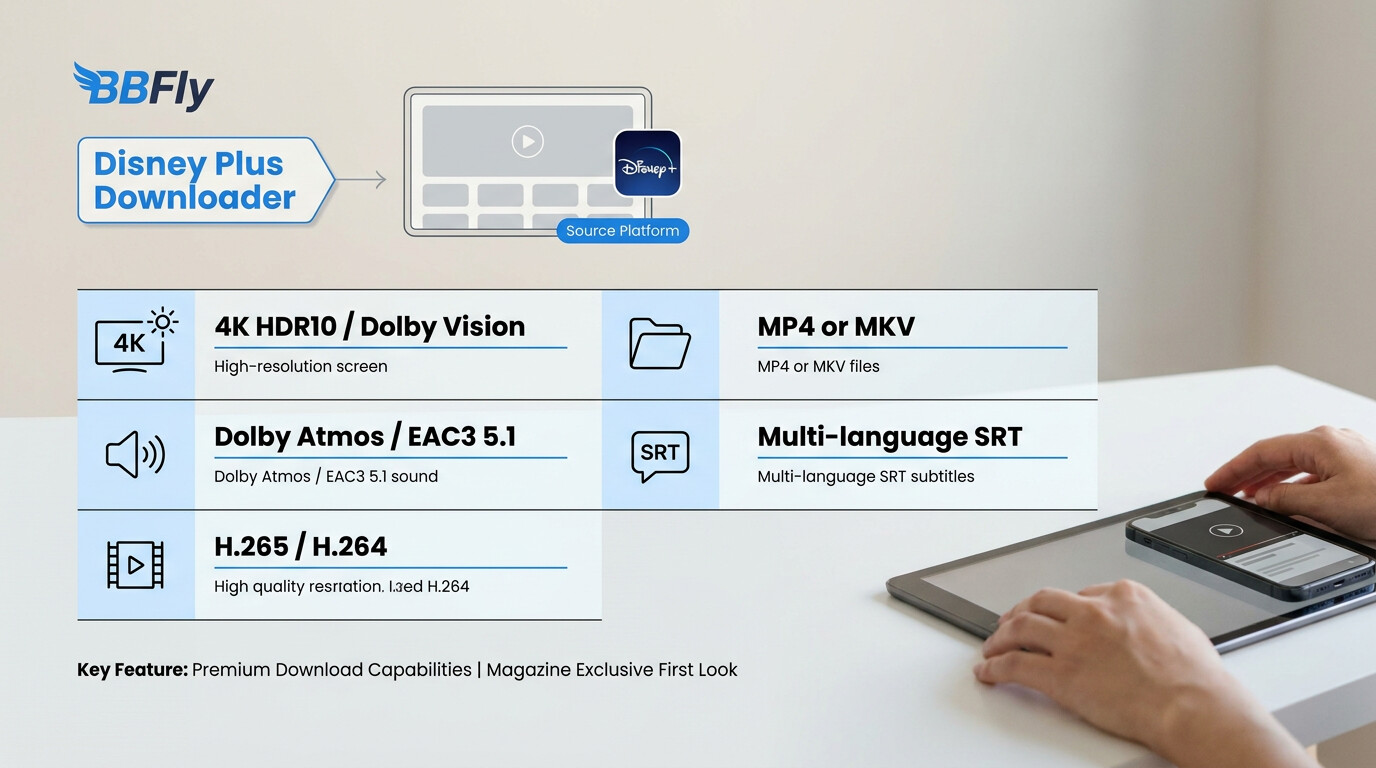
The original 720p claim that used to be on this page is out of date. BBFly's current Disney+ module supports up to 4K with HDR10 and Dolby Vision, plus EAC3 5.1 and Dolby Atmos on titles that carry those tracks. Below is what BBFly actually outputs, alongside the comparable specs the other major desktop tools advertise on their own product pages (as of June 2026; specs change, confirm current figures first).
| Dimension | BBFly | FlixiCam StreamOne | MovPilot Disney+ | CleverGet Disney+ | TunePat Disney+ |
|---|---|---|---|---|---|
| Max resolution (Disney+) | Up to 4K (HDR10 / Dolby Vision) | 1080p (SDR) | 720p, per vendor's own page | 1080p | 1080p |
| Audio | EAC3 5.1, Dolby Atmos, AAC 2.0 | AAC 5.1 / 2.0 | AAC 2.0 | EAC3 / AAC | AAC 5.1 |
| Video codec | H.264 / H.265 | H.264 | H.264 | H.264 | H.264 |
| Output container | MP4 / MKV | MP4 | MP4 | MP4 / MKV | MP4 |
| Batch download | Yes, full season | Yes | Yes | Yes | Yes |
| Subtitle tracks | All available, internal or SRT | Internal or SRT | Internal or SRT | Internal or SRT | Internal or SRT |
| Windows / Mac | Both | Both | Both | Both | Both |
Two things to read from this table. First, on Disney+ specifically, BBFly is the one tool in this group whose product page documents 4K HDR10 and Dolby Vision; everyone else is in the 1080p SDR tier. Second, MKV output matters more than people realise. MKV is the container I actually use on a Plex library because it carries multiple audio tracks and full subtitle tracks in one file. If you only need iPhone playback, MP4 is fine. If you want to keep the original 5.1 audio and every available subtitle language in one file for a NAS, choose MKV.
Source: BBFly's official product page and each listed tool's official product page, as of June 2026. Specs change, confirm current figures first.
Plans and Pricing
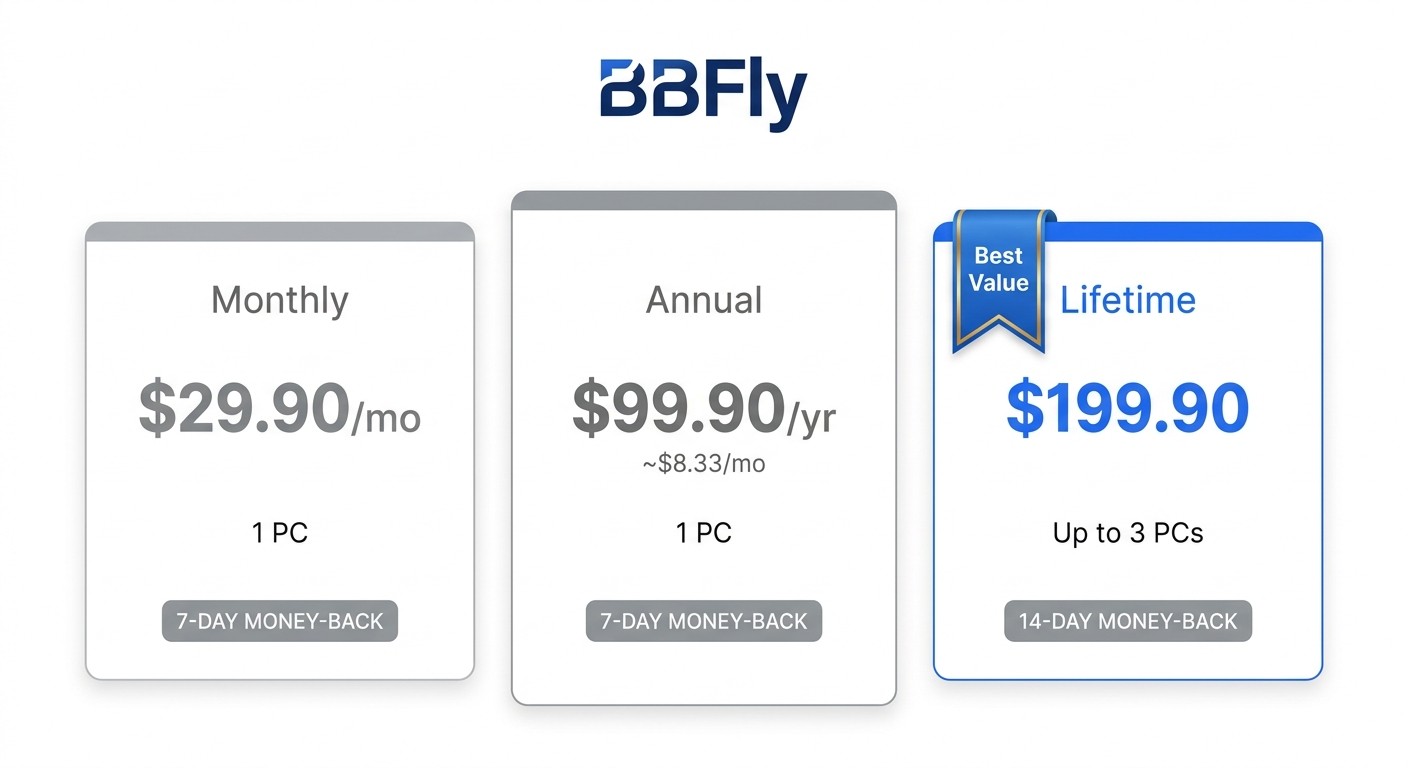
BBFly Disney Plus Downloader uses three tiers, billed in USD, identical to every other platform module BBFly sells. There is no Disney+ surcharge.
| Plan | Price | Devices | Notes |
|---|---|---|---|
| Monthly | $29.90 / month | 1 PC | Cancel anytime, 7-day money-back guarantee |
| Annual | $99.90 / year (about $8.33 / month) | 1 PC | 7-day money-back guarantee |
| Lifetime | $199.90 one-time | Up to 3 PCs | 14-day money-back guarantee, free updates |
A note on the Lifetime tier, because this is where most readers get value: nearly every direct competitor sells a Lifetime licence that activates on a single PC. BBFly's Lifetime covers up to three Windows or Mac machines from a single purchase, which is one of the few buy-once options in this category that actually fits a household with more than one computer.
Source: BBFly's official product and pricing pages, as of June 2026. Pricing can change, confirm current figures first.
How to Download Disney Plus Videos with BBFly
The flow is short. On my 2024 MacBook Air running macOS Sonoma 14.5, the full path from launch to a finished MP4 of a 45-minute episode took roughly the runtime of the episode plus a couple of minutes, with no interruptions over a stable home connection.
Step 1: Install BBFly and Open the App
Download the installer from BBFly's official site for either Windows or Mac, install, and launch. There is no separate Disney+ build, the same app handles every supported platform.
Step 2: Log In to Disney Plus Inside BBFly
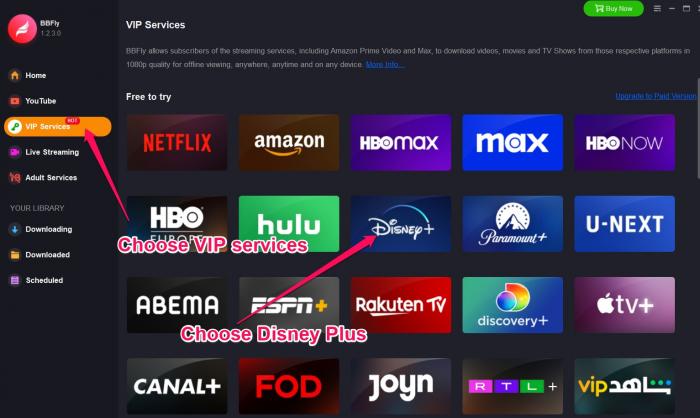
Click VIP Services on the left pane, pick Disney+ from the list of supported platforms, and sign in with your own Disney+ credentials. BBFly does not bypass authentication, you need a valid subscription on the tier and region whose content you want to save.
Step 3: Select Quality Settings and Download
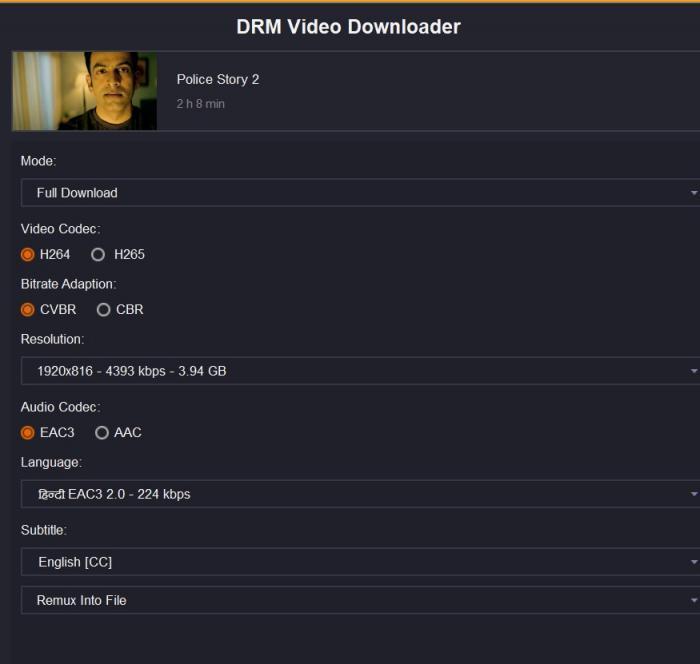
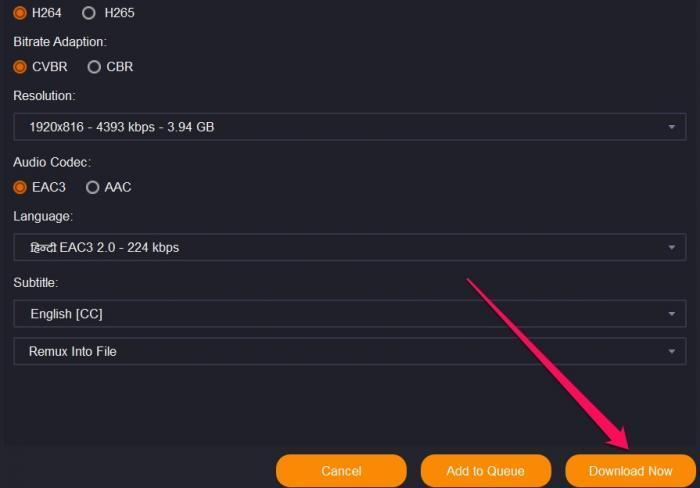
Search for the title inside BBFly, open it, and the download dialog appears. This is where you pick resolution (up to 4K on titles that carry it), audio track (5.1 Atmos where available), subtitle languages, and the output container, MP4 or MKV. Click Download Now. Progress is visible under the Downloading tab; finished files land in the local folder you configured. For a full season, batch the entire list and walk away.
Is BBFly Disney Plus Downloader Safe and Legal?
Short answer: for personal offline viewing of content you are authorized to access, where permitted by platform terms and applicable law, BBFly is positioned as a personal-use backup tool, not a way to skip the subscription or redistribute anything. The longer answer has nuance worth understanding before you buy.
BBFly is designed for personal use of content authorized at time of download. It is not a tool for sharing, reselling, public screening or any form of redistribution. You need an active Disney+ (or Hotstar) account on the tier and region for the content you save, the same as if you were watching it in-app. Disney+'s Terms of Service govern your account; readers should read those terms and decide how the local-file workflow fits their own use.
One signal from community forums and competitor review sites worth flagging honestly: very large-scale batch operations that generate unusual API activity, for example queueing several hundred episodes against a single account in a short window, are the kind of pattern any streaming platform's anti-abuse system can notice. That is true of every downloader in this category, not BBFly specifically. The practical guidance, which lines up with the User Reviews section below: BBFly itself documents a soft cap of roughly 100 episodes per channel per day, and staying inside that window is what "personal use" actually looks like in practice. Bulk-scraping an entire platform is outside the intended use.
User Reviews: What Real Users Say About BBFly
Verbatim, from a Slashdot software listing (slashdot.org/software/p/BBFly/): "BBFly is one of the best streaming video downloaders I have ever tried." Trustpilot and SourceForge aggregate listings show a similar pattern of positive reviews around download quality and subtitle handling, though I would treat aggregate star numbers on software directories as directional rather than rigorous, none of them is an independent lab test.
To balance that, here is what I have observed myself and what I have seen surface repeatedly in community threads: very long single titles (a three-hour film, for example) occasionally finish slower than the runtime would predict on slower connections; support responses can take into a second working day during peak periods; and the daily batch cap of roughly 100 episodes per channel is a real constraint if you were planning to mass-archive a full library overnight. None of these are dealbreakers for personal offline viewing, but they are worth knowing before you commit to the Lifetime tier.
Frequently Asked Questions About BBFly Disney Plus Downloader
Is there a totally free Disney Plus downloader?
Not really, in 2026. Disney+'s DRM means a permanently free, unrestricted desktop tool does not realistically exist. BBFly historically offered a limited trial, check the current state of birdbirdfly.com/pricing for the latest. A trial is not the same as permanent free access and should not be framed that way.
Can I download Disney Plus videos to MKV format?
Yes, BBFly outputs both MP4 and MKV. Pick MKV when you want multiple audio tracks and every available subtitle language preserved in a single file (best for a Plex or NAS library); pick MP4 when you only need playback on iPhone, iPad or a Smart TV via USB.
Is it safe and legal to use BBFly Disney Plus Downloader?
For content you are authorized to access, where permitted by platform terms and applicable law, BBFly saves a local copy for personal offline viewing. Read Disney+'s Terms of Service for your account, avoid bulk-scraping patterns that look like automated abuse, and do not share or redistribute the resulting files.
Where can I check the usage conditions for my saved Disney Plus files?
Disney+'s official Terms of Service and your local copyright law are the authoritative reference. BBFly outputs a local MP4 or MKV file on your device, separate from the Disney+ app's in-app download (which is time-limited and tied to the app). How that local file may be used in your jurisdiction is for each reader to evaluate against the Disney+ ToS and applicable law; BBFly's product positioning is personal offline viewing of content authorized at time of download, nothing more.
Does BBFly Disney Plus Downloader work on Mac?
Yes. BBFly ships native Windows and Mac builds with feature parity for the Disney+ module, including 4K, HDR10, Dolby Vision and Atmos where the source carries those tracks. The Lifetime plan covers up to three machines, which can be any mix of Windows and Mac.
Why can't I watch Disney Plus in 4K on PC through official apps?
Official Disney+ playback on Windows browsers and the Microsoft Store app caps at 1080p because 4K playback requires hardware-level DRM certification that most PC chains do not pass. BBFly's local-file workflow lets you save a Disney+ title at the resolution tier your subscription entitles you to, subject to what the platform actually streams to your account.
Bottom line, after 15 years of curating a personal film library: BBFly is the most credible desktop option I have used for Disney+ in 2026, mainly because of the 4K / HDR10 / Atmos ceiling on titles that carry it, the MKV output that fits a NAS workflow, and a Lifetime tier that actually covers three machines. It is not magic and it is not a workaround for not having a subscription, but for legitimate personal offline viewing it does the job that Disney+ on Windows and Mac does not.