
How to Download ProSieben Videos in Easy Steps
Table of Contents
ProSieben now routes live and catch-up viewing through Joyn, but the official ProSieben page does not advertise offline downloads. If you need to download ProSieben videos, first confirm authorized playback, then use a desktop workflow or accept the trade-offs of real-time recording.
I have learned not to start with the downloader. If the title will not play normally, changing tools usually wastes time. This guide begins with ProSieben offline viewing and access checks, then covers a three-step local-file workflow, verified specifications, detection failures, and realistic fallback choices.

ProSieben Now Streams Through Joyn
Joyn is the current destination for ProSieben live channels and catch-up programs. Searches for Joyn ProSieben downloads can be confusing because the service page emphasizes streaming access rather than a clearly advertised download control.
What Changed for ProSieben Viewers
The practical change is simple: do not follow old instructions built around a standalone ProSieben player or the historical 7TV app. Open the relevant ProSieben title through Joyn and assess the viewing session that exists today.
Region, account state, licensing, and the specific program can affect whether the player starts. A page loading successfully is not the same as the video being available, especially for a viewer outside the program's licensed market.
Official Offline Downloads Are Not Advertised
As of July 2026, the Joyn ProSieben page presents streaming but does not advertise an offline-download feature. Free streaming access and offline viewing are separate questions, so the absence of an official download button does not, by itself, mean an alternative is unavailable — only that Joyn is not the source of one.
Before You Save a ProSieben Video
Before trying to save ProSieben videos, confirm that the program plays normally in your region and account. This one check separates an access problem from a downloader problem and makes the rest of the diagnosis much faster.
Region and Playback Access
A ProSieben geo restriction can allow the Joyn page, menus, and program description to load while the actual stream remains blocked. Licensing territory, account conditions, and protected playback can each affect the player independently of the surrounding page.
Do not assume that a method documented for another broadcaster proves ProSieben compatibility. Each service uses different licensing, region conditions, and protected-playback paths, so a workflow that succeeds elsewhere is not evidence for Joyn.
Authorized Personal Use
Use a local-file workflow only for content you are authorized to access, where permitted by platform terms and applicable law. Keep the result for personal offline viewing; do not share, sell, upload, or publicly screen the file.
My rule is deliberately plain: normal access comes first, local convenience second. If the program is unavailable to your account or region, a download attempt is not the right troubleshooting target.
Download ProSieben Videos with BBFly
A desktop workflow is worth considering when the program plays normally but Joyn offers no advertised offline control. For content you're authorized to access, where permitted by platform terms and applicable law, the BBFly ProSieben downloader can create a local MP4 or MKV copy on Windows or Mac, subject to compatibility.
Set Up the Desktop Workflow
For a ProSieben download, Windows and Mac users should keep the process to three checks: open the service, establish normal playback, and choose verified output options. Avoid old instructions that refer to a fixed M3U8 button because interfaces and detection paths change.
- Open BBFly and the supported service workflow. Sign in through the normal viewing path and locate the authorized ProSieben program in Joyn.
- Load and play the title. Let the player establish an active session, then choose an available MP4 or MKV output and any supported audio or subtitle options.
- Start the task and inspect the result. Confirm that the local file opens, contains the expected program, and uses the selected tracks before transferring or archiving it.
On the verified Windows 11 and SSD benchmark setup, BBFly cold-started in about three seconds. That figure describes software launch, not ProSieben detection or download speed, which depends on the active stream, network, account access, and title compatibility.
Save and Check the Local File
Do not consider the job finished when the queue says complete. Open the file, check the beginning and a later scene, switch audio or subtitles if selected, and confirm that the container is MP4 or MKV.
- Play the file in the player you intend to use.
- Confirm that picture and sound remain synchronized.
- Check that the requested subtitle or audio track is present.
- Copy the verified file to your approved storage location or personal device.
The most common point of confusion is detection, not saving. If the Joyn title has not started normally, reopening the same URL in several generic tools rarely changes the underlying access condition.
BBFly Specs and Practical Fit
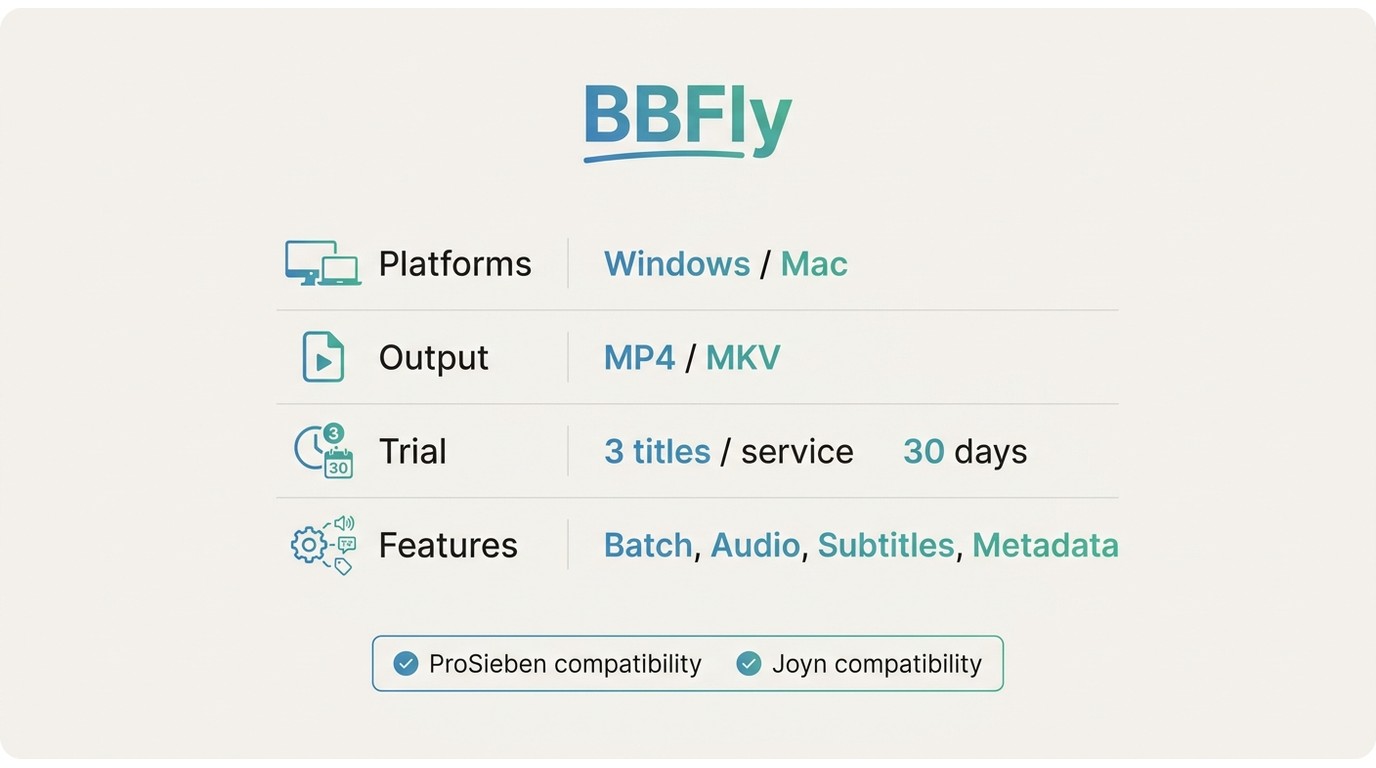
BBFly runs on Windows and Mac, outputs MP4 or MKV, and supports batch handling, audio-track and subtitle selection, metadata writing, and ad handling. The 30-day trial allows up to 3 full titles per streaming service. Source quality and individual-title compatibility still depend on what Joyn makes available for a given ProSieben program.
What to Verify Before Starting
A protected ProSieben stream may play in Joyn yet remain incompatible with a particular detection session. Verify the exact title, account, region, output choices, and a short sample of the completed file before committing to a larger queue.
Best Fit and Limitations
Best for: viewers who already have authorized playback and want a desktop local-file workflow with selectable formats, tracks, and batch handling.
Not ideal for: phone-only users, viewers outside the licensed region, programs that will not play normally, or anyone expecting guaranteed compatibility with all streams. A ProSieben download Android search does not establish native offline support in the current Android listing.
If I needed a phone-only process, I would stop here rather than force a desktop guide into the wrong use case. A verified local file can be transferred to a personal device, but the capture and verification workflow itself begins on Windows or Mac.
When ProSieben Downloads Fail
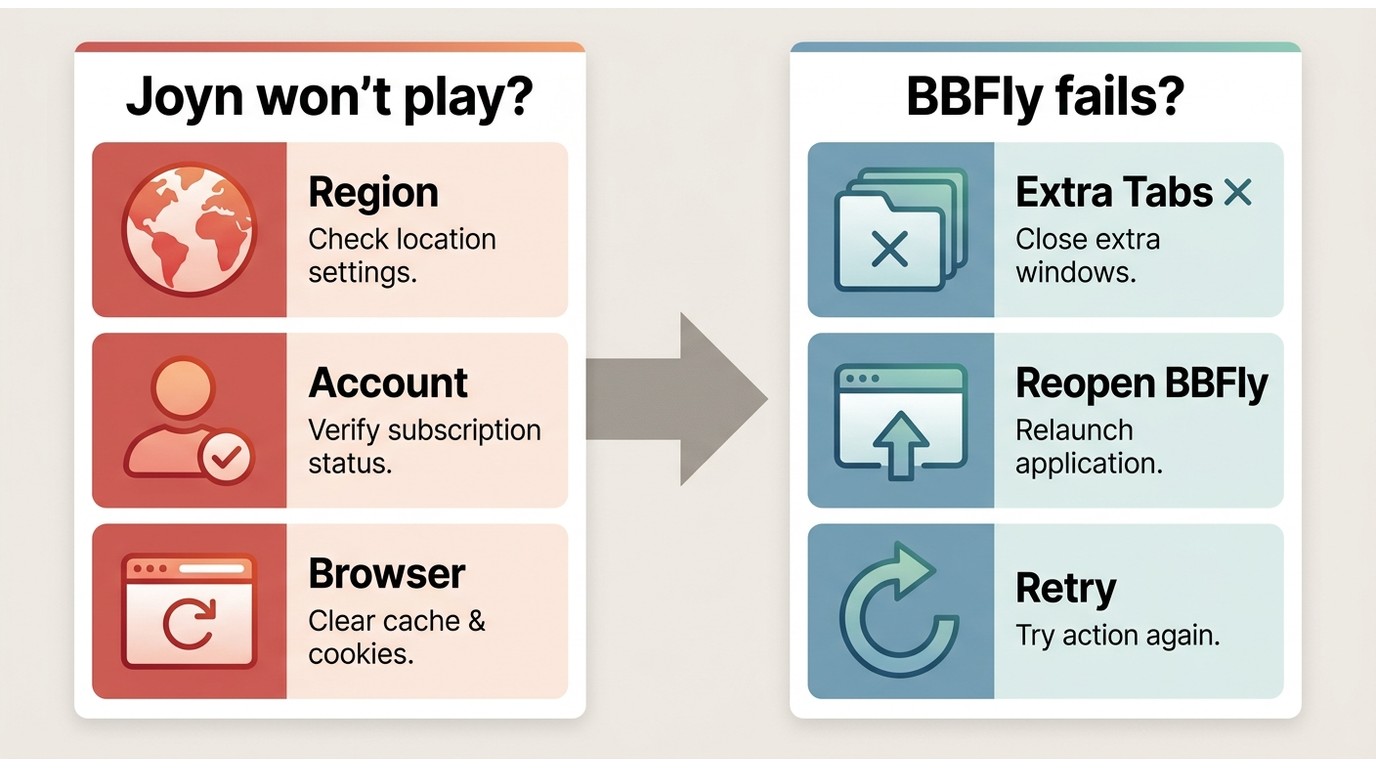
Most failures fall into two groups: the program cannot play, or it plays but the downloader cannot detect the active stream. Diagnose them in that order; otherwise, access and detection errors become indistinguishable.
Page Loads but Video Is Blocked
If Joyn opens while the video area stays blocked, treat it as a playback-access issue. Check whether the title is available in your region, whether the account is authorized, and whether the browser can play the program normally before opening a downloader.
I put this check first because it prevents false diagnoses. The page shell is ordinary web content, while the program stream has separate licensing and playback conditions.
Stream Detection Fails
A stream detection failure means the video plays but the desktop workflow does not identify a compatible active stream. Use this short decision path:
- Confirm that video and audio play normally in Joyn.
- Close duplicate player tabs and reopen the title inside the supported BBFly workflow.
- Let playback begin, then retry detection without changing region or account conditions.
- Test another authorized ProSieben title to distinguish a title-specific limitation from a broader setup issue.
- If detection still fails, accept the compatibility limit rather than assuming a generic URL grabber can solve it.
People searching for how to download non-downloadable videos often encounter generic extensions or link parsers. For Joyn, an embedded video download attempt can fail because the visible page URL is not the same thing as an active, supported media session.
Screen Recording as a Fallback
Screen recording is a lower-convenience fallback when authorized playback works but direct detection does not. It runs in real time, can consume more storage, may capture interruptions, and usually offers less control over quality, tracks, and subtitles.
I would use recording only when the program already plays normally and the viewing need justifies the wait. If quality, clean subtitles, or unattended batches matter, those trade-offs make recording a poor substitute for a compatible local-file workflow.
Which Offline Method Fits Your Situation
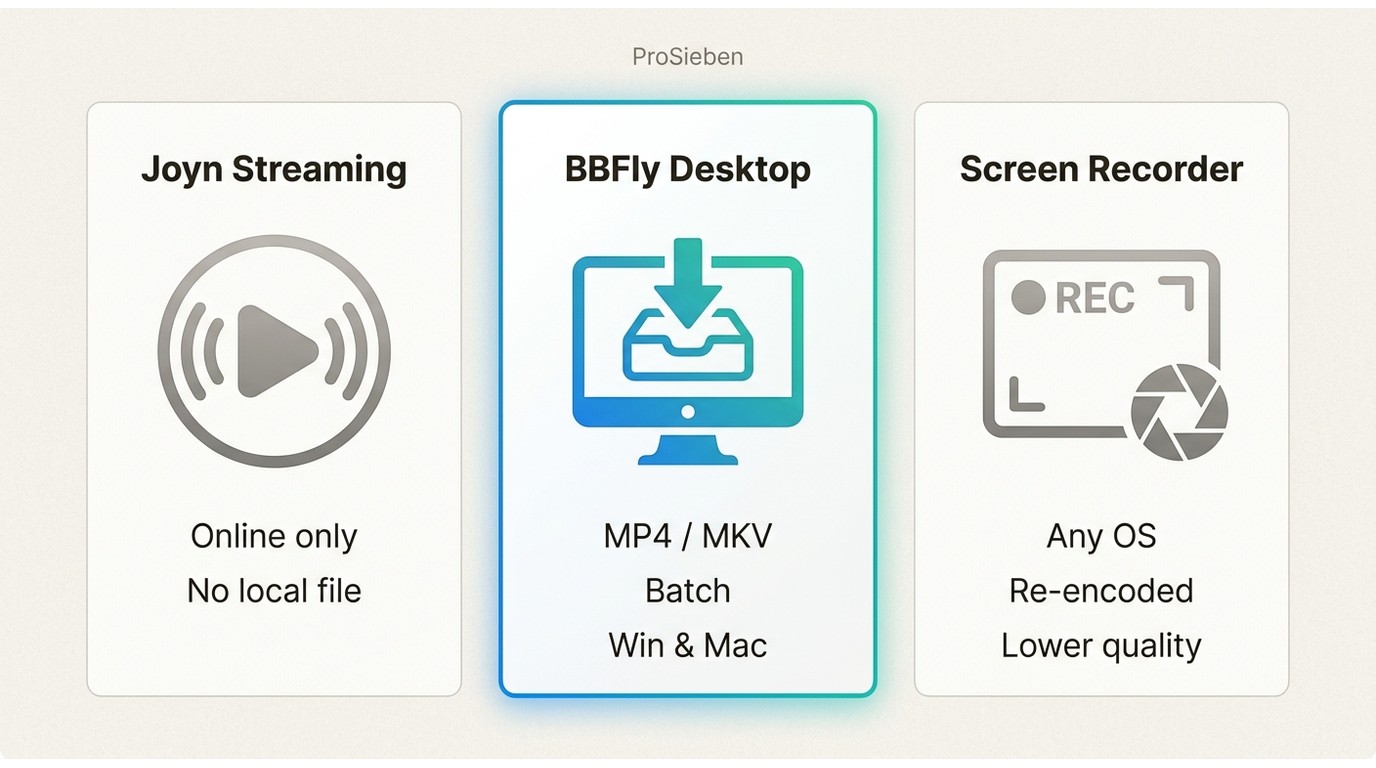
Choose by access, device, and acceptable trade-off. Official Joyn streaming is simplest for online viewing, BBFly suits an authorized desktop local-file need, and screen recording is a last fallback when normal playback works but direct detection does not.
| Method | Official offline availability | Requires desktop software | Requires the video to play first | Local-file output | Quality and format verification | Batch handling | Region and authorization limits | Best fit | Main trade-off |
|---|---|---|---|---|---|---|---|---|---|
| Official Joyn streaming | Not advertised on the ProSieben page | No for ordinary streaming | Yes | No advertised local-file workflow | Controlled by the service player | Not applicable | Apply to each title | Online live and catch-up viewing | Requires a working stream and connection |
| BBFly desktop local-file workflow | Alternative workflow, not an official Joyn download | Yes, Windows or Mac | Yes | MP4 or MKV | Inspect the completed file and selected tracks | Supported | Normal authorization, region access, and compatibility still apply | Authorized viewers who need a manageable local file | Not phone-only and not guaranteed for all titles |
| Screen recording fallback | No | Usually | Yes, throughout capture | Recording file | Depends on recorder settings and playback stability | Limited by real-time capture | Normal authorization and region access still apply | A single playable title when detection fails and trade-offs are acceptable | Real-time wait, interruptions, larger files, and reduced track control |
The practical choice is not the method with the longest feature list. It is the least complicated method that respects normal access and produces the file control you actually need.
Key Takeaways for Offline Viewing
- Joyn is the current ProSieben viewing destination, and its page does not advertise offline saving.
- Confirm normal Joyn playback before troubleshooting a ProSieben video downloader.
- Use MP4 or MKV output only after opening and checking the completed file.
- Do not treat page access as proof that the stream is licensed for your region.
If it were my decision, I would first test one representative program, verify its audio and subtitles, and then decide whether the desktop workflow earns a place in the routine. Assuming one successful or failed title predicts the entire catalog is a fast way to waste an evening.
FAQ
Can I download ProSieben videos on Android?
The current Android listing does not establish native offline-download support. The verified BBFly workflow runs on Windows or Mac; after creating and checking an authorized MP4 or MKV file, you can transfer it to a personal Android device if your playback setup supports the format.
Why does Joyn open while the ProSieben video stays blocked?
The page and the video stream have separate access conditions. Region, program licensing, account authorization, or protected playback can block the title even while the surrounding Joyn page loads normally. I would solve playback first and ignore download detection until the program starts.
What should I do when a downloader cannot detect the video?
Confirm normal playback, reopen the title in the supported desktop workflow, let the stream start, and test another authorized ProSieben title. If detection still fails, treat it as a compatibility limit. Recording is available only as a real-time fallback with quality, storage, and interruption costs.
Is there a free way to save ProSieben videos offline?
Joyn's ProSieben page offers streaming but does not advertise a free offline-download workflow. BBFly provides a 30-day trial with up to 3 full titles per streaming service, which is enough to check compatibility without implying that offline saving itself is an unrestricted free service.