Ivi Offline Downloads in the US: App and Desktop Options
Table of Contents
Short answer: from the US, Ivi is reachable through its website and mobile apps (now listed as Иви in current stores), but the catalog and playback rights are tuned for Russian-speaking audiences and can vary by location. For offline viewing, use the official Ivi mobile app first; a desktop workflow such as BBFly is a separate option only for content you are already authorized to access, within Ivi's terms and applicable law.
I've spent years wrangling regional streaming catalogs and offline files, and Ivi is a case where the first question isn't how to download—it's whether the title you want is licensed for your region at all. This guide walks through the US access check, the official mobile download path, device support, and only then the desktop route.
Can You Use Ivi in the United States?
Ivi is primarily a Russian-language streaming service, and its catalog and playback rights are shaped by that market. From the US you can typically reach the website and install the mobile apps, but which titles play, which languages and subtitles are attached, and whether an account can subscribe from a US storefront all vary by region and time. Regional availability is the first thing to check—before you compare download methods, confirm the title you want actually plays on your account.
Current App Name and Regional Availability
In current app stores the service is listed under its Cyrillic name Иви rather than the Latin "IVI," which is why some US readers can't find it by searching in English. The catalog leans heavily on Russian-language films, series, cartoons, and originals, alongside licensed international titles whose availability differs by country. Assume any title-level detail—resolution, subtitle languages, download eligibility—is title-specific and check the title page before you commit.
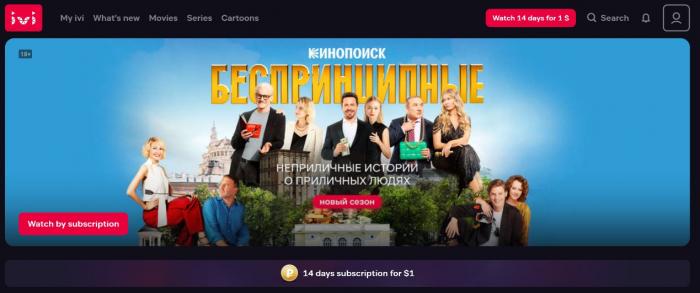
If a title you want isn't available on your account, no download tool will change that. In my experience, this is the single most common reason people think "the download is broken"—the rights simply don't extend to their region.
Official Ivi Downloads and Device Support
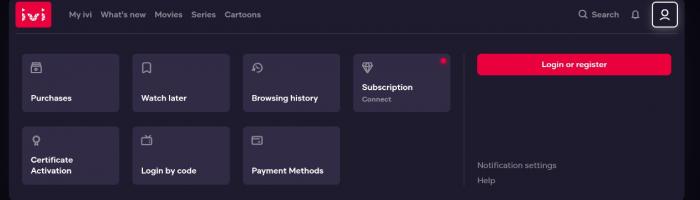
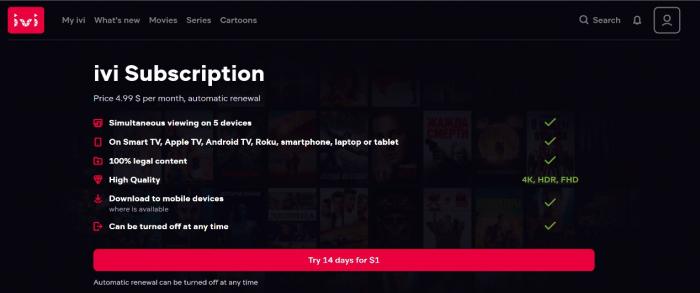
Before reaching for any third-party tool, it's worth knowing what Ivi itself offers. Account creation takes about a minute from the profile menu using an email address or phone number. As of July 2026, Ivi's subscription plans, prices, currency, trial length, and free-with-ads access vary by storefront and region, so what a US-based reader sees on the web can differ from the in-app offer on iOS or Android. The service is generally ad-supported on free tiers and ad-light on paid ones.
Mobile Offline Downloads
On iPhone and Android, the Ivi (Иви) app includes an official offline download button on eligible title pages. Tap the download icon on a movie or episode, pick a quality if prompted, and the file is stored inside the app for playback without a connection. This is the path most travelers actually want: it's built in, respects the platform's rights, and works with your existing subscription. The trade-offs are the usual ones for platform downloads—files are locked to the app, tied to your account, and can expire or require periodic online check-ins; the exact license window is title-specific.
Browser, TV, and Desktop Access
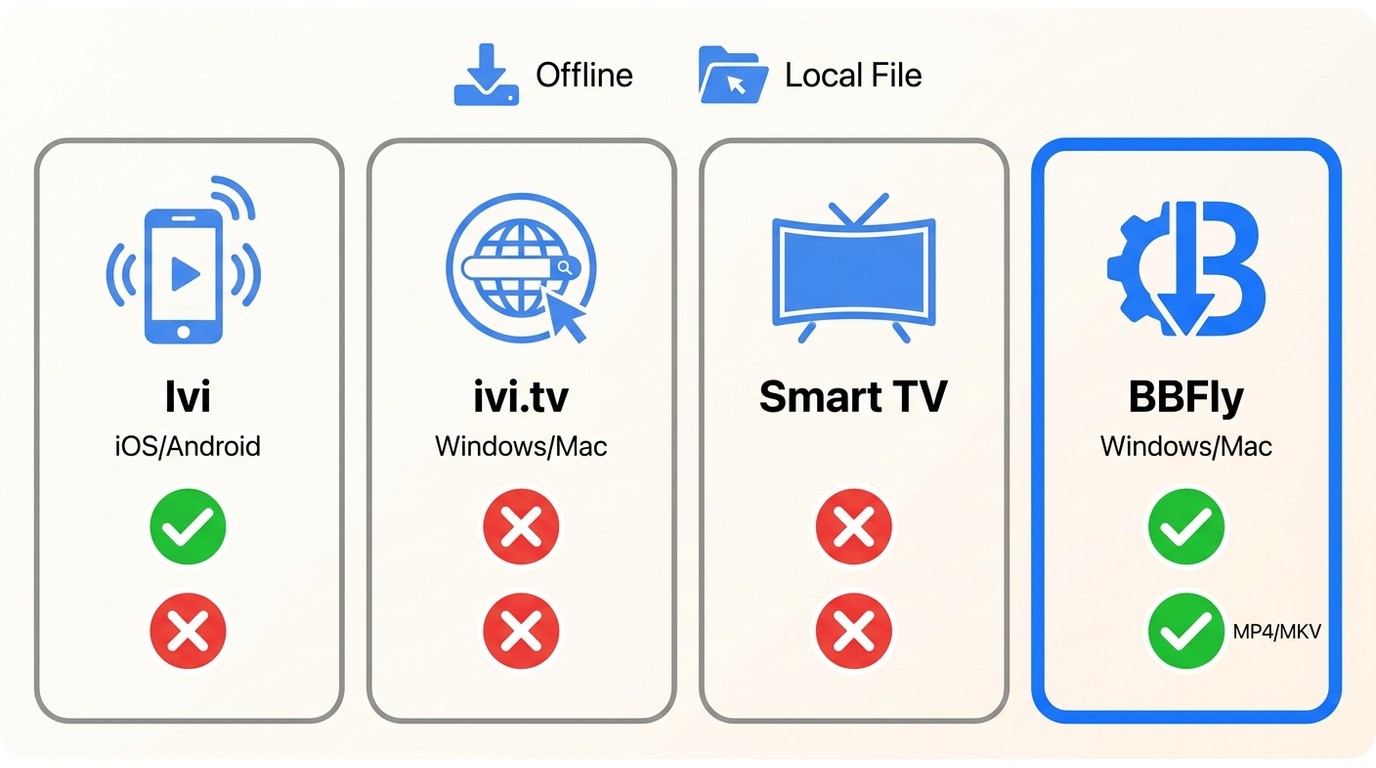
On the web (ivi.tv) and on smart TVs and streaming boxes—LG, Samsung, and similar platforms Ivi supports—you can stream but there is no built-in offline mode; the download button lives in the mobile app. On Windows and Mac, Ivi doesn't ship a dedicated desktop client with an offline feature, which is why desktop users looking to keep a local file end up considering a third-party workflow.
| Access method | Supported OS / device | Official offline download | Local file you can manage | Login / subscription | Main limitation |
|---|---|---|---|---|---|
| Ivi mobile app | iOS, Android | Yes, on eligible titles | No — stays inside the app | Ivi account required; subscription for most titles | Title-specific eligibility; license Windows |
| Ivi web browser | Windows, Mac, Linux via ivi.tv | No | No | Ivi account required | Streaming only; region-dependent catalog |
| Smart TV / streaming device | Supported LG, Samsung and similar platforms | No | No | Ivi account required | App availability varies by TV model and region |
| BBFly desktop workflow | Windows 11/10, macOS | Not an Ivi feature — third-party tool for authorized personal use | Yes — MP4 or MKV on disk | Valid Ivi login and playback rights required | Windows/Mac only; subject to Ivi terms and local law |
If the official mobile app covers your trip, stop there. The desktop route in the next section is for readers who specifically need a local file on Windows or Mac—for example, to play through a preferred desktop player or archive titles they're authorized to keep.
BBFly Desktop Download Workflow
For content you are authorized to access on Ivi, and where Ivi's terms of service and applicable law allow personal offline use, BBFly Downloader is a third-party desktop tool that saves a local MP4 or MKV copy for personal offline viewing. It is not an Ivi feature and it is not a replacement for the official mobile download button—if the mobile app meets your need, use that. Where BBFly fits is a specific gap: Windows and Mac users who want a local file they can manage themselves, play in their own desktop player, or keep on an external drive.
BBFly is an all-in-one downloader covering 60+ mainstream streaming services and 500+ video sites. Every download presupposes a valid Ivi subscription and personal, authorized use—BBFly doesn't provide access you don't already have.
BBFly Output and Compatibility
- Operating systems: Windows 11/10 and macOS desktop app.
- Output format: MP4 or MKV, playable in standard desktop players, on smart TVs via USB, or through a local media server such as Plex.
- Video quality: up to 1080p on Ivi, in line with the third-party desktop ceiling for this class of service; ad handling depends on the service and title.
- Subtitles: where a title exposes them, subtitle tracks can be saved as separate SRT files or muxed into the MKV container.
- Trial: 30-day trial with 3 full titles per service, so you can verify complete downloads, subtitle sync, and playback before paying.
- System requirements: a Windows or Mac machine with at least 4 GB of RAM and enough free disk space for your library (40 GB or more is a comfortable starting point).
For an Ivi use case, the specification that matters most is the local MP4/MKV output—that's what separates this workflow from the in-app download and makes the file portable to a desktop player, external drive, or NAS.
Save and Verify Ivi Downloads
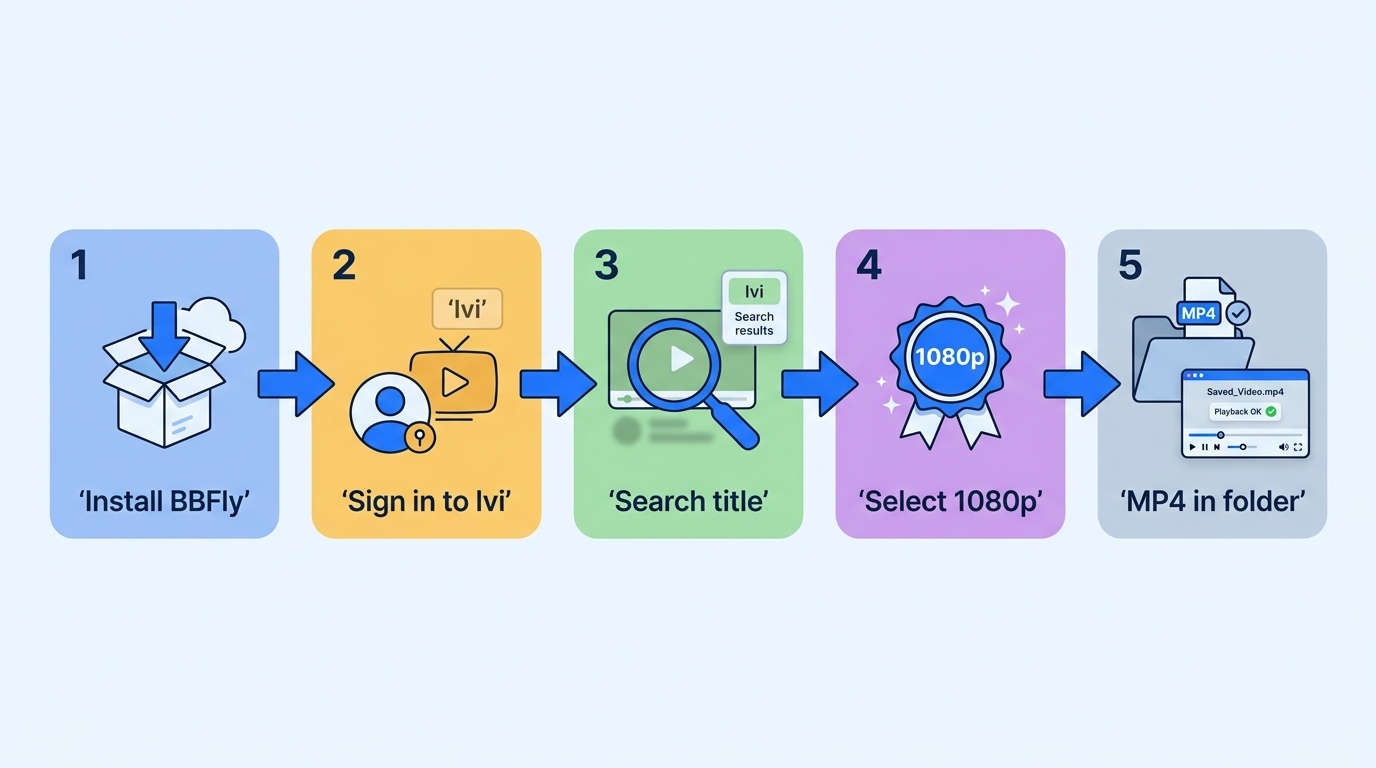
Before you start, confirm the prerequisites: a Windows 11/10 or Mac computer, a BBFly account, an active Ivi subscription with playback rights to the title, enough free storage for the file, and a stable connection. Only proceed with titles you're authorized to access on your Ivi account.
- Install BBFly Downloader for Windows or Mac and sign in to your BBFly account.
- Sign in to Ivi inside BBFly using your own Ivi credentials.
- Search for the title in BBFly, or paste the Ivi URL directly from ivi.tv.
- Choose the quality, audio track, and subtitle options you want, then start the download.
- Verify the file: open the saved MP4 or MKV in a desktop player, confirm the runtime matches the original title length, scrub through a few points, and check that subtitles load and stay in sync.
If a download fails or only saves part of the video: update BBFly and your Ivi login, retry once (transient network issues are the most common cause), confirm you have enough free storage, and re-verify that the title actually plays start-to-finish in the Ivi web player on the same account. If the file is still incomplete after a clean retry, gather the log from BBFly and contact support with the title and error details—that's the fastest path to a real answer.
Key Takeaways for Offline Viewing
My working rule for Ivi from the US: check regional access on the title you actually want first—if it won't play in the Ivi (Иви) web player on your account, no tool changes that. When the title plays and you just need it offline for a flight or a commute, the official mobile download inside the Ivi app is the cleanest path. Reach for a desktop workflow like BBFly only when you specifically need a local MP4 or MKV file on Windows or Mac for authorized personal viewing, and you accept the responsibility of staying within Ivi's terms and your local law.
FAQ
Why is a specific Ivi title unavailable for offline download?
Download eligibility on Ivi is title-by-title. Whether the download button appears depends on the licensing for that title, your account and plan, your region, the app version, available storage, and whether your device is supported. If the download button is missing for one movie but present for another, it's a rights or eligibility issue on that title, not a broken app.
Is Ivi free to use in the United States?
Ivi has offered ad-supported free viewing and paid subscriptions, but the exact mix, prices, currency, trial length, and catalog available to a US-based account depend on the storefront (web, App Store, Google Play) and can change over time. Open the site or the app on your account to see what's actually offered to you rather than relying on older price quotes.
Can Ivi videos include English or Turkish subtitles?
Subtitle and audio-language availability is title-specific. Some Ivi titles carry multiple subtitle tracks including English, while many Russian originals ship without English subtitles at all. Open the title's details page and check the language list before you plan to watch or download.
What should I check if a BBFly download saves only part of a video?
Confirm the title plays start-to-finish in the Ivi web player on the same account, update BBFly and re-sign in to Ivi inside it, check that you have free storage headroom, and retry the download on a stable connection—transient network drops are the most common cause. Reopen the saved file and check the runtime against the original; if it's still short after a clean retry, export the BBFly log and send it to support with the title name and error message.