
How to Download WOWOW On Demand Videos for Offline Viewing
Table of Contents
WOWOW On Demand downloads are available for selected programs in the official mobile app, making offline viewing practical when you download over Wi-Fi first. The key is knowing the title, device, storage, and expiration limits before assuming a WOWOW On Demand download will work.
Does WOWOW On Demand Support Offline Viewing?
Selected WOWOW On Demand programs can be downloaded for offline viewing in the official smartphone and tablet app. If an eligible title and a supported mobile device meet your needs, I would start there: it is the straightforward route, even though its downloads remain inside the app and are subject to limits.
Official App vs. Desktop Workflows
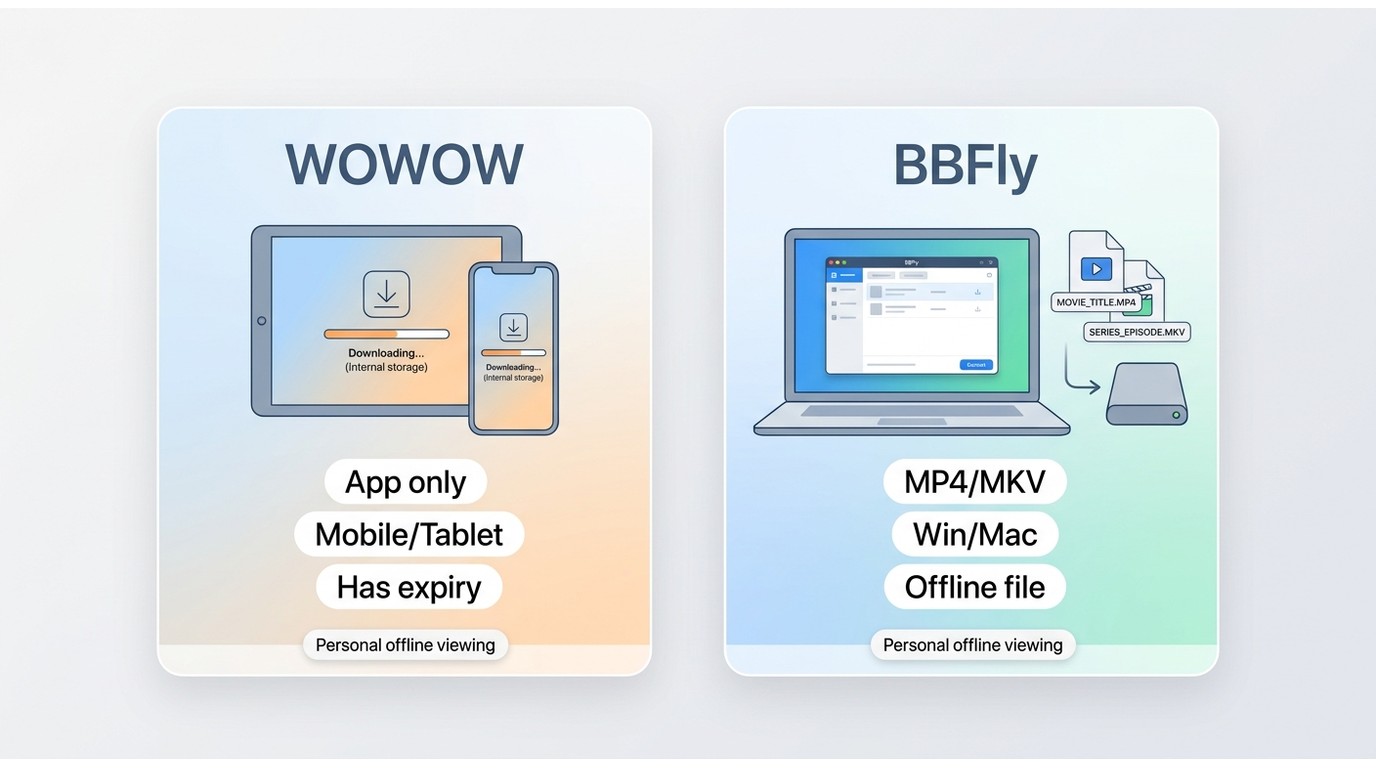
| Option | Availability and devices | Storage and offline access | Limits and caveats | Best fit |
|---|---|---|---|---|
| Official WOWOW On Demand app | Selected programs on eligible smartphones and tablets | Internal device storage for in-app offline playback | Title, device, storage, and expiration restrictions apply | Readers who need supported mobile downloads |
| BBFly desktop workflow | Windows or Mac for content you are authorized to access | Local MP4 or MKV output for personal offline viewing | Compatibility can change and is not guaranteed; platform terms and applicable law still apply | Readers who specifically need a desktop local-file workflow |
The official app is not ideal if you need offline viewing on a laptop or TV, while a desktop workflow is not ideal for anyone satisfied with the official mobile download option or expecting universal compatibility.
WOWOW Data Use: Streaming vs. Downloads
Data Use by Quality
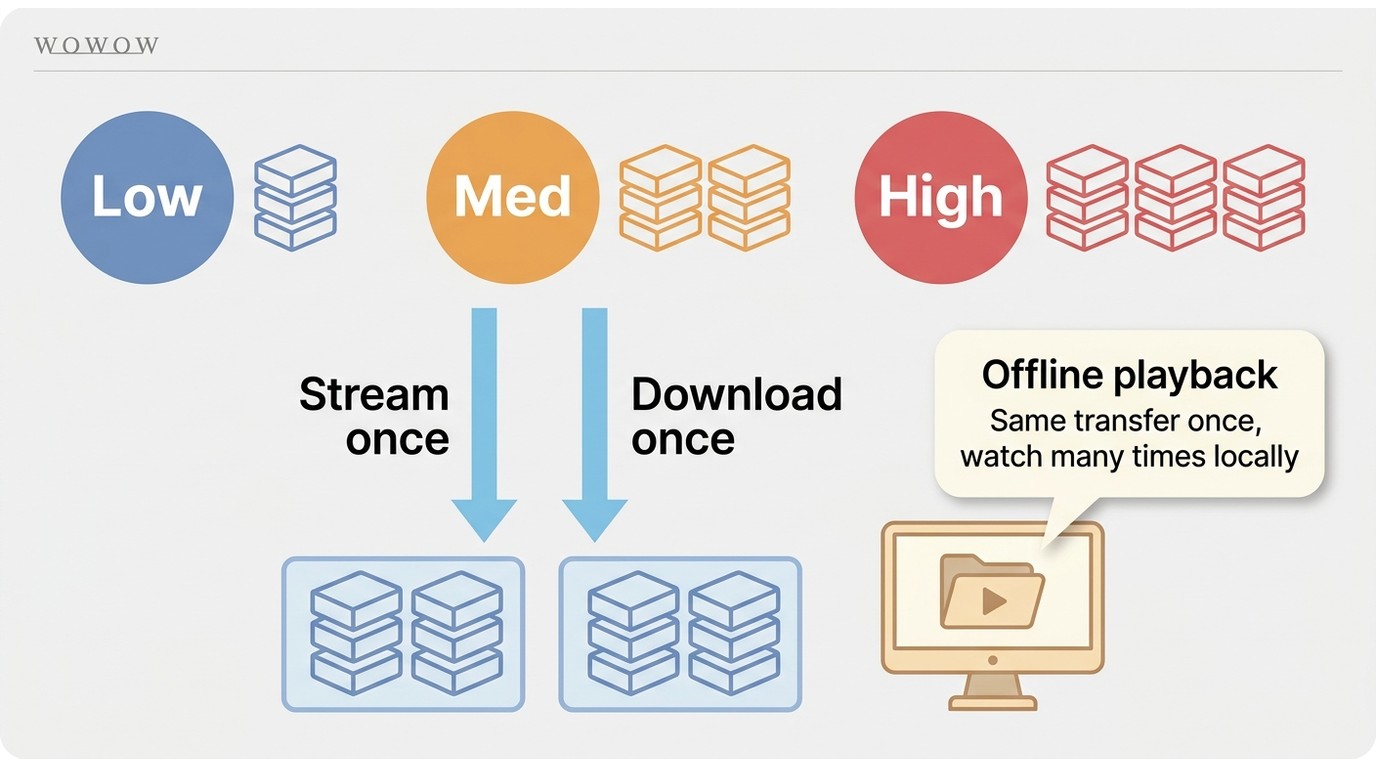
Video quality determines most WOWOW data usage: higher-quality playback generally transfers more data than lower-quality playback. At the same quality, one stream and one download can transfer a similar amount of data, so downloading is not inherently smaller than streaming. This comparison reflects WOWOW's current service guidance as of July 2026.
When Downloads Save Mobile Data
The practical benefit is downloading once over Wi-Fi, then watching the saved program offline without transferring the full video again. Repeated viewing, travel, commutes, and unreliable connections are the clearest cases where this approach helps. From a media-library perspective, this is the distinction that matters: avoid repeating the same mobile transfer, rather than expecting the initial download to be magically lighter.
Official WOWOW Downloads and Limits
Supported Devices and Storage
The official WOWOW app supports downloads for eligible programs on supported smartphones and tablets. Downloads use the device's internal storage, so an SD card should not be assumed to be available as a storage destination.
Official Download Steps
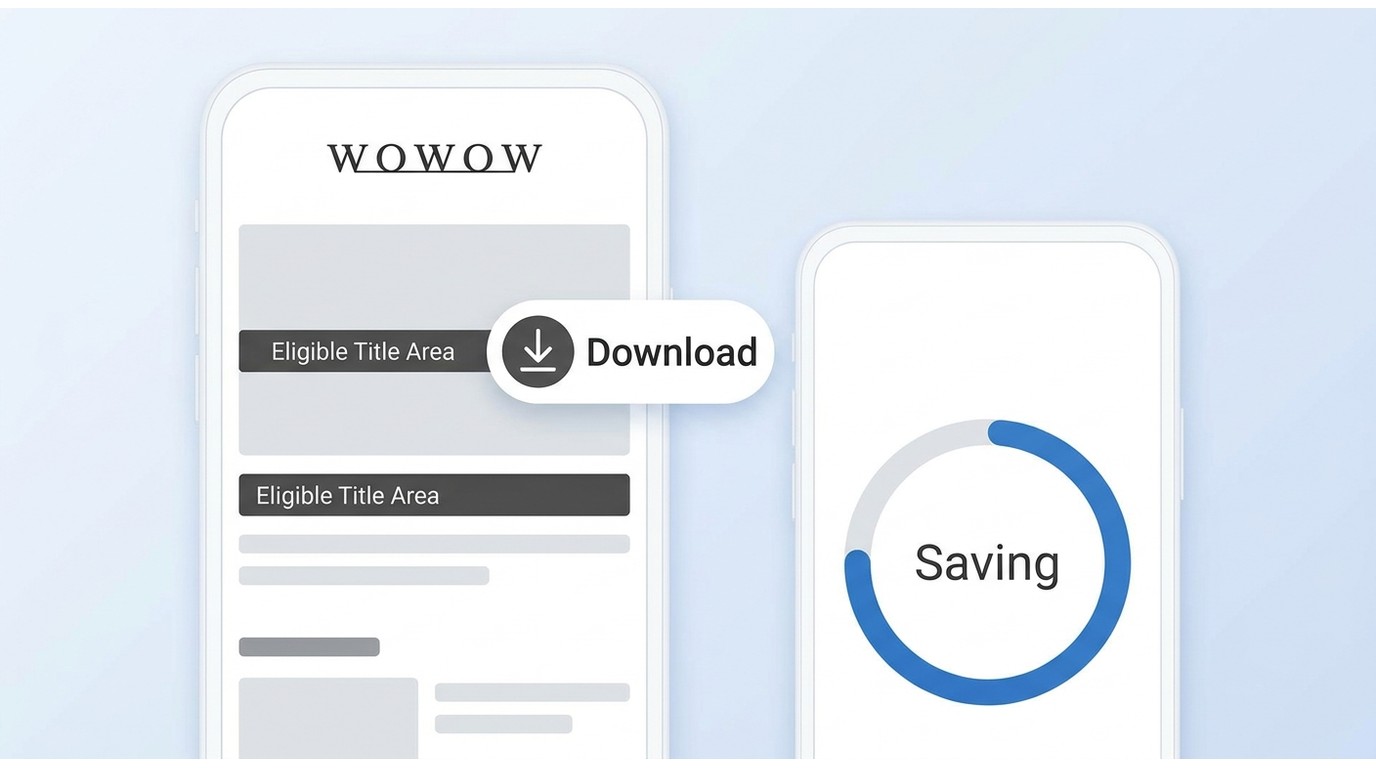
Open an eligible program in the official WOWOW app, look for the download marker, choose the download option, and wait for the title to finish saving before leaving Wi-Fi. The option will not appear on every program.
Expiration and Device Limits
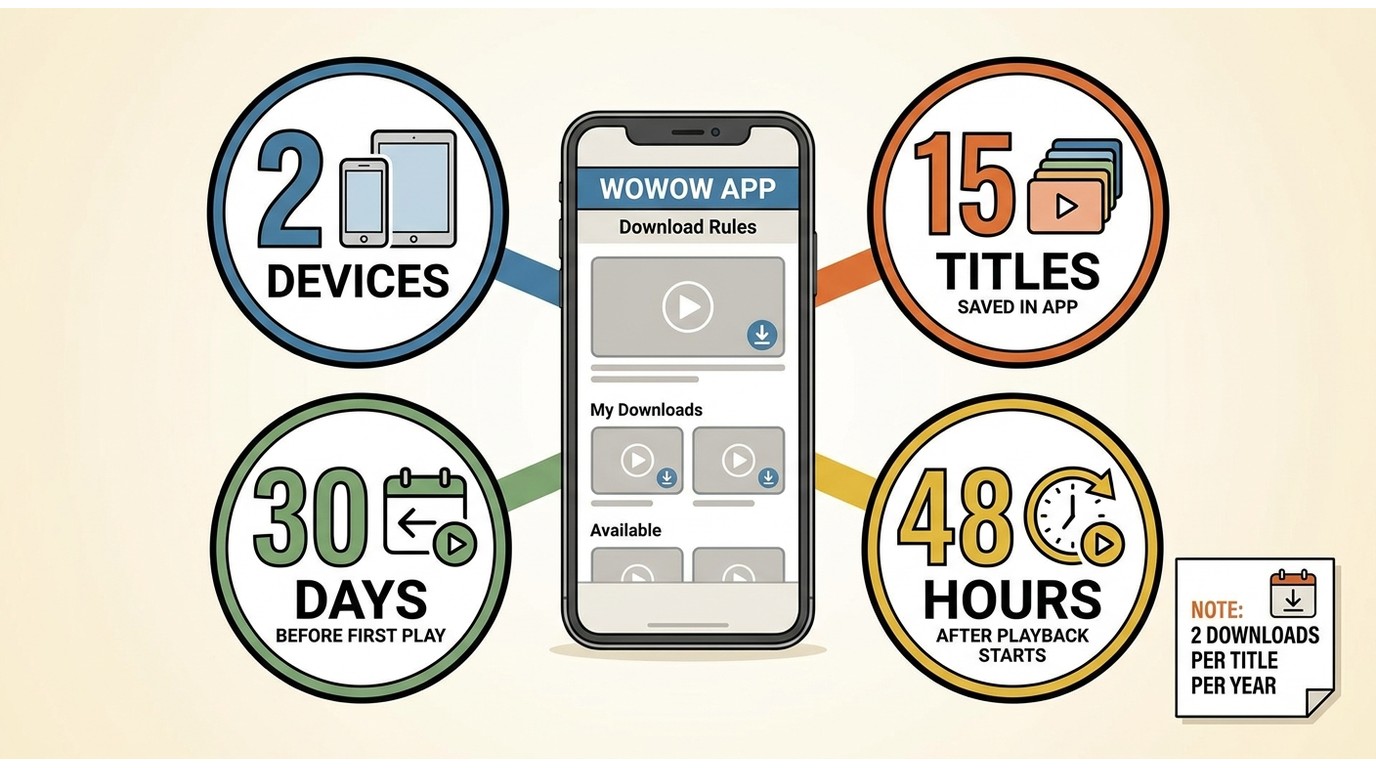
WOWOW allows downloads on up to two devices, with up to 15 saved titles. A downloaded title can remain unplayed for 30 days; once offline playback begins, it expires after 48 hours. Each program can be downloaded up to two times per year.
When a Title Cannot Be Downloaded
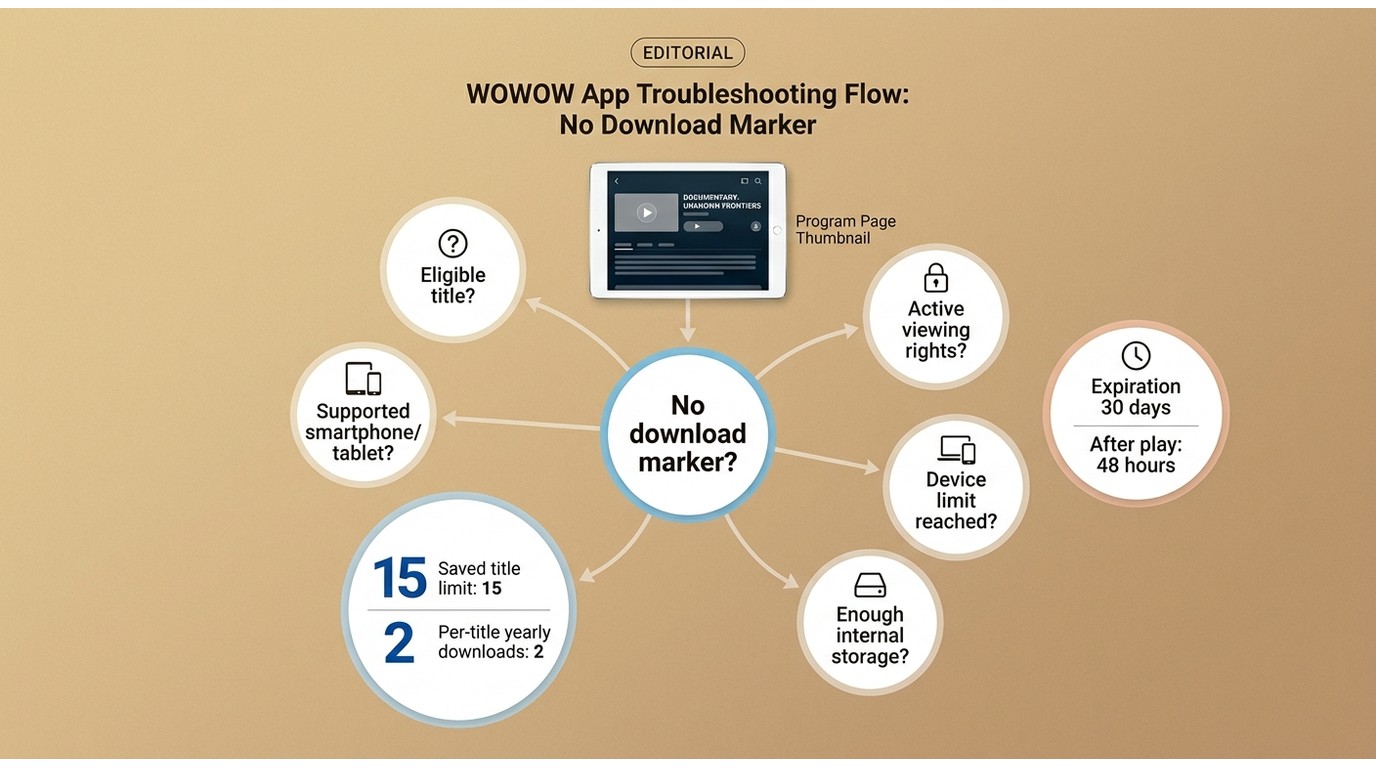
If the download marker is missing, first check whether the title is eligible, the device is supported, internal storage is available, and your viewing rights are active. You may also have reached a device, saved-title, or yearly title limit. These checks explain many WOWOW download troubleshooting cases without treating the missing option as a universal service failure.
BBFly for PC Offline Viewing
Who BBFly Fits
BBFly is a desktop alternative for Windows or Mac users who specifically need a local-file workflow and are authorized to access the content, where permitted by platform terms and applicable law. It is not the first choice for readers whose eligible WOWOW titles already download in the official mobile app. For personal offline viewing, BBFly can save supported titles as MP4 or MKV, at up to 720p with H.264 video and AAC 2.0 audio, with audio-language and subtitle selection available.
Other services have their own rules and workflows, including Nico Nico Douga and TELESA.
Three-Step Desktop Workflow
For a title you are authorized to access, use this short workflow:
Step 1: Install BBFly WOWOW Downloader on your Windows or Mac computer, then sign in with an active WOWOW account that has access to the title.
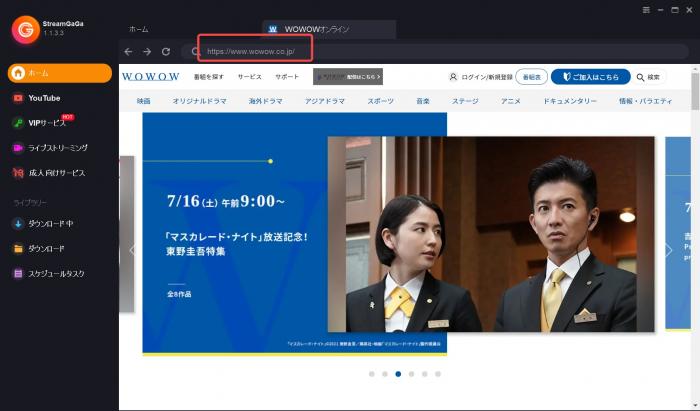
Step 2: Open WOWOW in BBFly's built-in browser, sign in, and navigate to the program you want to watch offline.
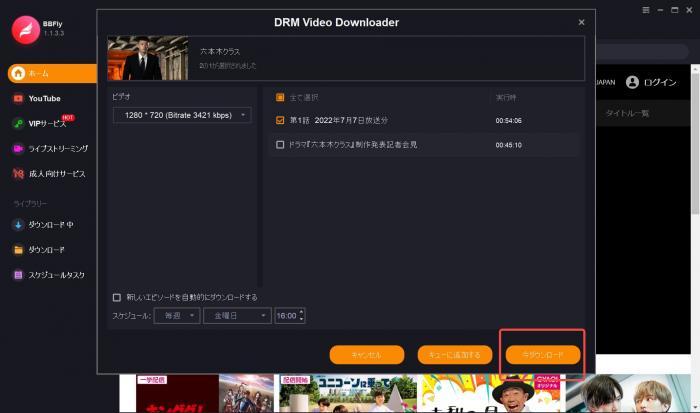
Step 3: Start playback, select the available output options, and begin the download when the download panel appears.

Compatibility and Personal-Use Boundaries
Third-party workflows can stop working after platform-side Widevine or CDM changes. Keep the software current and try one short download before building a long queue. I treat claims of universal reliability with caution; streaming platforms change their playback systems often enough to make that promise unconvincing.
Use this route only for content you are authorized to access and only for personal offline viewing where permitted by platform terms and applicable law. If the official app supports the title and your mobile device, that remains the simpler option.
WOWOW Offline Viewing FAQ
Does watching a fully downloaded WOWOW program use mobile data?
Offline playback does not transfer the full program again. The initial download uses data, so downloading over Wi-Fi is the practical choice when mobile data is limited. The app may still need connectivity for account or viewing-rights checks.
Why is the download option missing for a WOWOW title?
Not every title is eligible. Check title availability, device support, internal storage, active viewing rights, and whether you have reached a device, saved-title, or yearly download limit.
Can I save WOWOW downloads to an SD card?
Official WOWOW downloads use internal storage. Plan your available device space accordingly instead of assuming that removable storage will work.
Can I watch WOWOW offline on a laptop or TV?
The official download feature is for eligible smartphones and tablets, not a laptop or TV offline file. Casting and streaming are different from true offline viewing. A desktop workflow may fit authorized personal use where permitted, but it is not guaranteed to remain compatible.