
2 Ways to Download DAZN Videos in 2026
Table of Contents
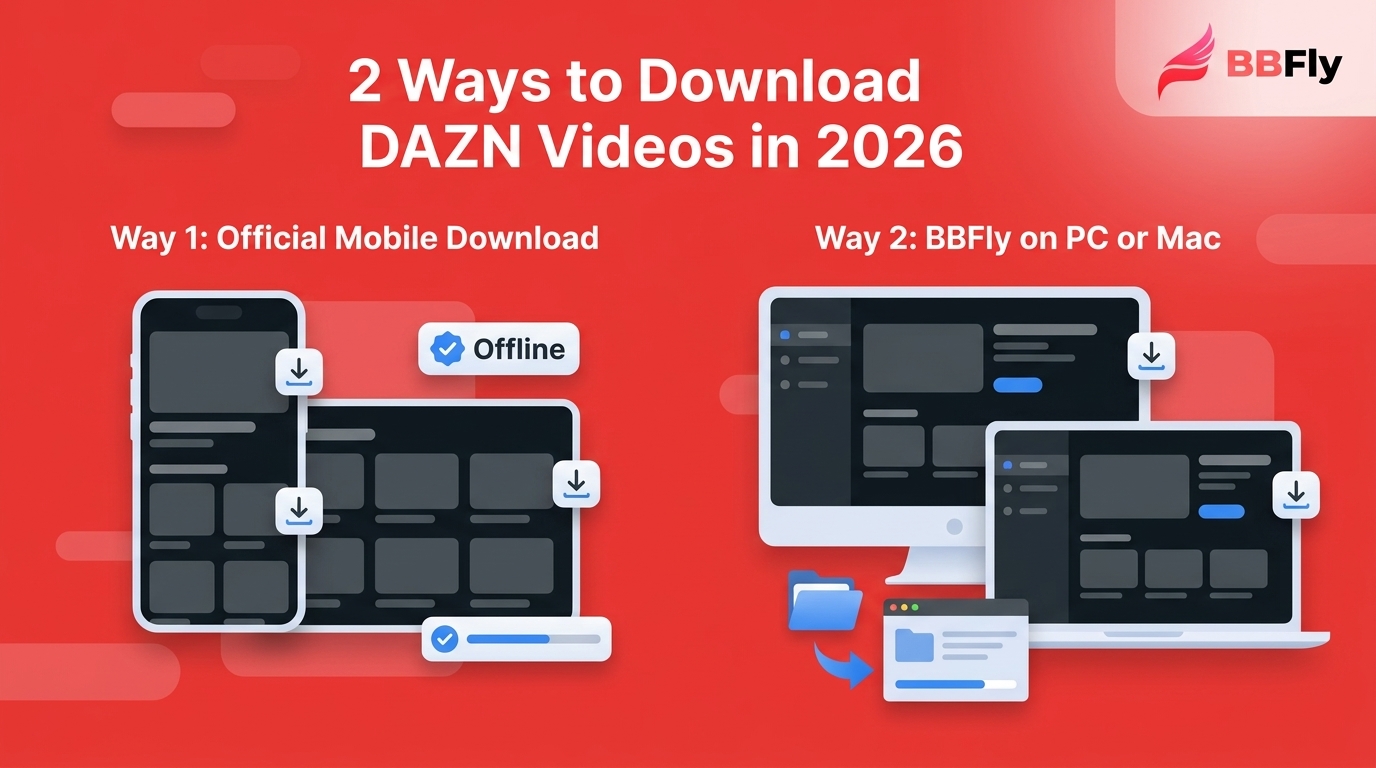
If you are searching how to download DAZN videos, the confusing part is that the download button can appear for some games and disappear for others. DAZN offline downloads follow two paths: limited official mobile downloads for eligible content, or an authorized desktop local-file workflow when mobile playback does not fit.
My decision rule is simple: use the official mobile feature when your title and device qualify. Consider a desktop option when you need DAZN download PC support, a standard file, or a viewing setup outside the mobile app.
Can You Download DAZN Videos Offline?
Yes, but not for every stream or device. DAZN supports limited official offline downloads for eligible NFL Game Pass content on iOS and Android, while many other events and PC or Mac viewing situations have no equivalent download control.
The important distinction is not merely whether DAZN has a download feature. It is whether your subscription, region, selected event, and mobile app meet the eligibility conditions. That conditional answer is more useful than the old blanket claim that DAZN offers no offline option.

DAZN Official Download Eligibility in the US
DAZN mobile downloads in the United States are a narrow, app-bound feature. Eligible NFL Game Pass titles may be downloaded on supported iOS and Android devices, but content rights and account entitlement determine whether the control appears.
Eligible Content and Mobile Devices
The documented workflow applies to eligible NFL Game Pass content in the DAZN iOS or Android app. A subscriber may still see no control on a live event, a rights-restricted title, or content outside that eligible catalog.
- Open the current DAZN app on an iPhone, iPad, or Android phone or tablet.
- Sign in with the account that holds the relevant entitlement.
- Open an eligible game or replay and look for the download control.
- Choose the available quality setting, complete the download, and test playback before going offline.
If I see the control and the mobile app suits the trip, I stop there. Installing another application would add work without improving the immediate result.
Expiration, Rights, and Travel Limits
Official downloads remain inside the DAZN app and are documented to expire after 30 days. Regional rights, account checks, and the title's availability can also affect access, so a completed download is not the same as a freely movable video file.
I have learned not to treat an app badge as a travel plan. Finish the download on a stable connection and play the opening minute before departure; discovering an entitlement problem at boarding is a particularly dull form of sports commentary.
Fix Missing or Low-Quality DAZN Downloads
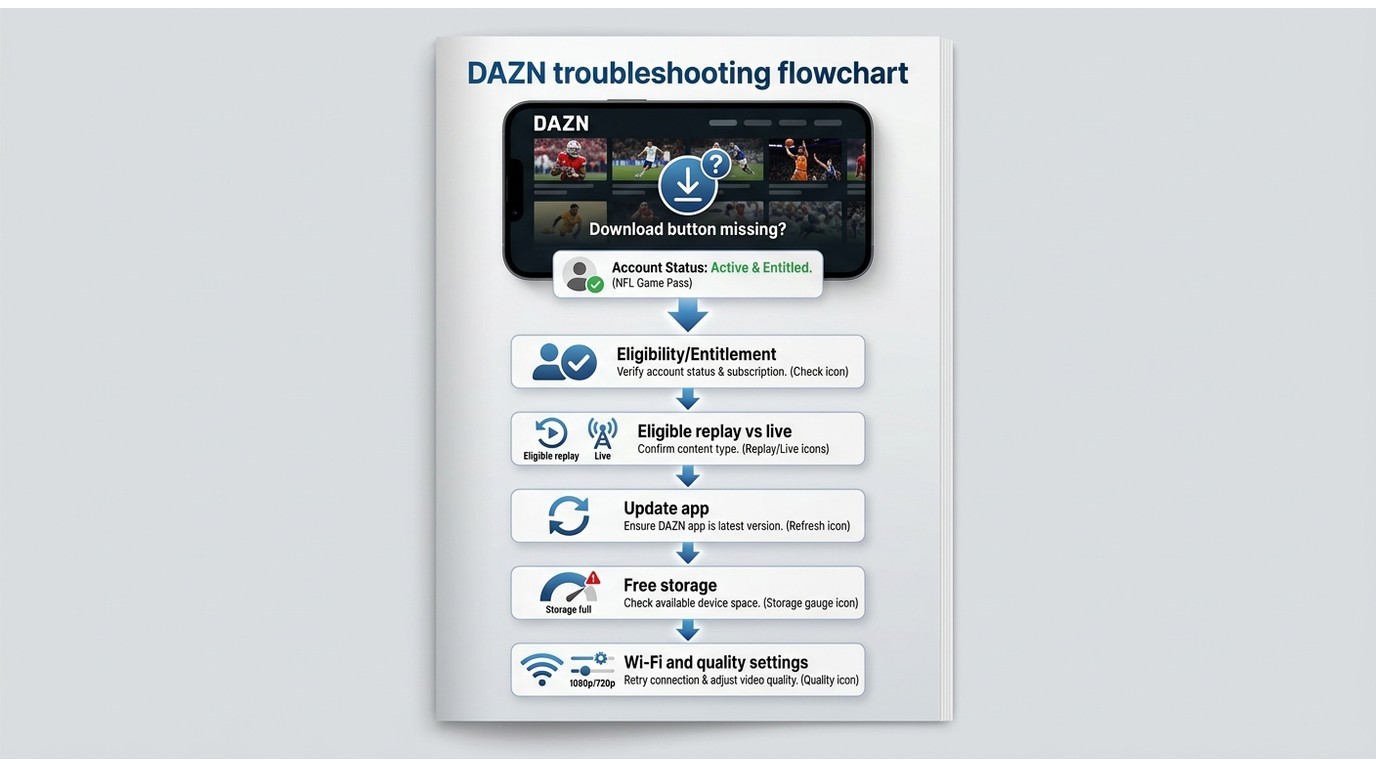
A DAZN download button missing from the app usually points to entitlement, content eligibility, app state, storage, or quality settings. Check those causes in order before assuming the feature has disappeared from your account.
Check Entitlement and Content Eligibility
- Confirm that the signed-in account includes the eligible content you opened.
- Try an eligible replay rather than assuming a live stream has the same controls.
- Sign out, restart the app, and sign in again to clear a stale account state.
- Check whether an upgrade screen reflects a genuine plan requirement rather than repeatedly tapping through the same loop.
When several eligible titles show the same locked control, the account state deserves attention. When one title lacks it and another displays it, content rights are the more likely explanation. That distinction saves more time than reinstalling the app after every missing icon.
Check the App, Storage, and Quality
- Update DAZN through the device's app store.
- Confirm that the device has enough free storage for the selected game.
- Use Wi-Fi for the first attempt and keep the app active until the progress indicator completes.
- Review the available quality option before starting another download.
- Restart the device if a completed item will not open offline.
DAZN download quality is constrained by the settings and source offered in the app. If the official file is usable and your goal is a flight or commute, I would keep the simpler route. If the device, playback location, or file requirement does not fit, compare the desktop path below.
Official Downloads vs Local Files
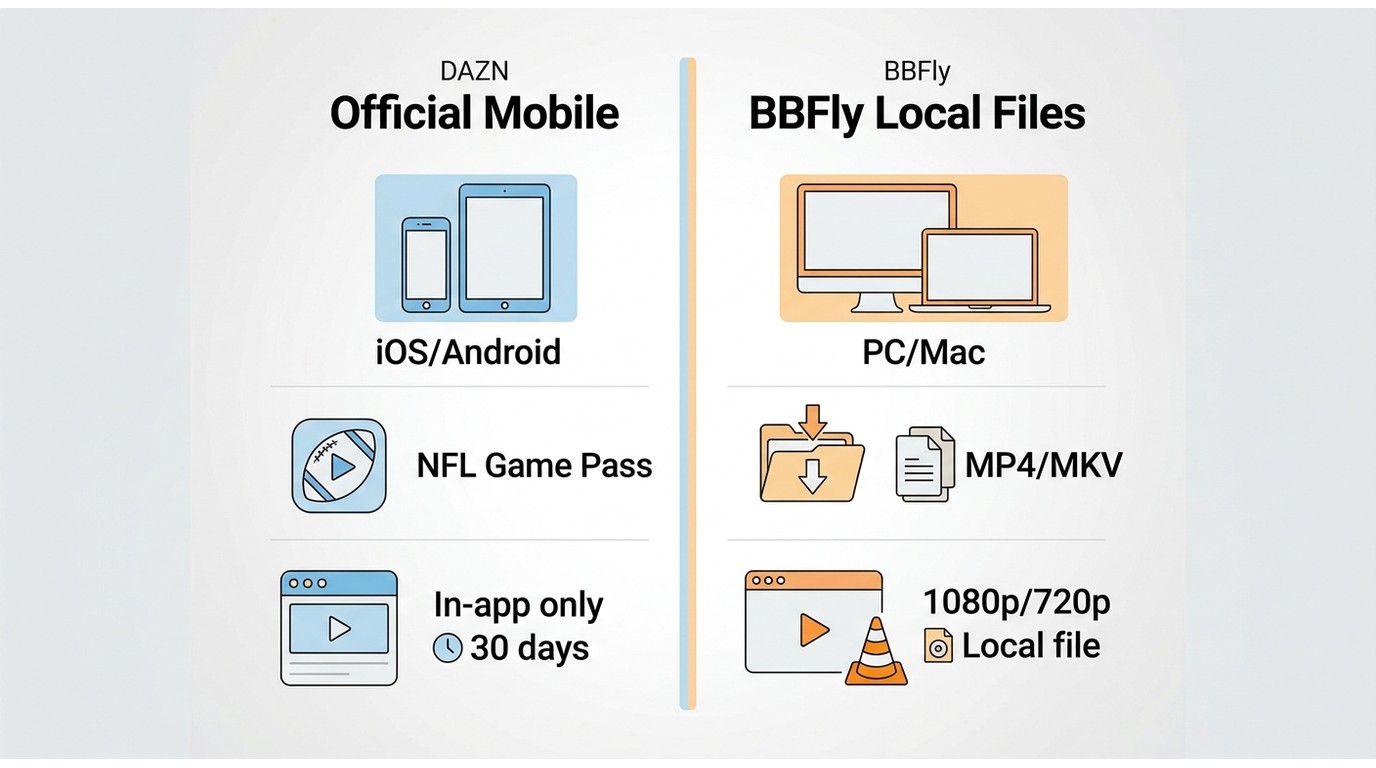
The practical difference is control. Official downloads are convenient but stay inside a supported mobile app; a desktop local-file workflow is meant for authorized PC or Mac viewing when a standard file better matches the device and playback need.
| Method | Best use case | Eligible content | Supported devices | Where playback occurs | Expiration or access limits | Output type | Quality controls | Offline travel fit | Key limitations |
|---|---|---|---|---|---|---|---|---|---|
| Official DAZN mobile downloads | Eligible games viewed on a phone or tablet | Eligible NFL Game Pass content, subject to rights and entitlement | Supported iOS and Android devices | Inside the DAZN app | Documented 30-day expiration plus account and rights conditions | App-bound download | Options presented by the app | Good when the download is completed and tested before travel | No direct PC, Mac, smart-TV file, or cross-device transfer workflow |
| BBFly desktop local-file workflow | Authorized offline viewing on a Windows or Mac computer | Content the user is authorized to access, where the workflow is permitted | Windows and Mac | A compatible local player and chosen storage location | Requires valid source access during the download workflow; personal-use boundaries still apply | MP4 or MKV | Verified options up to 1080p or 720p, subject to the source | Useful when a laptop or managed local file is the intended setup | Additional software and setup; unnecessary when the official mobile option already fits |
My practical takeaway: convenience favors the official app, while file control favors the desktop route. Neither method is a universal answer, and the device you will actually carry should decide more than a feature checklist.
BBFly DAZN Features to Verify
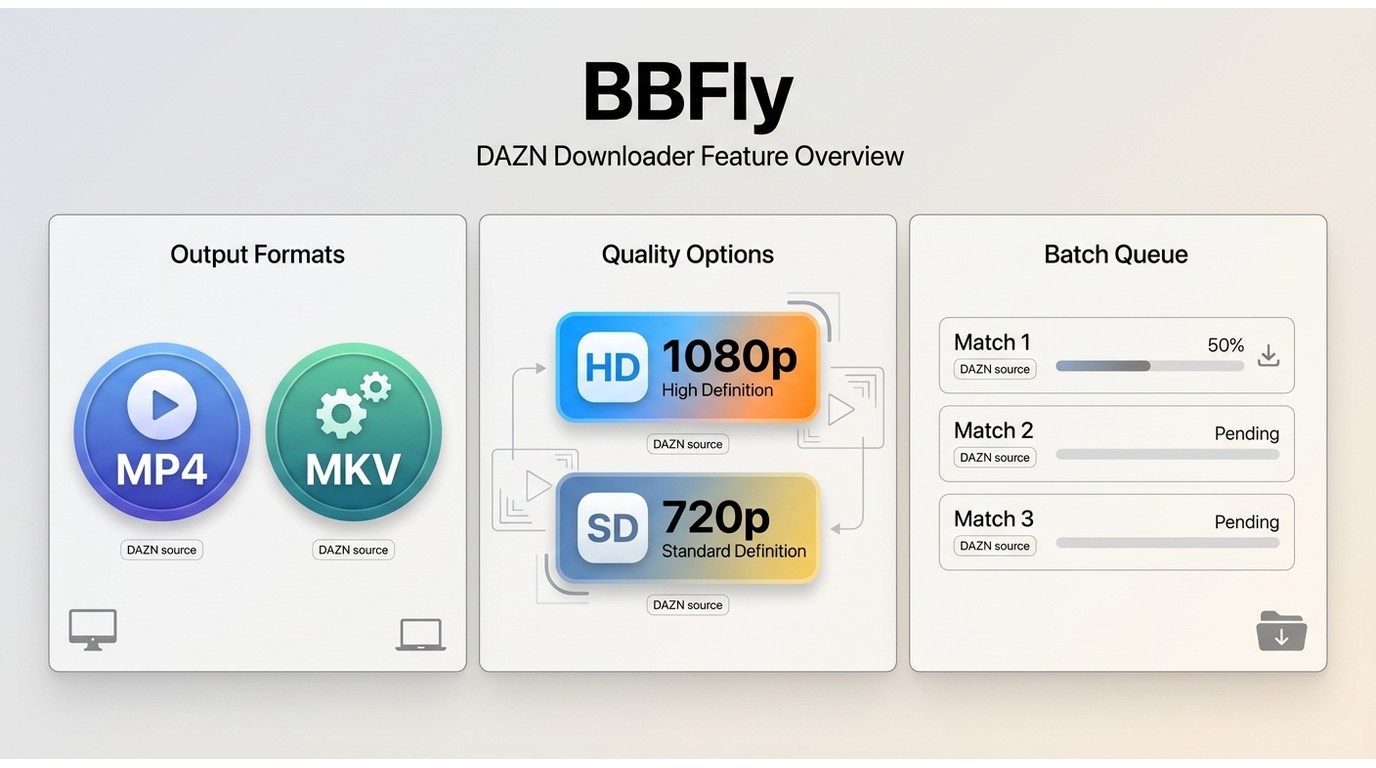
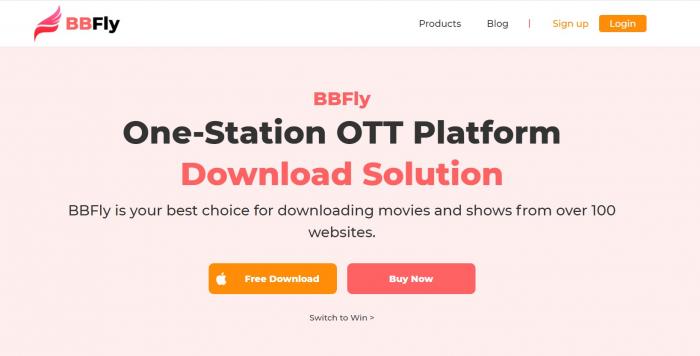
BBFly DAZN Downloader is a DAZN video downloader for Windows and Mac that saves authorized content as MP4 or MKV, offers verified output up to 1080p, and supports batch downloads. Those are the three capabilities that matter most for this task.
BBFly Downloader uses a native-download workflow rather than screen recording, so the process is not tied to real-time playback. Its verified DAZN profile uses H.264 video and AAC 2.0 audio, with metadata writing available for local organization.
Output, Quality, and Batch Options
- Output: MP4 or MKV files for a Windows or Mac workflow.
- DAZN download quality: verified choices include 1080p and 720p when the source makes them available.
- Batch downloads: multiple selected videos can be queued instead of handled one at a time.
On a Windows 11 PC with an SSD, BBFly cold-started in about three seconds during a May 2026 check. That observation is limited to that setup, but it indicates that opening the application itself is not the time-consuming part of the workflow.
People organizing videos from more than one service face similar file-management decisions when they download Mediaset Infinity videos. The useful comparison is still app-bound access versus a file you manage on the desktop, not the size of a product feature list.
Best Fit and Important Limits
Best fit: authorized PC or Mac offline viewing when DAZN mobile downloads are unavailable or do not suit the intended playback device. Not ideal for someone who already has an eligible app download and plans to watch it on the same phone or tablet.
BBFly's verified DAZN profile does not include subtitle download, selectable audio-track languages, or automatic tracking of newly released subscription events. Those limits matter more than generic marketing language, especially for multilingual viewing or season-long automation.
Download DAZN Videos with BBFly
For content you're authorized to access, where permitted by platform terms and applicable law, BBFly offers a local-file workflow for personal offline viewing when official downloads are unavailable. The process belongs on a computer, not inside the DAZN mobile download library.
Prepare Your Account and Computer
Confirm your valid DAZN access and install the correct Windows or Mac version before selecting a title. If the official mobile download already meets the need, this extra setup is not worthwhile.
- Install and open BBFly on the Windows or Mac computer that will store the video.
- Open DAZN within BBFly and sign in with the account authorized to view the selected content.
- Navigate to the eligible video, replay, or match you want for personal offline viewing.
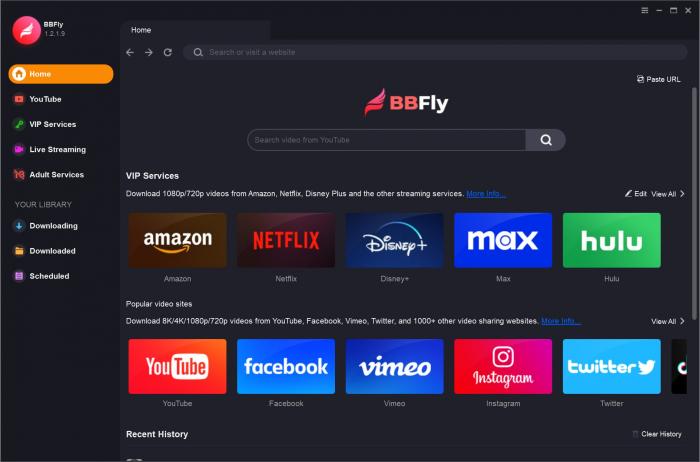
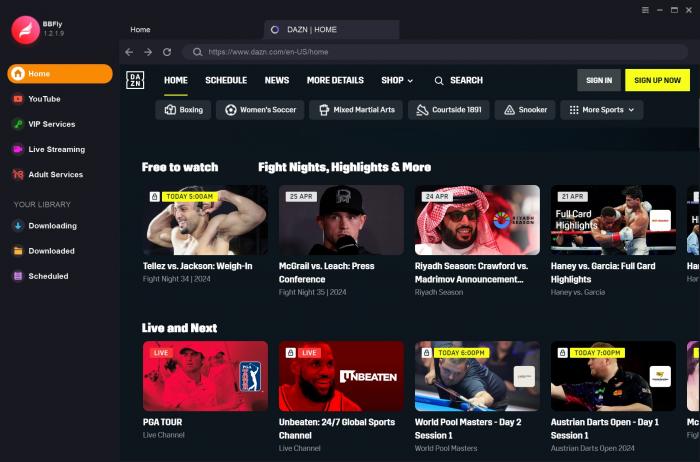
Choose the Video and Output
Let BBFly analyze the selected title, then choose a verified format, resolution, and destination. Test the resulting file before relying on it away from the network.
- Play the selected title so BBFly can identify the options available from the source.
- Choose MP4 or MKV, select an available 1080p or 720p setting, and set the destination folder.
- Add other authorized titles to the queue if batch downloading suits the trip or archive task.
- Start the download, open the completed file in a compatible player, and check picture and audio.
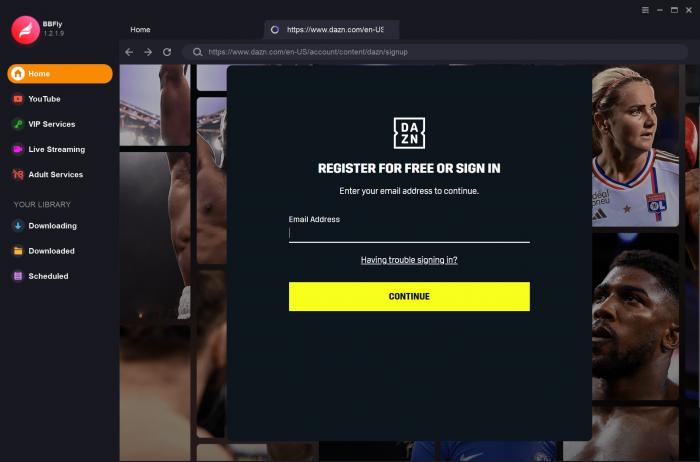
If analysis stalls, reopen the title after confirming that it plays normally in the signed-in session. A DAZN account or source-playback problem should be fixed before changing output settings.
The same destination-folder discipline helps when you download Vix videos: name the file clearly, test it, and confirm where it was saved before leaving the network.
Safe Personal Offline Viewing
Keep the workflow narrow: use a valid account, download content you are authorized to access, and limit the result to personal offline viewing where platform terms and applicable law permit it.
- Protect DAZN credentials and sign in through the expected application interface.
- Do not share, sell, upload, publicly screen, or redistribute downloaded sports coverage.
- Use a private storage location and remove files you no longer need.
- Keep account access active while obtaining content through the source service.
My line is straightforward: offline convenience does not change who owns the broadcast or what the subscription authorizes. A useful tool should make personal viewing easier, not turn a paid account into a distribution channel.
DAZN US Plans and Trial Status
DAZN US pricing affects entitlement, but paying for a plan does not make every title downloadable. As of July 2026, the US plans page lists the options below and does not display a free trial.
| US plan | Listed price | Billing structure |
|---|---|---|
| Monthly | $34.99 per month | Month-to-month billing |
| Annual contract | $24.99 per month | 12-month commitment billed monthly |
| Annual upfront | $249.99 upfront | One payment for the annual term |
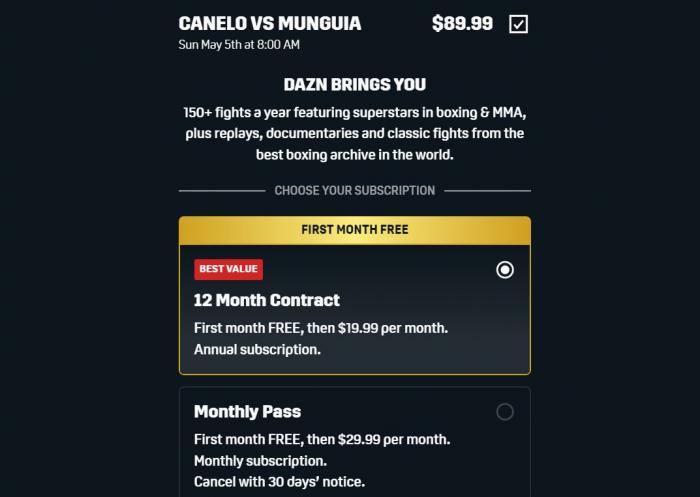
A plan establishes access to its included programming; download eligibility still depends on the title, mobile device, region, and rights. Treat pricing and the download control as related account questions, not as the same promise.
Choose the Right DAZN Offline Method
Choose official DAZN mobile downloads for eligible content when app-bound playback is sufficient. Choose BBFly as one practical desktop alternative for authorized content when the official option is unavailable or does not fit the computer, output, or storage need.
If I were packing only a phone for a flight, I would use the official route and test it first. If I needed a Windows or Mac file for a controlled personal setup, I would evaluate the desktop workflow. BBFly is not for readers who already have everything they need in the mobile app.
BBFly offers a 30-day trial that can process three full titles per supported platform, which is enough to evaluate a real workflow before choosing a paid plan. Keep the test focused on the DAZN title, format, and device you actually intend to use.
Local organization is also the reason some readers download movies from Archive.org, although that library has different access rules from a subscription sports service. In either case, clear filenames and tested playback prevent avoidable surprises.
DAZN Offline Download FAQ
These quick answers cover the device and travel questions that remain after choosing between the official mobile feature and a separate desktop workflow.
Can I download DAZN videos directly to a smart TV?
No documented official workflow saves DAZN videos as offline files on a smart TV. Installing the DAZN TV app enables streaming, while eligible official downloads are handled in supported iOS and Android apps. A computer-based file workflow is separate and depends on the TV's compatible playback options.
Can I watch a downloaded DAZN game on a flight?
An eligible, fully completed, unexpired mobile download may play offline in the DAZN app. I would open the title before departure, confirm that playback starts without a connection, and keep the device signed in. Rights, expiration, or an incomplete download can still block access.
Why does the DAZN app say I am offline?
Confirm that another app can reach the internet, restart DAZN, check the signed-in account, update the app, and verify free storage. If streaming works but a saved title does not, confirm that the download completed and remains within its access window.
Can I copy a DAZN mobile download to my PC?
No. Official DAZN mobile downloads remain inside the supported app and are not designed for direct transfer to a computer. A desktop local-file workflow is a separate process for authorized content where platform terms and applicable law permit it; it does not export the app's saved item.

Nora Whitfield
Nora goes deep on one broadcaster at a time, so you don't have to search twice.