
Can You Download Tubi Movies? 4 Offline Options Compared
Table of Contents
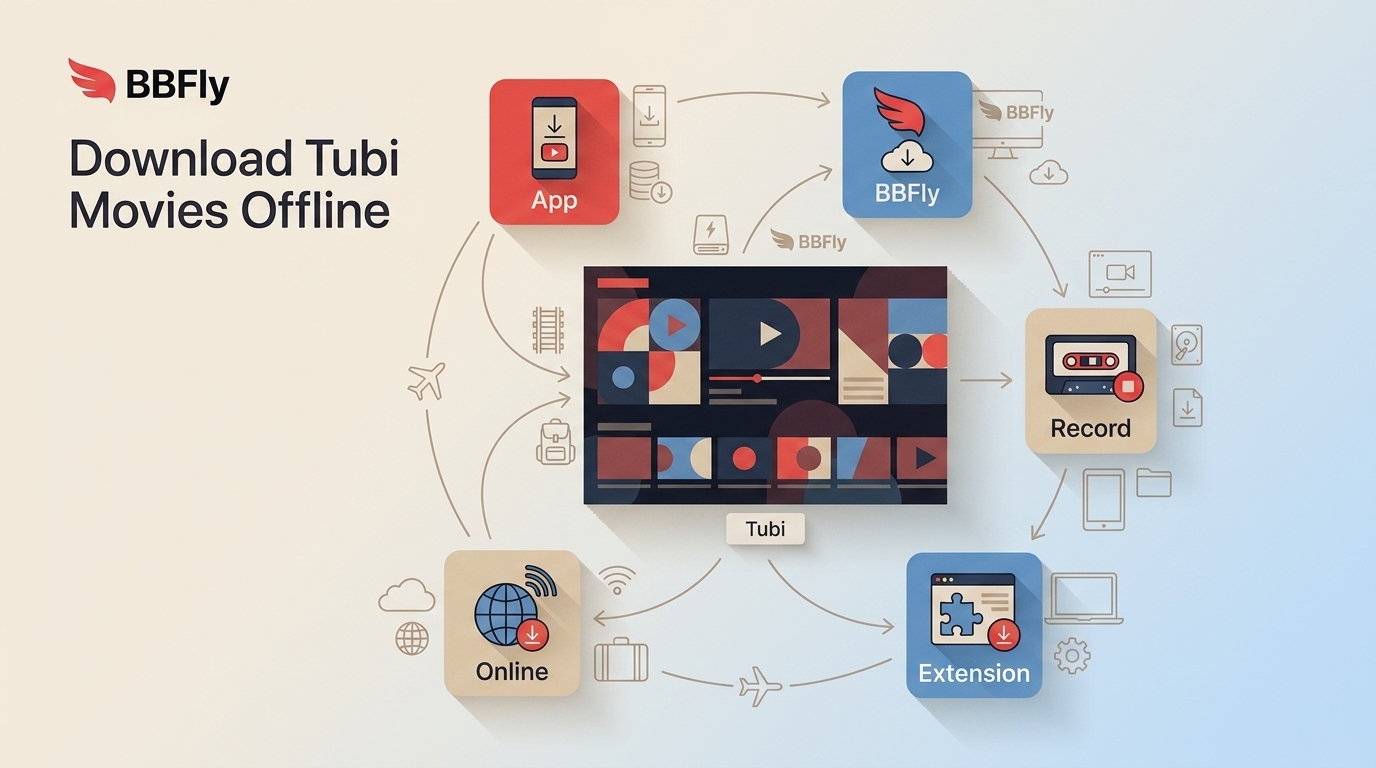
If you are looking for a Tubi download button before a flight or a trip, the key limitation is simple: Tubi does not include a built-in movie download mode for offline viewing. To download Tubi movies, you need to compare a separate desktop, recording, extension, or online workflow.
Tubi is free and ad-supported, but free streaming is not the same thing as Tubi offline mode. If you need a film when Wi-Fi is unavailable, the useful question is not where to find an app menu, but which method fits your device, privacy comfort level, and tolerance for setup.
Can You Download Tubi Movies Offline?
Downloading the Tubi app is not the same as downloading a Tubi movie. Tubi does not provide a built-in option to download movies or shows in its app for offline viewing, so its mobile and TV apps are for connected streaming rather than a flight-ready library.
This is the distinction that saves readers the most time. I would not spend an afternoon searching Tubi settings for an offline switch that is not there; instead, decide whether connected streaming is enough or whether a separate local-copy workflow is appropriate for your authorized personal viewing.

Why Tubi Downloads Need Another Method
Tubi is an ad-supported streaming service, and ad frequency can vary by title, session, device, and market. More importantly for offline viewing, streaming still depends on an active connection.
That is why some viewers look for another method before travel or when home internet is unreliable. Free streaming is useful, but it does not solve offline access. In my view, recording a title just to avoid a weak connection is often more trouble than choosing the right workflow at the outset.
Tubi Download Options Compared
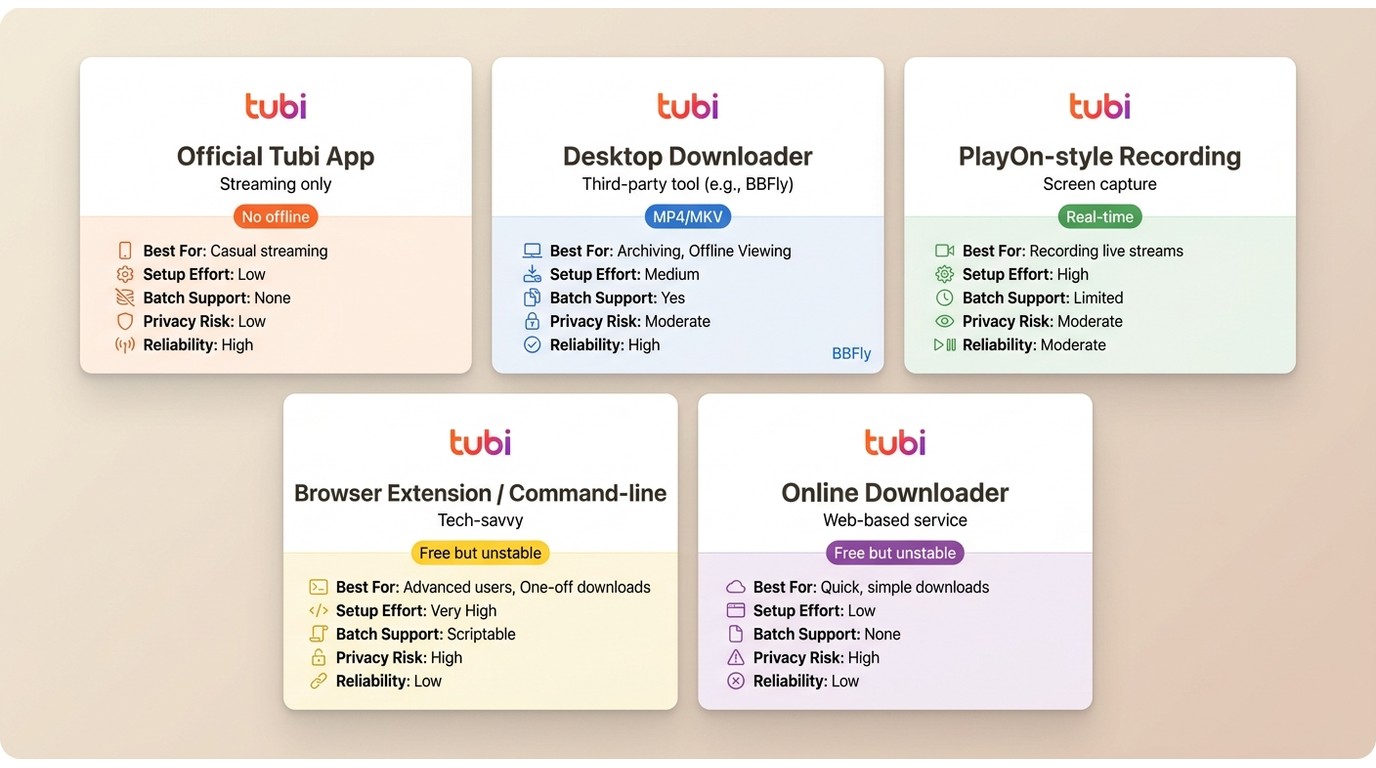
There is no single Tubi downloader that suits everyone. The practical trade-off is between convenience, output control, setup time, privacy exposure, and how consistently a method works when Tubi changes its delivery setup.
| Method | Official offline support | Best for | Not ideal for | Setup and quality control | Batch support | Reliability and privacy exposure | Cost model |
|---|---|---|---|---|---|---|---|
| Official Tubi app | No movie-download option | Simple connected streaming on supported devices | Flights or other offline viewing | Minimal setup; streaming quality is app-managed | No offline batch workflow | Uses the official app; requires connectivity | Free with ads |
| Desktop downloader | Separate local-copy workflow | Readers who want structured desktop output controls | Anyone who does not want desktop software | Moderate setup; output settings can be selected | Available in some desktop tools | More transparent when the software and sign-in flow are established | Usually paid or trial-based |
| PlayOn-style recording | No official Tubi offline mode | Users comfortable with real-time capture | People who need a faster, file-focused workflow | More hands-on; recording is limited by playback time | Varies by tool | Reliability can vary with playback and service changes | Paid software |
| Browser extension or command-line method | No official support | Experienced users who understand setup and maintenance | Readers who want a simple supported process | Higher setup effort; output control varies | Varies by method | Compatibility can change quickly; verify packages carefully | Often free |
| Online downloader | No official support | Low-commitment experiments with non-sensitive use | Account sign-in, privacy-sensitive, or reliability-focused use | Low setup; limited control over file handling | Usually limited | Greater caution is needed with anonymous forms and unclear policies | Free or ad-supported |
For most people, the official app is the sensible choice when they will stay online. A dedicated desktop Tubi video downloader is more appropriate when a controlled local-file workflow matters, while recording and free tools make more sense for readers who accept extra time or uncertainty.
Official Tubi App
Tubi is available on many mobile and TV devices, but app availability is separate from offline movie-download support. On both Android and iPhone, the official app streams Tubi titles but does not add an offline movie-download button. That makes it a good fit for connected viewing, not for loading a movie before boarding a plane.
Desktop Downloaders
A desktop downloader can be a practical middle ground for authorized personal offline viewing because it gives you a defined app, output settings, and a local-file workflow. It is best for people who value repeatable steps and file organization; it is not ideal if you need a built-in Tubi mobile download button or prefer not to install software.

Use a desktop workflow only with content you are authorized to access and where permitted by platform terms and applicable law. A familiar in-app browser or official site session is easier to evaluate than an anonymous form asking for credentials, although paid software is not automatically reliable.
Recording, Extensions, and Online Tools
PlayOn-style recording can suit viewers who accept real-time capture, but it is less attractive when speed and output control matter. Browser extensions, command-line methods, and a Tubi downloader online may appeal because they are often free, yet they require more technical judgment and can stop working after delivery changes.
I would not make an unknown free Tubi downloader my first choice for an account-based workflow. Do not install unverified browser packages or enter Tubi credentials into an unfamiliar web form. “Free” describes the price, not necessarily the privacy practices, output quality, or long-term reliability.
Download Tubi Movies with BBFly
For content you are authorized to access, where permitted by platform terms and applicable law, BBFly Tubi Downloader is a desktop alternative for saving a local copy for personal offline viewing. It is a better fit for readers who want a structured Windows or Mac workflow than for anyone looking for an official in-app Tubi download feature.

BBFly Output and Workflow Specs
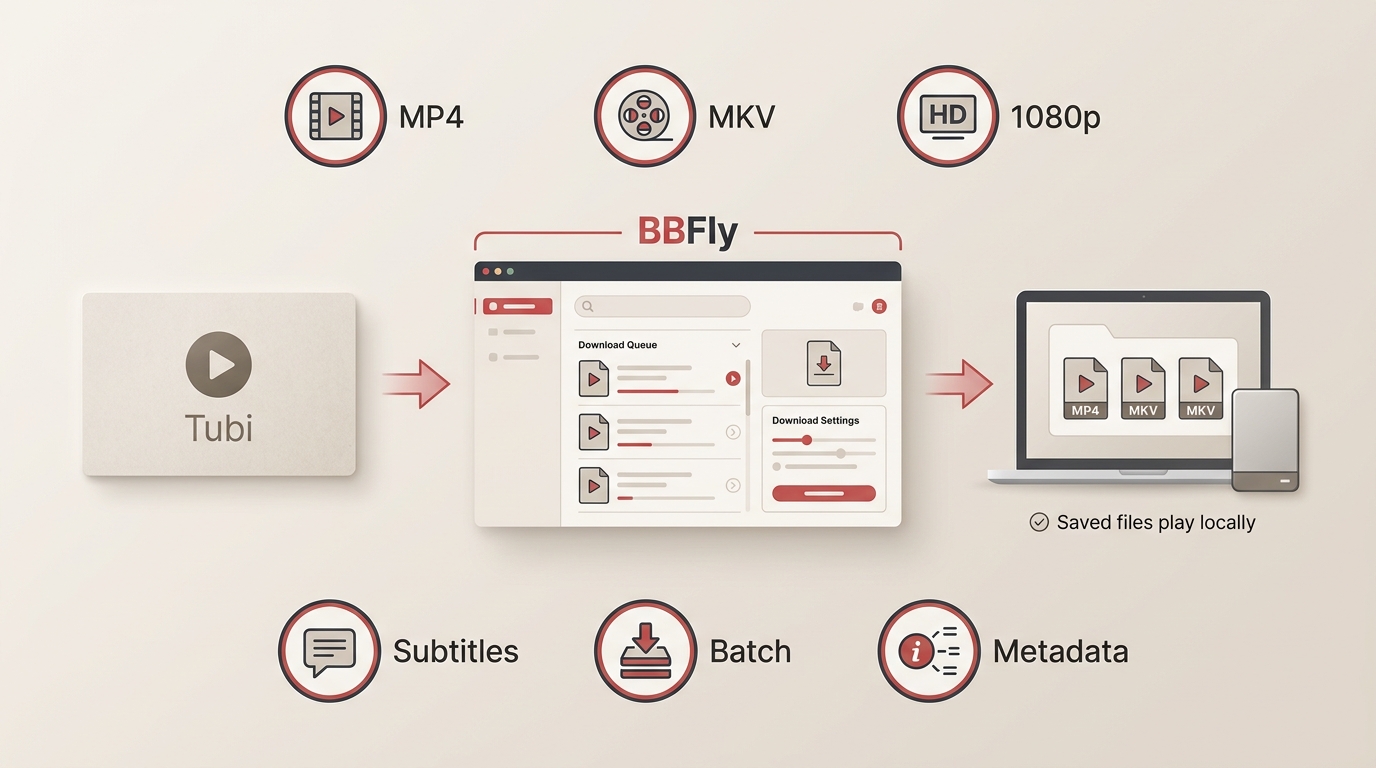
BBFly Tubi Downloader is a desktop app for Windows and Mac that can save supported Tubi titles as MP4 or MKV files, with up to 1080p output, H.264 or H.265 video, AAC 2.0 audio, selectable audio languages, and downloadable subtitles.
- Workflow controls: batch downloads, episode subscriptions, and metadata writing are supported.
- Viewing benefit: the workflow removes ads from the saved output and avoids the quality loss associated with re-recording and re-encoding.
- Trial: during the 30-day trial, each supported platform allows three full-title downloads.
Download time varies by title length, network conditions, current compatibility, and selected settings. BBFly is best for readers who want a desktop local-file workflow across supported services, not for those who need a built-in Tubi mobile download button or do not want desktop software.
Four Steps in BBFly
Before you start: Use a Windows or Mac computer, install BBFly Tubi Downloader, make sure you can access the title through Tubi, and confirm that the workflow is permitted for your authorized personal offline viewing.
Step 1: Install and open BBFly Tubi Downloader.
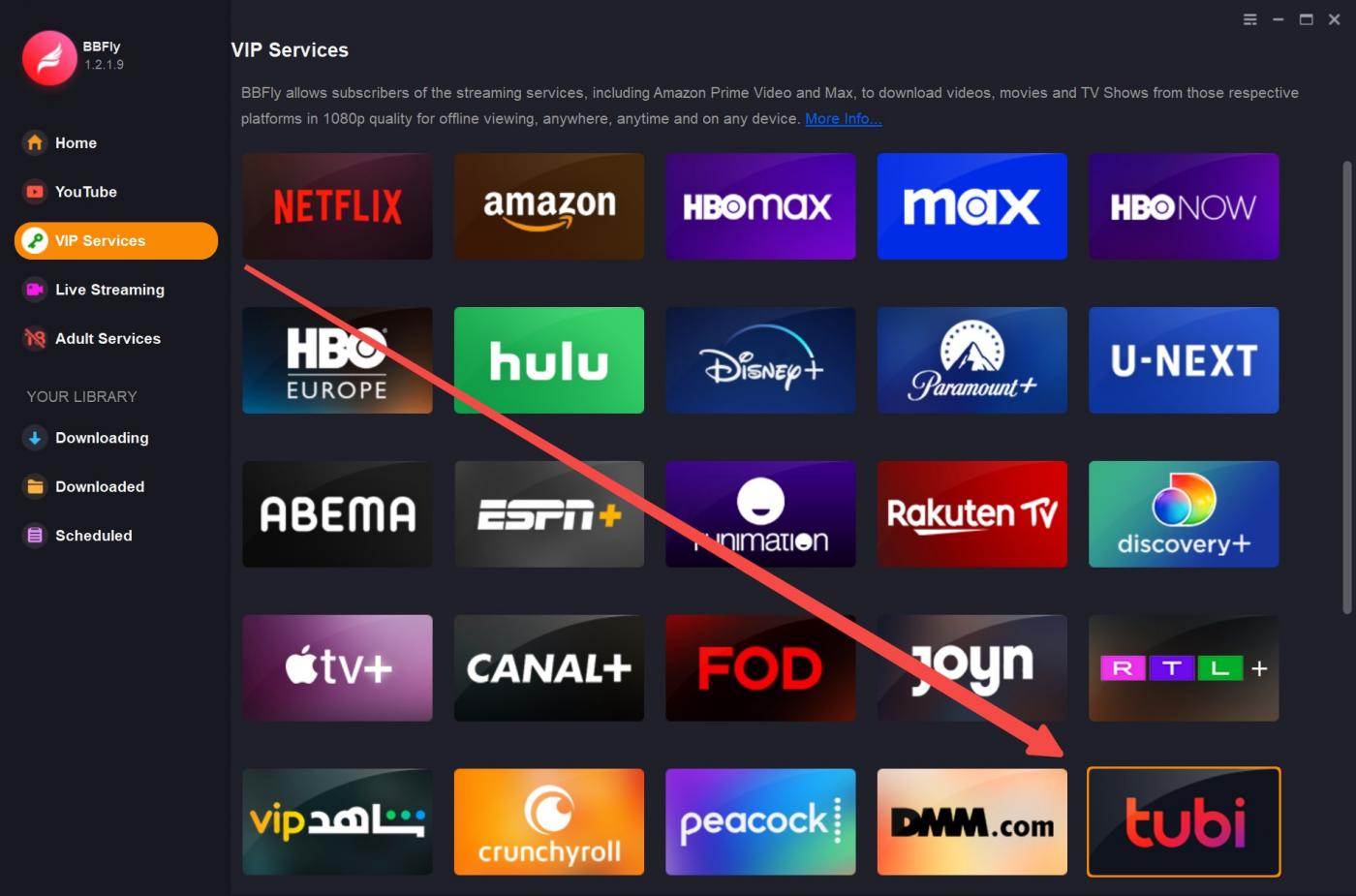
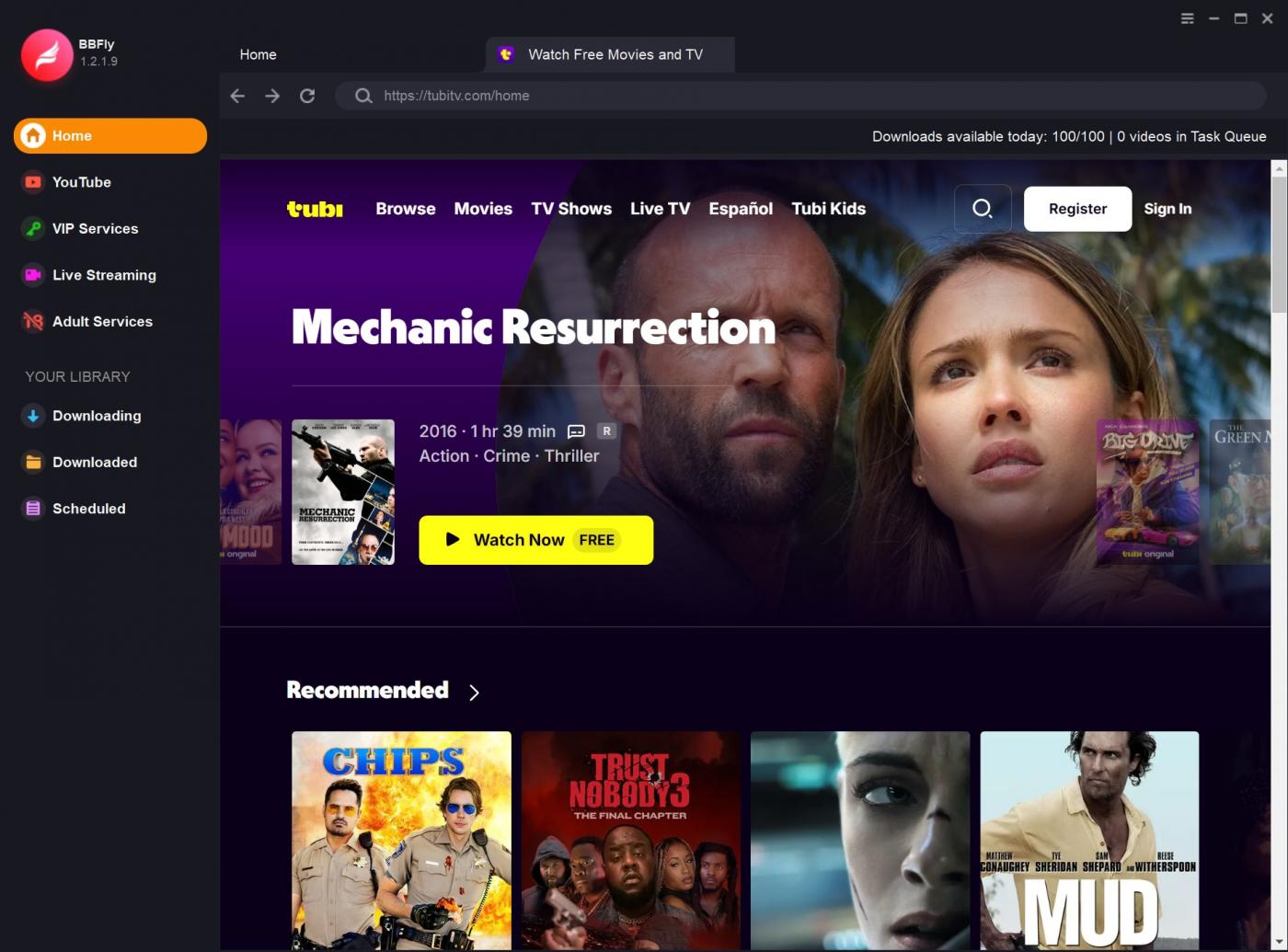
Step 2: Select “Tubi” from “VIP Services.”
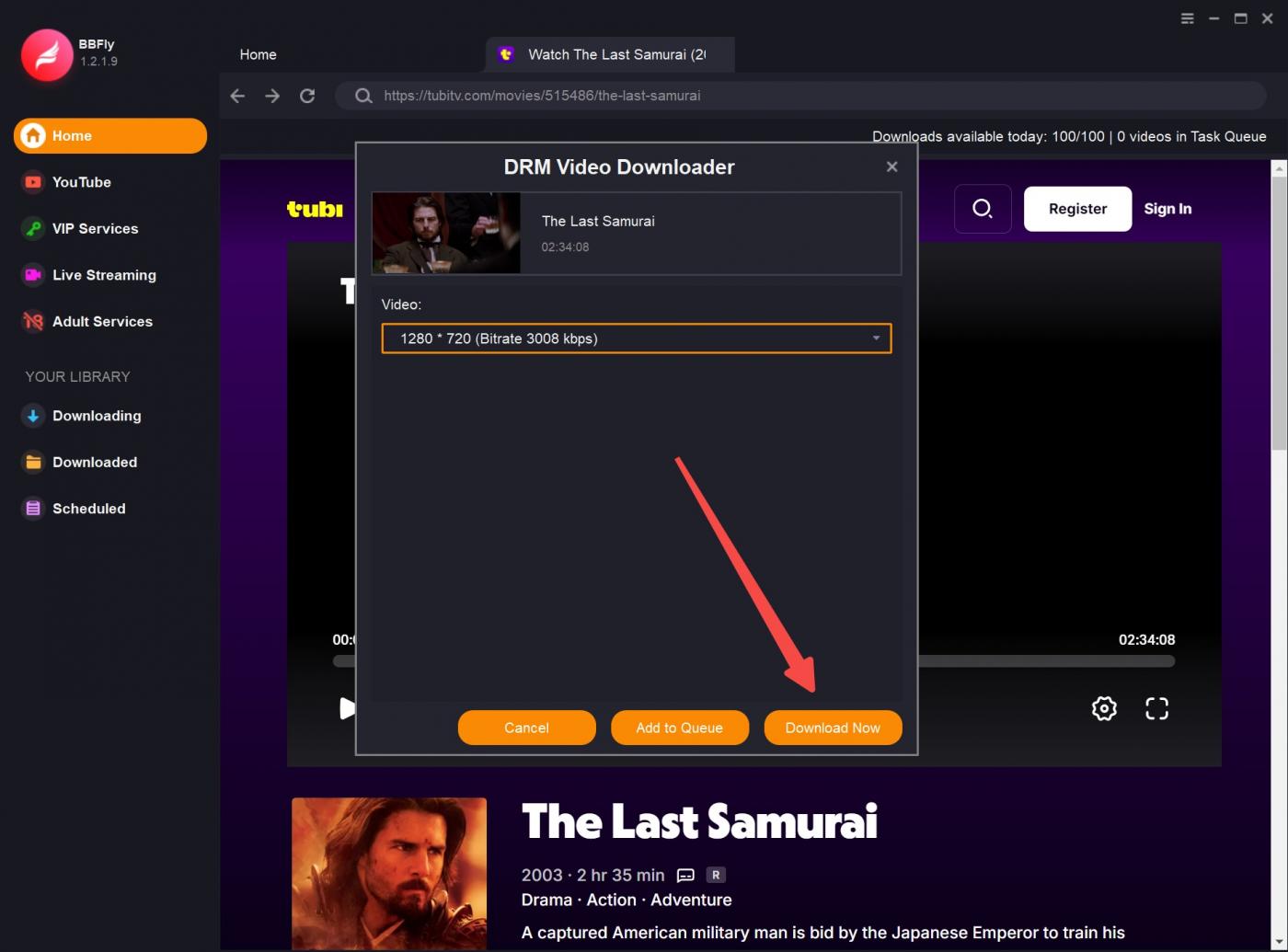
Step 3: Find the movie or show you want to download. After BBFly analyzes the title, review the available resolution, audio-language, subtitle, and MP4 or MKV output choices before continuing.
Step 4: Click the download button. When the task finishes, open the saved file locally and confirm that video, audio, and selected subtitles play as expected. If analysis stalls or the output is unusable, follow the troubleshooting steps below.
Tubi Download Safety and Troubleshooting
Personal-Use and Account Safety
Keep any offline workflow limited to content you are authorized to access and to personal viewing where permitted by platform terms and applicable law. Avoid services that ask for Tubi credentials in an unknown web form, and do not install browser extensions with unclear publishers, privacy policies, or update histories.
A transparent desktop workflow is generally easier to assess than an anonymous web tool because you can evaluate the software, its settings, and its support path. That is a practical preference, not a guarantee: paid tools can also have compatibility or privacy shortcomings.
Black Screens, Scrambled Video, and Stalls
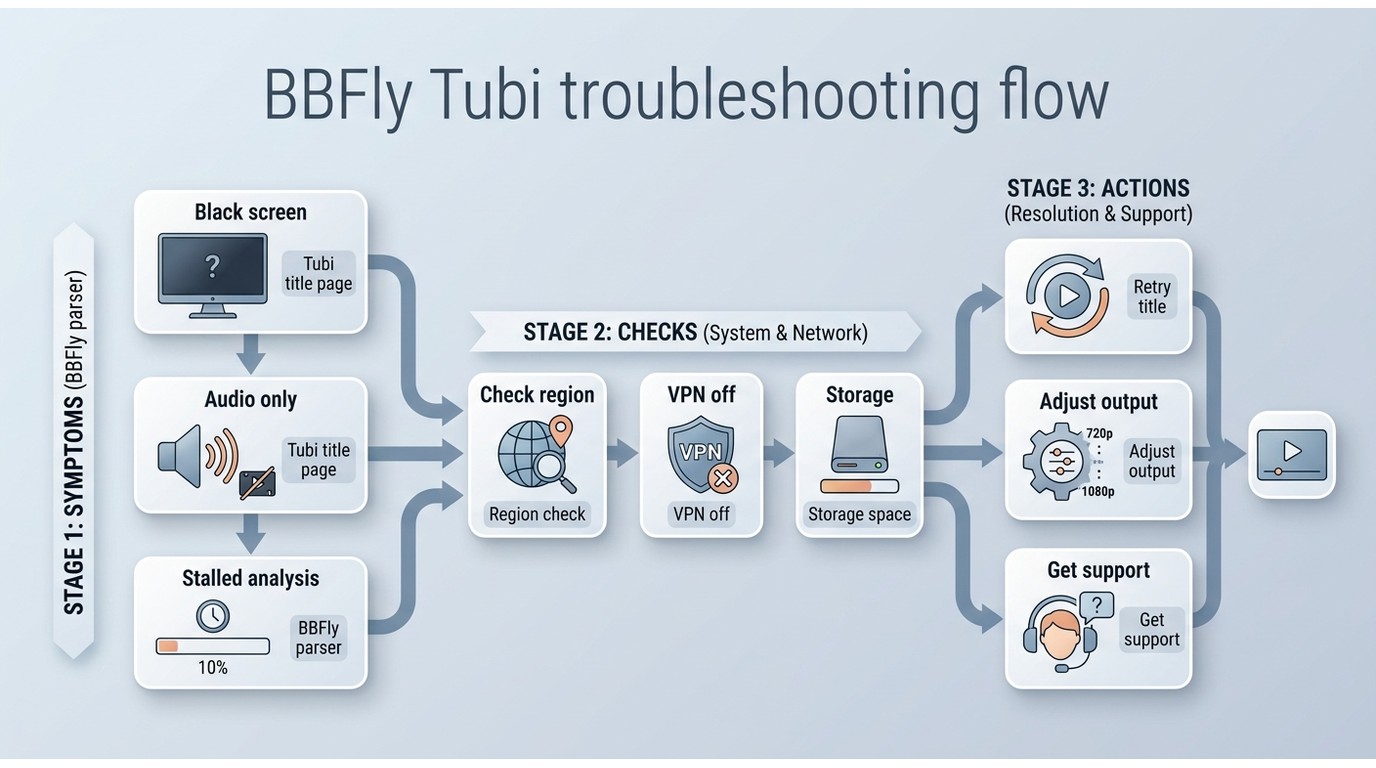
A detected stream does not guarantee a usable file. Black, green, scrambled, or audio-only output, as well as analysis or download stalls, can result from unsupported protection, delivery changes, parser incompatibility, regional or VPN conditions, an outdated app, a temporary service issue, or insufficient storage.
- Update the downloader, then restart it and retry the title.
- Retry without a VPN when appropriate, and confirm that the title is available in your region.
- Test another Tubi title to determine whether the problem is title-specific.
- Check output settings and available storage before starting again.
- If the problem continues, contact the tool's support with the title, symptom, and app version.
Choose the Right Tubi Download Method
Choose the official Tubi app if connected streaming is all you need. Choose a dedicated desktop tool such as BBFly if you prioritize a structured local-copy workflow for authorized personal offline viewing. Recording is reasonable if you accept real-time capture, while extensions and online tools are better reserved for readers who are comfortable with more setup and reliability uncertainty.
If I were choosing for a trip, I would prioritize the method I can inspect, update, and troubleshoot before leaving home. BBFly suits Windows and Mac users who want file-format and subtitle controls in a desktop workflow; it is not the right path for someone who wants Tubi itself to provide offline downloads inside its mobile app.
FAQ
Can I put a Tubi movie on my phone for a flight?
The Tubi app does not offer a built-in offline movie download for flights. If you create a compatible local file through an authorized desktop workflow, whether it can be transferred and played on a phone depends on the file format, available storage, and the mobile player's support.
Do I need to enter my Tubi password into a downloader?
Do not enter Tubi credentials into an unknown online form. Prefer a workflow that uses an established in-app browser or an official site session, and avoid tools that do not clearly explain their privacy practices or support process.
Can I save an entire Tubi season at once?
BBFly supports batch downloads and episode subscriptions, which can reduce repetitive setup for a series. Availability still depends on the titles offered through Tubi and the software's current compatibility with them.
Are free online Tubi downloaders worth using?
They can be worth considering when cost matters more than control, but assess the trade-offs first. Free online tools may bring ads, limited output options, inconsistent results, and more privacy exposure, especially if they request account details or software installation.