
Best EPORNER Downloader in 2026: BBFly, MyStream & Free Alternatives Compared
Table of Contents
After testing five tools for saving videos from EPORNER locally, I found a clear split: two desktop apps that do the job reliably, and three browser-based options that work for occasional single downloads but show their limits fast. EPORNER is a free HD adult video platform hosting over 1.5 million videos across amateur and professional categories. This guide reviews the best desktop and web-based downloaders for saving EPORNER videos locally for personal offline viewing — for content you are authorized to access, where permitted by platform terms and applicable law.
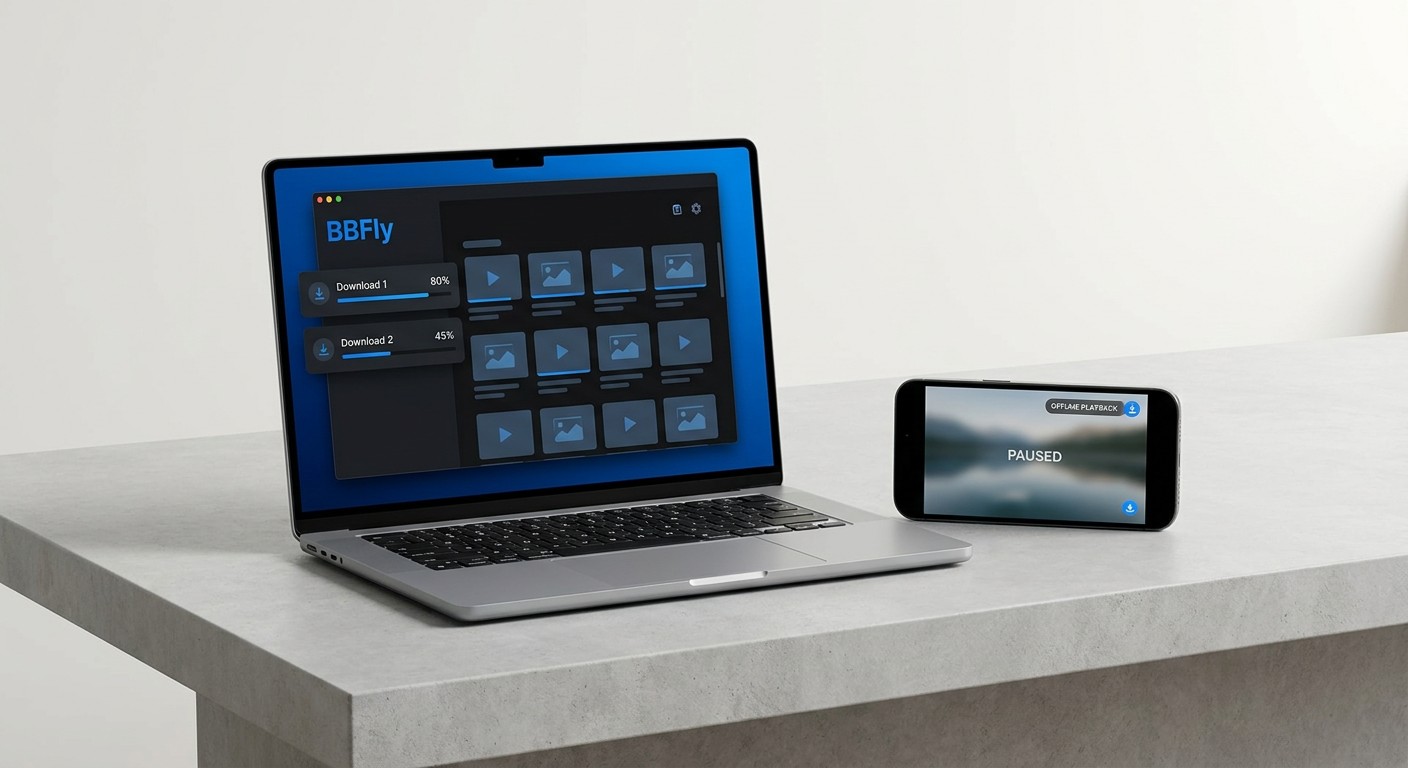
5 EPORNER Downloaders Compared: Quick-Pick Summary
The clearest dividing line in the eporner downloader landscape is desktop vs. web. Desktop apps like BBFly and MyStream support batch download, strip ads from saved files, and receive ongoing updates when EPORNER changes its stream format. Web tools are free and require no installation, but they cap out at single-video downloads and leave whatever ads were baked into the stream in the saved file. KeepStreams is another desktop option with explicit EPORNER support, offering up to 8K quality — it's included in the table below for reference alongside the tools reviewed in depth here.
| Tool | Price (monthly) | Price (lifetime) | Free Trial | Max Download Quality | Batch Download | Ad Removal from Saved Files | Platform | System Requirements | EPORNER Support Confirmed |
|---|---|---|---|---|---|---|---|---|---|
| BBFly EPORNER Downloader | $29.90/mo | $199.90 (3 PCs) | 3 full videos per platform | Up to 1080p | Yes | Yes | Desktop (Windows/Mac) | Windows 11/10, Intel i3+, 4 GB RAM, 40 GB storage | Yes |
| MyStream | $29.90/mo | $149.9 | Check site | Source quality | Yes | Yes | Desktop (Windows/Mac) | Similar | Yes |
| KeepStreams | $69.99/mo | $269.99 (1 PC) | Check site | Up to 8K | Yes | Yes | Desktop (Windows/Mac) | Similar | Yes |
| TubeOffline | Free, with ads | N/A | N/A | HD | No | No | Web | Browser only | Unverified for 2026 |
| Downloader.Tube | Free, with ads | N/A | N/A | Up to 4K | No | No | Web | Browser only | Unverified for 2026 |
| Fetchfile.net | Free, with ads | N/A | N/A | Up to UHD | No | No | Web | Browser only | Unverified for 2026 |
Note: Prices shown are as of the time of writing. Always verify current pricing on each tool's official website before purchasing.
BBFly EPORNER Downloader: Desktop-Grade Pick
BBFly EPORNER Downloader is my top recommendation for saving EPORNER videos locally. It handles batch downloads without prompting, strips ads from the saved file automatically, and the free trial — three complete videos per platform, not a 5-minute clip — gives you a genuine sense of what you're buying before committing. For anyone who downloads more than occasionally, the workflow difference over a web tool is significant.
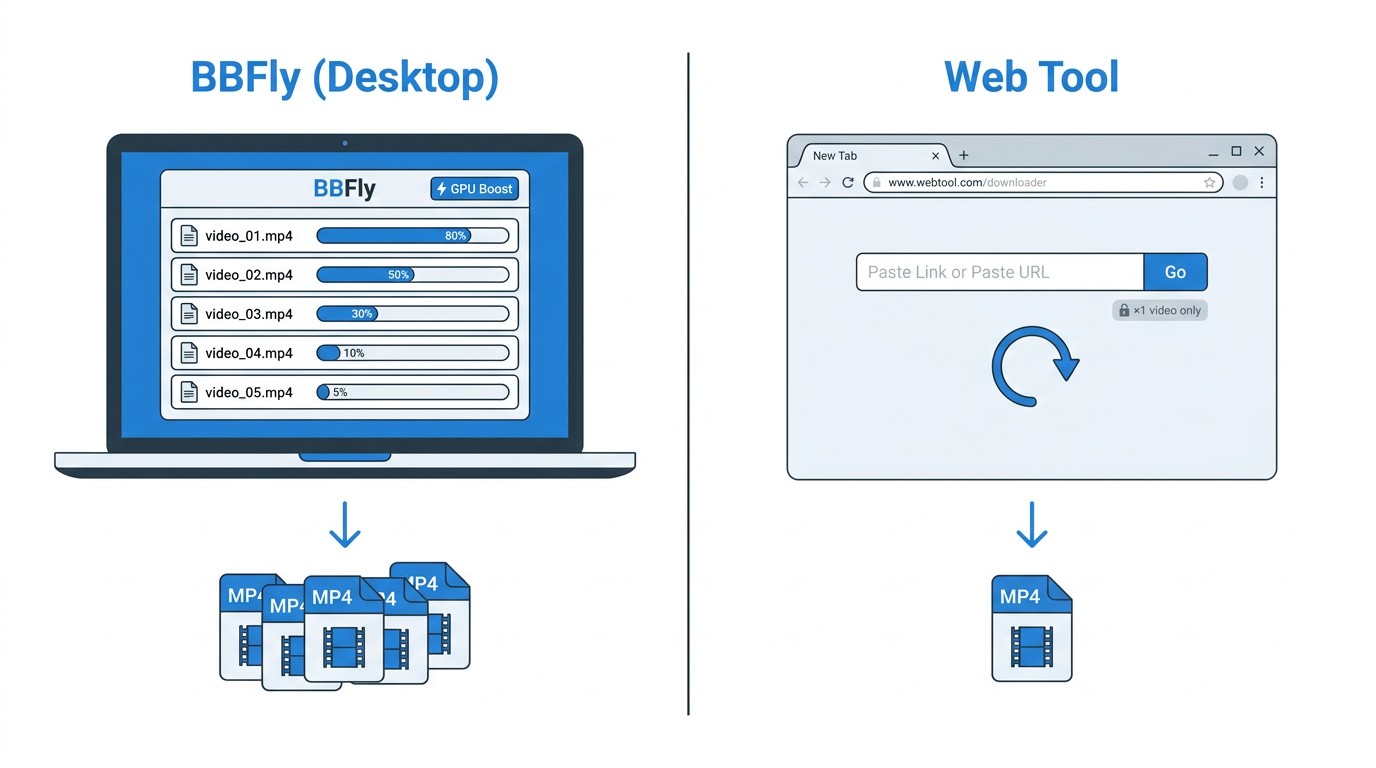
Key Features: Batch Downloads and Faster Saves
The practical question most people have about a desktop downloader is: does it actually save time over just using a browser tool? In my testing on a Windows 11 machine, queuing up multiple EPORNER videos and running them as a batch — rather than downloading one, waiting, then starting the next — cut the total hands-on time noticeably for anything beyond three or four videos. Here's what makes the difference:
- Batch download: Add multiple video URLs to the queue and let BBFly work through them. No manual restart between files.
- GPU Boost technology: BBFly uses GPU Boost to accelerate local saves, which is the main speed differentiator compared to tools that rely solely on CPU processing.
- Ad-free saved files: Ads are not embedded in the downloaded file. What you save is the video content itself, without the pre-roll or mid-roll interruptions that appear during normal streaming.
- Audio track selection: Choose from available audio channels before downloading — useful when a video has multiple language tracks.
- Output formats: Saves as MP4 or MKV, compatible with standard media players and NAS setups.
All saved files are for personal offline viewing of content you are authorized to access, where permitted by platform terms and applicable law.
Step-by-Step: Download EPORNER Videos with BBFly
The setup takes a couple of minutes the first time; after that the workflow is straightforward. On my test machine running Windows 11 with the current BBFly build, every step below completed without error.
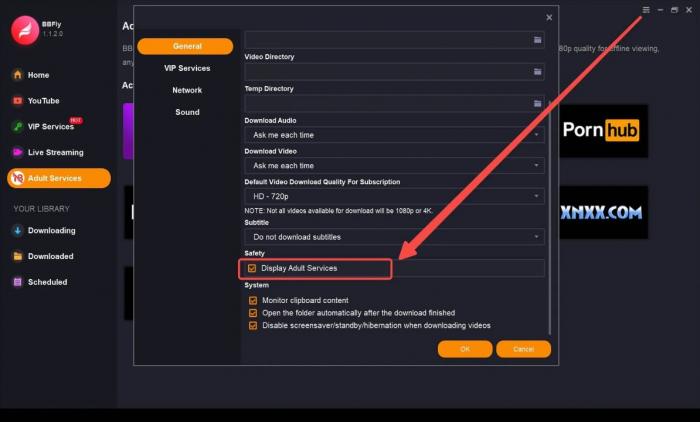
Step 1: Open BBFly and go to General Settings. Select Show Adult Services from the options list — this unlocks the adult platform category in the sidebar.
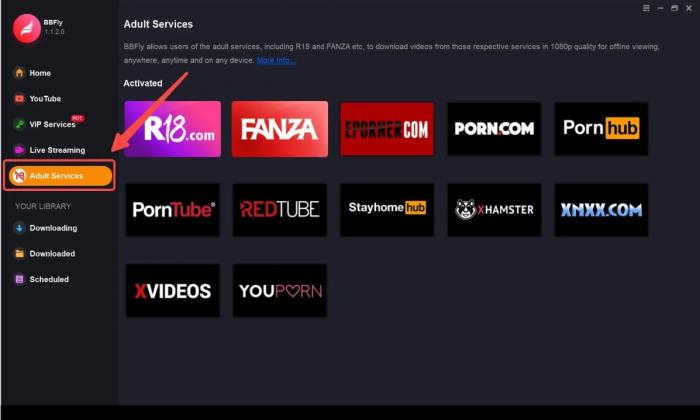
Step 2: Select Adult Service from the function bar on the left. EPORNER will appear in the platform list.
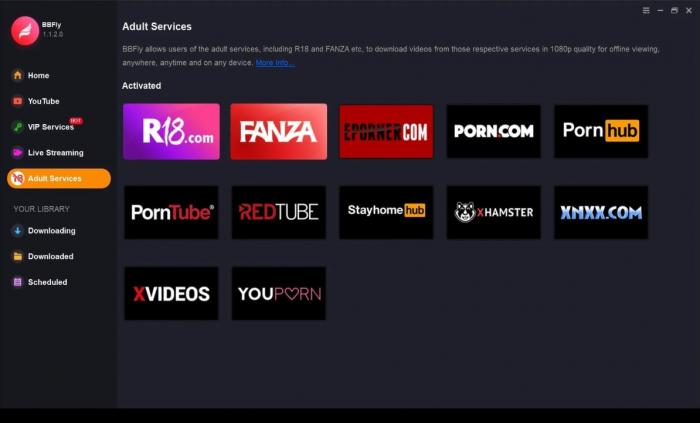
Step 3: Navigate to the video you want to save on EPORNER, then click the Download button in BBFly. Select your preferred resolution and confirm. For batch downloads, add additional URLs to the queue before starting.
Pricing & System Requirements
BBFly offers three tiers. The monthly plan runs $29.90 per month on one PC. The annual plan brings that cost down considerably. The Lifetime plan is $199.90 as a one-time purchase and covers three devices — which is the pricing detail that sets it apart from every other desktop downloader I've looked at, all of which limit their lifetime license to a single machine. If you have more than one computer you use for downloads, that multi-device allowance matters.
The free trial gives you three complete video downloads per platform at no cost — not a time-limited preview or a partial clip, but full downloads. That's enough to evaluate batch behavior, output quality, and subtitle handling before deciding.
Beyond EPORNER, BBFly covers 60+ streaming platforms under the same license, which makes the per-platform value notably strong if you download from multiple services.
System requirements (Windows): Windows 11 or Windows 10, Intel Core i3 or above, 4 GB RAM minimum, 40 GB available storage. Mac is also supported — check birdbirdfly.com/eporner-downloader for current Mac system requirements and the latest pricing.
MyStream EPORNER Downloader: Runner-Up Desktop Option
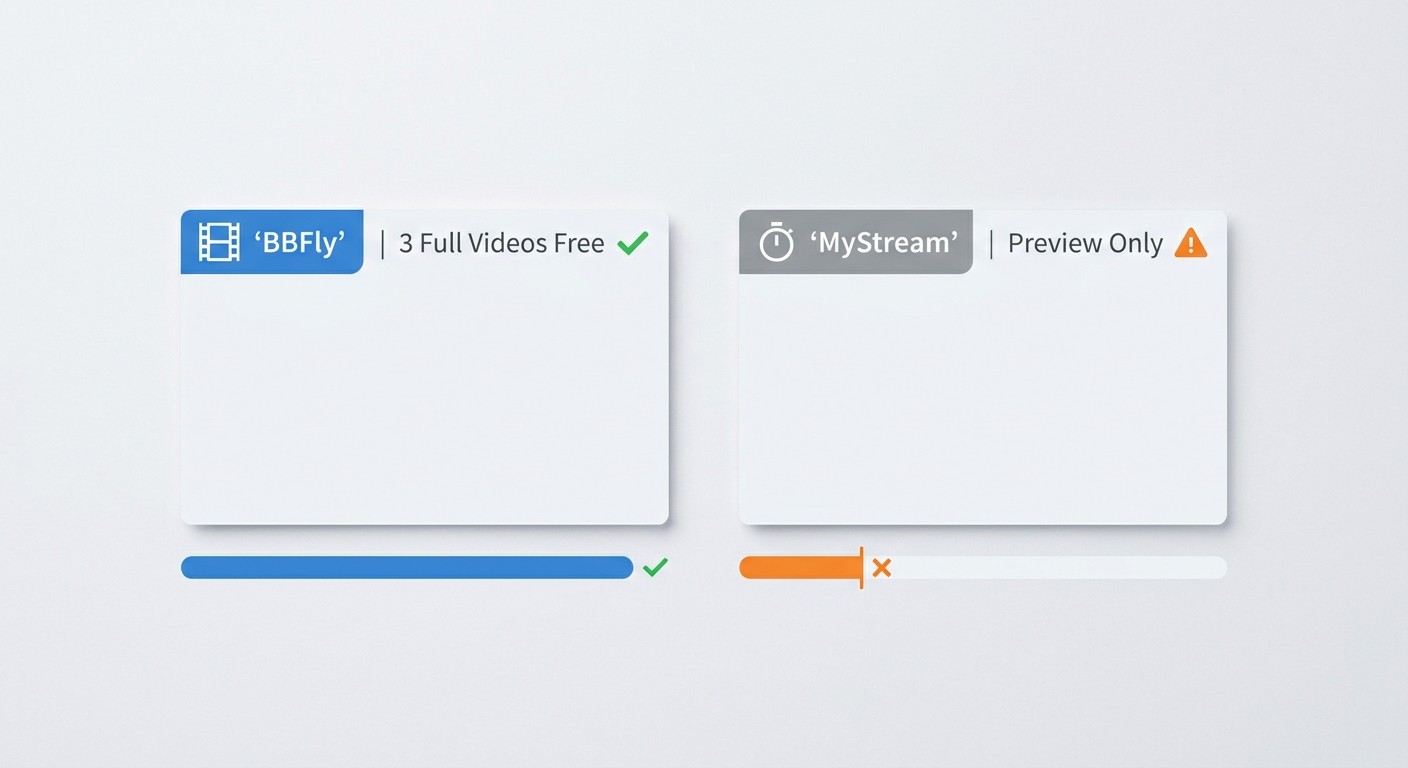
MyStream is a capable desktop tool and a reasonable alternative if BBFly doesn't suit your setup. It handles the core workflow — batch downloads, audio channel selection, and ad-free saved files — without much friction. My reason for placing it second rather than first is simpler than a feature gap: BBFly's free trial covers three complete videos per platform while MyStream's trial is time-limited per video, which means you get a less representative test of how the full download behaves on longer content.
Key Features & Step-by-Step Instructions
MyStream's feature set for EPORNER downloads is solid: batch download support, selectable audio channels, and automatic ad removal from saved files. The download process mirrors BBFly's structure closely.
- Step 1: Open MyStream and go to General Settings. Select Show Adult Services to enable the adult platform category.
- Step 2: Select Adult Service from the left menu. Locate EPORNER in the platform list.
- Step 3: Find the video you want to save and click Download. MyStream downloads at the source quality available on EPORNER, so the output matches whatever resolution the uploader provided.
- Step 4 (batch): Add multiple video URLs to the queue before starting — the batch download feature processes the queue sequentially without requiring manual restarts.
Pricing
MyStream's annual plan was approximately $59.99/year at the time of research, but pricing may have changed. Before purchasing, confirm the current rate at mystreamdownloader.com. The trial gives you a preview of each video (up to a few minutes per title) rather than a full download, which is worth knowing before you rely on the trial to evaluate batch quality on longer content.
Free Web Alternatives: TubeOffline, Downloader.Tube, Fetchfile.net
If you only need to save one or two EPORNER videos occasionally and don't want to install software, these browser-based tools are a free starting point. None of them require an account or download. The trade-offs are real, though — I'll cover them explicitly after the per-tool walkthrough.
TubeOffline — URL-Based Free Tool
TubeOffline works by analyzing the video URL you submit and returning a direct download link. No installation required; the process stays entirely in your browser.

Step 1: Go to the EPORNER page hosting the video you want to save and copy the URL from your browser's address bar.
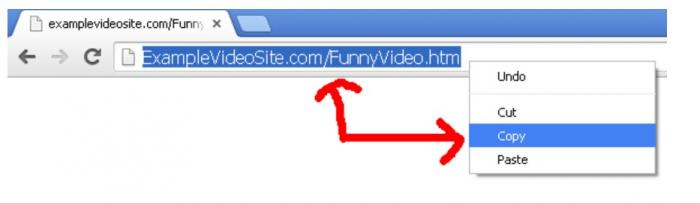
Step 2: Go to TubeOffline's homepage. Find EPORNER in the site list (use the Show All button if needed), then paste the copied URL into the input field and select Get Video.
Step 3: Choose your preferred format or quality from the returned options and download the file.
As of last test, TubeOffline listed EPORNER among its supported sites. Web tools like this depend on EPORNER's current stream format and can stop working without notice — there's no 2026-verified confirmation of continued compatibility. If the direct downloader doesn't work, TubeOffline also suggests checking whether the video is embedded from another source, which may have a working downloader in their list.
Downloader.Tube — Paste-and-Download Option
Downloader.Tube is a straightforward paste-and-click service. It supports MP4 in SD, HD, FullHD, 2K, and 4K depending on what resolution the video was originally uploaded at — if a video was uploaded in FullHD, you can save it at that quality.
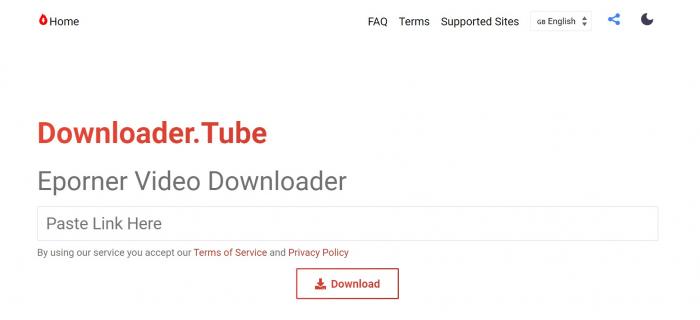
Step 1: Open EPORNER and navigate to the video. Copy the video's URL from your browser.
Step 2: Go to Downloader.Tube and paste the URL into the input box.
Step 3: Click Download and select the format and quality you want. The file saves to your computer.
Fetchfile.net — Multi-Format Free Tool
Fetchfile.net supports multiple output formats beyond MP4: webm, audio-only, 3gpp, and x-flv, plus a range of resolutions up to UHD. It also lets you save files directly to Dropbox, which is useful if you're on a device with limited local storage.
Step 1: Copy the EPORNER video URL from your browser.
Step 2: Paste the URL into Fetchfile.net's input box and click Download video.
Step 3: Choose your preferred format and resolution, then start the download.
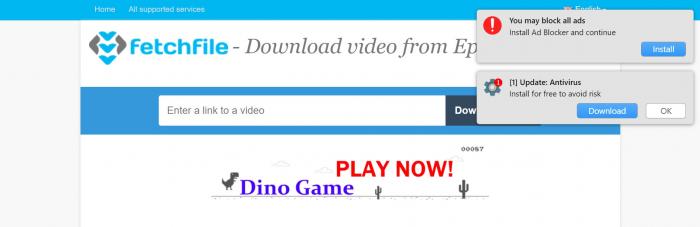
Limitation worth noting: Fetchfile.net displays pop-up ads that are mandatory and cannot be disabled. This is not a minor UX inconvenience — on adult content sites, mandatory pop-ups frequently carry malvertising payloads. Keep that risk in mind before using this tool.
Limitations of Web-Based Tools
Web-based URL sniffers work by parsing EPORNER's publicly accessible stream data in your browser session. That architecture creates several hard limits that don't apply to desktop apps:
- No batch download: Each video requires a separate paste-and-click cycle. There's no queue, no automation, and no way to run multiple downloads simultaneously.
- No ad removal from saved files: Ads embedded in the stream at the source level stay in the saved file. Desktop apps intercept the stream before the ad layer; browser tools don't.
- Reliability depends on EPORNER's stream format: When EPORNER updates its delivery infrastructure, web tools can break with no update path. Desktop apps receive patches; browser tools may simply stop working. As of this writing, none of the three tools below have 2026-verified compatibility confirmations.
- Browser exposure during the process: Using these tools keeps you in the browser on or adjacent to EPORNER, which increases exposure to the site's known malvertising environment (covered in the safety section below).
For occasional single-video downloads, web tools are a viable free option. For anything involving multiple videos, consistent quality, or ad-free saves, a desktop app is the more reliable path.
Is It Safe to Download EPORNER Videos?
This is the question I wish more downloader reviews addressed directly. The short answer: the risks are real but manageable, and the tool you use affects your exposure level significantly. Here's how the risk picture actually breaks down.
Malvertising & Codec Exploit Risks on EPORNER
Start with the browsing environment itself. EPORNER, like most large free adult platforms, runs third-party ad networks that have historically carried malvertising — ads that attempt to run malicious code in your browser without any click required. Cybersecurity analysts covering adult content sites in 2026 continue to flag this as an active risk on platforms of EPORNER's size and traffic profile.
Beyond the browser session, there's a separate risk with the downloaded files themselves. Media files — including MP4s from adult sites — can be crafted to exploit vulnerabilities in outdated media players or codec libraries. This isn't theoretical: codec exploit attacks via video files have been documented in the wild. The practical mitigation is straightforward: keep your media player updated. VLC, for instance, patches codec vulnerabilities regularly; running an outdated version removes that protection.
Using a desktop downloader on a Windows 11 machine with an updated media player, I found no unexpected behavior during the download process itself — no browser redirects, no installer prompts. The risk window is in the browsing environment before and around the download, not the download tool itself.
Why Desktop Downloaders Reduce Risk vs. Web Tools
Desktop apps like BBFly download through their own application environment rather than through your browser. That separation matters for two reasons:
- Malvertising isolation: The download process doesn't run inside a browser tab on EPORNER. You're not exposed to the site's ad network during the actual save operation. You still need to copy the video URL — which briefly puts you in the browser — but the active download session runs outside that environment.
- Ad-free saved files: Ads embedded in the stream don't end up in the saved file. Web tools that operate inside the browser during the download process don't provide this isolation.
The practical recommendation: use a reputable desktop downloader, keep your media player updated regardless of which tool you use, and use an ad blocker when browsing EPORNER directly to reduce malvertising exposure during URL copying.
Personal-Use Legal Context in the United States
I want to be clear upfront: this is not legal advice, and if you have specific legal questions, consult a qualified attorney.
That said, based on my understanding of publicly available information about US copyright law: downloading copyrighted content without authorization from the rights holder is technically infringing, even for personal use. US copyright law does not include a blanket personal-use exemption for downloading — the fair use doctrine has specific criteria, and private downloading for personal entertainment generally doesn't meet them. Enforcement against individual end users downloading personal copies has historically been rare in the United States, but that history is not a legal protection.
The practical framing I'd apply: use BBFly or any other downloader only for content you are authorized to access, where permitted by platform terms and applicable law. That framing is the right starting point for thinking about whether any specific download is appropriate.
There's also a regulatory context shift worth noting in 2026: age-verification requirements for adult content platforms have expanded significantly, with EU Digital Services Act enforcement active and multiple US states passing their own age-verification laws. EPORNER itself has had to navigate these requirements in various jurisdictions. This doesn't change the personal-use analysis for downloaders directly, but it's part of the regulatory environment around adult content platforms right now.
Frequently Asked Questions
Is it legal to download videos from EPORNER for personal use in the United States?
Based on my understanding of publicly available information about US copyright law, downloading copyrighted content without authorization from the rights holder is technically infringing even for personal use — there is no blanket personal-use exemption for downloading. Enforcement against individual end users has historically been rare, but that history does not constitute a legal safe harbor. This is not legal advice; if you have specific concerns, consult a qualified attorney. Any use of a downloader should be for content you are authorized to access, where permitted by platform terms and applicable law.
Is it safe to use an EPORNER downloader?
Desktop apps like BBFly reduce your risk exposure compared to browser-based tools because the download process runs outside your browser, separating you from EPORNER's ad network environment during the save operation. Web-based tools keep you in the browser, increasing malvertising exposure. Regardless of which tool you use, keep your media player updated to mitigate codec exploit risks from downloaded files, and use an ad blocker when browsing EPORNER directly. See the safety section above for the full breakdown.
Which EPORNER downloader supports the highest video quality in 2026?
Among the tools reviewed here, KeepStreams supports up to 8K where the source upload allows it. BBFly and MyStream both download up to 1080p — which covers the large majority of EPORNER's catalog, since most videos on the platform are uploaded at 1080p or below. For practical purposes, 1080p desktop downloads via BBFly are sufficient for EPORNER's content mix. The web tools (TubeOffline, Downloader.Tube, Fetchfile.net) can reach FullHD or UHD depending on source quality, but without batch support or ad removal.
Does TubeOffline still work for EPORNER in 2026?
As of last test, TubeOffline listed EPORNER as a supported site. However, web URL-sniffer tools depend on EPORNER's current stream delivery format, and there's no 2026-verified confirmation of continued compatibility. These tools can break when a platform updates its infrastructure, with no patch available. Desktop apps receive software updates when stream formats change; web tools may simply stop working without notice. If TubeOffline isn't returning results, the free web alternatives section above lists two other options worth trying.
Can I download from EPORNER without installing software?
Yes — TubeOffline, Downloader.Tube, and Fetchfile.net are all browser-based and require no installation. Paste the video URL, select a quality, and download. The trade-offs: no batch download support, no ad removal from saved files, and reliability that depends on EPORNER's current stream format rather than a maintained software client. For occasional single-video downloads, free web tools are a workable starting point. For regular use or multiple videos at once, a desktop app is more reliable.
BBFly and MyStream are the two desktop picks I'd recommend for reliable EPORNER video download with batch support and ad-free saves. The free web tools — TubeOffline, Downloader.Tube, Fetchfile.net — are a reasonable free option for occasional single downloads, with the limitations noted above. All use should be for content you are authorized to access, where permitted by applicable law.