
2 Ways to Download Food Network Videos Offline in 2026
Table of Contents
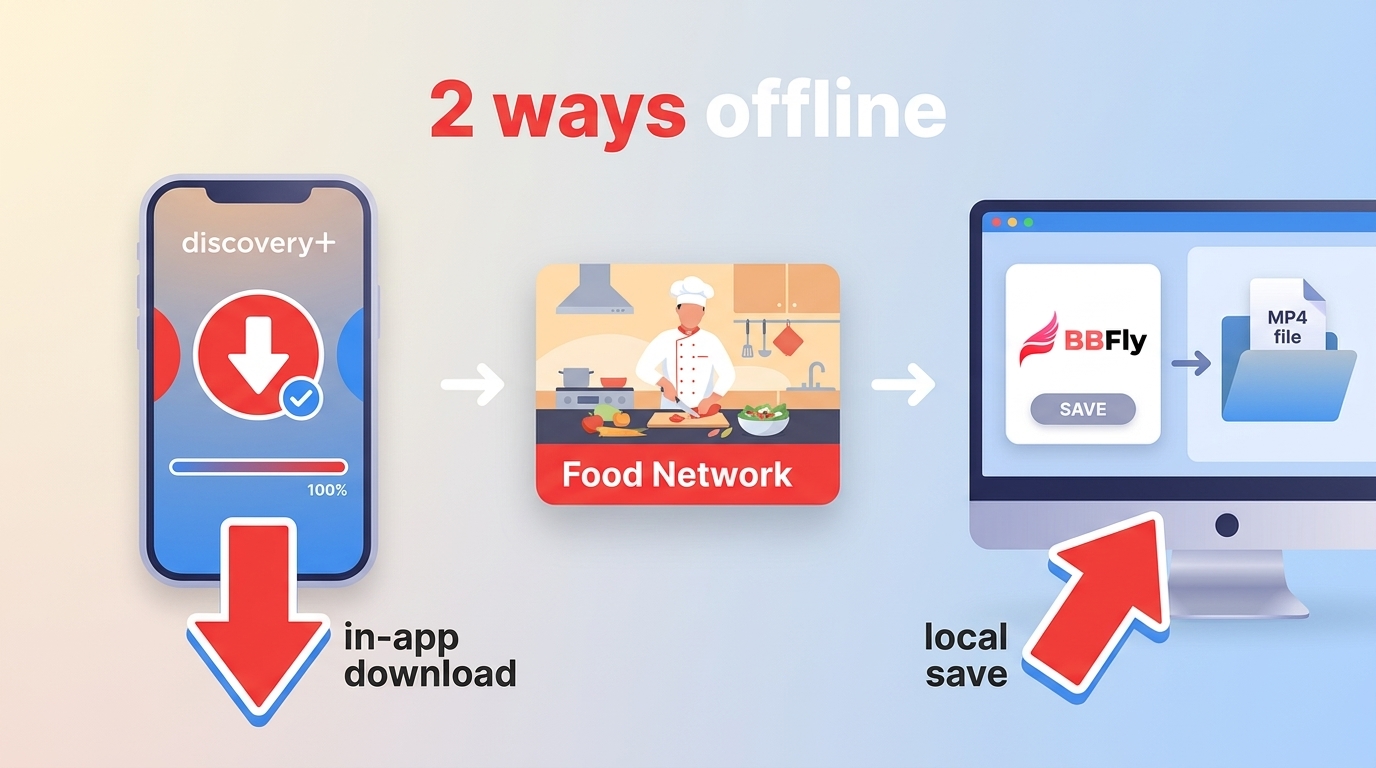
If you want to download Food Network videos, the real choice is between mobile in-app downloads and a desktop local-file workflow. Food Network offline access depends on the service, plan, device, episode catalog, and how much control you need over playback.
I would start with the official route, then consider a desktop method only if mobile-only access, expiration rules, or weak internet make it a poor fit. That order avoids paying for a service before confirming that it carries the exact show and season you want.

Can You Download Food Network Shows?
Yes, but not through every Food Network service. The Food Network GO app supports live and on-demand viewing with an eligible TV-provider login, while confirmed Food Network offline downloads are available through discovery+ on supported mobile devices with the required plan.
What Food Network GO Supports
The current Food Network GO app is designed for live channel access and on-demand episodes tied to an eligible television provider. It should not be treated as a confirmed download app unless its official listing explicitly adds that feature.
The older Food Network Kitchen app was removed from the Apple App Store and Google Play beginning March 28, 2024. That retired app and Food Network GO are different products, so older instructions that combine their names can send readers down the wrong path.
Where Offline Downloads Are Available
In the United States, discovery+ Ad-Free provides in-app downloads on supported iOS and Android devices. The episodes remain inside the discovery+ app, and availability still depends on the current catalog, account status, and rights for the selected title.
This is the simpler route when the goal is to watch Food Network on an iPhone or Android device during a trip. It is less suitable when you need Food Network on desktop or an ordinary file that can be organized outside the streaming app.
Compare Food Network Viewing Options
Food Network streaming options solve different problems: live access, on-demand discovery, mobile travel, and desktop file management. To watch Food Network without cable, focus first on catalog and login requirements rather than assuming that every subscription includes the same episodes.
| Option | Access type | Live Food Network | On-demand catalog | Offline download support | Supported devices | Login or plan requirement | Ad experience | Catalog limitations | Cost model and fit |
|---|---|---|---|---|---|---|---|---|---|
| Food Network GO | Official network app | Yes, with eligible access | Current and selected past episodes | No confirmed general download feature | Mobile devices and supported streaming platforms | Eligible TV-provider login | Ads may appear | Provider and title availability vary | Included with eligible TV service; fits live viewers |
| discovery+ Ad-Free | On-demand subscription | No standard live channel | Food Network shows within the service catalog | Yes, in the mobile app | Supported iOS and Android devices for downloads | Ad-Free subscription | No commercial interruptions on most on-demand viewing | Not every show or season is guaranteed | Separate subscription; fits mobile travel |
| Max | On-demand subscription | No standard Food Network live channel | Selected Food Network and related titles | Plan-dependent in-app downloads | Supported mobile and streaming devices | Eligible Max plan | Depends on plan | Selection varies by title and season | Separate subscription; fits broader entertainment viewing |
| Hulu | On-demand service, with a live-TV option available separately | Available through an eligible live-TV package | Selected shows and seasons | Plan-dependent mobile downloads for eligible on-demand content | Supported mobile and streaming devices | Appropriate Hulu plan | Depends on plan | Live access does not guarantee a complete archive | Subscription or live-TV package; fits viewers combining services |
| BBFly Downloader | Windows and Mac local-file workflow | No live channel service | Content the user can access through a supported source | Local MP4 or MKV output | Windows and Mac | Valid source account or subscription when required | Can exclude ads from saved output | Source availability and authorization still apply | Paid desktop software with a limited trial; fits local-file needs |
Service availability, plan names, and pricing reflect the U.S. market as of July 2026.
My practical verdict is straightforward: choose by the viewing constraint that matters most. Food Network GO serves eligible live-TV viewers, discovery+ Ad-Free is the cleanest mobile offline route, and a desktop workflow makes sense only when a local file is genuinely useful.
Download on iPhone or Android
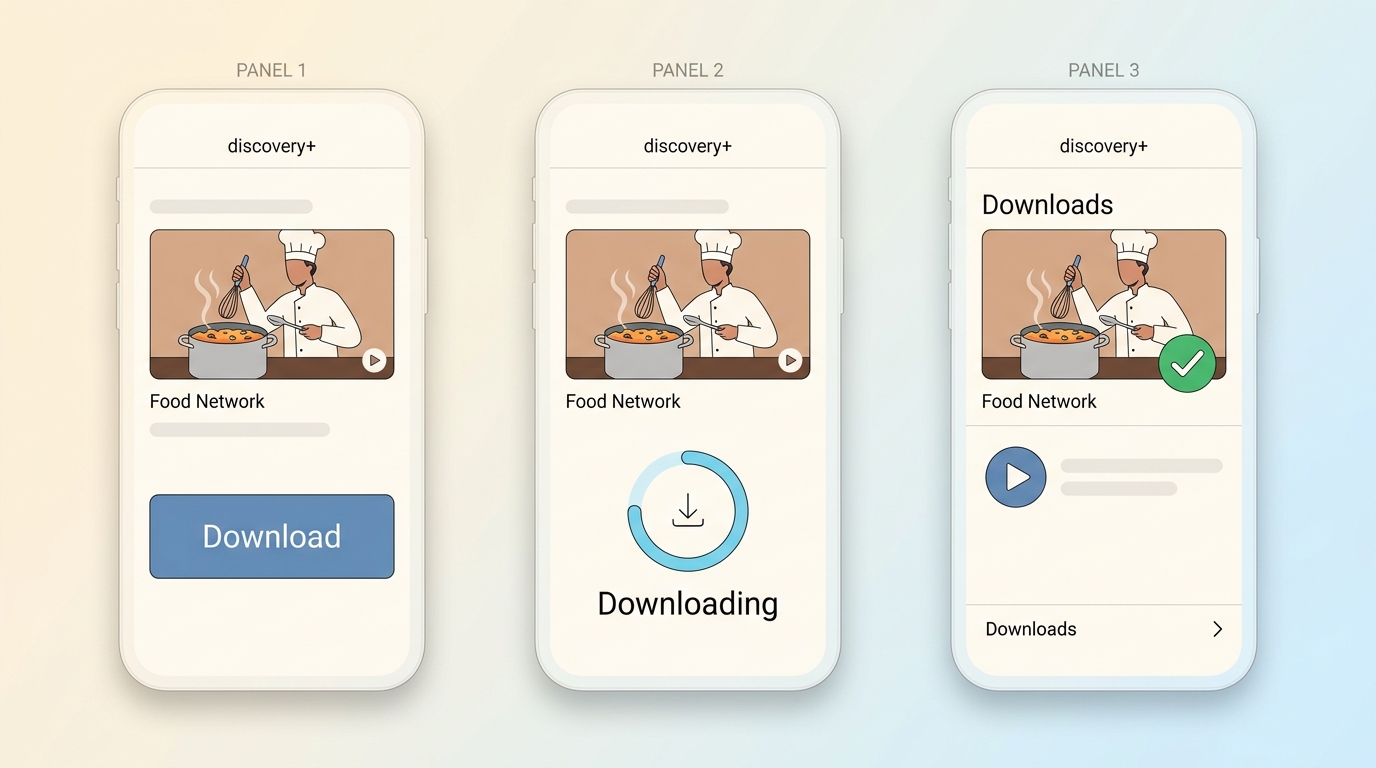
For Food Network on iPhone or Android, discovery+ offline downloads are the official mobile path described here. They require the Ad-Free plan, a supported device, an available episode, and enough device storage for the selected download.
Eligibility and Supported Devices
Food Network download limits begin with eligibility: the account must have the required discovery+ plan, and the title must display a download control on a supported iOS or Android device. A show being streamable does not automatically mean every season is downloadable.
- Use the current discovery+ app on a supported iPhone, iPad, Android phone, or Android tablet.
- Sign in to an Ad-Free account.
- Confirm that the exact episode appears in the U.S. catalog and has a download icon.
- Keep sufficient storage available and remain signed in to the account that created the download.
If I were preparing for a flight, I would confirm the episode and finish the download before leaving reliable Wi-Fi. The most disruptive limit is not usually the button itself; it is discovering too late that a season is absent or the app needs an account check.
Mobile Download Steps
The process stays inside the discovery+ app, from episode selection to deletion. Complete the sequence while the device has a stable connection so the progress indicator can finish before offline viewing begins.
- Open discovery+ and sign in to the eligible Ad-Free account.
- Search for the exact Food Network show, season, and episode.
- Open the episode page and tap the download icon.
- Monitor the progress indicator until the download is complete.
- Open the app's Downloads area and play the episode once to confirm it is ready.
- Delete watched episodes from the Downloads area when you want to recover storage.
This route is well suited to mobile travel and simple in-app playback. It is not ideal for Windows or Mac users, or for anyone who needs Food Network local files that can be arranged in a desktop media folder.
Save Episodes on Windows or Mac
For personal offline viewing of content you're authorized to access, where permitted by platform terms and applicable law, BBFly provides a desktop alternative when official mobile downloads do not fit a Windows or Mac workflow.
When a Desktop Workflow Fits
Food Network on desktop calls for a different decision than mobile viewing. A local-file workflow fits when you need to manage saved episodes on a computer, choose an output folder, or play authorized content through compatible desktop software.
I would not recommend installing desktop software merely because an official mobile download exists. If the phone or tablet app already covers the trip, it is the shorter path. The desktop route earns its place when file organization and computer playback are the actual requirements.
BBFly Download Steps
BBFly uses a Native Download workflow rather than recording an episode during playback. The distinction matters because recording consumes the episode's full running time and can alter picture, audio, or subtitle handling.

Install BBFly Downloader on Windows or Mac, then use the following sequence for a title you are authorized to access:
- Launch BBFly and open the supported service or enter the page address for the Food Network episode.
- Sign in to the source account when authentication is required.
- Find the exact show, season, and episode instead of relying on a similarly named search result.
- Open the episode so BBFly can display the available audio, subtitle, quality, and output choices.
- Select MP4 or MKV and choose only the tracks and quality offered for that title.
- Start the task and monitor it in the download queue until it completes.
- Open the selected output folder and confirm that the episode plays correctly before disconnecting from the network.
In a May 2026 first-party check on a Windows 11 computer with an SSD, BBFly cold-launched in about three seconds. That startup check does not predict episode download time, which still depends on the source, title, connection, and available quality.
If BBFly cannot identify an episode, first reopen the exact title page, confirm that the source account can stream it, and retry after refreshing the session. This is more useful than repeatedly submitting a catalog page that contains several videos.
Quality and Output Choices
BBFly supports MP4 and MKV, while the available picture quality, audio, and subtitles depend on the source title. Its verified product range extends from 1080p to 4K, but that does not mean every Food Network episode is offered at the highest setting.
For this task, I would prioritize the correct episode, readable subtitles, and a sensible output folder over chasing the largest file. The practical benefit is control over the saved file, not a specification contest that the source catalog cannot support.
Understand Offline Limits
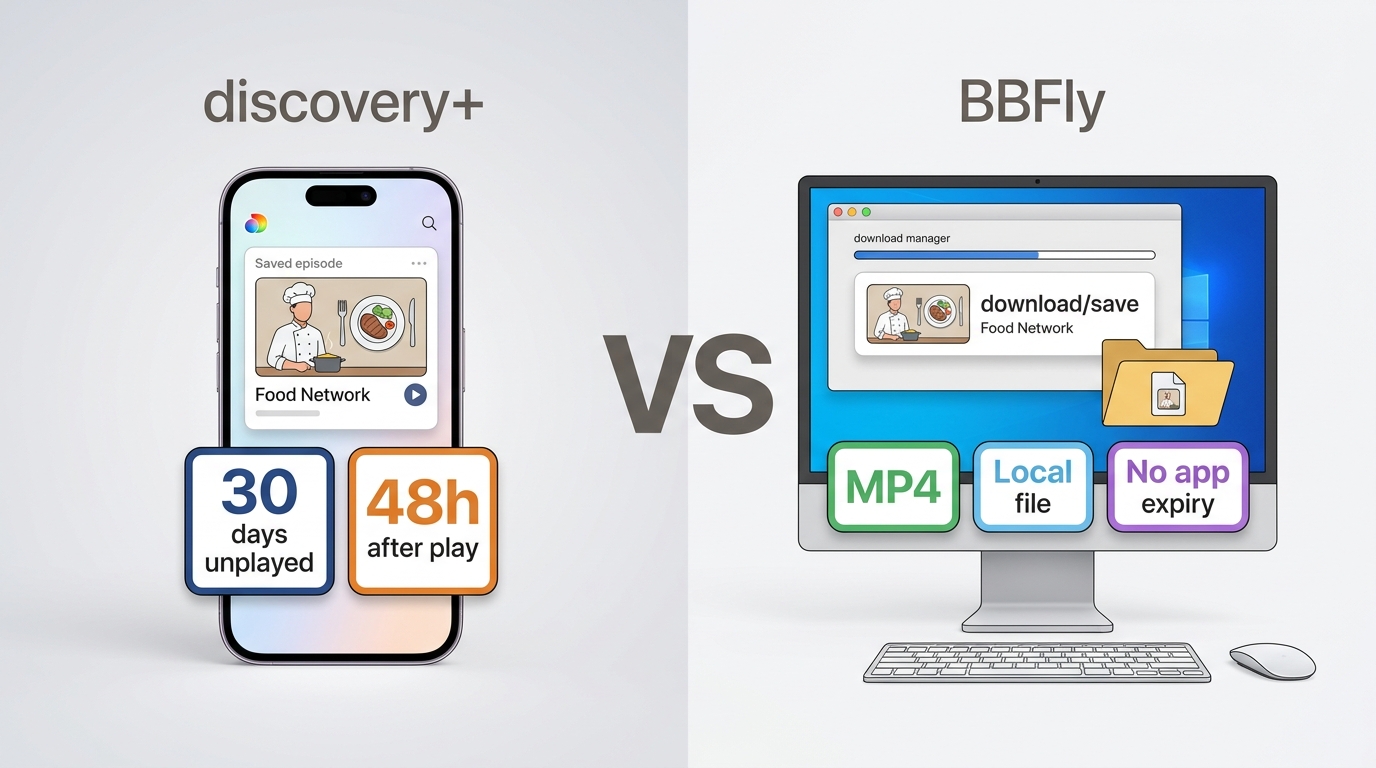
Food Network download limits differ sharply between app-managed downloads and desktop local files. The app controls eligibility and viewing Windows; a desktop file sits in the folder you selected, but source access, authorization, and personal-use boundaries still govern the workflow.
In-App Expiration Rules
Discovery+ downloads may expire after 30 days if unplayed or 48 hours after playback begins. Device support, plan status, catalog rights, and account access also matter, so a downloaded icon is not a guarantee that an episode will remain available indefinitely.
For travel, I consider the 48-hour window after playback starts the easier rule to overlook. Avoid opening several episodes as a quick test days before a trip; confirm one, leave the rest unplayed, and check the Downloads area shortly before departure.
Local Files and Personal Use
Food Network local files created through a desktop workflow are managed outside the streaming app, which makes folder organization and computer playback more flexible. Use that flexibility only for personal offline viewing of content you are authorized to access.
Do not share, upload, sell, or publicly screen saved episodes. A valid source subscription or account may still be required during access and download. People who also manage Disney+ episodes should treat that as a separate workflow because Disney Plus downloads involve a different catalog and device rules.
Choose the Best Fit
The best fit is a scenario match, not a universal winner. Decide whether you need live Food Network, a particular on-demand season, mobile offline playback, or Food Network local files on Windows or Mac, then choose the narrowest method that meets that need.
- Choose Food Network GO when you have an eligible TV-provider login and want live or current on-demand viewing.
- Choose discovery+ Ad-Free when supported mobile downloads and in-app playback cover your travel needs.
- Consider Max or Hulu when Food Network is one part of a broader subscription, after confirming the exact show and season.
- Choose the BBFly desktop workflow when authorized Windows or Mac local-file management is the central requirement.
If official mobile downloads already solve the problem, BBFly is not the efficient choice. If computer playback and file organization are essential, it becomes a practical desktop option. I would make that distinction before comparing secondary features or subscription promotions.
FAQ
Can I stream Food Network for free?
Not as a dependable blanket option. Food Network GO generally requires an eligible TV-provider login, while subscription services, promotional access, and free episodes vary. I would check the exact show and access requirement rather than plan around a temporary offer.
Is Food Network included with Amazon Prime?
A basic Prime membership does not guarantee the full Food Network catalog. Food Network on Amazon Prime may appear through a separate channel, subscription, rental, or purchase, depending on the title. Check the exact show and season before assuming it is included.
Why can't I find an older Food Network season?
Food Network old episodes are distributed unevenly across services, regions, shows, and seasons. Live channel access does not guarantee a complete archive. My rule is to search for the precise season on each candidate service before starting or changing a subscription.